

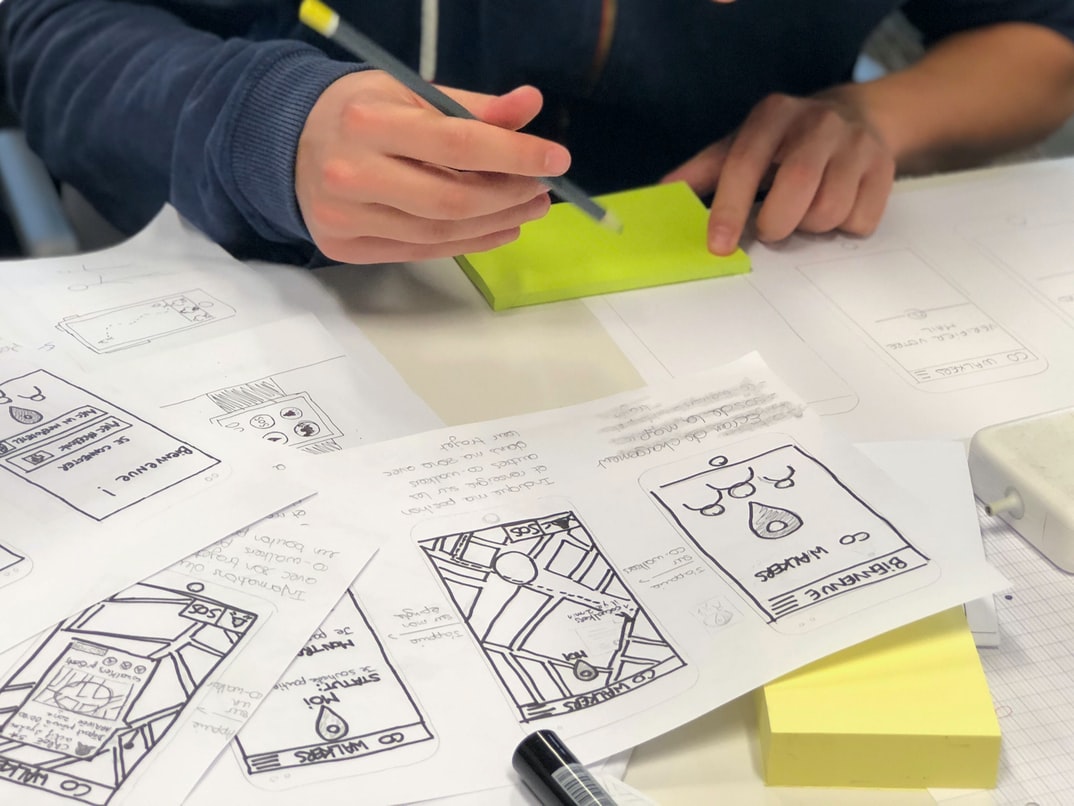
Step-by-Step Guide to Designing and Developing Your App
A mobile app is a software application that runs on smartphones and tablets. It typically refers to an app designed for use on those devices, but the term can be used more broadly to describe any software application that runs on mobile devices. Mobile apps are often designed to supplement or replace web-based applications.
There are many different types of mobile apps, each with its own unique features and benefits:
Games: Games are one of the most popular types of mobile apps. They’re often designed for entertainment purposes and can be very addictive.
: Games are one of the most popular types of mobile apps. They’re often designed for entertainment purposes and can be very addictive. Navigation: Navigation apps help users find their way around a complex environment or navigate between different sections within an application.
: Navigation apps help users find their way around a complex environment or navigate between different sections within an application. Social networking: Social networking apps allow users to connect with friends and other people they know online. This type of app is especially popular among younger users who use it to stay in touch with their social networks while they’re away from home or work.
: Social networking apps allow users to connect with friends and other people they know online. This type of app is especially popular among younger users who use it to stay in touch with their social networks while they’re away from home or work.
Why develop a mobile app?
There are numerous reasons why businesses might choose to develop a mobile app. Perhaps the business wants to extend its reach beyond the traditional boundaries of its website or offline presence. Maybe the business needs to improve customer engagement or increase sales opportunities. In any case, there are a variety of reasons why a business might choose to create a mobile app.
But before a business can begin developing its mobile app, it first needs to understand the process involved in creating one. The process begins with conceptualizing and planning the app, followed by designing and coding it. After that, testing and marketing of the app must take place before it can be made available for users to download. In all, developing a mobile app can take several months or even years, depending on the complexity of the project. There are many reasons why businesses develop mobile apps. The most common reason is that they want to extend their reach beyond the traditional desktop computing platform. A mobile app can provide a more engaging and interactive experience for customers, which can lead to increased sales or customer loyalty. Additionally, mobile apps can help businesses track customer behaviour and performance in real-time, thus increasing efficiency and bottom-line profits.
The development process: Requirements gathering, design, development, testing and launch.
Requirements gathering is the first phase in the mobile app development process, and it’s critical to get everything right from the start. Developers need to know what features are required and what the target audience wants from the app. Prototyping can help developers test ideas and figure out how they will work together, but ultimately it’s up to users to give feedback and make sure that an app meets their needs.
Design is where developers begin crafting the look and feel of an app. They’ll consider the user interface, colours, animations, and more. The development follows immediately after design and involves creating code that makes the app function as desired. Testing is essential for ensuring that an app is bug-free before launch, but it’s also important to keep an eye on user feedback throughout this process in order to make necessary changes. Once a beta version of an app is ready for public consumption, it’s important to go through a process called SEO which stands for “Search Engine Optimization”, in order for potential users to find it easily.
The benefits of developing a mobile app.
There are many benefits that come with developing a mobile app. Not only do they provide an additional revenue stream for businesses, but they can also be used to help improve customer engagement and loyalty. In addition, mobile apps can help businesses increase their market presence and connect with new customers. Finally, developing a mobile app can help businesses become more efficient and organized.
Tip 1: Define Your Goals and Objectives
The first step in any mobile app development process is defining the goals and objectives of the project. This can be done in a number of ways, but one approach is to come up with a list of customer needs that you want to address. Once you know what you’re working toward, it’s much easier to start planning how to reach those goals.
Another key step is setting milestones for the project. At each stage, make sure you have a clear idea of what needs to be done and when it should be completed. This will help keep everyone on track and avoid any surprises during development. And finally, always communicate with your team members, so everyone knows what’s going on and why certain decisions were made. By following these tips, you’ll successfully create a successful mobile app!
Tip 2: Get to Know the Target Audience & their Needs
When developing a mobile app, it is important to understand the target audience and their needs. Some key things to consider include the following:
-What devices does the app require?
-What are the user’s needs and wants?
-How will the app be used?
-Who is the target market for this app?
Tip 3: Choose the Right Platform & Technology Stack
When starting a mobile app, it is important to choose the right platform and technology stack. The three most common platforms are iOS, Android, and Windows Phone. Each has its own set of requirements that must be met in order to create an app.
iOS: For iOS apps, developers use Objective-C, a language created specifically for developing applications for the iPhone and iPad. Apple’s SDK (Software Development Kit) provides complete tools for developing apps, including access to the company’s powerful App Store marketplaces, where users can find and download apps. iPhone development requires familiarity with both programming languages – Objective-C and Swift – as well as design patterns used by Apple in its apps.
Android: Android development relies on Java programming language and the Android SDK. Like iOS, Android offers an open platform that encourages developers to build unique features for their users using the device’s native capabilities. However, Android also allows developers to extend its functionality with third-party APIs (application programming interfaces). This gives Android more flexibility than iOS when it comes to customizing features for individual users or businesses.
Windows Phone: Microsoft’s Windows Phone platform offers a clean interface designed primarily for touch devices such as smartphones and tablets. Unlike other platforms where code must be compiled into executable files before being run on a device, Windows Phone applications run directly from source code files stored on developer machines or servers.
Tip 4: Design a User-Friendly UI & UX
Creating an interface that is both user-friendly and aesthetically pleasing can be a challenge for even the most experienced developers. But it’s important to keep in mind that not everyone will be using your app in the same way, so it’s important to create a design that is simple and easy to understand. Additionally, always make sure to test your app with different types of users to ensure that everyone has an equitable experience.
Tip 5. Test the App Thoroughly Before Launching It
There are a lot of things to consider when launching a mobile app, but making sure it works correctly is perhaps the most important. Testing your app thoroughly before release will help ensure that users have a positive experience and that the app functions as intended. Here are five tips for testing your app:
1. Set up functional, and regression tests before coding begins. This will help catch any errors or issues early on and will make it easier to find and fix them.
2. Use external tools to test the app’s performance. This can include simulators or actual users (if you have access to them).
3. Run user studies prior to releasing the app to gauge user feedback and find areas that need improvement.
4. Keep an eye on App Store reviews and ratings before release, as this can be an important indicator of success or failure.
5. Monitor usage statistics regularly to see how people are using the app and what areas may need further attention (or improvement).
Application Building
There are a few key steps in creating a mobile app. The first is to decide what type of mobile app you want to create. Next, you need to determine the capabilities of your target audience. You then need to develop a business model and design an application that meets the needs of your target market. After that, you need to build the app and test it before releasing it to the public.
Adobe XD: Building Apps Without Coding Knowledge
Adobe XD is a great platform for app development without coding knowledge. It has a drag-and-drop interface which makes the development process easy. You just need to create a prototype, and Adobe XD will take care of the rest. There are plenty of templates and resources available on Adobe XD, so you can quickly create an app that looks and feels professional. Plus, you can use Adobe XD to rapidly prototype new ideas, test them with users, and make changes as needed before going through the entire development process with code.
E-Commerce Platform
A mobile app development process typically starts with designing the app’s user interface, followed by developing the back end and then building and testing the app. There are various e-commerce platforms available that can be used for building mobile apps, but each has its own set of pros and cons. Some of the most popular e-commerce platforms for mobile app development include Shopify, Magento, and Volusion. Each has its own strengths and weaknesses, so it’s important to choose the platform that best suits your needs.
Some key factors to consider when choosing an e-commerce platform include scalability (how well it can handle high traffic volumes), integrations (whether it has built-in features for marketing and shipping), pricing model (whether there are discounts available for larger businesses), features (e.g., modules for product listing, checkout flow, order management), and developer community support. Ultimately, the decision comes down to what you need and want your mobile app to do.
Figma
Figma is a software development platform that helps developers build mobile apps more easily. It provides an interface for users to design and collaborate on apps with others, and it automates many of the common tasks in app development.
Figma is unique in that it allows users to create models of their app designs before starting to code. This helps developers plan their app’s architecture and makes subsequent coding easier because they know what inputs and outputs are required from the various parts of the app. Additionally, Figma offers powerful collaboration features so that multiple people can work on an app at the same time without conflict.
Adobe XD
Adobe XD is a mobile app development platform that helps developers create iOS and Android apps. It offers a wide range of features, such as drag-and-drop UI design, live previewing of designs, and automatic code generation. Adobe XD also has built-in support for several programming languages, such as Java and Swift. This makes it an ideal choice for developers who want to create mobile apps using multiple languages.
Graphic Design
Designing a mobile app can be an extremely rewarding experience, but it also comes with its own set of challenges. One of the most important aspects of any mobile app design is ensuring that the process is streamlined and efficient. This article will discuss some key tips for streamlining your mobile app development process.
First and foremost, make sure that you have a clear idea of what you want your mobile app to do and how it will function. Once you have a good understanding of your goals, start drafting user flows and screens that illustrate how users will interact with your app. It’s also important to keep in mind the various platforms on which your app will be available: iOS, Android, Windows Phone, etc. Different devices have different operating systems and user interfaces, so your screens must be customized for each type of device.
Once you have drafted all the necessary screens and flows, it’s time to start designing graphics. Your app’s visuals should reflect the high-quality look and feel that you are striving for. It’s also important to consider how people will interact with your app on different devices: touchscreens vs keyboards vs mouse input vs game controllers. Make sure to include all possible input methods in your designs so that users can interact with your app in the best way possible.
Finally, it’s important to test your designs before they are finalized. A mobile app is essentially a digital software program designed to be accessed and used on a Smartphone or Tablet. When designing a mobile app, you need to take into account the various types of phones and devices that users will use.
First, you should decide what type of phone your app will work on. There are two main types of phones: regular phones and Smartphones. Regular phones have been around for years, while Smartphones were introduced in 2007. They both have their advantages and disadvantages, so you’ll want to decide which one your app will work best on.
Smartphones are more common now than regular phones, but they also have some disadvantages. First, they’re bigger and heavier than regular phones, so you may not want to make an app for them. Second, they have more features than regular phones, so your app may not look as good if it’s designed for a smartphone only.
You’ll also need to decide what type of user interface (UI) your app will use. There are three main types: the classic UI, which was popular in the 1990s and early 2000s; the modern UI, which was popular in the 2000s; and the Flat UI, which is most popular today.
The classic UI is based on Windows-style menus and icons, while the modern UI uses menus with icons at the top instead of below them. The Flat UI just has buttons without any text or icons above or below them.
Graphic Design Mobile App
So you’ve decided to develop a mobile app! Great decision! There are so many different ways to go about it, but in this blog post, we’ll be discussing the process of developing a graphic design mobile app.
There are a few things you’ll need before beginning: an idea for your app, a development team (or partners), and the funds necessary to get started. The idea stage is where you come up with the concept for your app- it could be anything from a new way to organize your photos to a simple recipe finder. Once you have an idea, it’s time to start contacting potential development teams.
Once you’ve narrowed down your search, it’s time to begin setting up meetings with potential developers. Make sure to include information about your concept and goals for the app- this will help determine what kind of development work is needed and how much it will cost. Once all the details have been ironed out, it’s time to start creating mockups of the app interface and user flows. This will help developers better understand how users will interact with the app and make suggestions for improvement.
The next step is actually making the app! This can be done in various ways- depending on the budget and skill set of a development team member. Graphic design is an essential part of any mobile app’s design. A well-designed and comprehensive graphic design process will help ensure that the end product is appealing, engaging, and intuitive.
When creating a mobile app, it’s important to consider the user experience from start to finish. Users must be able to easily navigate through the app’s interface and find the information they need. Fonts, colours, and graphics should all be chosen with this in mind.
Some common graphic design challenges include designing for both portrait and landscape modes, creating icons that are legible at small sizes, and adapting designs for different languages or cultures. By following a well-established graphic design process, developers can avoid many of these issues and create a more user-friendly experience for their users.
What is UI design?
UI design is the process of creating a graphical interface for a computer system or mobile app. The goal of UI design is to make the user’s experience with the system or app as enjoyable and productive as possible.
What is UX design?
User experience (UX) design is the process of creating a user interface that meets the needs of target users. A well-designed mobile app interface will be easy to use, intuitive, and attractive. It should also meet the needs of the target audience, be efficient and responsive, and conform to applicable standards.
UX professionals often work in collaboration with developers to create a quality user experience for mobile apps. They may also work with other departments within an organization, such as marketing or product management, to ensure that the final product aligns with business goals.
One of the most important aspects of a good user experience is feedback. UX professionals must constantly evaluate how their users are interacting with the app and make changes as needed. This process can be time-consuming, but it is essential for creating an effective mobile app.
Visual Communication
The development of mobile apps has come a long way since the early days of the iPhone. Today, there are many different app development platforms and frameworks available, each with its own set of features and benefits. However, the process for developing a mobile app is essentially the same, no matter what platform or framework is used.
There are several stages in the typical mobile app development process: planning, designing, coding, testing, and publishing. Each stage has its own set of tasks and responsibilities, but they all rely on effective communication between team members. Good visual communication can help ensure that all stages of the process are completed smoothly and on schedule.
Good visual communication helps to avoid common problems during the development process, such as misunderstandings about project goals or deadlines. It can also help to keep everyone on track by providing clear documentation and feedback charts. Many businesses today are operating through mobile apps. Because of the incredible potential that these apps have, businesses want to make sure that their app is as visually appealing as possible. This means that they must take into consideration how the app looks and feels when using it.
Apps need to be easy to use and understand while still looking professional. They should also be visually appealing so that people will want to use them. It is important to consider all of these aspects when making an app in order to ensure that it succeeds in reaching its target audience.
Visual Communication Vs Graphic Design
Visual communication is about creating a message that is clear, concise and easy to understand. Graphic design is all about creating a beautiful and appealing image that can be used to promote a product or idea.
When it comes to developing mobile apps, it’s important to strike the right balance between visual communication and graphic design. Too much graphic design and the app will look garish and unprofessional; too much visual communication and the message will be lost in all the pretty pictures.
The key is to find the right balance, which usually means finding a style that works well for the particular app. For example, apps designed for kids might use brighter colours and more cartoon-like graphics, while apps designed for business users might feature more realism and less whimsy. Visual communication and graphic design are two very different types of design. Visual communication is about using visuals to tell a story or convey information. Graphic design is about creating beautiful, visually appealing designs that appeal to the eye.
Visual communication is often used in mobile app development because users want to see images and videos that help them understand the app’s functionality. Graphic design is often used in web and app development because users want to see creative, eye-catching designs that make them user feel happy and satisfied.
Application of Graphic Design: Adobe Photoshop, Adobe Illustrator, Adobe InDesign
Designing mobile apps is a complex and demanding process that requires expertise in several different application design software programs. These programs include Adobe Photoshop, Adobe Illustrator, and Adobe InDesign. The steps involved in designing a mobile app can vary depending on the type of app being created, but generally, they involve the following: creating thumbnails and mockups of the user interface; developing wireframes; designing the user interface using graphic design tools; creating the app’s programming code; testing and finalizing the app. As the world becomes increasingly digital and mobile-friendly, so too does the software development process. As developers create more and more mobile apps, it’s important to have a robust knowledge of Adobe Photoshop, Adobe Illustrator, and Adobe InDesign.
Adobe Photoshop is used for creating graphics and layouts. Adobe Illustrator is used for vector illustrations and logos. Adobe InDesign is used for producing PDFs and ePubs. Graphic designers are frequently used in the mobile app development process. Graphic designers help create the graphics and user interface for a mobile app. They also help create the overall layout and functionality of a mobile app. Additionally, graphic designers often provide input on branding and design concepts for a mobile apps. Graphic design is an essential part of the mobile app development process. Graphic designers create the visuals for apps, and their skills are in high demand as more people turn to mobile devices to access information and entertainment.
Adobe Photoshop, Adobe Illustrator, and Adobe InDesign are all widely used graphic design software packages. Each has its own strengths and limitations, so it’s important to choose the right one for your project. Photoshop is best for creating rough sketches and basic images, while Illustrator is better for detailed work like drawing logos or designing user interfaces. InDesign is perfect for creating complex layouts with text and graphics.
Figma, Adobe XD, WordPress, Elementor.
There’s no question that the smartphone has completely transformed how people live and work. And with app development becoming increasingly popular, it’s no surprise that more and more businesses are turning to mobile apps to drive their business strategy. But creating a successful app requires more than just a talented developer and an idea – it also requires an effective process.
One of the most popular mobile app development platforms is Figma. Known for its intuitive interface and powerful features, Figma is perfect for any project size or complexity. And if you need help getting started, Adobe XD is a great option, too – because it offers a wide range of features without requiring prior coding experience.
WordPress also makes a great platform for developing mobile apps – because it’s easy to use and inherently customizable. Plus, WordPress has become one of the most popular Content Management Systems (CMS) in the world, so you can be sure your app will be well-received by your users.
But there’s no need to limit yourself to just these three platforms – because Elementor also offers an easy way to develop professional-grade mobile apps quickly and efficiently. So whatever your needs are when it comes to building mobile apps, there’s definitely a platform out there that can meet them! When it comes to mobile app development, there are a number of different tools and platforms that can be used. Figma is a user interface design tool that has been gaining popularity in recent years. Adobe XD is a vector graphic design software that can be used for creating custom designs and graphics for mobile apps. WordPress is a popular content management system (CMS) that can be used for building mobile apps. Elementor is an app development platform that integrates with both Figma and Adobe XD.
What Is A Prototype?
Prototypes are models or simulations of the final product. They allow you to test your ideas and see how they work before you invest too much time and money into developing them.
As mobile apps continue to grow in popularity, the development process for these applications becomes more and more complex. In order to properly develop an app that will be successful, it is important to invest time and money into developing them correctly. Here are a few tips to help you along the way:
1. Start with a Functional Prototype.
Before you start coding, it is important to create a functional prototype of your app. This allows you to test out your ideas and see how people will interact with the app before you spend any time developing it. This also gives you a better idea of what needs to be improved or changed before starting work on the actual app.
2. Use Local Data for Testing Purposes Only.
When testing your app, always use local data instead of relying on real data from third-party services. This will ensure that your app behaves correctly in all situations and does not contain any unforeseen bugs. Using real data may introduce glitches that cannot be fixed in a test environment.
3. Prioritize Quality over Speed when Developing an App.
When developing an app, make sure that quality is always a top priority over speed. The faster an app can be developed, the less time and money will be spent on fixing mistakes later on down the line.
One advantage of prototypes is that they can help you avoid making mistakes. You can also use prototypes to test whether an idea is viable or not.
A prototype should be simple enough so that it doesn’t take too much time to build, but it should also be realistic enough that the functionality works as expected.
What is A/B testing?
Testing is an important part of the mobile app development process. Testing can help you find and fix problems with your apps before they are released to the public.
There are different types of testing you can do, including unit testing, integration testing, and end-to-end testing. Unit testing tests individual units of code, such as a function or a method. Integration testing tests how two or more parts of an app work together. End-to-end testing tests how an app performs from start to finish.
You can also use A/B testing to test different versions of your app with different user populations. A/B testing is when you test two versions of your app with different groups of users and compare the results. You can then make changes to one version of the app and see how it affects the other version. This helps you find problems early in the development process and makes sure that your apps are ready for release.









