

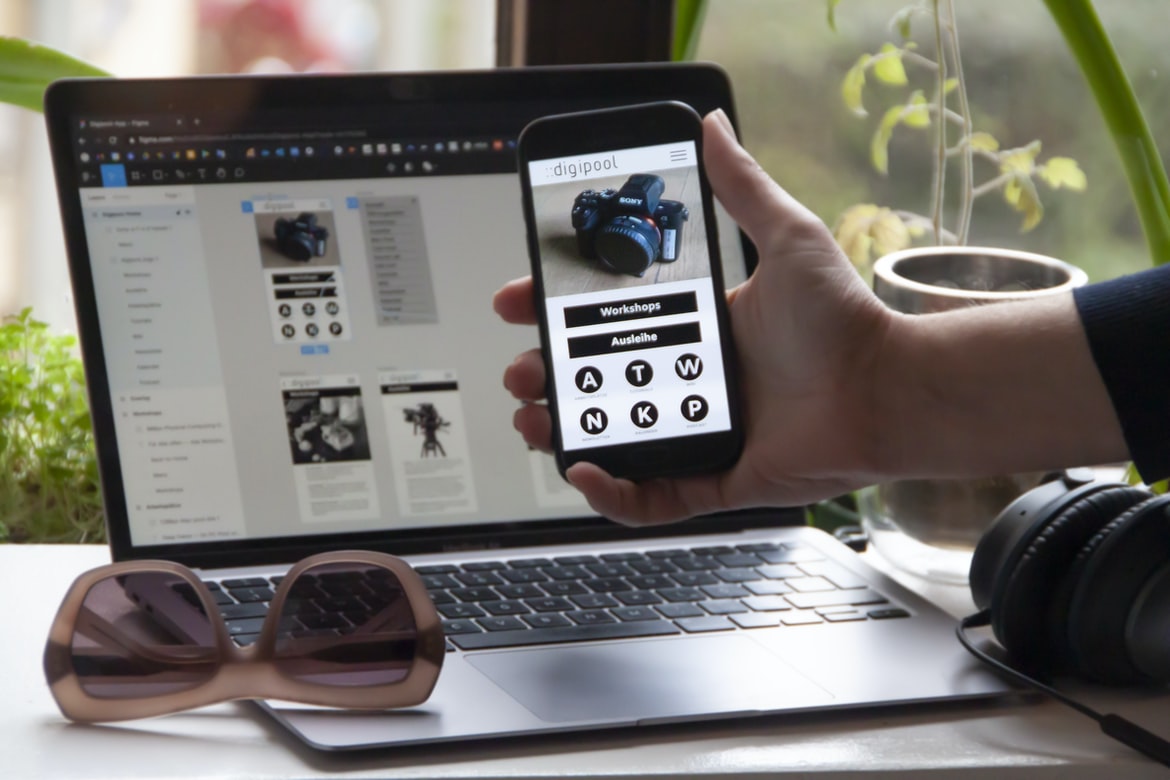
What is Application Building and Why Should You Learn How To Do It? – What are mobile apps, and why are they important?
Mobile apps are software programs that are downloaded and used on mobile devices such as smartphones and tablets. They offer a unique platform to businesses because they can be customized for specific devices and markets, making them more appealing to customers. Additionally, mobile apps can be used to communicate with customers directly, increasing the relevance of your brand. Finally, mobile apps can improve customer engagement by providing additional features and functionality that complement your website or other marketing campaigns. Once upon a time, people used to use phones exclusively for making phone calls. But then came the era of the smartphone, and people started using them for a myriad of other things – including using apps to do things that were once only possible on computers (like watching videos or reading articles).
So what are mobile apps? Simply put, they’re software programs designed to run on smartphones and other mobile devices. And while they may have originated as simple tools for passing the time or making basic tasks easier, today’s mobile apps can be anything from miniature versions of full-fledged desktop programs to entirely new platforms all their own.
Why are mobile apps so important? Because they allow us to access information and services anywhere we want – without having to carry around a bulky laptop computer with us everywhere we go. And that’s not all: by providing an intuitive interface and unique features not available on traditional websites or applications, mobile apps have revolutionized how we use our smartphones and other mobile devices.
App Development Process: What goes into making a successful mobile app?
There is no one “right” way to develop a mobile app, but there are several important steps that need to be taken in order for the app to be successful. First and foremost, the app needs to be well-intentioned and useful. It should provide a unique experience that can’t be found anywhere else on the market. Additionally, it should be easy to use and navigate, making it a breeze for users to get started.
Once an app has been tested and meets all of these requirements, it needs to be marketed in order to reach as many people as possible. This can involve spending money on advertising or developing partnerships with other businesses or organizations that may want to promote the app. In the end, any mobile app will require hard work and dedication from its developers, but if done correctly, it can lead to tremendous success. There are many different aspects to consider when developing a successful mobile app. These include the overall design, user experience, functionality, marketing strategy and monetization plan. Here is a general overview of what goes into making a successful mobile app:
1. The first step in any mobile app development process is to develop an understanding of the target audience. This includes understanding their needs and wants, as well as the market trends that are affecting them.
2. Once the target audience has been determined, it’s important to design an appealing user interface that will capture their attention and keep them coming back for more. It’s also important to make sure all features are easy to use and navigate.
3. Next, it’s important to develop a functional prototype that demonstrates how the app will work in practice. This allows developers and testers to see how well the overall design and user interface are working before they start spending money on development resources.
4. After the prototype is complete, it’s time to start coding the actual app using an appropriate programming language. The goal here is to create a robust system that meets all of the requirements of the target audience while still being easy for users to use.
5. Finally, it’s essential to create a marketing strategy and deploy effective monetization measures so that users have the incentive to stay engaged with your app long-term.
App Store Optimization: How do you make sure your app is seen by as many people as possible?
The app store optimization process is vital for any mobile app developer. It can mean the difference between a successful app and one that goes unnoticed. This article will discuss some of the basics of how to optimize your app for maximum exposure in the App Store.
When submitting an app to the App Store, it is important to consider a few things:
-Name: The name of your app should be catchy and easy to remember. Make sure it is not too similar to existing apps already in the App Store.
-Description: Your description should be concise but informative. A good rule of thumb is to keep it no more than 150 words long.
-Images: You will need at least one image for your app listing and one additional image per category (e.g., screenshots, icons). Images should be high quality and appealing, and you may want to include a spokesperson or other imagery that represents your product or category.
-Availability: The time frame during which your app will be available matters when submitting it to the App Store. Apps with shorter durations generally do better than those with longer durations since people are more likely to download something new right away rather than waiting several weeks or months.
There are many other factors that can affect how well an app performs on the App Store, such as thumbnails, ratings, reviews, keywords, etc., but these are just a few basics that developers should keep in mind when preparing their apps for submission. The process of developing a mobile app is not easy. You have to take into account a lot of factors, including the App Store Optimization (ASO) strategy. ASO is the practice of improving the ranking and visibility of your app in the App Store, which can increase its number of downloads and make you more money.
There are different ways to optimize your app for the App Store. The most common way is to improve its appearance and content. You can improve your app’s appearance by using good graphic design principles and by making sure that all images and text are high-quality. You can also improve your content by writing interesting and useful descriptions, adding screenshots, and creating videos that show how your app works.
You also need to make sure that your app is optimized for iOS devices. This means that you should create separate versions of your app for different platforms, test them carefully before release, and make sure that they work properly on all devices. Finally, you must add keywords to your title, description, and other metadata so that people who search for apps in the App Store will find yours.
User Interface Design: How do you create an attractive and user-friendly interface for your app?
User interface design for mobile apps is often very important to make sure that the app is user-friendly and attractive. There are a few different ways to approach this, depending on the type of app. For example, some apps may use flat designs or skeuomorphic designs, which mimic the look and feel of traditional desktop applications. Others might use more modern graphical designs, which are easier to navigate and look more modern. Ultimately, it is important to find a design style that works well for the app and its target audience. The user interface (UI) for a mobile app is an important part of the overall user experience. It should be easy to use and look attractive. In this article, we will discuss some tips for designing a UI that is both attractive and user-friendly.
When designing a UI, it is important to consider the target audience. For example, if your app is designed for children, you may want to make it as simple as possible so that they can learn how to use it easily. On the other hand, if your app is designed for adults, you may want to include more complex features and options.
One of the most important aspects of design when it comes to mobile apps is usability. Make sure that all buttons are clear and visible and that everything is organized in a logical way. Additionally, try to make sure that all screens are responsive so that they feel comfortable when users resize or move the device around.
In order to create an appealing UI, it is often helpful to use elements such as fonts, colours, and graphics. This will help create a visual appeal that will draw in users from across the spectrum. Additionally, think about ways in which you can add interactivity to your design so that users have more control over their experience. For example, adding buttons that let users zoom in or out on images or videos would be a great way to enhance their viewing experience.
App Testing: How do you ensure that your app is error-free before release?
There are many different steps in the mobile app development process, and each one has its own set of risks and potential mistakes that can be made. One of the most important tasks before a mobile app can be released to the public is ensuring that it is error-free.
To do this, developers typically use manual or automated testing tools to check for issues before releasing an app to their users. These tools may include unit tests, UI tests, and end-to-end (E2E) tests. Unit tests are scripts that test individual components of an app, such as a function or class. UI tests simulate user interaction with an app by Creating mock data and user interface elements and then testing how they behave. E2E tests run through the entire app from beginning to end, checking for any errors or problems along the way.
While these tools are helpful in identifying issues early on in the development process, they cannot guarantee that an app will be error-free when it is released to the public. Ultimately, any errors that are found during testing must be fixed before release. If not corrected quickly, these errors may cause inconvenience or frustration for users of the app.
monetization strategies for mobile apps: What methods can you use to make money from your mobile app?
There are various ways to monetize a mobile app. In-app purchases, advertising, and subscriptions are all common methods. Each has its own benefits and drawbacks. Here are some tips for choosing the right monetization strategy for your app:
In-app purchases. This is the most common method of monetizing a mobile app. Users can purchase items within an app using real money or virtual currency. The advantages of this method include that users can easily make payments, and app developers can earn a high return on investment (ROI) because users tend to spend more money on apps that they trust. Disadvantages include that users may not be interested in paying for an app if they don’t have to, and developers have to manage inventory and maintain customer relationships.
. This is the most common method of monetizing a mobile app. Users can purchase items within an app using real money or virtual currency. The advantages of this method include that users can easily make payments, and app developers can earn a high return on investment (ROI) because users tend to spend more money on apps that they trust. Disadvantages include that users may not be interested in paying for an app if they don’t have to, and developers have to manage inventory and maintain customer relationships. Advertising. Ads are display ads that appear within a mobile app alongside other content, such as news stories or blog posts. There are many monetization strategies for mobile apps. Some popular methods include: charging for access to features or content, selling advertisements, and charging for premium services. Each method has its own advantages and disadvantages. It is important to select the right monetization strategy for your app based on the type of app and the market it is aimed at.
What is a mobile app?
A mobile app is a software application that runs on an electronic device with a display, such as a phone or a tablet. A mobile app typically displays graphics and user interfaces designed for phones and other small handheld devices.
When developing a mobile app, you must consider the different types of devices your app will be used on. Some common device types for mobile apps include:
-Smartphones: These are the most popular type of mobile device, with over two billion active users. Smartphones come in many shapes and sizes, from basic models that cost around $200 to luxury models that can cost more than $1,000.
-Tablets: Tablet computers have grown in popularity in recent years, as they offer features similar to those of laptops but in a smaller package. Tablets come in both iPad and Android varieties and can be found for prices starting at around $200.
-Mobile Devices: Mobile devices include phones, music players, cameras, and other portable devices that use cellular networks to connect to the internet. They are becoming more prevalent because they are affordable compared to typical desktop machines, and they offer access to the internet anywhere there is cell service.
-Internet Of Things (IoT): IoT refers to all the various devices connected to the internet—from cars to wearables—that are able to communicate with each other through sensors or actuators.
What are the benefits of developing a mobile app?
There are a variety of reasons why businesses might want to develop a mobile app. In some cases, it could be used as an effective way to increase customer engagement and loyalty. Additionally, apps can be used for marketing purposes in order to attract new customers or generate leads. In some cases, they can also be used to connect with customers on a more personal level by allowing them to access specific information or services that may not be available on the company’s website.
However, not all business benefits from developing a mobile app. Some businesses may find that their existing website is powerful enough to serve as their primary digital platform. In other cases, there may not be sufficient demand for mobile apps in certain markets or industries. Ultimately, whether or not developing a mobile app is the right decision for a business will largely depend on its specific needs and goals. Nowadays, most businesses are looking to develop mobile apps in order to reach a wider audience and increase sales. There are many reasons why developing a mobile app can be beneficial for your business. Here are just a few:
First and foremost, developing a mobile app allows you to target an entirely new market. With over two billion active mobile devices, there’s no limit to the potential audience you can reach with your app.
Secondly, developing a mobile app allows you to connect with potential customers on a much more personal level than traditional web advertising. By building an app that is specifically designed for the smartphone environment, you can provide an enhanced experience that makes customers feel like they’re getting special treatment. This can lead to higher conversion rates and increased brand awareness.
Finally, mobile apps are extremely user-friendly and convenient. They take only a few minutes to set up and start using, which means that you can easily encourage customers to download your app in order to get the most out of it.
The Process: Overview of the mobile app development process
The mobile app development process begins with an idea or concept for the app. This can be a spontaneous thought, or it can come from customer feedback or market research. Once the idea is fleshed out, the next step is to develop a rough draft of the app based on that concept. This draft will include basic features and functionality, but may not be fully polished or complete. After completing the rough draft, the developer will begin implementing features and enhancements specific to the app’s concept. Once those features are completed, they will be tested and refined based on customer feedback. Finally, after all of these steps are completed, the final version of the app can be released to consumers for use.
1. Research: What are your users looking for in a mobile app?
There is no one-size-fits-all answer to this question, as the needs and wants of mobile app users vary greatly depending on the individual platform and app. However, some key considerations that may help developers create successful mobile apps include:
1. User Needs: Knowing what specific needs your users to have can help you design an app that meets their needs specifically. For example, if you know that your users want a mobile app that allows them to track their fitness goals, make sure to include features like workout tracking and nutritional information in your app.
2. Functionality: Make sure to keep your app’s functionality as simple or streamlined as possible so that it is easy for users to use. Avoid making too many unnecessary changes or additions, which could confuse or frustrate users.
3. Interface Design: One of the most important aspects of mobile app design is creating a user interface that is both attractive and user-friendly. Studies have shown that people are more likely to stick with an app if it is easy to use and navigate. Make sure all elements of your UI – from the labels on buttons to the layout of menus – are easy to understand and follow.
2. Planning: What features will your app have, and how will they be implemented?
There is no one “right” way to develop a mobile app, but there are some essential steps that every developer should take when planning and designing their app.
Planning for an app starts with understanding the customer’s needs. Once you know what your app’s features will be, you need to decide how you will implement them. This can include developing specific user flows or designing custom screens and menus.
A well-planned mobile app will result in a high-quality product that meets the needs of the user. By taking these essential steps early on in the development process, you can ensure that your app is successful from the start.
3. Development: How will you build the app, and what technologies will you use?
There are many different ways that a mobile app can be developed. The most common way is to use a software development kit (SDK) to build the app using various programming languages. An SDK contains all of the tools and code needed to create, test and deploy an app. Alternatively, some developers choose to use more manual methods, coding the entire app themselves. Another option is to use hybrid approaches, combining parts of each method. The most important part of developing a mobile app is ensuring that it meets the specific needs and specifications of your users.
4. Testing and Maintenance: How do you ensure that your mobile app is bug-free and user-friendly?
Testing and Maintenance are critical to the success of any mobile app. Testing identifies and fixes issues before they affect users, while Maintenance ensures that the app is always running smoothly and meets the expectations of users. The following tips will help you ensure a bug-free and user-friendly mobile app:
1. Use automated testing tools to identify potential bugs early. Automated testing tools can find software defects before they cause problems for users.
2. Keep your app up-to-date with the latest security patches and bug fixes. Updating your software regularly will ensure that your app is safe from harmful bugs and attacks.
3. Require user feedback throughout the development process. Including feedback from users in the design, development, testing, and maintenance phases will help ensure that your app meets their needs.
What are some important things to keep in mind when developing a mobile app?
There are a few key things to keep in mind when developing a mobile app. Firstly, it is important to consider the user experience when designing your app. Users should be able to easily navigate through the app and find what they are looking for. Additionally, it is important to make sure that your app looks and feels good on different devices. Different devices have different capabilities, so it is important to make sure that your app looks good on both phones and tablets. Finally, it is important to think about monetization options when developing a mobile app. If you can find ways to monetize your app, then you will be able to generate more revenue and grow your business. When developing a mobile app, it is important to keep several things in mind. First and foremost, it is essential to have a clear vision for the app. What do you want the app to do, and what are your users’ goals? Once you have a good understanding of your goals, it is important to develop a plan that will help you achieve them.
Another key factor when developing a mobile app is ensuring that the user interface (UI) is intuitive and easy to use. Make sure that all buttons are large enough for users to see and that everything is within reach. Additionally, make sure that all interactions with the UI are smooth and error-free.
When it comes to coding, there are many different options available. However, it is important to choose one that will best suit your app’s needs. It also helps if you have experience coding in the specific language chosen for your project.
Lastly, always test your app before releasing it publicly or even testing it on an early version of iOS or Android. This will help ensure that everything works as intended and that no major bugs exist.
Adobe XD: Building Apps Without Coding Knowledge
Adobe XD is a graphic design and development software that enables users to build mobile apps without coding knowledge. Its modular, drag-and-drop user interface makes app development easy and fun. Adobe XD also offers features such as experience design, prototyping, mocking, linting and code review. Overall, Adobe XD makes app development faster and easier than ever before.
E-Commerce Platform
Most businesses today are incorporating mobile apps into their marketing and sales strategies in order to increase customer engagement and create a more effective user experience. However, creating a mobile app from the ground up can be a daunting task. Fortunately, there are many e-commerce platforms available that make the process of developing a mobile app easier. These platforms allow businesses to design and build their own mobile apps without necessarily having any programming or coding experience.
Some of the most popular e-commerce platforms for developing mobile apps include Shopify, Adobe Flex Builder, and Apple Xcode. All three of these platforms offer user interfaces that are relatively easy to use and require minimal coding expertise. Additionally, all three platforms offer robust libraries of prebuilt components that make it easy to create complex applications. Furthermore, all three platforms offer support for both Android and iOS devices, so you can be sure that your app will be available on the widest range of devices possible.
Whether you’re looking to develop an existing e-commerce platform or start from scratch, one of these platforms is likely to be a great fit for your needs.
Figma
Figma is a software development process management tool that allows users to manage their own software development projects from beginning to end. It integrates with GitHub, Bitbucket, and other source control systems and includes features for task management, version control, and collaboration. Figma also includes a built-in client for managing workflows with teams of developers.
Adobe XD
Adobe XD is a powerful rapid application development software that helps developers build and deploy mobile apps. Adobe XD can help speed up the development process by automating common tasks, like creating user interfaces or handling data storage. Additionally, it provides features for debugging and testing apps.
Design Mobile App
Designing a mobile app is all about making sure that it is user-friendly and meets the needs of the target audience. It is important to keep in mind the various ways in which people use their phones, as well as the features that are most important to them.
When developing a mobile app, it is important to think about how users will interact with it. For example, will they be using touch screens or keyboards? Will they be using apps on their phones or desktop computers? Once these questions have been answered, it is then possible to design an interface that is both user-friendly and accessible.
Another factor to consider when designing a mobile app is its functionality. Users expect apps on their phones to behave similarly to apps on their desktop computers. This means that apps need to be able to handle complex tasks and respond quickly to user input. Additionally, developers should think about how users will share information within an app – for example, by posting photos or sharing links.
Overall, designing a mobile app involves thinking about the different ways in which people use their phones and designing an interface that is both user-friendly and accessible. Most people think of mobile app development as a process that starts with designing the app and ends with testing it on a mobile device. But that’s just one step in the process. In fact, designing an app is only the beginning. After you design your app, you need to create a user interface (UI) and determine how it will work. Then, you need to develop the features your users will want and test them to make sure they work properly. Finally, you must create an executable file that can be installed on a mobile device and run there.
Graphic Design
Designing smartphone applications is an ever-growing field, and with the increase in the popularity of mobile devices comes an increased need for quality graphic design. The graphic designer must be skilled in both traditional and digital media, have knowledge of user interface design principles, and have a working knowledge of programming languages. In order to create a visually appealing and user-friendly app, graphic designers must also be familiar with various software tools, such as Adobe Photoshop and Illustrator. A mobile app is a type of software application that is designed to run on mobile devices, such as smartphones and tablet computers. A mobile app typically consists of an interactive user interface (UI) and one or more applications. User interactions with the UI generate events that are handled by the app’s code. The code then uses these events to control the presentation of the UI and to carry out other tasks.
The development process for a mobile app typically starts with a business idea or design document. This document provides information about the app’s purpose, features, and target audience. After the business idea or design document is complete, a technical feasibility study is conducted to determine if developing the app is feasible. If it is determined that developing the app is feasible, then a pilot project is created to test and refine the design. If all goes well during the pilot project, then development begins full-time.
During development, various factors need to be considered, such as device compatibility, user interface design principles, performance requirements, and data storage considerations. Once development is complete, testing must be conducted to make sure that the app works properly on all devices and in all conditions. Once testing is complete, the app can be released to users for feedback.
What is UI design?
User Interface (UI) design is the process of creating a visual representation of the functions and features of a computer or mobile application. The goal of UI design is to make the interface easy to use and attractive while still providing all the necessary functionality.
UI designers must consider not only the appearance of an app but also its function and how it will be used. For example, a UI designer may need to consider how users will interact with different elements of an app’s interface, as well as whether certain features should be accessible from within the app or accessed externally via a web browser.
The methods used to create user interfaces vary greatly, but common techniques include graphic design, layout drawing, colour theory, typography, and user experience research. In order to create an effective UI design, a designer must have knowledge of both visual arts and technology. UI design is the process of creating a visual interface for a software application or website. UI design can encompass everything from the overall look and feel of a product to the precise layout and design of individual elements such as menus or buttons.
UI designers typically work with a team of other professionals, including software engineers, marketing specialists, and graphic designers. Their goal is to create an interface that is easy to use and visually appealing while still meeting the specific needs of the user community.
UI design is an important part of any software development process, as it can play a major role in determining how users perceive and interact with an application. By working closely with the rest of the development team, UI designers can help ensure that users have an enjoyable experience using your product.
What is UX design?
User experience (UX) design is the process of designing the user interface or experience for a product. It encompasses all aspects of a product’s interaction with its users, from initial research to final design and testing.
UX designers work closely with developers to create an intuitive and easy-to-use interface that meets users’ needs. They focus on creating a positive first impression, ensuring that all elements of the app are well-organized and easy to use.
While there is no one definitive way to design an effective mobile app, good UX includes thoughtfully considering user needs such as ease of use, navigation, input methods, feedback mechanisms, and appearance. In addition to making sure the app looks great on all devices and screens, UX designers must account for contextual factors such as language and cultural differences.
The goal of any good UX design is to create an enjoyable experience for users while also maximizing ROI for businesses. By understanding your target audience and designing accordingly, you can develop apps that not only meet user needs but also encourage them to return again and again. User experience (UX) design is the process of creating an enjoyable and usable experience for users of a product or service. The goal of UX design is to create a product that is easy to use, understand, and navigate.
UX designers must consider the entire mobile app development process, from initial concept to launch. They must consider the user’s needs during each stage, from conceptualization to launch. UX designers must also be aware of current trends in mobile app design, as well as user behaviour and feedback.
Ultimately, UX designers are responsible for creating a product that is both useful and enjoyable for users.
Visual Communication
Visual communication is an essential part of any mobile app development process. Good design ensures that users understand what the app does and how to use it, while well-executed visual elements can make an app more attractive and engaging.
There are a few things to keep in mind when creating visuals for your app: first, consider the app’s target audience and what they’re likely to want or need from it. Second, be sure to check user feedback regularly—if people are reporting problems with how something looks or behaves on the app, take note! Finally, always be prepared to test and iterate on your designs as you go—a good design may look great in isolation but can quickly become ineffective when users encounter a confusing or difficult interface. At some point in your mobile app development project, you will need to create visual representations of your app’s data. Whether it is a wireframe or prototype, these representations will be used by users and other stakeholders to understand what the app is capable of and how it works. When creating these visuals, it is important to take into account a number of factors, including:
The user interface: How do users interact with the data? What are the different screens? How does data change over time?
: How do users interact with the data? What are the different screens? How does data change over time? The look and feel of the app: What colours should be used? Should everything be on one screen or divided up among multiple screens? Should icons be used or descriptive text labels?
: What colours should be used? Should everything be on one screen or divided up among multiple screens? Should icons be used or descriptive text labels? The layout of the data: Should all data be presented in a single grid, or is pagination necessary for some pieces of information (like listings in a shopping cart)?
Visual Communication Vs Graphic Design
When we think about mobile app development, the first thing that comes to mind are usually graphics and visuals. Visual communication is essential for making an app look good and inviting, right?
Well, not really. In fact, there’s a lot more to it than just designing pretty pictures. A good visual design can be effective at communicating your message to users, but it’s not the only factor that goes into making an app look good.
Graphics and visuals can be nice touches and add a level of polish to an app, but they’re not always necessary or even desirable. Sometimes all you need is a basic design that looks professional and appeals to users on an aesthetic level.
There’s no one right way to approach mobile app development – visual communication definitely isn’t the only thing that matters! Visual communication is the process of creating a message that can be understood through the use of images, graphics, or motion. Graphic design is the process of creating a message that can be understood through the use of text and images. Visual communication is often used in mobile app development processes to help communicate with users. Graphic design is often used in mobile app development processes to help create a beautiful and aesthetic experience for users.
Application of Graphic Design: Adobe Photoshop, Adobe Illustrator, Adobe InDesign
There are many different types of mobile apps that can be developed, but the process for each app type is generally the same. Before beginning any mobile app development process, it is important to have a clear understanding of the goals and objectives of the project. Once this information is gathered, it’s time to begin developing a design plan.
Once the design plan is complete, it’s time to start working on the graphics and user interface (UI). This phase includes designing all of the screens and user interfaces for the app, as well as creating any images or icons needed. After the graphics are complete, it’s time to start coding. Coding is where all of the actual functionality for the app will be live. The last phase of mobile app development is testing and launching into marketplaces. There are countless mobile app development platforms and tools available to developers these days. However, the majority of apps are still created using Adobe Photoshop, Adobe Illustrator, and Adobe InDesign. Why is this?
Adobe Photoshop is a widely used image editor and vector graphic designer that’s been around since 1988. It offers a comprehensive set of features for creating graphics, logos, and layouts. Adobe Illustrator is a vector drawing program that lets you create illustrations, logos, and graphics with realistic details and textures. It was released in 1990 and has become the industry standard for creating high-quality vector artwork. Adobe InDesign is a page layout program that lets you create professional-looking documents with complex layouts and intricate cross-sectioning. It was released in 1998 and is used by many large publishing houses to produce magazines, newspapers, books, brochures, website templates, etc.
Figma, Adobe XD, WordPress, Elementor.
There seems to be a glut of different mobile app development platforms on the market these days. With so many options, which one should you use for your next project? In this article, we’ll take a look at three of the most popular platforms: Figma, Adobe XD, and WordPress.
Figma is a tool that has been around for a while and is known for its simplicity. It allows you to create prototypes quickly and easily with drag-and-drop user interface elements. Adobe XD is newer to the scene but offers more features than Figma. It has a more sophisticated design environment and can produce high-quality apps. WordPress is undoubtedly one of the most popular app development platforms in the world, and for a good reason. It’s easy to set up and use, it’s free to use, and it has an active community that can help you with any issues you might have. Nowadays, app development has become much more complex than just coding an app. There are various different platforms and frameworks that need to be considered in order to create a successful app. In this blog post, we will be discussing three of the most popular mobile app development frameworks: Figma, Adobe XD, and WordPress.
Figma is a wireframing and prototyping tool that lets you easily create mockups and user interface designs. It also has features for collaboration and allows you to share your creations with others. Adobe XD is a vector design software that lets you create high-quality graphics for your apps. It also includes features for collaboration and can handle large files. WordPress is a Content Management System (CMS) that powers millions of websites around the world. It’s easy to use, free, and has tons of plugins available, so you can customize it exactly the way you want it.
All three of these frameworks have their own strengths and weaknesses, but they all have proved themselves as capable tools for building mobile apps. Figma is great for creating detailed wireframes, Adobe XD is great for creating high-quality graphics, and WordPress is perfect for managing content and building an audience around your app.
What Is A Prototype?
Prototypes are the first version of a product or service. They are created in order to test the feasibility of an idea and to determine if it is worth pursuing. A prototype is not always perfect, but it is a valuable tool for exploring possibilities.
Prototypes can be digital or physical. Digital prototypes are typically displayed on a screen, while physical prototypes are models that can be touched, felt, or seen. Physical prototypes can help developers refine their designs and improve their user interface.
Prototypes are often used to test the feasibility of an idea and to determine if it is worth pursuing. If the prototype is successful, the development process can begin with a more formalized version of the product or service.
What is A/B testing?
B testing is a process of testing a hypothesis by conducting two or more experiments that have different outcomes. The goal of B testing is to determine if a hypothesis is true or false. By conducting multiple experiments, you can increase the chances of finding accurate results. A B Testing is a process where you test two versions of an app or website to see which version is more effective. You do this by randomly selecting people to install one version of the app and then another group to install the other version. After the tests are complete, you compare results to see which version is better.
How to Create a Great UX/UI Design That Delights Your Customers
UX design is all about creating a delightful experience for your customers. If you want to create an app that will be loved by your users, you must pay attention to every detail. Here are tips for designing a UX that pleases your customers:
1. Keep Everything In Perspective
It is easy to get lost in the world of mobile app development. There are so many options, services, and tools that it can be difficult to keep everything in perspective. Here are a few tips to help you stay on track:
1. Stick to your deadlines. As with any project, there will be delays and setbacks, but make sure you stick to your original timeline. This way, you’ll avoid frustration and give yourself the best chance for a successful launch.
2. Use a reliable platform. When choosing a mobile app development platform, make sure it’s reliable and has all the features you need. Choose one that offers unlimited storage space for your apps, access to powerful analytic tools, and support staff who are available 24/7.
3. Use industry-standard software. When choosing software for your project, make sure it’s industry standard and has been tested by other developers. This way, you’re guaranteed a high-quality product that will meet your needs perfectly. When designing a user interface, it’s important to keep in mind the context of the app and the users who will be using it. For example, if you’re designing an app for children, make sure that all elements are appropriately sized and colourful. If your app is meant for adults, don’t include too much frivolous content or graphics.
2. Use Contrasted colours and Bold Graphics
One way to make your user interface more visually appealing is to use contrasting colours and bold graphics. This will help to stand out against other competing apps on the market and make your product more memorable.
3. Use Clear Navigation Menus and Labels
It’s important to provide clear navigation menus and labels so that users know how to navigate the app. Additionally, make sure that all menu items are easily accessible at all times. It’s also helpful to include touchable elements so that users can interact with the app without having to look at the screen constantly.
4. Make Sure All Elements Fit Within Screen Real Estate Optimally
When designing an app, it’s important to remember that not every element should be displayed onscreen at once.
Optimize Your UI/UX Design and Increase Conversions
User Interface (UI) design can be an important factor in the success or failure of any mobile app. Poorly designed UIs can lead to low user adoption and a high abandonment rate, which can have a significant impact on the bottom line.
One way to improve your UI’s usability is to optimize it for conversions. By making sure that your UIs are easy to understand and use, you can encourage users to take action and convert leads into customers.
The following tips can help you optimize your UI for conversion:
1. Use Clear and Consistent Text Colours: Making sure that all text is easily readable is important for conversion rates, so using consistent colours throughout your UI will help improve user comprehension. Additionally, using contrasting colours can help users focus on specific elements while they’re browsing your app.
2. Use Simple But Effective Designs: While complex UIs may be more visually appealing, they’re often harder to navigate. Instead of developing an overly complicated interface, focus on creating designs that are simple but effective – this will make it easier for users to find what they’re looking for and increase their chances of converting leads into customers.
3. Make Sure Your Elements Are Relevant: If a user clicks on an element in your UI without knowing why they’re doing so, they’ll likely give up on your app altogether.
Optimize Your Content for the Best User Experience
Creating mobile apps can be a daunting task, but with the right planning and execution, it can be an enjoyable experience for your users. Here are a few tips to optimize your content for the best user experience:
1. Use Layouts that are Consistent Across Devices.
One of the most important factors to consider when creating a mobile app is how it will look and feel on different devices. Whether you are designing for an iPhone or Android, it is important to use layouts that are consistent across devices. This will help create a cohesive experience for your users, regardless of which device they are using. Additionally, using common screen sizes and orientations can save you time and money in developing your app. One of the most important aspects of mobile app development is consistency. A consistent layout will look good and function well on any device, no matter what size or shape it may be. This is especially important for larger apps that are likely to be used on multiple devices.
There are a few ways to achieve this level of consistency. One way is to use common layouts across all devices. This can be done by using a base code template and then customizing it for each device type. Another option is to use specific templates that are designed specifically for mobile apps. These templates can be generated using a tool like Appcelerator or Ionic Framework, and they often include features like fluid scrolling and adaptive design for different screen sizes.
Either way, making sure your layouts are consistent will help ensure that your app looks good and performs well on all devices.
When designing your app’s UI, make sure that it is consistent across devices. This will ensure that users have a smooth experience no matter what device they are using to access your app. For example, if you have an iPhone app and an Android app, make sure that the UI elements look the same on both platforms.
2. Use Responsive Design Techniques.
Responsive design is a process that helps create mobile apps that look good and function well on a variety of devices, including phones, tablets, and even laptop and desktop computers. Responsive design starts by designing the app using modular CSS so that it can be scaled down or expanded to any screen size without losing quality. Once the basic layout is designed, responsive design adjusts the layout and imagery to best fit each device. Finally, responsive design takes advantage of modern technologies like GPS and accelerometers to automatically adjust content and graphics based on where the user is viewing the app. This ensures that the app looks great on both small screens and large displays-no matter what device users are using.
If your app is going to be used on different devices with different screen sizes, you should use responsive design techniques to make sure that the UI looks good on all of them. This will help keep your users from having to scroll or resize their screens when they try to use your app.
3. Make Your Content Easily Discoverable and Navigable.
A well-designed mobile app can be the key to a successful business. However, making your app easily discoverable and navigable is essential if you want people to find it and use it. Here are some tips for making your app easy to find:
- 1. Make sure your app’s name and logo are clear and visible.
- 2. Place your app’s icon on prominent places on your website, like the top of home pages or in the footer of pages.
- 3. Create easy-to-use main menus that lead users directly to the features they’re looking for.
4. Use keywords in all the text and images on your website and in your app’s title, description, and icons. This will help people find you when they’re searching for apps related to those topics. Creating an app is a lot of hard work, and you need to make sure that your app is easily discoverable and navigable. You need to think about how people will find your app, what keywords people will use to find it, and where they might be looking for it. You also need to think about how people can navigate through your app. This means making sure all the content is organized well, there are no dead ends, and the buttons are easy to spot.
There are no dead ends in mobile app development. The buttons are easy to spot, and the process is straightforward. There are, however, a few things to keep in mind when developing a mobile app. First and foremost, make sure the app is user-friendly and easy to navigate. Second, make sure all of the features necessary for your business are included. Third, be sure to test the app before launch to ensure that it works properly. Finally, always remember to keep updated with industry trends so that you can create an app that stands out from the crowd.
When you are looking to develop a mobile app, you want to make sure that your app stands out from the crowd. One way to do this is to design your app specifically for mobile devices. Additionally, you can try to create an app that is unique or innovative in some way. Finally, you can make sure that your app is easy to use and features intuitive navigation. All of these factors will help you attract users and generate buzz around your app.
Your users will want easy access to the information they need when using your app, so make sure that all of the content is easily discoverable and navigable. Try to group related content together so that it is easy for users to find what they are looking for.
What is UI/UX Design, and How Does it Affect Conversions?
User interface (UI) design is the process of creating a look and feels for software, website or mobile app. It involves considering the user’s needs and wants, as well as the environment in which the product will be used.
A good UI design can improve a user’s experience by making it easier to find what they’re looking for, providing helpful information when needed, and being intuitive enough that users don’t have to learn how to use the product. Poorly designed products can frustrate users and lead to decreased engagement with your business.
So how does UI UX Design affect conversions? A well-designed UI can help users find what they’re looking for faster, navigate through your site more easily and make decisions about your product more quickly. In addition, studies have shown that aesthetically pleasing interfaces are also associated with increased trustworthiness and better customer relationships. User interface (UI) design is the process of designing the look and feel of a user interface, which can be found in computer applications, websites, mobile apps, and other digital products. It typically involves creating a mock-up or prototype to test with potential users.
UX design has been shown to affect conversions in a number of ways. First, it can help users find what they’re looking for more quickly. Second, it can make sure that all the information required to complete a task is displayed clearly and without clutter. Third, it can make sure that the layout looks fluid and well-organized so that users don’t get lost or confused. Finally, it can help users feel comfortable using an app or website—by providing helpful tips and tutorials, for example. UI UX design refers to the overall visual look and feel of a mobile app. It includes everything from the layout and design of the user interface to the colour palette and typography used in each section. All these factors can have a major impact on how users interact with and use an app.
A good UI UX design can help boost engagement and conversion rates, especially for apps that are complex or difficult to use. By making the app more intuitive and easy to navigate, users are more likely to stick around long enough to complete a task or make a purchase. Conversely, poorly designed apps can frustrate users and lead them to abandon an entire project altogether.
As mobile app development becomes increasingly complex, it’s become increasingly important for developers to employ effective UI UX design principles in order to ensure high conversion rates. If you’re looking to improve your own app’s user experience, be sure to take into account all of the various aspects of UI UX design – from initial concept through final implementation.
What is a landing page?
A landing page is a web page that is designed to convert website visitors into customers. It should be designed to capture the visitor’s attention and convince them to take action, such as downloading a product or signing up for a service. A landing page should also be simple to navigate and look appealing so that it can persuade the visitor to stay on the page.
What are some of the purposes of a landing page?
A landing page, more commonly known as a “landing page template”, is a web page that is designed to capture leads and convert them into customers. Landing pages can be used for a variety of purposes such as increasing website traffic, generating leads for an email marketing campaign or driving sign-ups for a new membership site.
There are several different types of landing pages, and each one has its own specific purpose. A generic landing page might be used to collect contact information such as name, email address and phone number. After collecting this information, the landing page might then send out an email or promo code prompting the visitor to subscribe to the visitor’s newsletter or learn more about the company’s services. Landing pages that are specifically designed to increase website traffic might feature striking visuals and bold headlines that make it easy for potential customers to find and click on the desired link. Landing pages that are meant to generate leads for an email marketing campaign might include offers for free sample products or discounts on future purchases. Finally, landing pages that are created with the purpose of driving sign-ups for a new membership site might include simple form fields that allow visitors to enter their name, email address and other necessary information in order not to have to fill out any lengthy registration forms later on.
What are some common mistakes people make when designing a landing page?
There are a number of common mistakes people make when designing a landing page for their mobile app. The most common mistake is not creating a well-thought-out and organized layout. Landing pages should be easy to navigate and allow the user to quickly find what they are looking for. Another common mistake is failing to include clear and concise copy that accurately describes the app and its features. Finally, landing pages should be designed with SEO in mind, making sure that the page is well-optimized for search engines. People often make common mistakes when designing a landing page for a mobile app. Here are four of the most common:
1. Focusing on features rather than focus on what the user wants. Landing pages should be designed to capture the user’s attention and convince them to download or sign up for your app. Don’t clutter the page with too many features or options – instead, make sure that each clickable area is clearly marked and organized.
2. Creating intrusive or overwhelming banners and ads. Landing pages should be kept clean and minimalistic – there’s no need to bombard users with intrusive advertisements or banners that take up too much space on the page. Instead, focus on creating compelling content that will get users interested in your app.
Creating engaging and compelling content is key to attracting users to your app. By providing interesting and useful information, you can encourage potential customers to download your app and keep them coming back for more.
Some tips on writing engaging content include making use of images, videos, and graphs to illustrate your points, as well as using keywords in your titles and descriptions that are relevant to the target audience. Additionally, it’s important to keep your blog updated with new information and developments related to your app so that users will constantly be learning about what’s new.
3. Making the landing page too complicated to navigate. A well-designed landing page should be easy enough for a first-time visitor to understand, but also provide plenty of additional information for those who want more detail about your app or how it works. Keep things simple (and avoid using complex designs), and visitors will thank you for it!
It’s no secret that users prefer apps that are simple to use. And, as developers, it’s important to keep things simple too. This means avoiding complex designs and using common design patterns. In addition, it’s a good idea to avoid using unnecessary features or features that don’t add value to the app. Visitors will thank you for making your app easy to use and understand.
4. Forgetting about social media integration on your landing page. Landing pages are an excellent opportunity to connect with potential customers through social media platforms like Facebook and Twitter – make sure to include any links necessary so users can easily share your page with their friends!
We all know that the app development process is not an easy task. You may have heard of the famous saying, “build it, and they will come”. While this might be true for some applications, it is not always the case when building an app for a mobile device.
To build a successful mobile app, you need to start with an understanding of the mobile user experience and how to create a good user interface. Once the foundation is in place, you need to focus on developing features that will make your application valuable to your target audience. Finally, you need to optimize your code so that it runs quickly on devices with limited resources.
In this article, we will discuss each of these steps in more detail and provide tips and advice on how to successfully undertake them.
There are a few steps that need to be followed in order to develop a successful mobile app. The following is advice on how to go about each step:
1. Identify the Goal of the App: The first step is to identify the specific goal of the app. This can be anything from a simple game to an all-in-one communication tool. Once this has been identified, it will be much easier to decide what features are necessary and which ones can be cut or added later on.
2. Research Technology Options: It is important to research different mobile technology options available before starting development. This will help determine which platform(s) best suits the app’s goals and how much money needs to be spent on development tools and platforms.
3. Get Started with Development: After choosing a technology, it is time to start developing the app! Begin by creating a basic skeleton of the app and then filling in the details as needed. Use agile software development methodologies when developing so that changes can be made quickly and easily while still meeting deadlines.
4. Testing and Maintenance: Once the app is finished, it must go through intensive testing before release (and possibly afterwards as well). This process includes ensuring that all features work as expected and any bugs have been fixed. Regular Maintenance also ensures that updates are made to ensure the app remains current and user-friendly.
As the world moves more and more towards mobile devices, the demand for mobile apps continues to grow. In order to create a successful mobile app, it is important to keep the user interface current and easy to use. Some common factors that can make an app difficult or frustrating for users to use are outdated design elements, confusing menus, and slow performance.
To ensure that your app is user-friendly and keeps up with the latest trends, it is important to have a clear understanding of both your target audience and the mobile platform you are developing on. Additionally, it is always important to test your app before release in order to identify any potential issues that may affect usability. By following these simple tips, you can ensure that your app provides a positive experience for both users and developers alike.
How can I use a landing page to generate leads?
How can I use a landing page to generate leads for my mobile app development process?
One common way to generate leads for your mobile app development process is through the use of a landing page. A landing page is a web page that is designed to capture email addresses and other contact information from potential customers.
Landing pages can be very simple or complex, but they all have one common goal: to get people interested in your product or service and to sign up for more information. There are many different tools and methods that you can use to create a successful landing page, so it’s important to find the approach that works best for your business.
The role of a mobile app developer is to create an app that meets the specific needs and requirements of the business. The process of creating a successful mobile app starts with understanding the business. After understanding the business, the next step is to identify key features that are needed in an app. Once features are identified, it is important to develop a roadmap for the app. The roadmap should include milestones and deadlines, which will help ensure that the app is completed on time and within budget. Once development is complete, it is important to test and launch the app in order to determine feedback and ensure that it meets customer expectations.
Some tips for creating a successful landing page include using eye-catching design, creating clear and concise copy, and building strong marketing elements like social media sharing buttons and lead capture forms. By using a well-crafted landing page, you can help your business reach new customers and build brand awareness in the process. Landing pages are a great way to generate leads for your mobile app development business. Landing pages are designed to convert potential customers into buyers by providing them with valuable information in an easily consumable format. By crafting your landing page correctly, you can ensure that your visitors not only become interested in your app but also take the necessary steps to buy it.
What are the main elements of a good landing page design?
A landing page is a web page that visitors are directed to after clicking an advertisement or link on another web page. Landing pages should be designed to capture the visitor’s attention and persuade them to take action, such as signing up for a mailing list or downloading a product.
There are many factors that go into creating a successful landing page design, including the layout, copy, and images. The layout should be simple and easy to navigate, with fonts that are legible on any device. Copy should be persuasive and focus on enticing the visitor to take action, such as signing up for a newsletter or downloading a white paper. Images should be relevant and visually appealing while avoiding spamming the visitor with too many ads.
Landing pages are an important part of the mobile app development process because they help app developers target their audience more effectively. A good landing page design should include a clear and concise headline, a strong image that captures the user’s attention, helpful information above the fold, and a CTA button that encourages users to explore more. In order to make sure your landing page is successful, it is important to test different versions of the page with different types of users in order to determine what works best. Additionally, you should also consider using variations of colours and layouts to appeal to different demographics.









