

A Comprehensive Guide to Learning How to Build and Design Apps for Free – What is user interface design, and why is it important?
User interface design is the process of designing an interface for an app or website to allow users to interact with it. It can involve creating designs for everything from the smallest screens in a phone to full-fledged websites. While it’s often considered a separate field from application building, both are essential in creating a user experience for any platform.
The purpose of any user interface is to provide a comfortable and efficient environment for users to use your product. A good UI should be intuitive and easy to navigate; it should also look good and be easy to style. User feedback is important in ensuring that your UI remains relevant and on-brand over time.
Principals of UI design: Layout, Graphics, Typography, Navigation, Screen Size, Interface Gradients
UI design is the process of designing a user interface for an application. The primary goal of UI design is to provide the user with a comfortable and efficient experience while using the application. In order to achieve this, designers must understand the principles of UI design and adhere to them in order to create successful interfaces.
Layout: Layout is the placement of elements within an app or web page. It includes how elements are arranged and how they are displayed. The layout can be simple or complex, depending on the needs of the particular application or website. Basic layout functions include creating Home, Profile, Menu items, and Child elements.
Graphics: Graphics can be used to add excitement and interest to your user interface. They can also be used as part of a basic layout or as a stand-alone element. Common graphics features include icons, buttons, images, text blocks, and table cells.
Typography: Typography is important because it affects how users interact with your app or website. It includes chosen typefaces and fonts that are used in text block sizes, banner headlines, input fields, button labels, etc., as well as in menu titles and other interface elements.
Navigation: Navigation is important for helping users find what they need when using your app or website.
How to create a user interface that will look good and be easy to use: The process of creating a user interface is called “application building”, and it begins with the development of an application’s business model.
Applications built using modern software development tools and frameworks are often designed with user interfaces in mind. In this article, we will take a look at the process of creating an application’s user interface and then provide tips on how to make it look good and easy to use.
User interfaces have come a long way since their inception in the early days of computing. Nowadays, users are more likely to interact with applications through touch screens, virtual assistants or even desktops. With all these ways of interacting with applications, it is important that the user interface be as intuitive and easy to use as possible.
One of the first things that you need to do when designing your user interface determines what type of interaction you want your users to experience. This can be determined by how your application will be used. For example, if your application is meant for single-user mode, then you may not need a complicated user interface – all you need is a few buttons and icons that the users can use to interact with your application. If, however, your application is meant for multiple users who need access to different parts of the application at different times, then you will want a more complex user interface that allows users to navigate around the application easily.
When designing your user interface, remember to keep in mind two important factors: stylistic considerations and usability considerations.
The design of the user interface should be based on the needs of the users. It should be intuitive, challenge-free, and efficient.
User interfaces are one of the key components of an application. They should be intuitive, challenge-free, and efficient. In order to create a user interface that meets the needs of the users, it is important to understand their needs.
There are many factors that influence a user’s need for an effective user interface. These factors include the task at hand, the design environment they are working in, and their personal style. All of these aspects must be taken into account when designing a user interface.
In general, there are three types of user interfaces: desktops, laptops, and tablets. Desktops typically have more features than laptops and tablets; however, they are less intuitive and require more time to learn how to use them. Laptops and tablets typically have more features than desktops but can be more difficult to use; however, they are less intuitive and require less time to learn how to use them.
Actions that should be performed when using a desktop or laptop user interface include opening windows, selecting files or folders, clicking on objects in fields or windows such as tabs or links, changing fonts or colours, accessing menus and tools, printing out documents or images from within the application, and interacting with Multi-Touch gestures (such as moving your finger up and down). When using a tablet or multi-touch device such as an iPad®, Windows 10Tablet®, Mac®, iOS®, Android™ Tablet/Phone*, etc.
User feedback is essential to improve the usability of user interfaces. The aim should be to make the user experience as good as possible while providing an effective way for the application.
How to convert a website to an app
There are a few ways to convert websites into mobile apps. One way is to use a website builder and then use the app builder to create an app. Another way is to use a website builder and then build the app using an app development platform. The third way is to use a website builder and then build the app using code.
A website can be converted into an app with a few simple steps. The first step is to determine the target audience for the app. Once this information is available, the next step is to identify and select the necessary features for an app. Once these features are selected, the next step is to create a project and begin development.
Application Building
There are a few different types of application building and design that you might need to consider when constructing your website or application.
1) Application Development: This is where you create the software that will actually run on your users’ devices. This can be done in a number of ways but typically involves hiring developers to create code for you and then deploying that code to servers.
2) User Interface Design: This is the design of how your users interact with your site or application. You’ll likely want to think about what type of user interface will be most appealing to your target audience and then create corresponding designs accordingly.
3) Web Security & Access Control: These two areas concern how best to protect your website or application from unauthorized access by third-party developers and users alike. You’ll want to think about how best to secure both the content (from malicious attackers) and the user data (from unauthorized users).
Adobe XD: Building Apps Without Coding Knowledge
Adobe XD is a powerful development environment that makes creating and Testing Apps much easier. It can be used to build both web applications and iOS/Android apps. Adobe XD also provides a range of tools for debugging, such as the debug inspector, which makes it easier to track down problems.
E-Commerce Platform
One of the most important aspects of any e-commerce platform is the user experience. Whether you’re designing an application for a small business or designing a complex eCommerce site, you need to make sure your users are interacting with your platform in a positive way.
Application Building & Design:
When building an application, it’s important to consider the user experience first. You need to ensure that your users can navigate your site easily, find what they’re looking for, and be able to perform transactions without problems. You also want to make sure your application looks modern and sleek while still being user-friendly.
User Interface Design:
User interface design is another important part of any eCommerce platform. You need to create a design that makes it easy for users to interact with your site. You also want to make sure your interface is intuitive, so users don’t get lost. Additionally, you should consider how people will use your site in different situations, such as when shopping online or when querying customer support.
Figma
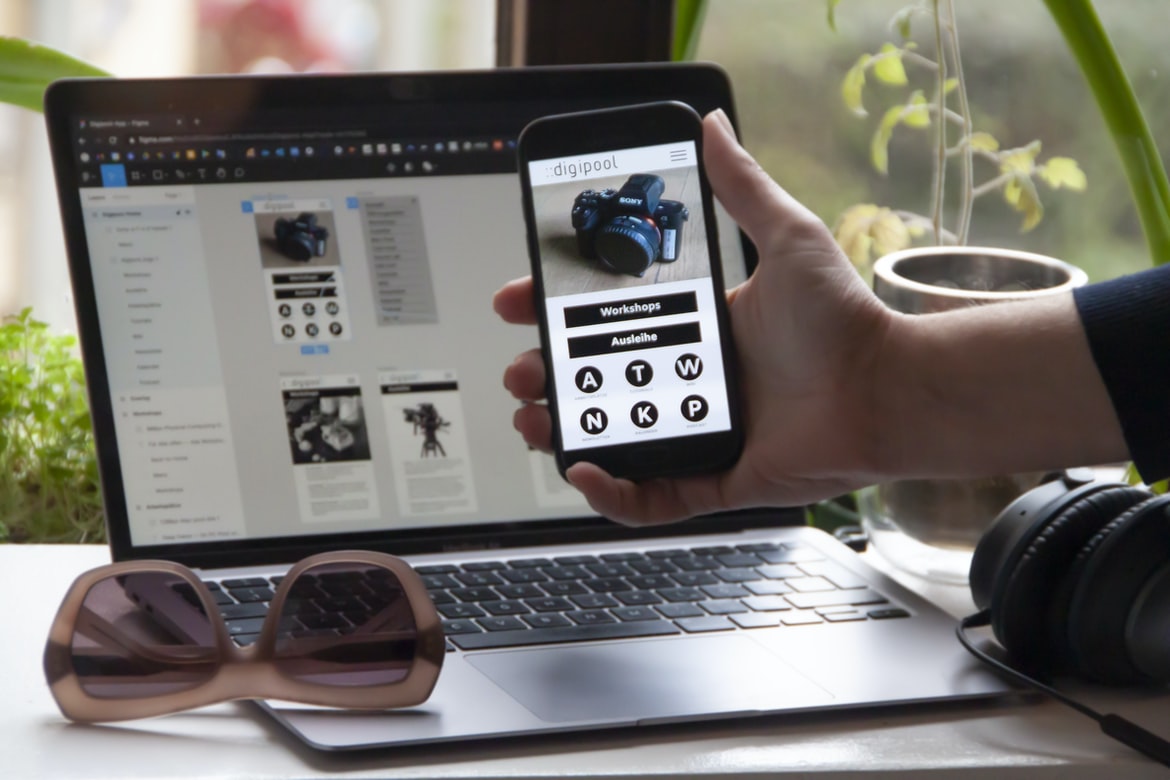
Figma is a program that helps build and design user interfaces. It offers a wide range of features, including templates, tools, and support for different languages. Figma has been used by businesses of all sizes for years, and it continues to be popular because it’s easy to use and offers a variety of features.
Adobe XD
Adobe Photoshop, Illustrator, and Inkscape are all popular applications that can be used for creative design. However, they all have their own set of features and quirks that can make them less user-friendly than some other programs. Adobe XD is a new product from Adobe that tries to address some of these issues.
Adobe XD was first released in late February of this year and is available for free on the Adobe website. It is a cross-platform application that can be used on Windows, Mac, and Linux platforms. The main goal of Adobe XD is to make it easier for users to create high-quality user interfaces (UIs).
One of the first things you will notice about Adobe XD is how light it feels compared to some of the other popular UIs software. This is because Adobe XD was designed with simplicity in mind. The application has a very simple interface that is easy to learn and use. Additionally, there are no panels or Modules like in Illustrator or Inkscape, which makes it much more lightweight and efficient when designing UIs.
One of the main benefits of using Adobe XD as your primary UI software is that you can create everything from scratch without any help from an Editor or User Guide. This allows you to experiment with different designs and see what works best for your specific needs.
Design Mobile App
Designing an iPhone application is a critical step in creating a successful mobile app. While there are many design options available, one of the most important decisions you make when designing an iPhone application is how to layout and present your data. A well-executed layout will help users find what they need quickly and easily while avoiding complexity and ever-growing data sizes.
There are a few basic tips to follow when designing an iPhone application:
-Layout your data logically using columns and rows instead of bins or lists; this will help organisationally separate your data while still allowing users to access it easily.
-Make use of borders and margins to conserve screen real estate; avoid using overly large images or borders that add unnecessary complication to the layout.
-Avoid overwhelming users with too much information at once; break down the content into smaller, more manageable chunks so users can focus on what they need without feeling overwhelmed.
Graphic Design
In the modern world, design is an essential part of any business. From creating efficient and user-friendly websites to designing interactive applications and interfaces, designers have a myriad of tasks to take on. However, not all designers are created equal. In order to succeed in this field, you need to be able to understand and apply the latest design trends and methodology.
One such trend that is gaining popularity among recent graduates is graphic design. A well-designed graphic can give your business a cohesive look and improve the overall customer experience. Here are three tips for getting started in this field:
1) Make use of shapes and patterns: The most effective way to communicate a message is through visuals. By using shapes and patterns, you can create an overall design that is visually appealing and easy to follow.
2) Use typography: Typography has long been considered one of the most important elements of a good graphic design scheme. By using types that are easily identifiable, you’ll be easier to read when looking at your designs.
3) Stay up-to-date with trends: As the world changes, so do the trends in graphic design. Keep up with new techniques and trends by reading industry magazines or watching videos related to your field. This will help you stay ahead of the curve and develop new techniques that will help improve your designs!
Some people might say that graphic design is all about making things look pretty. But what if you were to ask someone what they think about designing for the web, specifically for user experience? They would most likely say that it’s all about getting the user’s needs met, which usually means incorporating user feedback into the design.
This is where application building comes in to make a big impact. Application builders are a great way to create custom user experiences for your website or app without having to rely on third-party tools or services. They can take any existing application and turn it into a complete user experience SaaS (Software as Services). This allows you to focus on creating great applications that are truly unique and stand out from the rest.
What is UI design?
In recent years, UI design has become an important part of application development. In fact, many startups and businesses today are built around user interfaces (UI). This is large because user interfaces are the interface through which users interact with applications and systems.
There are a few things to consider when creating a UI. First and foremost, the layout of the UI should be designed to make it easy for users to find what they need. Second, the layout should be intuitive and engaging; users should be able to quickly learn how to use the application by seeing how it works on different devices. Finally, all elements in the UI should be coordinated so that they work together seamlessly.
What is UX design?
When it comes to applied design, UX is often thought of as the design that represents or guides the user interface of an application. That’s right – there are all sorts of different types of UX when it comes to designing an application – from simple, straightforward interfaces that just need input and a button to more complex designs that require user Input and interaction. However, one thing that always remains constant across all types of UX Designs is the importance of creating a visually appealing and intuitive experience for users. So what is UX design? Simply put, it’s the process of designing an interface so that it looks good and feels comfortable for users to use.
Visual Communication
Visual communication is a critical component of any website or application. From the design of the homepage to the user interface, it’s important to make sure that your users see what you want them to see and feel what you want them to feel. Here are three ways to do this in an effective way:
1. Use visually appealing fonts and colours.
2. Use clear and concise text for both front-end and back-end purposes.
3. Use dynamic elements, such as CSS3 transitions and animations, to help you keep your users engaged.
Visual Communication Vs Graphic Design
Visual communication is the way we communicate with others. It’s the way we present information to the world, whether it’s through text, images, or videos. Graphic design is how we create and design products and interfaces. They are both important elements in any organization, but they can also be used in isolation or together to create a successful product or interface.
There is no single right answer to this question, as it depends on the specific needs of the organization and its users.
Application of Graphic Design: Adobe Photoshop, Adobe Illustrator, Adobe InDesign
Adobe Photoshop is a widely used graphic design application that offers great features for creating beautiful and user-friendly designs. Adobe Illustrator and Adobe InDesign are also two other popular graphic design applications that can be used to create user interfaces and designs.
There are a number of graphic design applications that can be used in web and app development. Adobe Photoshop, Adobe Illustrator, and Adobe InDesign are all great options for this purpose. When building user interfaces, it is important to choose an application that will fit the specific needs of your audience.
Figma, Adobe XD, WordPress, Elementor.
Figma is a free application builder and designUI platform. It offers a variety of tools and features to help you build custom applications that look great and work smoothly. Adobe XD is an excellent tool for publishing your designs on the web. Elementor is one of the most popular WordPress themes around, and it can be easily customized to perfectly fit your needs.









