

5 Most Popular Application Building Tools & Technologies Available Today – What is application building and design UI UX?
The user experience (UX) of an application is how a user interacts with the application. This interaction can be through the use of buttons, text fields, drop-down menus, etc. In order to create a well-designed UX, it is important to understand what application building and design are. Application building refers to creating the structure and layout of an application. Designing UI UX refers to creating the graphical elements and layout that will make the application look appealing and easy to use. Together, these two aspects create the complete user experience for an app.
UI UX is the design of the user interface for a software application. The user interface is part of the application that the user interacts with, and it includes all the elements on-screen, from buttons to menus. UI UX design can include creating mockups and prototypes, identifying user needs, designing interactions, and developing marketing materials.
UIUX design is an important part of application development because it affects how users interact with a software application. Poor UIUX can make an application difficult to use, while well-designed UIUX can make an application more attractive and easy to use. In addition to affecting how users interact with a software application, good UIUX can help developers market their applications more effectively.
Why is it important to consider UI UX when building an application?
When building an application, it is important to consider the user interface (UI) UX. UI UX is the overall look and feel of the application’s user interface, including how it looks, feels, and works. This is especially true for applications that are used by a large number of people, such as online banking or e-commerce websites. Poor UI UX can lead to frustrated users who may not be able to complete tasks or find what they are looking for. Additionally, poorly designed UIUX can also negatively impact user retention rates and conversion rates. Therefore, it is important to spend time ensuring that the overall look and feel of an application’s UI is appealing and easy to use.
There are a few key reasons why it is important to consider UI UX when building an application. In the simplest terms, good UI design can make an application more appealing and easier to use. More broadly, well-designed applications are more likely to be successful in reaching their intended audiences.
In addition to these broad benefits, good UI design can also help optimize the user experience for specific tasks or tasks within an application. For example, a well-designed search interface will make it easier for users to find what they’re looking for. Similarly, a well-designed registration form will make it easier for users to complete the process.
Ultimately, good UI design can improve the overall experience for users of an application. So if you want your app to be successful, it’s important to take into account all of its components – including its UI UX.
Tips for improving your application’s UI UX.
There are a few things you can do to improve your application’s UI UX.
First, make sure all of the information users need is easily accessible. This means putting all of the relevant information in one location and making it easy for users to find.
Second, make sure all of the user interface elements are logically arranged. This means grouping elements together in sensible ways and designing them so that they work well together.
Finally, make sure all of the user interface elements are visually appealing. This means creating a design that is both functional and visually pleasing.
1. Keep your application’s UI clean and organized.
Keep all of the buttons, fields, and elements within easy reach so that users can easily understand what they need to do. This will help users to move quickly through the application and find what they are looking for.
2. Use clear and concise labels for each element on your application’s UI.
Use descriptive labels instead of simply numbers or letters (e.g., “First Name”, “Last Name”, “Contact Info”). This will help users to understand the input fields easily and remember how to navigate around the application.
3. Use attractive graphics & icons in your UI.
Graphics is a valuable tool in helping users understand an application’s interface. Use high-quality graphics that are appealing to look at, making it easier for users to identify functional elements on the screen without having to read text descriptions. Icons should also be well-designed and easy to understand, using a consistent icon style throughout your application’s interface.
There are a few things you can do to improve the user experience (UX) of your application.
1. Use feedback from early users to help shape the design. Make sure that the design is intuitive and easy to use for all users, regardless of their level of experience with the application.
2. Test different user interface designs with different types of users to see which one works best. This will help you optimize the design and ensure that it is accessible and usable across a variety of devices and platforms.
3. Keep your application’s layout simple and clean so that it is easy to navigate. Try to avoid using too many buttons, text boxes, or other elements on the screen, as these can be confusing and difficult to use.
The Building Blocks of UI UX:
UI (User Interface) is the visual presentation of an application to a user. It encompasses the look and feel of an application as well as its functionality. There are many different factors that go into creating a great UI, but some of the most important building blocks are design concepts such as simplicity, legibility, and usability.
One of the most important things to consider when designing a UI is how easy it is for users to understand and use the app. Too oftentimes, complicated or cluttered designs can be frustrating for users who are trying to get their job done. Furthermore, if the app is difficult to use, it may not be very popular with users or even worth investing time in developing.
There are also several other fundamental design concepts that should be considered when designing a UI. One of these concepts is feedback loops. Feedback loops are essentially systems that allow users to input information and receive feedback in a timely manner so they can continue working productively. This type of system helps users feel like their input has an impact on the overall outcome and makes them more engaged with the app.
Overall, good UI design incorporates many different principles into one cohesive package that makes interacting with an app easy and enjoyable for both user and developer alike.
There are a few key ingredients to creating a successful UI (user experience) for any application. First and foremost is understanding the user’s goals and needs and then crafting a design that meets those needs. But what goes into making sure that all of this happens in an engaging way?
One key factor is ensuring that all components of the user interface work together seamlessly. From the layout of the screens to the colour choices made on each one, everything must be complementary in order to create an effective whole. This means taking into account not only how users will interact with your application but also how they will look at it and what they will expect from it.
By following these simple principles, you can ensure that your users have a positive experience using your application and that they will come back again and again.
Material Design Principles: Simplicity, Focus, Motion, Contrast, & Scale.
Material Design is a design philosophy that emphasizes the use of clean, simple interface layouts with a focus on usability. The principles of simplicity, focus, motion, contrast, and scale are central to Material Design.
Simplicity: The user interface should be easy to understand and navigate.
Focus: All elements of the user interface should have a specific purpose.
Motion: Elements in the user interface should move dynamically to create a sense of depth and dynamism.
Contrast: The different elements in the user interface should be visually striking and engaging.
Scale: The user interface should be large enough to accommodate all common tasks but small enough to be easily used.
Principles of Human-Centered Design: Trust, empathy, cognitive Load, & affordances.
The Principles of Human-Centered Design (PDCA) are a set of five principles that help designers create products that are effective and usable for people. The principles are trust, empathy, cognitive Load, affordances, and feedback.
Trust is the first principle of HCD, and it refers to the trust users have in the product. It is important for designers to build trust in their products by being transparent about what they are doing and why. By being open and honest with users, they can foster a sense of mutual respect and cooperation.
Empathy is the second principle of HCD, and it refers to the understanding of users’ needs. By understanding user needs, designers can create products that are easy to use and navigate. They should also make sure to consider user emotions when designing interfaces or features.
Cognitive Load is the third principle of HCD, and it refers to how much effort users need to expend in order to use a product effectively. When designing products, designers should minimize cognitive Load by making information available in an easily accessible format. Additionally, they should provide helpful guidelines or tips when necessary so that users don’t have to search through multiple pages or screens for information.
Affordances are the fourth principle of HCD, and they refer to how well a product makes available specific features or functionality. For example, if a product has buttons on its interface, then those buttons should be easy to find and use.
Guidelines for Improving Application User Experience with User Interface Design:
There are a few key principles that should be followed when designing an interface for any application:
1. Make it easy to use. One of the most important aspects of user experience is making sure that the user can easily access and use the content within the application. This means providing clear and concise menus, buttons, and icons, as well as ensuring that all controls are placed where they are most visible and accessible.
2. Keep it simple. The more complicated an interface is, the harder it is for users to navigate and understand. Instead, focus on creating a straightforward layout that is easy to follow.
3. Respect users’ time. By designating certain areas of the interface as “primary,” you can help ensure that users spend less time trying to figure out how to use your application than necessary. In addition, keep in mind how long it may take users to complete specific tasks or exercises, and make sure that your menus and screens accommodate this timeframe accordingly.
4. Provide feedback promptly. Users need feedback in order to know whether or not their actions have resulted in desired outcomes; provide this feedback promptly by displaying responses directly within the interface rather than requiring users to go elsewhere (e.g., via email or a web portal).
5. Be consistent with your design across different platforms and devices.
Designing a web or mobile application often involves creating different versions of the same interface for different platforms and devices. However, it’s important to be consistent with your design across these different versions in order to create a coherent experience for users.
One way to maintain consistency is to use the same fonts, colours, and layout elements across all platforms and devices. You can also make sure that your interface responds smoothly and responsively to user input on all devices. In addition, consider testing your application on various devices before launch so you can be sure that it looks and works properly on all of them.
Use clear and concise labels.
There is a tendency in the design and development community to eschew labels when it comes to discussing applications. Terms like “front-end” and “backend” are often used interchangeably, with no clear distinction being made between them. This ambiguity can lead to confusion for users of an application, as they don’t always know where they should look for specific information.
To avoid this confusion, it’s important to use clear and concise labels when designing and developing an application. For example, we could divide an application into four main sections: front-end, backend, middleware, and API. This would help users understand which parts of the application are responsible for rendering content on the screen, handling requests from clients, storing data, or issuing commands to other systems. It would also make it easier to find resources that cover specific topics within an application.
Make sure all elements are accessible and usable.
There is no single right way to build an accessible application, but there are a few basic principles that should always be followed. Every element of your application must be designed so that it can be accessed and used by as many people as possible.
For example, make sure all content is visible on all devices. Make sure the text is large enough to be read easily, and use bold or italic type for important information. Avoid using hard-to-read fonts, bright colours, or small text sizes. And lastly, make sure all buttons and controls are easy to reach and use.
When creating an application, it is important to make sure that all of the elements are accessible and usable. This includes making sure the user interface is easy to use, and the data is organized in a way that makes sense. If any of these elements are not accessible or usable, then the application may be difficult to use, and users may not be able to understand or access the information they need.
Keep buttons big and easy to hit.
Button size is a big issue when it comes to usability and user experience (UX). Big buttons make it easier for users to hit them, regardless of their finger size or how closely they are cropped from the main image. In web design, buttons that are too small can be frustrating for users because they may have to move their cursor over the button multiple times before hitting it. Additionally, buttons with text that is too small can be difficult to read.
There are a couple of ways to address this issue. One approach is to use larger buttons in all situations. This increases the likelihood that users will see and hit the button, but it also makes the buttons more noticeable and takes up more space on the screen. Another approach is to use text labels instead of actual text buttons. This allows you to reduce button size while still conveying information about what the button does. Ultimately, using bigger buttons and using text labels rather than actual text buttons will make your application easier for users to navigate and use.
Button design is an important part of the user experience. Large, easy-to-hit buttons are more likely to be clicked than small, difficult-to-hit buttons.
This was shown in a study by Jakob Nielsen, where he found that, on average, users click 8 per cent more frequently on large buttons than small buttons. He also found that users spend 30 per cent less time clicking on small buttons.
We’ve seen this principle in practice many times over with websites and applications. By making sure all of the main navigation elements are big and easy to hit, you’ll increase engagement and improve overall user experience.
Eliminate clutter by hiding unnecessary.
In order to create an effective interface, it is necessary to eliminate any needless clutter. This can be done by hiding unnecessary elements or by creating a simplified design. By doing this, users will be able to focus on the information that is relevant to them and will not have to search for or navigate through extraneous elements. In addition, a simplified design will be more visually appealing and user-friendly, which will encourage users to interact with the application more frequently.
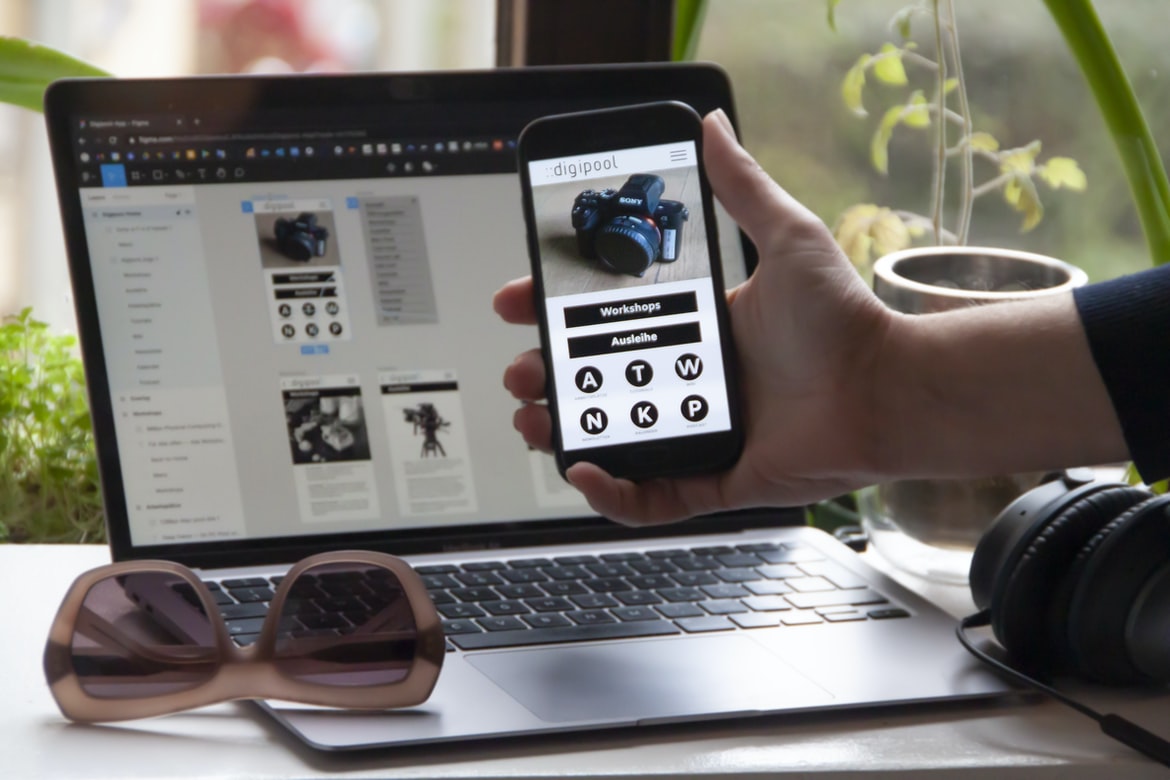
Figma
Figma is a versatile, user-friendly application for building complex UIs and designs. It offers an intuitive interface that allows users to quickly create layouts, prototypes, and wireframes. With Figma, you can easily create complex interfaces with drag-and-drop functionality and unlimited layers. Additionally, Figma offers a wide range of features for design professionals, such as support for vector artwork and advanced animations. Overall, Figma is an excellent application for building user interfaces and designing complex designs.
Adobe XD
Adobe XD is a powerful application for building and designing user interfaces and user experience (UX). It allows for user-guided design, collaboration on projects, and real-time feedback. Adobe XD can be used to create websites, mobile apps, and other types of digital products.
Adobe XD is free to download and use, making it a valuable tool for any designer or developer. Whether you are new to the application or have experience using another design software, Adobe XD can help you improve your workflows and create higher-quality products.
Design Mobile App
When you first start working on a mobile app, the design process can seem daunting. There are so many different elements to consider, from the user interface to the backend code. But don’t worry – with a little bit of planning and some helpful tips; you can create an app that looks great and performs well.
When designing your app, consider its target audience. People will use your app in different ways and on different devices, so it’s important to cater to as many users as possible. Make sure your user interface is easy to use and intuitive, and make sure all of the buttons work properly on all device sizes.
Another important factor when designing a mobile app is usability. Make sure all of the features are easy to access and use, regardless of how experienced a user may be. Consider creating separate menus for advanced users and beginners, so everyone can find what they need without difficulty.
Finally, keep in mind the aesthetics of your app. Make sure everything looks polished and professional – even if your app isn’t meant for public display. Your users will appreciate a well-designed app more than you think!
Graphic Design
User interface design is all about making the interaction between users and your application as smooth as possible. By taking into account both the physical and digital aspects of an application, user interface designers can create a more intuitive experience for their users.
For example, imagine you’re using an online banking platform. The user interface design may focus on ensuring that all buttons are easily accessible, that the layout is easy to follow, and that all information is properly displayed. In addition, the user interface designer may take into consideration things like typography and colour palettes in order to make the experience feel personal and inviting.
Overall, user interface design is essential for creating a positive customer experience. By taking into account both the physical and digital aspects of an application, designers can create a more intuitive experience that will keep users coming back for more.
Designers are responsible for the overall look and feel of an application, whether it’s a simple one-page website or an entire application suite. They use various design techniques, including typography, layout, colour, and imagery, to create a cohesive and appealing user interface. Additionally, designers often work with software developers to create features that will make users’ lives easier.
A graphic designer helps create a user interface or web design, for example. They use a variety of different design tools to create an attractive and effective layout for any application. Graphic designers must have excellent problem-solving skills and be able to think critically about their work.
Graphic design is the process of designing visual elements for use in print, electronic media, or motion pictures. A graphic designer creates original artwork, fonts, graphics and logos. They help create a brand’s identity, communicate with customers and clients, and create effective advertising campaigns. Graphic designers may specialize in one type of design (such as corporate branding or web graphics) or have skills across multiple disciplines (such as typography and photography).
What is UI design?
User Interface (UI) design is the process of planning and creating the look and feel of a computer application, website, or another interactive system. It encompasses both the graphical design of the user interface itself as well as the strategy behind how that interface is used.
The goal of UI design is to create an interface that is easy to use and understand for both human users and computer programs. Poorly designed interfaces can frustrate users, leading to negative customer feedback or even lost sales.UI design also involves considering such factors as legibility in various lighting conditions, usability when on a phone or smaller screen, and compatibility with various devices.
There are many different disciplines involved in UI design, including graphic design, typography, animation, usability testing, research methodologies, motion graphics & video editing. Many experienced UI designers also have backgrounds in engineering or software development.
What is UX design?
User experience (UX) design is the process of designing a product’s interface and how it interacts with users. It encompasses everything from the initial design concepts to final user feedback and testing. In order to create an effective user experience, it’s important to understand your target audience and what they want from your product.
UX designers need a comprehensive understanding of various design disciplines, including graphic design, web development, animation, and user research. They also need to be skilled in communication and collaboration tools, as well as software coding languages. A good UX designer can think outside the box and come up with creative solutions to problems.
There are many different types of UX designs, including mobile app designs, website designs, and product layouts. Every project is unique, so it’s important for a UX designer to have a wide range of skill sets in order to be able to tackle any challenge.
Visual Communication
Designers and developers often use visuals to communicate with users. A good visual communicates the intended message in an easily understood way. Good design also allows users to navigate the interface with ease and reduces cognitivloadad, making it easier for them to get their work done.
There are a number of different ways to create effective visuals. One popular approach is using iconography or icons that represent specific functions or actions. When designing an application, it’s important to think about how users will interact with it. For instance, a menu item might have an aircon that represents its function, while a button might have an image of a human or animal body part associated with it (like a hand). Using familiar images makes it easier for users to understand the interface and locate the items they need quickly.
Another important factor when designing user interfaces is usability. Poorly designed interfaces can be difficult for users to navigate and can even result in errors being made. It’s important to take into account things like colourblindness and other disabilities when designing your interface so that everyone who uses your app can feel comfortable using it.
User interface (UI) design encompasses the overall visual appearance and function of an application. The goal is to make the user experience as smooth as possible by ensuring that all elements of the interface are organized logically and visually appealing. A well-designed UI can help users feel in control while providing easy access to their required functions.
UX, or user experience, is concerned with creating a positive interaction between a user and the software or website they are using. Poor UX can lead to frustration and even abandonment of a site or application, so it’s important to make sure that every element of a site or app works together seamlessly. From the layout of pages to the wording used on menus, everything should be designed with the end user in mind.
Visual Communication Vs Graphic Design
Visual communication is the process of conveying information through images and design. Graphic design, on the other hand, is the process of creating a visually appealing and effective presentation of a message or idea.
The two disciplines often overlap, as visual communication will often incorporate graphic design techniques in order to create a more effective image. However, there are also distinct differences between the two fields.
One major difference between visual communication and graphic design is that visual communication focuses on creating an image that can be understood by the viewer without having to read or understand any accompanying text. Graphic design, on the other hand, is all about making an impactful and attractive presentation that will catch the attention of those who view it. This might involve using complex layouts, vibrant colours, and interesting fonts to stand out from the rest.
Another key difference lies in how each discipline is used. Visual communication may be used to convey information about a product or service, whereas the graphic design may be used to create branding for a company or individual. Finally, visual communication tends to be more informal than graphic design; while both disciplines can be formal or extremely casual depending on the situation, graphical designs are generally more structured than visual communications.
Application of Graphic Design: Adobe Photoshop, Adobe Illustrator, Adobe InDesign
Adobe Photoshop, Adobe Illustrator, and Adobe InDesign have widely used design software applications. They are used for a variety of purposes, such as creating graphics and logos, designing websites, and creating advertising and marketing materials. Each application has its own unique features that make it an excellent tool for the specific type of design work that needs to be done.
One of the most common uses for Photoshop is to create images for use on websites. Images can be loaded into Photoshop as either vectors or raster files. Vectors are essentially mathematical representations of images that can be resized, rotated, and distorted without losing quality. Raster files are bitmap images that can only be enlarged or reduced in size without affecting the image’s quality.
Adobe Illustrator is commonly used to create vector illustrations. These illustrations can be exported as PDFs or EPS files which can then be edited in Adobe Acrobat Reader. Adobe InDesign is commonly used to create digital editions of magazines and newspapers. It allows users to create layouts using a grid system and easily add text, graphics, photos, and page elements such as advertisements.
Different software programs offer different capabilities for creating graphics and layouts. However, all three applications can be used to create user interfaces and UIs. While each program offers its own set of features and tools, they share a number of similarities in their ability to design layouts, create icons, add text, and more. Additionally, all three programs are capable of exporting images to various file types for use on the web or in other projects.
Figma, Adobe XD, WordPress, Elementor.
There are so many great application development platforms out there, but which should you choose for your next project? Figma is a widely used tool for creating user interfaces and prototypes, but it may not be the best platform for your final product. Adobe XD is a powerful vector graphic design software that can create stunning visuals, but it’s not as well-known as some of the other options. WordPress is one of the most popular content management systems in the world, and it’s also great for building applications. Elementor is an all-encompassing platform that can help you with both design and development workflows, making it a good choice if you want to build both user interfaces and backend functionality.









