

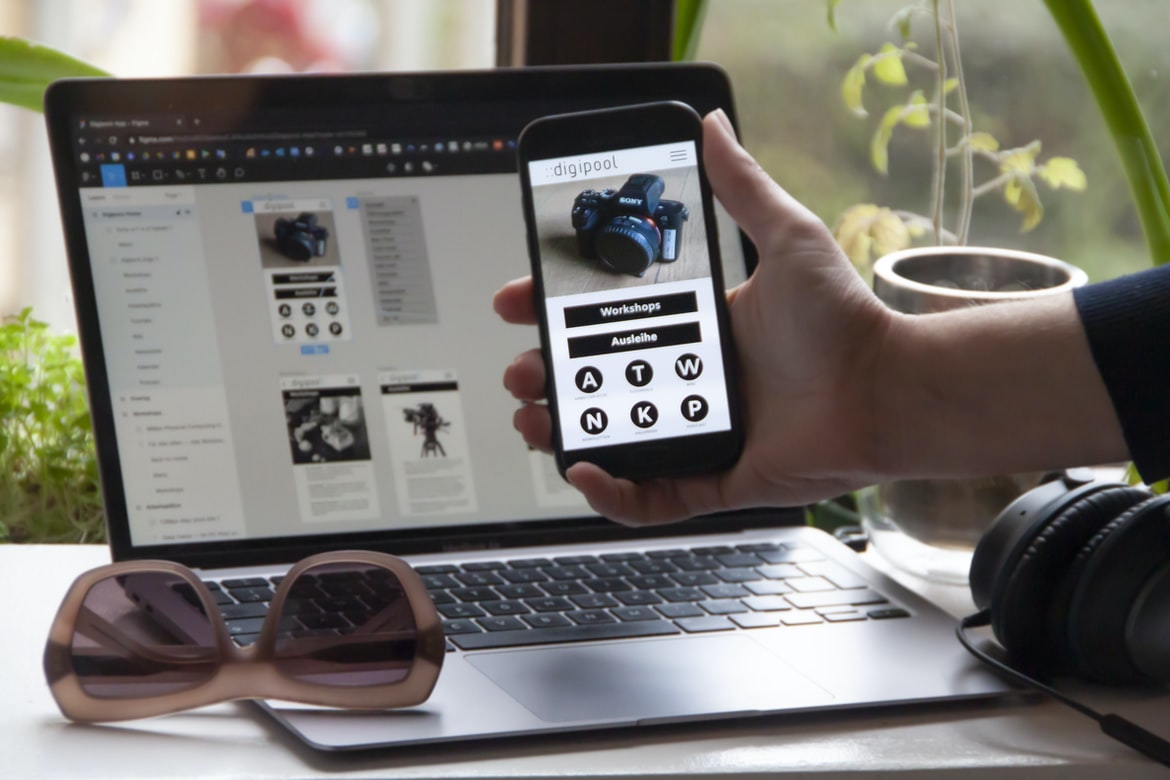
The Top 5 Free App Development Tutorials You Need To Know – UX design is key when building an application. This means making sure that the user interface (UI) is easy to use and looks great.
App development can be difficult, but with the right tools, it’s possible to create a user interface that is both functional and attractive.
The UI should be designed in collaboration with the developers who are creating the code behind the application.
Developers are responsible for creating the code behind an application, but it is important that the UI be designed in collaboration with them to ensure that the end product is cohesive and appealing. A good interface design will help users understand how to use the application quickly and easily while also providing a visually appealing appearance. In addition, good UI design can help developers create more efficient and error-free code, leading to a better end product.
UI UX is important for an application. It needs to be easy to use and look good. The best way to do this is by using design patterns and principles. The application should also be responsive so that it looks good on all devices.
Design Patterns and Principles are two essential tools that help improve the usability and look of an application. This is done by following established patterns and principles. They have been proven to be effective in creating usable, attractive, and efficient user interfaces.
Design patterns provide a reusable solution for common problems. By understanding these patterns, you can create a more consistent and reliable user interface across your applications.
Principles can help guide the design of an interface. They provide a set of general guidelines that can help avoid common mistakes. By following these principles, you can create a more aesthetically pleasing interface that is easier to use.
What is a UI, and what is UX?
User interface (UI) design is the process of designing the look and feel of a computer application, website, or mobile app. UI designers work with clients to create a look and feel that is appealing to users. User experience (UX) design is the process of creating an interface that helps users achieve their goals as quickly and easily as possible. UX designers work with clients to understand the user’s needs and create an interface that meets those needs.
UI (User Interface) is the look and feel of an application or website. It includes the fonts, colours, and images used on the screen. UX (User Experience) is how an application or website feels to users. It includes factors like how easily users can find what they’re looking for, how satisfying the interactions are, and whether users feel like they’re in control of their environment.
User Interface Components: What are they, how do they work, and when should you use them?
User interface components are the objects and controls that make up an application’s user interface. They can be either static or dynamic, depending on how often they are refreshed. Static UI components are unchanged every time the application is opened, while dynamic UI components change depending on the user’s actions.
When to use static vs dynamic user interface components:
Static user interface components are generally used when the application’s content should remain unchanged from one session to the next. This is typically the case for applications that require a high level of stability and don’t need frequent updates or changes.
Dynamic user interface components, on the other hand, are more suited for applications that need to be constantly updated and customised to match the needs of each individual user. This is especially true for applications that require a high degree of interactivity and flexibility.
User interface components are the building blocks of an application’s UI. They are the static elements on a screen that allows a user to interact with the application, and they can be divided into three categories: content, behaviour, and presentation.
Content components include labels and buttons. They help users identify the types of information or actions available in an application, and they should be designed so that their text is easy to read and understand.
Behaviour components include menu items and buttons. When a user clicks on an item in a menu, for example, the behaviour component will execute the corresponding action.
Presentation components include backgrounds, borders, and fonts. They help create a uniform look for an application’s UI, and they should be chosen based on the type of information they will contain (for example, text or images).
Building Your Own User Interface: Tips for designing with drag and drop, HTML, CSS, and JavaScript.
Designing a user interface for an application can be quite complicated and often requires the use of HTML, CSS, and JavaScript. However, there are a few tips that can be used to make the process easier.
One of the most important things to remember when designing a user interface is to keep it simple. Too many bells and whistles can easily confuse users, and instead of providing them with an efficient experience, they may end up feeling frustrated.
Another important factor to consider is how users will be using the application. For example, if the application is intended for personal use, such as managing finances or keeping track of dates, then it would make sense to provide a more simplistic interface than if it were being used in a business setting, such as sales or customer service.
In terms of HTML and CSS, it is important to use elements that are easy to understand and which look good on all types of devices. Additionally, given that different browsers render elements in different ways, it is essential to test designs on various devices before finalising them. Finally, it is always advisable to include JavaScript in any user interface designs in order to provide additional functionality or improve usability.
Designing for Touchscreens: How to make your application respond well to touch input
Designing for touchscreens is important for two reasons: first, users prefer to interact with digital content using their hands; and second, touchscreen devices are becoming increasingly common. To create a well-functioning application that responds well to touch input, follow these tips:
1. Keep your design simple. Simplicity is key when designing touchscreen devices because they are typically used in smaller spaces. Keep your layout simple and organised so that users can easily find what they’re looking for. Additionally, avoid using too many buttons or other elements that require multiple taps or swipes to navigate.
2. Use gestures where appropriate. When it’s possible, consider using gestures to simplify the user experience. For example, you could create a gesture-based menu system that utilises two-finger swipe gestures to access sub-menus. Another option is to allow the user to drag and drop items from one location to another by brushing against them with two fingers simultaneously.
3. Make use of notifications and alerts. Notifications and alerts offer another way of communicating information without having to interrupt the user’s workflow.
Advanced User Interface Topics: Creating custom buttons, creating modal windows, using animations
Users are familiar with the traditional buttons and controls that come with most applications. However, there are many more creative and advanced ways to create user interfaces. In this blog post, we’ll look at a few of these techniques, including custom buttons and modal windows.
Custom Buttons
One of the simplest ways to improve the user interface is to create your own buttons. This can be done by either creating a custom graphic using an image editor or by using code to generate a button directly on the web page. One advantage of using code is that you can easily customise the appearance and behaviour of your buttons.
For example, you could create a button that displays a dialogue box when clicked. You could also create buttons that perform specific actions, such as opening a new tab or starting an application. It’s important to remember that users will expect standard buttons to behave in predictable ways, so it’s best to stick with default options if possible.
Modal Windows
Another common technique for improving user interface design is called modal windows. A modal window is a window that occupies all of the screen space until it is closed or dismissed by the user.
Taking your application design to the next level
Designing and building applications are one thing, but making sure that the user experience (UX) is top-notch is another. In order to ensure a great UX, it’s important to take your design to the next level.
One way to do this is by using effective user feedback mechanisms during the design process. By incorporating user feedback into your application early on, you can make sure that the final product meets or exceeds expectations. Additionally, using mockups and prototypes can help you test different designs before launch.
Overall, taking your application design to the next level will not only make users happy but will also help increase your chances of success.
Designing an application is a huge undertaking. It can take months, even years, to create the perfect layout, user interface, and overall look and feel for your product. However, there are ways to make your application design even more impressive and stand out from the rest.
One way to do this is by incorporating interactive features into your application. This can be anything from simple questions that users must answer in order to access certain parts of the application to more complex tasks that require users to complete various challenges in order to complete their desired task. By adding these types of features into your design, you not only create a more engaging experience for your users but also reaffirm your application’s place in the market.
Figma
Figma is an online application building and design tool which offers a wide range of features for designers, developers, and business owners. Figma’s intuitive drag-and-drop interface makes creating user interfaces easy, and its powerful built-in tools make designing websites quick and straightforward. With Figma, you can create detailed wireframes, mockups, or prototypes in minutes without having to learn any coding – making it perfect for both front-end and back-end development projects.
Adobe XD
Adobe XD is a new Application Development & Design Platform that offers a more efficient way to work with UI/UX designs. It has tons of features and tools to help speed up the design process, making it an ideal choice for anyone working on complex projects. Adobe XD also has a collaborative feature that allows users to work on designs with other team members in real time. Overall, Adobe XD is an incredibly powerful tool that can help make your design process smoother and faster.
Design Mobile App
There are many factors that go into the design of a mobile app. Among those factors, one of the most important is user interface (UI) design. UI design is responsible for ensuring that all of the elements within an application look and feel cohesive and easy to use. It also needs to be adaptive to different device sizes and orientations, as well as compatible with different operating systems.
Further, UX (user experience) design is essential in creating a successful mobile app. The UX designer must account for all of the different ways that users will interact with the app, from opening it up for the first time to using it regularly. They must also make sure that all of the features are easily accessible and manageable without overwhelming or confusing users.
No matter what type of mobile app you’re designing – whether it’s for a business or an individual – these principles will always be essential in making your project a success.
There are many variables to consider when designing an application, but the most important factor is always user experience. In order to create a great user experience, it is important to understand the user’s needs and wants. This begins with understanding the mobile device that the user is using. Mobile devices come in a variety of shapes and sizes, each with its own set of features and capabilities. It is also important to consider how users will use your app. Some users will want to use your app for entertainment purposes, while others will use it for work purposes. It is also important to keep in mind the competition when designing your app. If your app looks similar to other apps that are currently available on the market, then you will likely not be successful in capturing users’ attention.
Graphic Design
Graphic design encompasses all the creative aspects of a product from its inception to its final version. A graphic designer’s job is to create beautiful and user-friendly designs that represent the company or brand they are working for, making sure that all aspects of the product are on point. Graphic designers often work with other departments in order to make sure their designs meet company goals and expectations. They also often work with clients who may have specific ideas or requests for their designs, which can be very time-consuming and challenging. Overall, graphic design is an extremely important skill set in today’s marketplace, as it allows companies to stand out from the competition and connect with their customers on a deeper level.
Every industry has its own set of standards and conventions for graphic design. For example, medical journals typically require complex, highly polished graphics that are easy to read. On the other hand, clothing retailers may prefer more simple designs that are flashy but not too detailed.
Regardless of the industry, good graphic design requires a mix of skills and knowledge. A designer must have a strong understanding of typography, layout, colours, and images. Additionally, they must be able to create original pieces that meet the specific needs of their clients.
Graphic designers work with a variety of clients across a wide range of industries. This means that they need to be comfortable working with a variety of software applications and formats. They also need to be able to think outside the box when it comes to designing graphics for new or unique products.
What is UI design?
UI design is the process of creating a user interface for a software or hardware product. It encompasses the creation of both graphical and textual elements within a user interface, as well as the overall look and feel of the product.
One of the most important aspects of UI design is ensuring that the user experience is smooth and intuitive. This means creating features that are easy to use, understand, and navigate while also providing a visually appealing appearance.
Overall, UI design is an essential component of any software or hardware product. It can help to improve user engagement and satisfaction while also helping to differentiate your product from others on the market.
UI design is the process of creating a visual interface for an application. It encompasses the creation of both graphical and textual elements that work together to provide a smooth and cohesive experience to the user. In addition, good UI design can ensure that all content and functionality within the application are easy to access and use.
A well-designed interface can help encourage users to take actions that they wouldn’t otherwise take, such as signing up for a subscription service or making a purchase. In some cases, good UI design can even result in increased user satisfaction with an application. Overall, good UI design is essential for any application that wants to be successful in the market.
What is UX design?
UX design is the process of designing a product’s user interface (UI) to make it easy and enjoyable for users. The goal is to create an intuitive and engaging experience that helps people achieve their goals.
There are many different aspects of UI design, including but not limited to Layout & Design, User Research, Prototyping, Design Processes & Methodologies, and Technical Implementation.
As the name implies, UX design focuses on the user experience of a product. This means everything from understanding what users want and need to how they can get there. Through research and analysis, UX designers work to create an environment that is both helpful and pleasing to use.
UX design has become increasingly important as technology advances at an unprecedented rate. With so many new products being released each year, it’s crucial that these products are easy to use from the start – or risk losing users altogether.
UX design is the process of designing a user interface that meets the needs and wants of the end users. It encompasses all aspects of the design process, from researching potential users to creating wireframes, prototypes, and final designs.
There are many different types of user interfaces that can be designed, such as Web or app interfaces, but all UX designers must have a strong foundation in user research to ensure their designs meet the needs and expectations of their target audience. Additionally, UX designers need to be skilled in layout design and typography to create intuitive and attractive designs.
User experience (UX) is one of the most important factors when it comes to determining whether or not an application will be successful. Poor UX can lead to frustrated users who may abandon an app or website altogether. By investing time and resources into perfecting your user interface design, you can ensure that your application is both enjoyable and useful for your users.
Visual Communication
Visual communication is a process by which an individual conveys information through pictures, icons, and symbols. It’s a way to communicate with users without having to verbalise everything.
UI (User Interface) design is the process of designing the look and feel of an application or website. It involves understanding the user’s needs and wants, as well as creating a visually appealing interface that is easy to use.
UX (User Experience) is the overall experience a user has when interacting with an app or website. This includes making sure the interface is easy to understand, use, and navigate.
Visual communication is the process of conveying meaning through the use of images, typography, and motion. Images can be used to depict information in a clear, concise manner, while typography can help to set a tone and communicate the brand’s personality. Motion can be used to create a sense of excitement or intrigue, which can help to draw in users and keep them engaged.
In order to create effective visual communication, it is important to have a clear understanding of the user’s goals and objectives. User experience (UX) professionals should also consider how users will interact with the proposed design and how they will perceive its appearance. For example, if a design includes complex graphics that are difficult to comprehend, it may be best not to include them in the final product. Conversely, if a design is simple and easy to understand, it may be better suited for presentation on a website or application interface.
Overall, effective visual communication relies on good planning and execution with precision. By taking these factors into account when designing applications and websites, businesses can ensure that their customers see things their way and that their messages are effectively conveyed.
Visual Communication Vs Graphic Design
Visual communication is the process of using images, symbols, and layouts to create an effective message. Graphic design is the process of creating a visually appealing design for a product or site. Visual communication and graphic design can be used together to create a cohesive and appealing user interface or user experience.
Visual communication and graphic design are two different art forms that use differently oriented tools and techniques to create a message. Visual communication is focused on the effective use of images, typography, and motion to communicate ideas and messages. Graphic design is focused on the appearance of an object or document, often using elements such as colour, shape, and texture to create a visually appealing product.
Despite their differences, both visual communication and graphic design have been used for centuries to create products that are both functional and aesthetically pleasing. For example, a logo might be designed to look simple but elegant, while a website’s UI might be adorned with high-quality graphics to give it a polished look.
Visual communication is the process and use of images or illustrations to promote or inform. Visual design is the creation of a visual identity for an organisation, product, service, or individual. A graphic designer creates graphics for use in print, on websites, and other forms of media.
Application of Graphic Design: Adobe Photoshop, Adobe Illustrator, Adobe InDesign
There are many different applications that can be designed with graphic design. Adobe Photoshop, Adobe Illustrator, and Adobe InDesign are three of the most commonly used programs. Each program is specialised in a different way, so it’s important to choose the right one for the project.
Adobe Photoshop is well-known for its ability to create images and graphics. It can be used to create logos, covers for books, and any other type of image or graphic. Adobe Illustrator is similar to Photoshop in that it can create images and graphics, but it also has capabilities for 3D design and illustration. Adobe InDesign is a program that was designed specifically for designing printed products such as magazines and newspapers. It has capabilities for layout design, typography, image placement, and more.
When choosing which application to use for a project, it’s important to consider the needs of the project. Each application has its own set of features that make it better suited for specific tasks. For example, Photoshop is better suited for creating images, while Illustrator is better suited for creating illustrations and designs.
Figma, Adobe XD, WordPress, Elementor.
When it comes to application building and design, many people turn to Adobe Photoshop or Adobe Illustrator. However, there are other options available as well. Two of these options are Figma and Adobe XD.
Figma is a digital sculpting software that allows users to create high-quality 3D models. It has a wide range of features, such as support for bones, muscles, and skin textures. The software is free to use for up to 10 users, but it does have some paid features available.
Adobe XD is a user interface design tool that was developed by Adobe Systems Incorporated. It offers a wide range of features that can be used for designing user interfaces and user experience (UX) designs. Some of the features that are available include drag-and-drop UIs creation, prototyping capabilities, realistic animation support, and more.
What Is A Prototype?
Prototypes are a way to create a model or prototype of an idea, system, or product before developing it further. They can be used as a way to test and validate an idea or concept before undertaking the full development process. A prototype is also commonly used as a tool for communication and presentation.
What is A/B testing?
A/B testing is a statistical method for comparing the relative effectiveness of two alternative designs. The goal of A/B testing is to identify which design provides the best overall result for a given set of users.









