

4 Simple Steps to Create an App with No Coding Required – Application building and design is a process of designing applications that are user-friendly and meet the specific needs of a business or organization. It can be difficult to design an application that is both functional and visually appealing, but with the help of a skilled designer, it can be done.
There are a number of different factors that must be considered when designing an application, including the target audience, the business model, and the technology that is being used.
There is no one-size-fits-all answer to this question, as the best application design will vary depending on the specific needs of the business. However, there are a few general tips that can help when designing an application:
1. Keep in mind the purpose of the application and its target audience.
It is important to keep in mind the purpose of the application and its target audience when designing it. This will help to ensure that the application meets those goals and is user-friendly. Additionally, it is crucial to consider how users will interact with the application and what features they will want or need. By doing this, you can create an application that users will love and appreciate.
2. Use user-friendly and intuitive design principles.
Design principles are important in any field, but particularly so when it comes to user experience. The goal of good design is to make the user’s experience as positive and efficient as possible without overcomplicating or overwhelming them. There are a few key user-friendly design principles to keep in mind:
- 1. Keep things easy to understand. Users should be able to understand how everything works right away without having to read accompanying documentation or figure out complex system requirements. Everything should be self-explanatory and organized in a way that makes sense.
- 2. Use simple, familiar metaphors and icons. When users encounter new elements on your site or application, try to use familiar metaphors (like clicking on a link) or icons (like file folders). This will make the interface more intuitive and help users orient themselves quickly.
- 3. Make sure all controls are within reach. Make sure all important controls – like search engines and navigation menus – are easily accessible from anywhere on the page. This will help users get around the site quickly and find what they’re looking for without having to scroll around excessively.
- 4. Use clear language and well-formatted text.
3. Be aware of the information architecture and layout of your application.
Many developers and designers do not focus on the information architecture (IA) and layout of their applications. IA is the process of designing the structure of a system’s information so that it can be easily accessed and understood by users. Poor IA can lead to frustrated users, as well as slowed down or error-prone user experience.
In order to ensure an easy-to-use application, it is important to be aware of how your users will interact with it. For example, if you have a list of items in your UI, make sure that the list appears in an obvious location and is easy to access. If you have a navigation menu at the top of your page, make sure that it is clear and concise. There are many other details you should take into account when designing your application’s IA, but these are just a few examples.
Once you have designed an effective IA for your application, you can start thinking about layout. It is important to consider how different sections of your application will look and feel when displayed on different devices or screen sizes. You should also think about how users will interact with different areas of your application – for example, whether they will click on links or buttons on the screen.
What is an application?
An application is a program that performs specific tasks or provides specific services. Applications can be downloaded from the internet and installed on a personal computer. They can also be created using software that is available free of charge or for a fee. Some common types of applications include word processors, email programs, and database programs. An “application” is a software program that you can use on your computer, phone, or another electronic device. Applications can be used for tasks like working on a spreadsheet, checking email, or ordering a pizza. Applications can be downloaded from the internet or installed from a store.
What are the different types of applications?
There are many types of applications, but some of the most common are desktop applications, web applications, mobile applications, and software as a service (SaaS) applications. Desktop applications are installed on computers and can be used to perform specific tasks or functions. Web applications are accessed through a web browser and can have features that make them more flexible and user-friendly than desktop application interfaces. Mobile apps run on smartphones and other mobile devices and can provide access to various services or content. SaaS applications are hosted by an external provider and accessed through a web browser or another compatible app.
The user experience: How do we create an enjoyable and productive user experience for our users?
Creating an enjoyable and productive user experience is important for any application. Therefore, it is essential to take into account the user’s needs and preferences when designing an application.
There are a number of ways to design an effective user experience for your application. One way is to focus on the positive aspects of your users’ lives. For example, if you are developing an app that helps people manage their finances, make sure to consider things like how happy the user will be when they’re able to save money or reduce their spending.
Another way to create an enjoyable user experience is by making sure all content in your app is easy to find and navigate. Include clear labels and instructions throughout your app as well as helpful icons and buttons. Additionally, keep in mind the different device types your users might be using, such as desktop computers or smartphones. Make sure all content adapts automatically based on the device type being used.
Ultimately, creating an enjoyable user experience for your users is a balancing act. But by taking into account their needs and preferences, you can ensure that they have a positive experience using your application no matter what device they’re using or what task they’re trying to accomplish.
Design principles: How do we apply design principles when building applications?
Design principles can help us create effective and usable applications. They provide a set of guidelines for how to design an interface, how to structure a system, and how to optimize an application.
Some of the most commonly used design principles are:
1) Elegance – The application should be easy to use and look good while doing so. It should be simple, efficient, and intuitive.
2) Consistency – The user interface, system structure, and data should all be consistent throughout the application. This makes it easier for the user to understand and use the application.
3) Accessibility – All aspects of the application should be accessible to users with different disabilities. This allows everyone to use the application without difficulty.
Application development tools: What tools are available to help us build and design applications?
There are a variety of different application development tools that are available to help developers build and design their applications. These tools can be divided into two main categories – front-end and back-end development tools.
Front-end development tools allow developers to create the user interface of their applications, while back-end development tools allow developers to create the underlying code behind their applications. Some of the more popular front-end development tools include Dreamweaver and Photoshop, while some of the more popular back-end development tools include Java and Python.
What is an application?
Applications are programs or services that help us do our jobs more efficiently. They can be used on desktops, laptops, smartphones, and other devices. We use them to communicate with others, shop for goods and services, find information, access government resources, and more.
There are many types of applications. Some applications are used to make our lives easier; others are used to make money. Some applications are free and available to everyone, while others cost money to use.
Application development is a complex process that requires a lot of knowledge and experience. Developers create the applications we use every day, so it’s important to choose the right one for your needs. They need to understand how the application works and what users will want it to do. An application is a program that allows users to access information or do tasks on a computer. There are many different types of applications, and each one has a different function. Some common applications include word processors, email programs, and web browsers. Applications can be downloaded from the internet or bought from stores.
What is a mobile application?
A mobile application, also known as a smartphone app or mobile site, is an electronic application that runs on a mobile device such as a phone or tablet. A mobile application can be used to access information and make transactions from anywhere there is an internet connection. They are often designed to be used in conjunction with other devices, such as a computer.
What are the benefits of building an application?
Building an application can be a great way to increase your business’s reach and improve your customer experience. Here are some of the benefits of building an application:
1. Increased Reach: Applications can help you connect with a wider audience than you would otherwise be able to. They provide a way to interact with customers on multiple channels, including through social media and email marketing campaigns.
2. Improved Customer Experience: When you build an application, you ensure that your customers have the best possible experience. This means providing easy access to your product or service, as well as responsive customer support. In addition, integrating applications into your marketing strategy can help you engage with more potential customers in a consistent and effective way.
3. Cost Savings: Building an application can be cost-effective for your business. This is because it can save you time and money on marketing efforts, as well as on development costs related to the app itself.
How do you go about building an application?
Choosing a Technology Platform
There are many different technology platforms available to developers, but the most important decision is which one will be best suited for the specific application. The following are some factors to consider when choosing a technology platform:
Development Environment
The development environment is key because it determines how easily and quickly you can develop your application. Some popular development environments include Java, Ruby on Rails, and Android Studio.
Application Functionality
Another important factor to consider is the functionality of the platform. Does the platform have all the features you need? How easy is it to add new features? Do you need additional tools or libraries to make your application work properly?
Cost of Development
Another important consideration is cost. Do you want to use a free or paid technology platform? Which features do you need in order to start developing your application?
What are some tips for building a successful application?
Building an effective and successful application requires a lot of hard work and dedication. Here are a few tips to help you along the way:
Understand Your User Base: Before you build your application, it’s important to understand your user base. What do they need? What do they want? Knowing this will help you build features that appeal to them and reduce the development time needed for your app.
Be Flexible When Building Your Application: One of the most important things is to be flexible when building your app. Make sure that you can adapt as new needs or changes arise. This will ensure that your application is always up-to-date and meets the needs of your users.
Plan for Scale: Planning for scale is critical when building an application. Make sure you have thought about how large your app could potentially become and what measures need to be taken in order to accommodate this growth. Additionally, make sure that all aspects of your application are scalable (design, codebase, etc.). This will ensure minimal downtime or issues when large numbers of users access or use your app.
How to convert a website to an app
A website can be converted into an app through various methods. There are two primary ways to go about this: using a development platform and using a conversion toolkit. Both have their pros and cons, so it’s important to consider which option is best for your project before getting started.
Development Platforms
There are many development platforms available, and each has its own advantages and disadvantages. The most popular development platforms include Java, .NET, and Ruby on Rails.
Advantages of using a development platform:
-Easy to use – Most development platforms are very easy to use, so you won’t need any prior experience coding or designing apps to start building them.
-Lots of resources – Development platforms often come with lots of resources, including tutorials, code libraries, and support forums. This means you won’t have to spend hours searching for the right tools or researching how to build an app.
-Wide range of apps – Many development platforms allow you to create apps that work in different contexts (web applications, mobile apps, etc.), so you can choose the one that best suits your needs.
Application Building
Building and designing applications can be a complex and time-consuming process. There are many different application development tools and frameworks available, which can make choosing the right one difficult. In this blog post, we will discuss some of the main application-building tools and frameworks that are available today.
Frameworks
The first tool we will discuss is a framework. A framework is a collection of reusable code modules that make it easier for developers to build applications. Frameworks include popular options like Ruby on Rails, PHP Laravel, and ASP.NET Core MVC. Frameworks help developers to standardize their application architecture, which makes development more efficient. They also provide ready-made features and components that can be used in many different applications.
However, not all frameworks are created equal. Some are better suited for certain types of applications, while others are better suited for other types of applications. It is important to choose the right framework for your project before beginning development.
Tools & Frameworks
The second tool we will discuss is a tool. A tool is an application development software that provides various features such as code editing, version control, build automation, etc.
Adobe XD: Building Apps Without Coding Knowledge
Adobe XD is a powerful app development environment that lets you build and design apps without any coding knowledge. This makes it a great choice for creating mobile apps, web applications, or even desktop applications. Adobe XD is a cloud-based application platform that you can access on your computer or via the Adobe Creative Cloud. You can use it to create apps for iOS, Android, MacOS, and Windows. Adobe XD also has integrations with other popular app development tools, like React Native and Appcelerator Titanium. Whether you’re new to app development or just want to take your skills to the next level, Adobe XD is a great choice.
E-Commerce Platform
There are a variety of e-commerce platforms available, each with its own strengths and weaknesses. Some of the most popular e-commerce platforms include Shopify, Bigcommerce, and Volusion. Each platform has its own set of features and benefits that can make it the perfect fit for your business.
When choosing an e-commerce platform, it’s important to consider your business goals and needs. For example, Shopify is best suited for businesses that want to create a custom website from scratch, while Bigcommerce is better suited for businesses that need a pre-made platform with built-in features.
Another important factor to consider is how much time you want to spend managing your store. Some e-commerce platforms are more hands-on than others, requiring you to manage more details yourself. On the other hand, some platforms offer more automated features that will take care of much of the maintenance work for you.
No matter which e-commerce platform you choose, be sure to research all of the available options before making a decision.
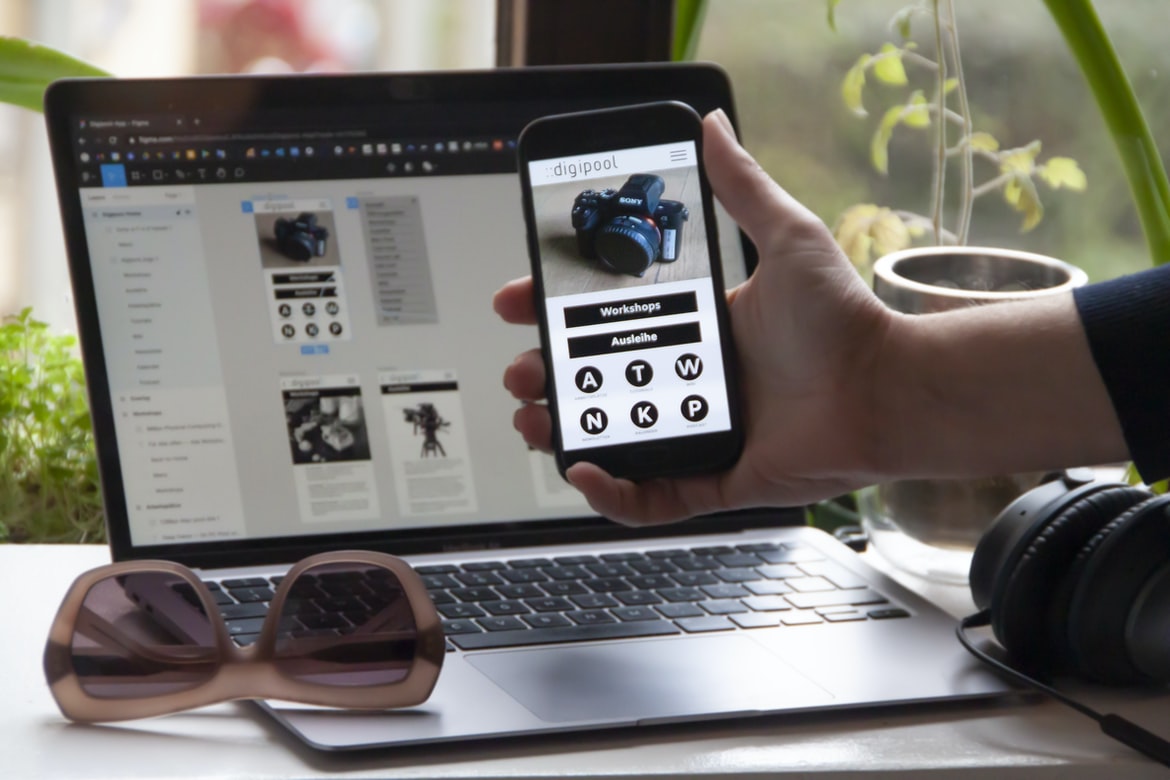
Figma
Figma is a web-based application design and development platform. It offers a drag-and-drop interface for creating user interfaces and also allows users to export their designs into various formats, including HTML, PDF, SVG, and CSS. Figma also includes features such as prototyping tools and collaboration features.
Adobe XD
Adobe XD is a powerful yet easy-to-use application for creating cross-platform applications. It has a well-documented API and integrates well with other Adobe products, such as Photoshop and Illustrator. Adobe XD is perfect for quickly creating prototypes or testing ideas before developing them further in another application.
Design Mobile App
Designing a mobile app can be a daunting task, but with the right planning and execution, it can be an immensely rewarding experience. There are many different factors to consider when designing a mobile app, including user interface design, navigation design, and user experience.
One of the most important aspects of mobile app design is ensuring that the user interface is easy to use and navigate. It’s important to keep in mind the device(s) that the app will be used on, as well as the user’s physical abilities and preferences. For example, a phone app may need fewer buttons than an iPad app due to the smaller screen size on phones. Additionally, it’s important to take into account how users will interact with the app – for example, by using touch or swipe gestures.
Another key element of mobile app design is ensuring that the user experience is compelling and engaging. This means creating a layout that is visually appealing as well as easy to use. It also means considering how users will interact with the app – for example, by making sure there are plenty of features available at all times.
Graphic Design
A graphic designer is someone who specializes in the creation of images and graphics for applications. A graphic designer’s job typically involves designing interfaces, creating graphics and logos, and designing overall layouts for applications. In addition to working on applications, a graphic designer may also work on print ads or web pages.
What is UI design?
UI (User Interface) design is the process of creating a look and feels for a computer application. It includes everything from coming up with ideas for how the user should interact with the application to designing the user interface itself.
One of the most important aspects of UI design is ensuring that all of the elements work together to create an overall cohesive experience for the user. This can include things like making sure all of the buttons and menus are logically organized, ensuring that all of the screen elements fit within their allotted space, and creating a consistent look and feel across all of the components.
UI design can be difficult, but it’s essential if you want your application to look good and be easy to use. If you have any questions or would like help designing your own applications, don’t hesitate to contact a professional designer.
What is UX design?
User experience (UX) design is the process of designing a product or service with the goal of creating an enjoyable and usable experience for people. This involves understanding the needs and wants of your users, as well as their environment and how they will use your product or service.
There are many different aspects to UX design, including research, sketching, user testing, usability testing, and graphic design. It’s important to have a well-rounded understanding of all these disciplines in order to create a successful UX design project.
UX design is often seen as a critical component of successful application building and design. By taking the time to understand your users’ needs and find solutions that meet those goals, you can ensure that your users have an enjoyable experience using your products or services.
Visual Communication
Visual communication has always been an essential part of application building and design. The interface, navigation, and even the actual content can be enhanced by using effective visual communication techniques.
One way to improve user interaction is to use icons that are easily understood. Users should be able to understand what the icon represents without having to read the accompanying text. In addition, icons can be grouped together in a logical manner so that users can more quickly navigate through a menu or site.
Another important aspect of visual communication is the layout. A well-designed layout will facilitate user navigation and help convey the message that the site or application is designed for users who are likely to encounter this type of content on a regular basis. The effective layout also helps keep pages compact and organized, making them easier to browse and use.
Finally, it’s important to consider how visuals will interact with sound and other interactive elements on a website or app. Visuals should be coordinated with sound so that they work together as an overall experience rather than working against each other. This means incorporating music into videos or adding spoken words during phone calls so that they integrate seamlessly into the overall design.
Visual Communication Vs Graphic Design
Visual communication and graphic design are two different types of design. Visual communication focuses on creating a message or idea through the use of visuals, such as pictures, icons, and graphics. Graphic design is focused on the creation of beautiful, complex images that can be used to convey a message or idea. Graphic designers often work with clients to create designs for websites, logos, advertising campaigns, and other types of applications.
Application of Graphic Design: Adobe Photoshop, Adobe Illustrator, Adobe InDesign
Adobe Photoshop, Adobe Illustrator, and Adobe InDesign are powerful graphic design applications used to create designs for print and digital media. Each application has its own specific strengths and weaknesses, but they can all be used to create high-quality graphics.
One of the main benefits of using these applications is their versatility. They can be used to create traditional graphics, such as logos and illustrations, or they can be used to create more experimental designs, such as interactive animations or abstract paintings. Additionally, each application has its own set of tools that make it particularly suited for certain types of design work. For example, Adobe Photoshop is best for creating images for print media, while Adobe Illustrator is better suited for creating illustrations and vector graphic designs.
Overall, these applications are extremely versatile and capable of producing high-quality graphics. If you’re looking to start a career in graphic design, then taking the time to learn one of these applications is a great investment.
Figma, Adobe XD, WordPress, Elementor.
Figma is a great application-building tool for web designers and developers. It has an intuitive drag-and-drop interface that makes designing user interfaces a breeze. Additionally, Figma integrates with Adobe XD, which makes creating digital products more efficient. WordPress is a popular content management system that has been used by millions of website owners worldwide. It provides an easy-to-use platform for bloggers and online publishers to create and manage their websites. Elementor is another great application-building tool that can be used to create stunning user interfaces for web applications.









