

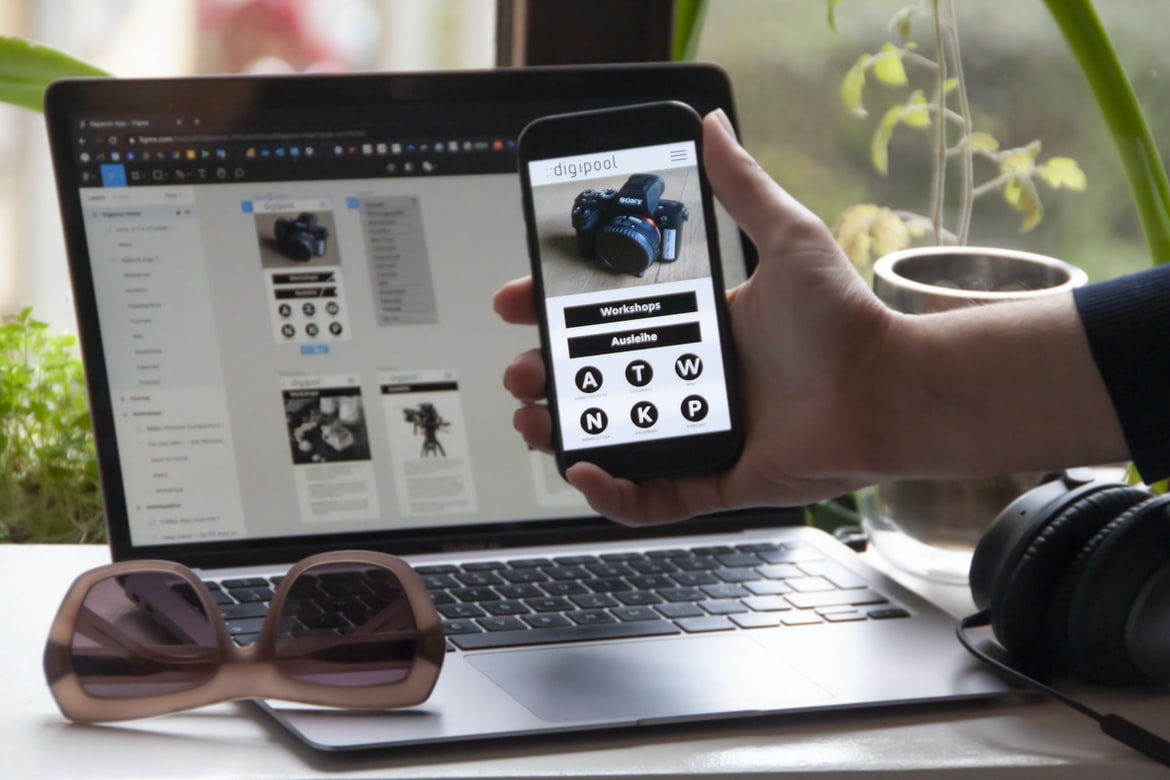
UI design is one of the most important aspects when creating a website or app. It decides how users interact with it and can make or break the user experience. In order to create a user-friendly interface, designers must understand how users interact with different types of interfaces. By understanding how people use different interfaces, designers can create interfaces that are both easy to use and pleasing to the eye.
What is UI design, and why do people use it?
UI design is the process of designing a user interface for an app or website.UI design is important because it decides how the user interface looks and functions. It can affect how users interact with the app or website, which can impact how popular the app or website is. There are many different types of UI design, but a few common ones include desktop apps, mobile apps, websites, and web applications.
The Basics: How UI design works
UI design is the process of designing user interfaces for software applications. It includes the selection, design, and presentation of the user interface elements, as well as the creation and placement of these elements in a graphical environment. The goal of UI design is to provide a visually appealing and functional environment that will allow users to interact with the application.
Elements of a good UI: Layout, Colors, Graphics, and Typography
In order to create a well-rounded and user-friendly application design, it is important to take into account the elements that make up a good UI. By following these tips, you can create a user interface that will be both intuitive and pleasing to look at.
UI design is all about creating a user interface that looks good and feels good. You need to consider the elements that make your UI successful and make sure they are taken into account when designing your applications.
Navigation: What makes a good navigation system
A good navigation system is essential for any application design. It should be easy to find the right application, fast and accurate. The following are some tips to help make your navigation system easier to use:
1. Choose a clear and concise name for your application. This will help people easily find it when looking for software or applications.
2. Use simple but effective icons and icon sets to represent different types of applications and screens. This will make it easy for users to find what they need without having to search for something specific.
3. Place the main application windows in the topmost position on the screen so that users can see them easily and quickly. This will keep users focused on the main task at hand and avoid distraction from other windows or applications.
4. Place all of the application windows on the left side of the screen so that users can easily scroll through them. This will keep users from accidentally clicking on other windows or applications and losing focus on their main task at hand.
Main Navigation: Home, Menu, Profile, etc.
Application design is the process of creating a design that will best suit the needs of an application. UX design is important in this process, as it affects how users interact with the application. Here are some tips for designing an effective user interface: Home, Menu, Profile, and Settings.
In an application design, the main navigation is the means by which users access content within the application. This can be anything from a main menu to a profile page. The main navigation should be easily identifiable and consistent across applications so that users know where they should go in order to find what they’re looking for.
Why Convert Web App To Mobile App?
There are many benefits of converting an application from the web to a mobile app design. First, apps are easier to manage and can be used anywhere, even on devices that don’t have a web browser. Second, conversion can help reduce development time and cost. Third, apps can be more user-friendly with a better user interface design. Finally, conversion can increase user adoption of your app by providing a more efficient and reliable mobile experience.
Sidebars and Content Bars: How to make them successful
In designing an application, you need to make sure that the user interface is intuitive and engaging. One way to do this is by adding sidebar content bars that help organize or highlight important information. Additionally, you can use them as a tool for building deeper relationships with users or for adding extra context to individual interactions.
When creating an application design UI, it is important to make sure that the sidebar and content bars are successful. By following a few simple tips, you can make your sidebar and content bars look great and help keep your users engaged.
Breadcrumbs and Heads up Placements: How to use them effectively
Breadcrumbs and heads-up placements are often used together in applications to help users find what they’re looking for. However, there are a few things to keep in mind when using them. First, breadcrumbs should be placed at the top of each list or table row so that users can easily see them. Additionally, it’s important to place heads-up placements prominently on the screen so that users know what they need to look out for.
Forms and Contacts: How to use them in the right way
In many ways, the forms and contact forms in an application are crucial parts of the user interface. They can be used to collect data, track preferences, and send messages. However, the use of form input correctly can often lead to improved usability and improved feedback for users. Here are tips to help you use forms correctly:
1) Use placeholder text for field labels.
2) Label fields with specific names and value pairs. This will make it easier to find and edit them later on.
3) Use checkboxes and radio buttons instead of just checked or unchecked boxes. This makes it easier to know which options are available and allows you to more easily control the type of feedback given to users.
4) Make sure all field labels are unique across applications. This will help avoid overlap in label titles and descriptions when users interact with different forms in different applications.
Figma
Figma is a design application that enables users to create and design user interfaces. It is free and has been used by businesses such as Apple, Adidas, and Nike. Figma has made it easy for users to create and design user interfaces.
Figma is a design application that allows users to quickly create and share designs. The app is designed for mobile devices, and it has tools that allow users to change the images, text, and layout of designs.
Adobe XD
Adobe XD, once the most popular design application for desktop applications, is no longer being developed. While it still has a lot of functionality and is still used by a lot of people, its popularity has slowly faded over time, and there isn’t as much demand for it. This has led to many companies choosing to develop their own design applications instead. Some of these applications are better than Adobe XD but are not as popular.
Design Mobile App
Designing a mobile app is an important task for any business. There are many different ways to design an app, and it can be difficult to find the right combination of features and design that works for your business. This article will provide tips on how to design a mobile app that is both user-friendly and effective.
Graphic Design
When it comes to designing your application’s user interface, there are a few things you can do to help make the process easier and more efficient. First, consider the needs of your users and what features they would most likely want to see. Then, design for convenience and simplicity. Finally, make sure that your design is visually appealing and easy to use.
What is UI design?
UIs are the user interface design that affects how a user interacts with an application. They can be divided into two categories: front-end and back-end. Front-end UI refers to the user interface that appears on the computer screen, such as those found on desktop applications and web browsers. Back-end UI refers to the underlying systems that provide the functionality of an application, such as an operating system or database.
UI design is the process of designing the user interface of an application. This can be done by designing the user interface (UI) or creating the user interface components (UI components). The goal of UI design is to provide a consistent and intuitive experience for users, whether they are using the application for business or pleasure.
What is UX design?
UX design is the design of how an application appears and interacts with users. This can be done through the use of user interface (UI) elements, such as buttons, text fields, and menus. Additionally, UX should take into account the user’s needs and wants in order to create a product that is both comfortable and effective.
Visual Communication
When it comes to user interface design, there are a variety of strategies you can use to make sure your users feel comfortable and confident. One way is to create an effective and intuitive user interface that caters to different types of users. Another important factor when designing user interfaces is the layout and organization of objects. This will help the user feel comfortable and productive while using your application.
Visual Communication Vs Graphic Design
Visual Communication Vs Graphic Design: Which is Better?
When it comes to creating UI or user interface design, it depends on what you’re trying to achieve. If you’re looking to create a visually appealing and easy-to-use product, then the graphic design may be the better option. However, if you’re trying to create a product that’s both effective and user-friendly, then visual communication will be the better choice.
Application of Graphic Design: Adobe Photoshop, Adobe Illustrator, Adobe InDesign
Graphic design is the process of creating visual elements that represent a text or story. It can be done digitally or in print. A graphic designer creates designs for everything from simple layouts to intricate illustrations and logos. In some cases, a graphic designer may also be called upon to create covers and illustrations for books, magazines, or other printed works.
Adobe Photoshop, Adobe Illustrator, and Adobe InDesign are three of the most commonly used graphic design software applications. They offer different abilities and features that can make designing websites, brochures, and other printed media more efficient. Additionally, they can be used together to create unique designs that will stand out from the competition.
Figma, Adobe XD, WordPress, Elementor.
Figma, Adobe XD, WordPress, and Elementor are popular application design UI solutions that help you create beautiful and user-friendly websites. Figma is a free software that helps you design web applications. Adobe XD is an all-in-one video editing platform that lets you create professional videos and slideshows. WordPress is a content management system (CMS) that allows you to manage your website’s content. Elementor is a drag-and-drop interface builder that lets you create custom interfaces for your applications.
Figma, Adobe XD, and WordPress are all popular content management systems (CMS) that allow users to create and manage websites. Elementor is a free, open-source CMS that can be used with Figma, Adobe XD, and WordPress.
What do users typically look for in an application’s UI/UX design?
User feedback is a valuable tool for application designers in order to improve the design of their applications. However, users may not always provide the same level of feedback when it comes to their queries and needs. There are various factors that can influence how users perceive an application’s UI UX, and these factors can be targeted by application designers in order to improve the overall experience for their users.
User feedback is a huge factor when designing an application’s UI UX. It can help guide the design of an application’s user interface and help improve the usability of the app for users.
What are the best practices for creating an effective UI/UX design?
UI design is a critical part of any web or application design. By following some simple best practices, you can easily create intuitive and user-friendly designs. Here are a few tips to get you started:
1. Use clear and concise UI design language.
A well-designed UI should be easy to understand and use. You should avoid using complex or difficult-to-read text labels, buttons, or other elements that can make the user’s experience difficult. Instead, use easy-to-read fonts, icons, and images.
2. Use consistent font sizes throughout your design.
When designing UI for different devices, size is key! Make sure all elements are sized correctly so users can see them comfortably without having to scroll down.
How can user feedback be incorporated into UI/UX design?
User feedback is an important part of UI design, as it can help make the application more user-friendly and efficient. However, incorporating user feedback into the design process can be difficult. Here are three tips to help make your user feedback process more efficient:
1. whenever possible, gather user feedback during development. This will allow you to understand how users interact with your application and identify potential problems early on.
2. use usability testing to get feedback on how users experience your application. This will help you identify any issues that need to be fixed before the final release.
3. keep track of what users say about your application in a journal or other form. This will allow you to access feedback quickly and easily when needed.
What impact does UI/UX design have on user engagement?
UX design is an important part of application design. The user interface (UI) is the first impression that the user has of the application and can have a significant impact on how people use it. Sometimes, UI design can be so subtle that it is barely noticeable to the naked eye, but it can make or break an application. In this article, we’ll take a look at some of the ways in which UI design can affect user engagement.
UI design has a significant impact on user engagement and satisfaction. While it’s often difficult to determine exactly what goes into making a good user experience, there are some key factors that can be considered when designing an interface. In this article, we will discuss the significance of UI design and how it affects user engagement.
How can developers optimize the customer journey through their application’s interface?
One way to optimize the customer journey is to design the interface in a way that makes it easy for customers to find and interact with the application. This can be done by creating easy-to-use menus, buttons, and fields or by designing input fields that are self-explanatory. Additionally, customers should be able to find what they are looking for quickly and easily.
Another way to improve the customer experience is through interactions with agents. Agents can help customers learn more about the product or service, answer their questions, and provide support. Agents can also help reduce wait times and increase throughput.
What are the common mistakes to avoid when designing a UI/UX for an application?
There are many mistakes that developers make when designing user interfaces for applications. Here are some of the most common ones:
1. Not considering the user’s needs when designing your application’s UI.
2. Not using enough whitespace to avoid cluttering up your design.
3. overlooking how users interact with your application and what features they need.
4. not using target devices correctly – including devices like phones, tablets and computers – when planning your design.
How can UI/UX designs be tested to ensure optimal performance?
Today, UI design is becoming more and more important as the interface of various web applications. It can play an essential role in a company’s overall user experience, and without a good design, users may not be happy with the final product. In order to ensure that the design is optimized for performance, it is important to have a basic understanding of how the user flows work.
To start with, let’s take a look at an example: imagine you are designing a website for a small business. The site would need to load quickly and provide easy navigation, so it would be ideal if the design used low-bandwidth or cached images. The resulting layout will likely be similar across different devices (desktop, phone, laptop) and browsers (IE9+, Firefox 24+, Safari 7.1+).
What tools and technologies are used in building application UI/UX designs
UX design is a process that entails the selection, design, implementation and testing of user Interface (UI) elements for a computer system. The goal of UX design is to create an interface that is comfortable and efficient for human users. Some common tools and technologies used in UI design include Sketch, Adobe Photoshop, Illustrator, After Effects, Unity3D and Motion.
What is UI/UX design, and how does it affect an application?
UI design is the process of designing an interface for an application. It includes the selection and placement of elements on a screen, as well as how these elements interact with one another. UI design affects the overall user experience of an application, which can influence how people use and interact with it.
How important is the user experience when designing applications?
Applications are one of the most important parts of a business. They need to be easy to use and navigate, and the user experience (UI) is crucial in achieving this. UI design can be drastically different from application to application, so it’s important to understand what makes an effective UI for an application and how you can improve it.
How can I ensure users have a good experience when using my application?
In order to create a great user experience for your application, you should take a few measures. One is to design the interface correctly, and another is to make sure all of the logic for your application is hidden from the user.
There are many ways to improve the user experience when using an application. One way is to design the interface correctly. Another way is to create an effective user experience policy. A third way is to develop good user experience guidelines.
What are some of the most important principles for designing effective applications?
In recent years, application design has become more important than ever before. With ever-changing technology, faster advancement in computing power, and more users demanding quick and reliable solutions, developers need to be able to create effective and efficient applications. Here are some of the most important principles for designing effective applications:
1. Interface design should be simple and easy to understand.
2. It should be recognizable by users without too much effort.
3. The user interface (UI) should be intuitive and easy to use.
4. The user experience (UX) should be positive and satisfying.
5. The application should meet the needs of users as closely as possible.
What kind of feedback should I use to determine how successful my application’s UI/UX is?
UI design is a critical part of any application, and it’s important to determine how successful your application’s UI is in order to make improvements. There are a variety of different feedback methods that you can use to determine this, including user testing, usability studies, and user feedback surveys.









