

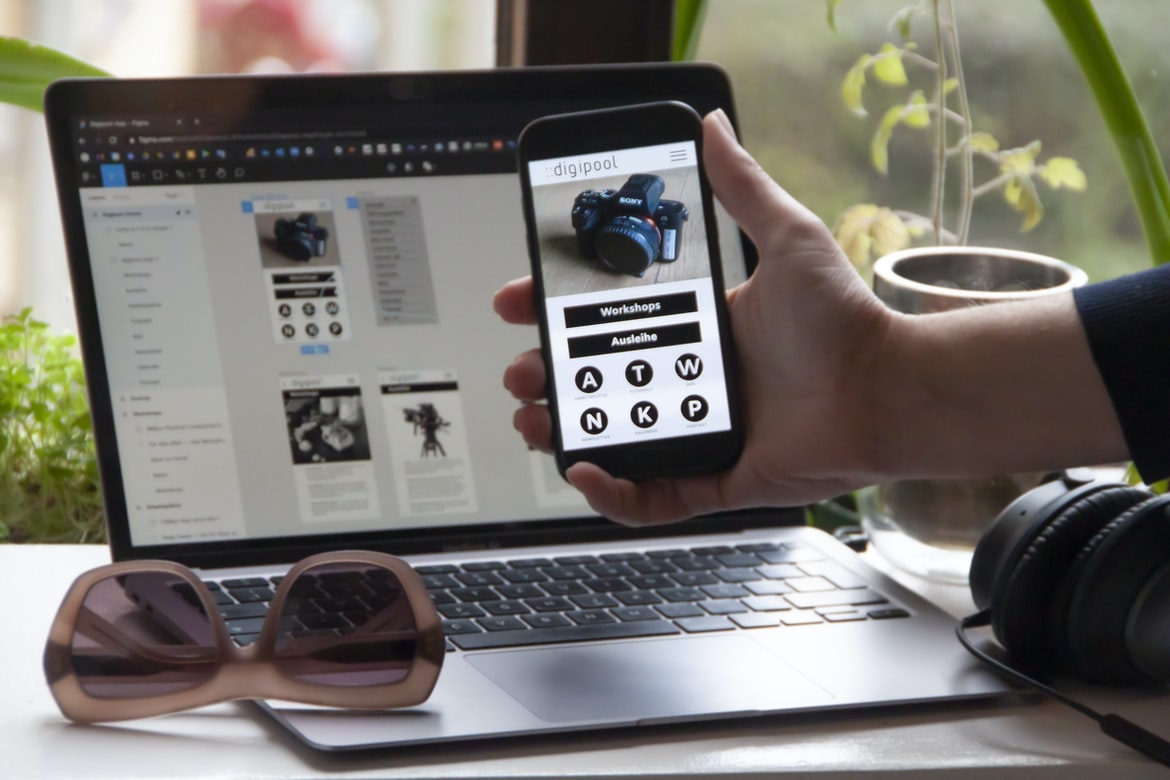
There is a lot of pressure on application designers to make their applications as user-friendly as possible. This is especially true for newer applications. However, this often comes at the expense of functionality or usability. In order to strike a balance between these two goals, application designers need to be aware of how users interact with their applications. By understanding how users interact with an application, they can create a design that is both functional and user-friendly.
One way to improve usability is by providing feedback to users as they interact with an application. This allows them to know what actions they are taking and provides them with the opportunity to correct any mistakes that they may have made.
What is application design UI UX?
Application design UI UX refers to the user interface and its accompanying visuals that are used in an application. It encompasses everything from the look and feel of the menus and buttons to how they are organized onscreen. The goal is to make the user experience as smooth and easy as possible, so they can focus on what they’re doing instead of trying to figure out how to use the app.
The importance of UI/UX in web and mobile app design
Web and mobile app design is an important field that has come to be known for its user interface (UI) UX. A well-designed UI can make a user’s experience with the product more positive, which in turn can help increase revenue. Poor UI design can also lead to decreased customer satisfaction and even abandonment of a product. In this article, we will explore some of the key aspects of UI UX and discuss their importance in web and mobile app design.
First and foremost, good UI UX is essential for creating a positive user experience. This means that the user interface must be easy to use and understand. It should also be visually appealing and engaging so that the user wants to stay on the product longer. Additionally, good UI UX makes it possible for users to complete tasks quickly and easily without having to spend too much time on each interaction.
Guidelines for creating an effective application design UI UX
Designing an effective user interface for an application can be a challenging task. In this article, we provide some guidelines that will help you create an interface that is both user-friendly and aesthetically pleasing.
1) Keep the user interface simple. Too much clutter can frustrate users, while a minimalist design can make the application easier to use.
2) Use intuitive navigation menus. Users should be able to find what they are looking for quickly and easily.
3) Make sure all elements of the user interface are responsive. If users need to make changes to the content or layout of your application, they should be able to do so without difficulty.
4) Utilize colour and graphics wisely. Using too many colours can be confusing, while too few may leave users feeling frustrated or bored.
Tips for improving application design UI UX
Creating an effective user interface (UI) for an application can be a difficult task. User experience (UX) is key in making the user feel comfortable and productive using the application. Here are some tips for improving your UI UX:
1. Use feedback loops to ensure that users are always aware of what is happening in the application. This can be done through visual cues, audible cues, or both.
2. Try to make sure all elements of the UI are consistent with one another. This will help users understand how to use the application and reduce confusion.
3. Always keep in mind the user’s goals when designing UI. This will help you determine which features to include and which to omit.
4. Keep the UI simple and easy to navigate, regardless of how complex the underlying functionality may be.
1. Define the goals of your app’s UI/UX
There are many goals for the UI UX of an app. Some of these goals might be to make the user interface intuitive and easy to use, while others might be to create a visually appealing experience. It’s important to consider all of these factors when designing an app’s UI UX in order to make sure that users have an enjoyable experience and that the app meets its intended purpose.
2. Create a user interface that is easy to use and understand
Creating an easy-to-use and understandable user interface is important for any application. By incorporating usability testing into the design process, developers can ensure that their applications are easy to use from the beginning. Here are tips for creating a user interface that is both intuitive and efficient:
1. Use simple, plain language in your user interface. This will make it easier for people to understand and use your application.
2. Place important features near the top of the user interface, so users know where to find them.
3. Give users clear instructions on how to complete tasks in your application.
4. Make sure each screen layout fits the specific needs of your users. For example, if most users will be working on a document in a word processing program, keep all of the screens related to this task near the top of the user interface. What is UI/UX, and why is it important in application design?
UI UX is more than just a pretty face. It’s the totality of how an interface looks and feels, from the layout of buttons to the way data is presented. Good UI UX can make or break an application, so it’s important to get it right. Here are some tips for designing good UI UX:
1. Keep your users in mind from the start. Make sure your design takes into account what people will likely do with the application. What tasks will they need to complete? How easy will it be for them to find what they’re looking for?
2. Use simple, intuitive buttons and menus. Users should be able to learn how to use your app within minutes, not hours. Keep all your controls within reach and make sure they display the correct information (e.g., size and position).
3. Keep the design and interaction of the controls simple. If you need to show more information or options, use a tooltip. 4. Don t overload your users with too many options. Keep all the actions that they’ll be performing on your app s main screen within easy reach.
Elements of a good UI/UX: Attention to detail, easy to use, user-friendly, intuitive.
A good user interface (UI) is one that is easy to use, intuitive, and attention to detail. It should be able to satisfy the needs of the user without having to excessively search for information or navigate through complex menus. Here are some key elements of a good UI UX:
1) Appropriate use of colour: Bright colours should be used sparingly in order to avoid overwhelming the user with too much stimulation. Instead, darker colours should be used for more important elements and lighter colours for less important elements.
2) Clear and concise labels: Labels should be large enough so that they can be read easily but not so large that they take up too much space. The labels should also be descriptive so that the user knows what each element does.
Guidelines for improving UI/UX: Simple, clear navigation, effective use of typography, legibility and readability.
There are many things that can be done to improve the user experience of an application, and one of the most important is ensuring that the user can easily navigate through the interface. Good navigation will make it easy for the user to find what they need, and clear typography and layout will make it easy for them to read what is on screen. Finally, good usability also means making sure that the application is legible and readable by both people with disabilities and those who are not visually impaired. By following these guidelines, designers can create a user interface that is both intuitive and effective.
Tips for creating a good UI/UX: Use a variety of design elements, and test your designs regularly.
Creating a user interface (UI) for an application can be a daunting task. There are a lot of different design elements to take into account, and it can be difficult to know which ones to use and how to test them. Here are some tips for creating a good UI UX:
1. Use a variety of design elements. A well-designed UI will use a variety of design elements, from icons to text boxes to buttons. This mix will give the user a sense of familiarity and make the interface look organized and user-friendly.
2. Test your designs regularly. It’s important to test your designs constantly; if something changes in the application or in the user’s environment, your design may need adjustment. By testing your designs regularly, you’ll be able to avoid costly redesigns down the road.
3. Use consistent colours. It s easy for users to become confused when different elements of the UI have different colours. The easiest way to avoid this problem is by using a common colour scheme (for example, using blue text on a white background). 4. Keep your code clean and organized.
3. Use intuitive icons, buttons, and menus
Your users are not just numbers on a screen. They are people who need to be able to use your app with ease and understand what they’re doing. That’s why intuitive icons, buttons, and menus are so important.
When designing an app’s user interface, it is important to keep in mind that your users are not just mindless robots. They will want to be able to understand the controls and menus, as well as find what they’re looking for quickly.
One way to ensure that your user interface is easy to use is by using intuitive icons and buttons. This makes it easier for your users to know how to interact with the app and find what they’re looking for.
In addition, using intuitive menus can also make it easier for your users to navigate the app.
4. Design interfaces that are visually appealing and engaging
Creating an attractive and engaging user interface (UI) can be a daunting task. However, by following a few design principles, it’s possible to create interfaces that are both visually appealing and easy to use.
First and foremost, keep the layout simple. Too many buttons and icons will make the interface difficult to navigate, and users will become frustrated. Instead, focus on using clear, concise text and graphical elements to convey information.
Another important element to consider is the user’s screen size. Make sure all elements are resizable so that they fit properly on any device or screen size. Additionally, ensure that all buttons are clickable; this will help users navigate easily through your application.
Finally, make sure your UI is visually appealing and engaging. This means taking advantage of colour and typography to create a pleasant viewing experience.
5. Use layout principles to improve user flow and comprehension
Layout principles can help improve user flow and comprehension in an application. These principles include using consistent spacing, labelling elements clearly, and avoiding crowded areas. By following these guidelines, users will be able to navigate your application with ease and understand the content at a glance.
6. Employ feedback mechanisms to ensure users know what they’re doing
Within any organization, it is imperative that the user interface (UI) of an application be effective and efficient. Ensuring a good UI requires feedback mechanisms from users, who can provide valuable insights on how to improve the design. The following are ways to ensure users know what they’re doing:
1. Use explicit feedback mechanisms. Explicit feedback mechanisms provide feedback that is easily visible and identifiable. This type of feedback should be used when the user is performing a task that is important or necessary for completing the task at hand. For example, if a user is required to input information into a form, providing visual cues as to where they should place their cursor would be an effective way of providing explicit feedback.
2. Use descriptive feedback mechanisms. Descriptive feedback mechanisms provide more detailed information about what the user has done wrong or right.
7. Monitor user feedback throughout the development process
WordPress for Designers
WordPress is a popular content management system (CMS) that is used by designers to create websites and applications. WordPress makes it easy to create beautiful, intuitive user interfaces (UI) and user experiences (UX). This guide will show you how to use WordPress to easily create stylish, effective websites and applications.
What Is Elementor Website WordPress Plugin?
Elementor Website WordPress Plugin is an all-in-one website design and development plugin that makes creating and managing websites easier than ever. With Elementor, you can easily create a website from scratch or improve an existing website. The Elementor Website WordPress Plugin has a user-friendly interface that makes setting up your website easy, and it comes with tons of features to help you create the perfect website.
Figma
Figma is a design software that allows users to create interfaces and user flows for web and mobile applications. The app has a sleek, modern interface that makes it easy to create designs. Figma also offers features such as wireframing, prototyping, and collaboration.
Adobe XD
Adobe XD is a new design application for creating user interfaces and user experiences. It has many features that make it a powerful tool for designers. Adobe XD is free to use, and its interface is easy to learn. It has many features that make it a good choice for designing user interfaces and user experiences. Here are some of the reasons why you should consider using Adobe XD:
1. Its interface is easy to learn.
2. It has many features that make it a powerful tool for designing user interfaces and user experiences.
3. It is free to use, which makes it an affordable option compared to other design applications.
4. Its layout tools are versatile and easy to use, which makes creating layouts quick and easy.
5. It has a great library of ready-to-use components that make it easy to create a UI. 6. It allows you to save time by creating reusable and scalable designs, which saves money. 7. It is a great alternative to other design tools.
Design Mobile App
Designing a mobile app is no easy task. It requires an understanding of both the user experience and the design interface. Here are some tips to help get you started:
1. Start with a clear goal in mind. Define what you want your app to do and what the user should be able to accomplish within it. This will help you focus your design efforts and make sure that all elements fit together coherently.
2. Think about how users will interact with your app. What buttons, screens, or menus will they need to use? How will they move around the app? All of these factors need to be considered when designing the user interface. Don’t be afraid to experiment – different designs can lead to different results and, ultimately, better apps overall.
3. Pay close attention to detail when designing your interfaces – every pixel counts!
Graphic Design
Graphic design is the process of creating a graphic communication that can be used to promote an organization, product, or idea. Graphic designers must have a firm understanding of typography, layout, image editing software, and creation principles in order to create effective visuals.
Graphic design is often seen as an entry-level position for those with art or design degrees. However, there are many creative positions within the field that require specialized knowledge and skills. Some common job titles for graphic designers include desktop publishers, web developers, interactive media designers, and motion graphics artists.
The field of graphic design is constantly evolving as new technology and software become available. Many designers now use vector illustrations and Adobe Photoshop to create their designs. Overall, the goal of graphic design is to communicate ideas clearly and effectively through visual means. Graphic design, or interface design, is the process of designing the look and feel of a user interface. Graphic designers must have an understanding of typography, layout, colour theory, motion graphics and other visual arts. They also need to be familiar with software such as Adobe Photoshop and Illustrator. Interface design may be used in any type of application, including websites, mobile apps and desktop applications.
What is UI design?
UI design is the process of designing the user interface for a computer or mobile application. It includes the creation of graphical designs, interaction studies, and typography. UI designers must consider a wide range of factors, including usability, looks, and functionality.
What is UX design?
User experience (UX) design is all about creating an optimal user interface for a digital product or service. It’s about anticipating and addressing the needs of your users, from the very first stages of planning to the finished product.
UX design can involve everything from creating a visually appealing website or app to crafting intuitive user interfaces that make it easy for people to find what they need and get on with their tasks. Ultimately, UX design aims to create a positive experience for users, no matter what device or platform they’re using.
As technology continues to evolve, so too does the need for effective UX design in all types of products and services. If you want your work to be well-respected and admired by your peers, then learning how to do UX design is essential. There are plenty of resources available online – start learning today!
Visual Communication
Visual communication has always been an important part of the design. From the early days of printing, designers have used visual cues to communicate ideas. Today, visual communication is more important than ever.
There are many ways to communicate information using visuals. Graphic design is a great way to convey your message. You can use icons, fonts, colours, and images to create a unique and memorable interface.
Another way to communicate information is through user experience (UX). UX is all about creating a good user experience. This means making sure the interface is easy to use and that the content looks good on any device.
Finally, you can also use visuals to evoke emotions in your users. This can be done through colour, typography, and graphics. By using visuals in the right way, you can create a powerful statement that will affect your audience.
Visual Communication Vs Graphic Design
There is a lot of confusion when it comes to the difference between visual communication and graphic design. Visual communication focuses on the creation of visuals, while graphic design is all about creating attractive and appealing designs. However, there are certain elements that are common to both disciplines. For example, both visual communication and graphic design often involve the use of typography, colour, and images.
Visual communication is typically used in creative fields such as advertising, marketing, and design. It focuses on the message that is being conveyed through the visuals rather than the mechanics of how those visuals are created. Graphic design, meanwhile, is used more in professional fields such as engineering and architecture. It focuses on the aesthetics of a project and can involve more detailed instructions for how a project should be created.
Despite their differences, there are some elements that are common to both visual communication and graphic design.
Application of Graphic Design: Adobe Photoshop, Adobe Illustrator, Adobe InDesign
Adobe Photoshop, Adobe Illustrator and Adobe InDesign are three widely used graphic design applications. Each has its own strengths and weaknesses, but all are versatile tools that can be applied to a variety of different tasks. Here are tips for using Photoshop, Illustrator and InDesign to create user interfaces and user experience (UX) designs.
1. Start with an understanding of your users’ needs. When designing an interface or UX, start by understanding your users’ needs. What do they want to be able to do? How can you make the process easier for them? What information does the interface need to provide quickly and easily? Once you have a clear idea of what the user needs, it will be much easier to design a streamlined interface that meets those requirements.
2. Utilize typography sparingly.
What are the key considerations for designing a successful user interface?
There are a few key considerations for designing a successful user interface, including making sure the design is easy to use and understand. Users should be able to access the features they need quickly and easily while also being able to customize their experience. Additionally, designers should focus on providing consistent and coherent design across all elements of the UI, from the logo to the menus. In order to create an optimal user experience, it’s important to consider both the user’s needs today and what they might want in the future.
How can UI/UX design help create a better user experience?
User experience (UX) is the overall experience that a person has when using a product or service. It encompasses not only how the design looks and feels but also how well the user can understand and interact with it. The goal of good UX design is to create an experience that is both satisfying and effective. There are many ways that UI UX design can help achieve this, some of which are listed below.
UI UX design can help improve understanding by providing clear and concise information, arranging elements in an easily accessible way, and making sure all text is easy to read. It can also assist in navigation by providing intuitive menus and controls, as well as helpful hints if needed. In addition, good UI UX design helps users complete tasks by providing clear directions and feedback on progress.
What are the most important elements of UI/UX design?
There are many factors that go into designing a User Interface (UI), but some of the most important elements are accessibility, usability, and design principles. Each of these factors must be considered when creating a usable and appealing interface for users.
Some common UI design principles to keep in mind include keeping the user focused on the task at hand, avoiding cluttered or busy interfaces, and utilizing typography to enhance readability. Additionally, it’s important to consider how users might interact with the interface on different devices, such as phones and tablets. In order to create an effective UI UX design, it’s important to understand all aspects of the user’s experience.
How can designers ensure that users will interact correctly with an application?
Users interact with applications every day, and it is important for designers to ensure that users are interacting correctly. There are a few different ways that designers can help make sure users are interacting correctly.
One way is to make sure the user interface is well-designed. This means that the buttons are labelled correctly, the menus are easy to use, and everything looks organized. If an application is confusing or difficult to use, users likely won’t be able to get what they want out of it.
Additionally, designers should also make sure that the user’s input is correct. For example, if an application asks for a name and email address, make sure that the input fields are big enough and in the right place. If an error occurs while a user is filling in the information, it can be frustrating and lead to less interaction with the application.
What challenges do designers face when creating a UI/UX for applications?
When designing a UI for an application, there are many challenges that designers face. One of the most important is making sure that the UI is easy to use and understand. Other challenges include making sure the layout is intuitive and organized and creating a design that is both visually appealing and functional. Additionally, it is important to consider how users will interact with the application, including how they will navigate through it and what features they will use most frequently. Ultimately, designing a user interface for an application involves understanding both the functionality of the app and the needs of its users.
What techniques or tools can be used to test and evaluate an application’s UI/UX design?
Testing and evaluating an application s UI UX design can be done in a variety of ways. Some common techniques include usability testing, user focus groups, and questionnaire studies. Other methods, such as in-house research or focus group studies conducted by third-party consultants, may also be useful. It is important to select the method that will best suit the needs of the project and the individuals involved.
How does AI technology help in building applications UI UX?
Today, there are various AI-based tools that can be used to improve the user experience (UX) of an application. One such tool is natural language processing (NLP). NLP can be used to understand the user’s intent and needs and then create a more intuitive interface. This can be done by parsing the user’s words and understanding their meaning, as well as detecting sarcasm and other nonverbal clues. Additionally, artificial intelligence (AI) can help design better UIs by providing insights into how users interact with digital products. For example, AI may be able to detect which features are popular and recommend them to designers for inclusion in an application. In addition, AI technology can help identify patterns in how users interact with an application, which can then be used to improve the design or layout of these products.
What changes should be made to an existing application’s UI
There are a number of changes that could be made to an application’s UI in order to improve the user experience. Some of these changes include making the interface more organized and visually appealing, as well as adding more functionality to make the application easier to use. Here are specific changes that should be made to improve an application’s UI:
1. Simplify the layout of the interface. It can be easy for users to become overwhelmed by the number of options and buttons on an interface, especially if it is not well-organized. Make sure to prioritize key features and make them easy to find, using colour coding or icons instead of text labels.
2. Create a visually appealing design. Making an application look good will help users feel confident about using it, especially if there are complicated features or procedures involved.
What are the best practices for UI UX design when building applications?
UI UX design is an important part of application development, and there are a number of best practices to follow. One important consideration is the use of feedback loops, which allow users to give feedback about how their experience is going. Additionally, it’s important to keep users in mind during the design process by taking into account how they will use the application. Finally, it’s important to test applications frequently to ensure that they are user-friendly and usable.
How do user experience and user interface design complement one another?
User experience and user interface design are two important fields within the field of application design. User experience designers focus on creating a positive, engaging experience for users, while user interface designers focus on creating an effective and intuitive user interface. Although these fields may seem like they are in opposition to each other, they can work together to create a better overall product.
Some of the ways that user experience and user interface design work together are by determining how users will interact with the product and what features should be included. Additionally, UX designers often take into account how users will feel when using the product, whether it is during initial use or over time. This means that user interface designs need to be easy to understand and navigate for all users, regardless of their level of experience or skill.
What is the most important factor to consider when designing an application’s UI UX?
There are many factors that need to be considered when designing an application’s UI UX, but one of the most important is usability. Poorly designed interfaces can actually cause users to become frustrated and abandon an app altogether. It’s important to take into account things like how easy it is to find what you’re looking for, how well the interface flows, and the overall user experience. Additionally, it’s important to consider the target audience and design based on their needs and preferences. By taking all of these factors into account, you can create an effective UI UX that will keep users coming back for more.
How can I ensure an intuitive and engaging user experience when building an application?
There are a variety of ways to ensure an intuitive and engaging user experience when building an application. One way is to focus on the user’s needs and wants from the beginning. Another strategy is to use feedback gathered during development to make changes that improve the user experience. And finally, it’s important to keep in mind the overall design of the application when making UI tweaks. All of these tactics can help create a more satisfying experience for users.
What tools are available for creating a great UI UX for an application?
Application design can be a difficult process, but with the right tools and techniques, you can create an effective user interface (UI) UX for your application. Here are some of the most common tools and resources:
1. User interface wireframes: A user interface wireframe is a simple visual representation of your application’s UI. This helps you see how users interact with the various elements of the UI and makes it easy to test different designs. Wireframes are also useful for communicating design concepts to team members.
2. Mockups: A mockup is a visual representation of your final UI that you can use to test different designs. You can create mockups using software like Inkscape or Photoshop or by hand using Illustrator or Sketch.









