

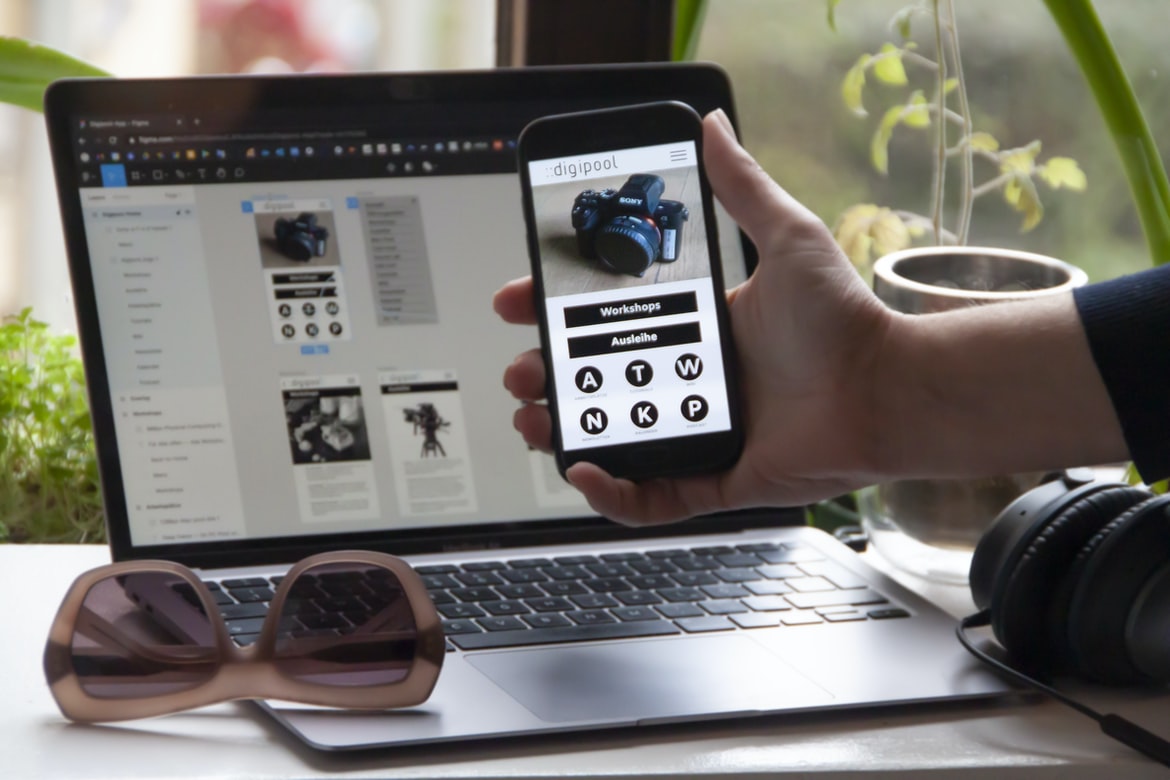
Application design UI UX is an important part of the overall user experience. Poor UI design can make or break the experience a user has and can even lead to frustrated customers. There are a number of key factors to consider when designing a UI, including the following:
Layout: The layout of the interface should be easy to understand and use. All elements should be placed in an easily accessible location, and buttons and other controls should be positioned so that they are easily accessible.
Design: The design of the UI should be attractive and appealing. It should be easy to navigate, and all elements should be organized logically.
Functionality: The interface should provide all the necessary information needed by users without overcomplicating things. Any extraneous information should be removed so that users can focus on what’s important.
What is UI UX? What are the different types of UI UX?
UI UX is the design of user interfaces. There are different types of UI UX, which depend on the type of application. For example, web applications have a different UI UX than mobile applications. In this article, we will discuss three types of UIUX: desktop, mobile, and web.
Desktop UIUX is the traditional interface that users are familiar with. It has a graphical user interface (GUI) with icons and buttons. Mobile UIUX is the interface that users see on their devices. It has a simplified GUI with fewer features and is designed for touch screens. Web UIUX is the interface that users see when they visit a website or app outside of their device. It has a flat design and lacks graphics.
User Research: How do you research your application’s UI?
User research is an important part of the design process for any application. Research helps you understand your users and their needs, which can help you create a more user-friendly interface. There are several methods that you can use to conduct user research, but some of the most popular include interviews, focus groups, surveys, and observations. It’s important to choose the method that will work best for your project and your users. Here are some tips for conducting user research:
1. Choose a target audience. User research should be tailored to the specific target audience that you’re researching. If you’re designing a new application, make sure to target people who will be using it. If you’re redesigning an existing application, make sure to target people who have used it in the past.
2. Factor in potential constraints.
Factor in potential constraints when designing user interfaces. One of the most important aspects of UI design is considering how your users will interact with the interface. But what about situations where you can’t control certain factors, like screen size or browser capabilities? In these cases, you need to factor in potential constraints and come up with creative solutions.
One way to do this is to use scaling techniques. If your user is viewing the interface on a small screen, you can enlarge elements on the screen or create buttons that are larger than normal. You can also change the layout of elements so that they’re more visible on smaller screens.
Another way to deal with constraints is to use layering techniques. This means grouping related elements together so that they’re easier to access.
Design Principles: What are some design principles to keep in mind when designing a UI?
There are a few design principles that should be kept in mind when designing a user interface (UI). These principles include creating a functional, intuitive and appealing design. Some other factors to consider when designing a UI include legibility, layout, colour scheme and typography.
1. Keep the focus on the task at hand – When designing a UI, it is important to keep the focus on what users are trying to accomplish. This means focusing on the task at hand and making sure all elements of the UI work together to help users complete that task.
2. Use simple and effective designs – A user-friendly UI should use simple designs that are easy to understand and use. Effective designs also avoid clutter and unnecessary elements.
3. Make sure all elements work together – A well-organized UI should ensure that all elements work together as a cohesive unit.
Guidelines for Appearance and Layout: What guidelines should you follow when designing a UI?
When designing a user interface, it is important to follow certain guidelines in order to make the experience as smooth and easy for the end user as possible. Below are a few general tips to keep in mind:
– Keep your layout simple and straightforward. Make sure all elements are easily accessible and that there is minimal clutter on the screen.
– Use clear and concise text labels for buttons, fields, and other UI elements. This will help users understand what they need to do without having to look at the screen too closely.
– Use high-contrast colours for primary UI elements so that they are easy to see against a dark or light background.
– Avoid using excessive animations or transitions; these can be jarring and confusing for users. Instead, use subtle animation effects when necessary.
Tips for Improving Interface Efficiency: How can you improve the efficiency of an interface?
Interface efficiency is important for users, as it can save time and increase productivity. Here are some tips for improving interface efficiency:
1. Keep the layout simple. Make sure all buttons and controls are easy to find and use. Use text labels instead of icons, and make sure each item on the screen is relevant to the task at hand.
2. Use transparent backgrounds on elements that don’t need them to avoid clutter. This will also make your interface faster to load since fewer data needs to be loaded onto the user’s device.
3. Use animations sparingly or not at all. Animations can slow down an interface and interrupt the user’s flow, so use them only when they truly add value to the design.
4. Use simple, easy-to-read fonts. Clear and readable fonts help users read text faster. 5. Make sure all interface content is optimized for both small and large screen sizes.
WordPress for Designers
WordPress is a great platform for web developers and designers who need a simple, SEO-friendly content management system (CMS) to build websites and applications. Some of the benefits of using WordPress include its user-friendly design interface, a wide range of plugins and themes, and easy migration from other platforms. Other reasons to consider WordPress as your CMS include its popularity among small businesses and its low cost of ownership.
What Is Elementor Website WordPress Plugin?
Elementor Website WordPress Plugin is a plugin that allows users to create custom layouts for their WordPress websites. The plugin provides a drag-and-drop interface which makes it easy for users to customize their website’s layout. The plugin also includes a variety of features, such as page templates, custom post types, and custom taxonomies. Elementor Website WordPress Plugin is available on the WordPress.org plugin repository.
Figma
Figma is a design application that allows users to create user interfaces and user experiences. It has a simple but powerful interface and allows users to create mockups and prototypes quickly. It is also free to use.
Adobe XD
Adobe XD is a powerful design application that allows users to create user interfaces and graphics for web and mobile applications. It offers a variety of features to make designing easy, including a drag-and-drop interface and the ability to import designs from other programs. Adobe XD also has tools to help with layout and prototyping, making it an ideal choice for creating high-quality user interfaces.
Design Mobile App
Designing a mobile app can be a daunting task, but with the right approach, it can be an enjoyable process. Here are tips to help make your design process easier:
1. Think about what you want your users to do first. What tasks do they need to complete? What features should they have access to? Once you know what users need and want from your app, you can start designing around those needs.
2. Use wireframing tools like Sketch or Axure to create low-fidelity prototypes of your app’s user interface (UI). This will help you test how users interact with the app and identify which features are necessary for usability.
3. Once you have a rough UI design, focus on creating beautiful user experiences (UX) for each feature in the prototype.
Graphic Design
Graphic design is a field of art and design that uses images to communicate a message. A graphic designer creates the layout, typography, and images for print or electronic media. Graphic designers may also create logos, charts, illustrations, and web graphics. Some graphic designers specialize in one type of design or another. Others may have skills in both graphic design and photography. The most common types of graphic designs are logo design, interface design, product packaging, and website graphics.
What is UI design?
UI design is the process of creating a user interface for a software or web application. The user interface is the visible part of an application that users interact with, and it can be as simple as a button or menu item or as complex as an entire platform. UI designers need to understand both the technical requirements of the application and the user’s needs in order to create a well-functioning interface.
UI design involves understanding both what users need and want from an application and then designing those features into a cohesive whole. When designing web applications, UI designers must take into account the variety of devices and browsers that users may encounter. They must also consider how people will interact with the app on different devices, including touchscreens and keyboards.
What is UX design?
UX design is the process of designing user interfaces that are effective and usable. The goal is to make the user experience as positive and satisfying as possible so that they will come back to use your product again and again. UX design takes into account the entire customer journey, from discovery to usage. It involves creating mockups, wireframes, and prototypes to test with users and see what works best.
There are many different aspects of UX design, including but not limited to: interface design, interaction design, visual design, copywriting, and marketing strategy. Together they create a cohesive whole that helps people use your product more efficiently and effectively.
Visual Communication
Designing user interfaces (UI) is critical to the success of any application. However, creating an effective UI can be difficult. In this article, we will discuss some tips for creating a successful UI.
First, keep in mind that users are not always immediately aware of what they need to do to use your application. Make sure all elements of your UI are easily accessible and unambiguous. Second, make sure all buttons and other controls are sized correctly and placed where they will be easy to hit. Finally, use typography and colour effectively to enhance your application’s UX.
Visual Communication Vs Graphic Design
Visual communication is the process of creating a message that can be conveyed through the use of images, graphics, or words. Visual design is the process of creating a visual message that meets specific goals or objectives. Graphic design is the process of designing and creating graphic elements for use in a communication or advertising campaign.
There are many different types of visual communication, including print media, web graphics, commercial graphics, signage, presentations, and advertising. Each type has its own set of requirements and benefits. For example, print media requires high-resolution printing for accurate reproduction; web graphics may be used on any size screen without losing quality; and commercial graphics are often used in marketing campaigns to attract attention and promote sales.
While all three disciplines have their own unique skill sets and requirements, they also share some common principles.
Application of Graphic Design: Adobe Photoshop, Adobe Illustrator, Adobe InDesign
Graphic design is the process of creating visual designs for printed or electronic media. Common applications include Adobe Photoshop, Adobe Illustrator, and Adobe InDesign. Graphic designers create layouts, logos, icons, and other graphics for print or digital products. They may also work on branding and marketing materials, web pages, or motion graphics.
Graphic designers need strong skills in both design and computer programming. They must be able to create high-quality visuals using software such as Photoshop or Illustrator. However, much of the graphic design process involves working with others in a team setting. This means that graphic designers need good communication skills as well as the ability to think outside of the box.
What are the key considerations for designing a successful user interface?
Are you designing a new application? If so, you need to think about how users will interact with your interface. User interfaces (UI) are the faces of our applications, and they play an important role in how users perceive and use our products. Here are some key considerations for designing a successful UI:
1. Make sure the design is easy to understand and use. Users should be able to quickly learn how to use your app, regardless of their experience or skill level.
2. Keep the user interface responsive and adaptive. The user interface should be automatically adapted to the device or screen size on which it’s being used. This way, users can access all of the features of your app without struggling to see or use it.
3. Communicate your app’s purpose clearly through the UI.
How can UI/UX design help create a better user experience?
Designing user interfaces with user experience (UX) in mind can help create a better overall experience for users. By taking into account the goals of the user, designers can create interfaces that are more intuitive and easier to use. Additionally, by creating well-designed elements, UX can help improve the overall customer retention rate for businesses.
What are the most important elements of UI/UX design?
User interface (UI) design is about creating a good user experience for the people using the application. The most important elements of UI UX design are:
-Usability: Ensuring that the user can find what they’re looking for and use the interface effectively.
-Design: Creating a beautiful, intuitive design that makes users feel comfortable and in control.
-Functionality: Making sure the features of the application work as promised and meet users’ needs.
-Interaction: Paying attention to how users interact with the interface, both through mouse and keyboard input and gestures.
How can designers ensure that users will interact correctly with an application?
Interaction is key to a successful user experience in an application. To ensure that users will interact correctly with the interface, designers must pay attention to a variety of factors, including how users move around the application and what they click on. In addition, designers should consider how users interact with prompts and feedback messages. By considering these factors, designers can create an interface that is easy to use and helps users achieve their goals.
What challenges do designers face when creating a UI/UX for applications?
Designers often face a number of challenges when creating a UI UX for applications. Some of the most common include balancing the need for an intuitive and user-friendly interface with the need to meet specific design requirements. Additionally, designers must take into account the various device types and screen resolutions that users may be using, as well as their working patterns and preferences. All of this makes it difficult to create a cohesive and visually appealing experience for all users.
What techniques or tools can be used to test and evaluate an application’s UI/UX design?
Testing and evaluating the UI UX design of an application can be done through a number of techniques and tools. Some common ones include user feedback surveys, interviewees, focus groups, and usability tests. Each has its own strengths and weaknesses, so it’s important to choose the right one for the task at hand.
How does AI technology help in building applications UI UX?
Today, there is a lot of hype around artificial intelligence (AI) and machine learning. These technologies are being used to create applications that are easier to use, more efficient, and more accurate. AI can help improve the user interface (UI) and user experience (UX) in many ways.
Some of the benefits of using AI technology in application design include the following:
1. Improved efficiency. AI can help speed up the process of designing an application by automatically creating designs for certain parts of the UI. This can save time and energy because designers no longer have to fill in these areas manually.
2. Increased accuracy. AI technology can help ensure that all aspects of an application are correct, including the user interface and user experience. This results in a better overall product that is easier to use and more reliable.
3. Reduced time. AI technology can help reduce the time spent by designers creating an application UI. This is because AI designs are often more efficient, allowing less design to be done overall.
What changes should be made to an existing application’s UI
There are a number of changes that should be made to the UI of an existing application in order to improve its user experience. These changes can be made in a number of different ways, but some general principles that should be followed include making the interface more visually appealing, simplifying the user interface, and making it easier to use. Additionally, it is important to consider the user’s overall experience when designing the UI, including how easy it is for them to navigate and find what they are looking for.
There are many changes that should be made to an application’s UI in order to improve the user experience.
User interfaces (UI) are important in any application because they can improve the user experience. They can also be a source of irritation and frustration. However, there are many changes that should be made to an application’s UI in order to improve the user experience.
One change that should be made is to make the interface more concise. The current UI is often cluttered and difficult to understand. Additionally, it should be easy to navigate and use. This can be done by simplifying the layout, removing unnecessary features, and making sure all content is easily accessible.
Another change that should be made is to make sure all components of the UI work together harmoniously. If one component is faulty or poorly designed, it can impact overall usability. Therefore, it is important for designers to take into account how all elements of the UI interact with each other.
What are the best practices for UI UX design when building applications?
There are a few best practices for UI UX design when building applications. One is to focus on the user experience from the beginning. Another is to use mockups and prototypes to test how users will interact with the design. A final tip is to be sure that all of the components of the user interface work together fluidly.
How do user experience and user interface design complement one another?
User experience is the total experience a person has with a product or service. It encompasses the design, layout, interaction, feedback, and overall pleasure someone has while using a product. User interface design is the process of creating an effective user interface for software or any other technological device. They work together to create an overall cohesive experience for users. The two disciplines are not mutually exclusive; they both shape and contribute to one another’s success.
User interface design is important because it helps people understand how to use a product. A good user interface should be easy to learn and navigate, so even novices can get their job done quickly. Conversely, user experience includes everything from the visuals and sound of a product to its interactions and feedback mechanisms. It’s essential that these elements all work together seamlessly in order to provide an overall positive experience for users.
What is the most important factor to consider when designing an application’s UI UX?
When designing an application’s UI, it is important to consider the user’s experience. Factors that can affect this experience include the layout of screens, the use of colours, and the design of buttons and other user interface elements. It is also important to consider how users will interact with the application. For example, if a user must enter their login information multiple times throughout an application, it may be helpful to design a user interface that allows them to do so easily. Finally, it is important to consider how users will navigate through the application. By designing screens in a way that is easy to understand and navigate, users will be able to find what they are looking for quickly.
How can I ensure an intuitive and engaging user experience when building an application?
User experience (UX) is a term that is thrown around a lot these days, but what does it really mean? In a nutshell, user experience is the overall feeling or perception of using an interface or product. It includes everything from how easy it is to find what you’re looking for to how satisfying the final outcome feels. And without a good user experience, no matter how great your product may be, users simply won’t use it.
So how do you make sure your application has an intuitive and engaging UX? Here are some tips:
1. Make sure all elements of the UI are well-aligned and visually appealing. Poorly designed buttons, icons, and menus can seriously impact usability and overall user satisfaction. 2. Don t make users jump around or scroll to get where they want to go. Keep navigation as easy and efficient as possible by using fixed navigation menus and icons rather than multiple pages of options that must be navigated through. 3. Don t bury your content. Make it obvious at all times that there s important information just a click away. If it s not, the users will be tempted to surf around looking for what they need and then get distracted from their goal. 4. Use a page as a landing page. That is, you can use it to direct the users to your other pages. This helps reduce the bounce rate and strengthens your overall brand.
Application design UI UX can reflect the overall brand. By creating a cohesive look and feel, users will be more likely to feel like they are part of the brand. This makes it easier for them to interact with the application and gives a sense of trust. Additionally, good UI UX can help promote user loyalty, as users will be more likely to stick with an application that looks and feels polished.
What tools are available for creating a great UI UX for an application?
There are many tools and techniques available for creating a great user interface (UI) for an application. Here are some of the most popular:
1. Wireframing: A tool that allows developers and designers to create rough sketches of their interfaces. This can help determine the layout, format, and appearance of the final product.
2. Mockups: Similar to wireframes, mockups are also used to create previews of an interface before it is developed into a full-fledged project. They allow users to see how elements will look in real life before making any changes.
3. Graphic Design: A skilled graphic designer can help create a beautiful UI that is both functional and aesthetically pleasing. They can use typography, colour, images, and layout to create an engaging experience for users.
4. Usability Testing: While a user interface can be tested on paper, it is not the most efficient way to test for usability. Usability testing involves users being exposed to a product before it is released and giving feedback about how easy or difficult it is to use.
Are there any best practices or guidelines for creating a successful UI UX for mobile applications?
Mobile app UIs are essential for engaging users and driving conversions. However, creating a successful UI UX for mobile applications can be challenging. There are many best practices and guidelines to follow, but ultimately the success of a mobile UI depends on the unique needs of each app. Here are some tips to help create a successful UI UX for mobile apps:
1. Make sure your design is easy to use and intuitive. Users should be able to quickly navigate through your interface and find what they need without having to relearn how to use your app.
2. Use simple, visually appealing designs that are also functional. Your users will appreciate interfaces that are easy on the eyes while still providing all the necessary functionality.
3. Keep your user experience top-of-mind throughout the development process.
Creating a user interface (UI) for a mobile application can be tricky, as users expect certain features and interactions to be available on their devices. However, there are some best practices and guidelines that can help make the process easier. For example, it’s important to keep the layout simple and organized. Additionally, it’s important to take into account device compatibility when designing an app. By following these tips, developers can create a successful UI UX for mobile applications.
What techniques should be used to ensure the usability of an application’s UI UX?
Effective user interface (UI) design demands a high level of usability in order to achieve the desired goals of the application. There are a number of techniques that can be used to ensure the usability of an application’s UI UX.
One technique is to use well-designed icons and buttons. Icons should be easily identifiable and have a simple, consistent look and feel across all applications. Similarly, buttons should be easy to press and have labels that are legible from a distance.
Another technique is to use common navigational patterns. Familiarity with commonly used navigational patterns makes it easier for users to navigate an application’s UI. For example, if an application has a menu located at the top of the screen, users will likely expect similar menus in other parts of the UI, such as within submenus or dialogue boxes.
What do users typically look for in an application’s UI/UX design?
When it comes to finding the right UI UX design for their application, users typically look for a few key factors. They want an interface that is easy to use and understand, with a consistent style across all screens. They also want features that are well-integrated into the overall user experience, so they can get work done as quickly as possible. And finally, they want an interface that looks professional and feels like it fits with the overall brand of the app.
People looking for an application’s UI UX design typically look for things like easy-to-use controls, attractive aesthetics, and a well-thought-out layout. They want applications to be intuitive and easy to use while still looking good and being visually appealing.









