

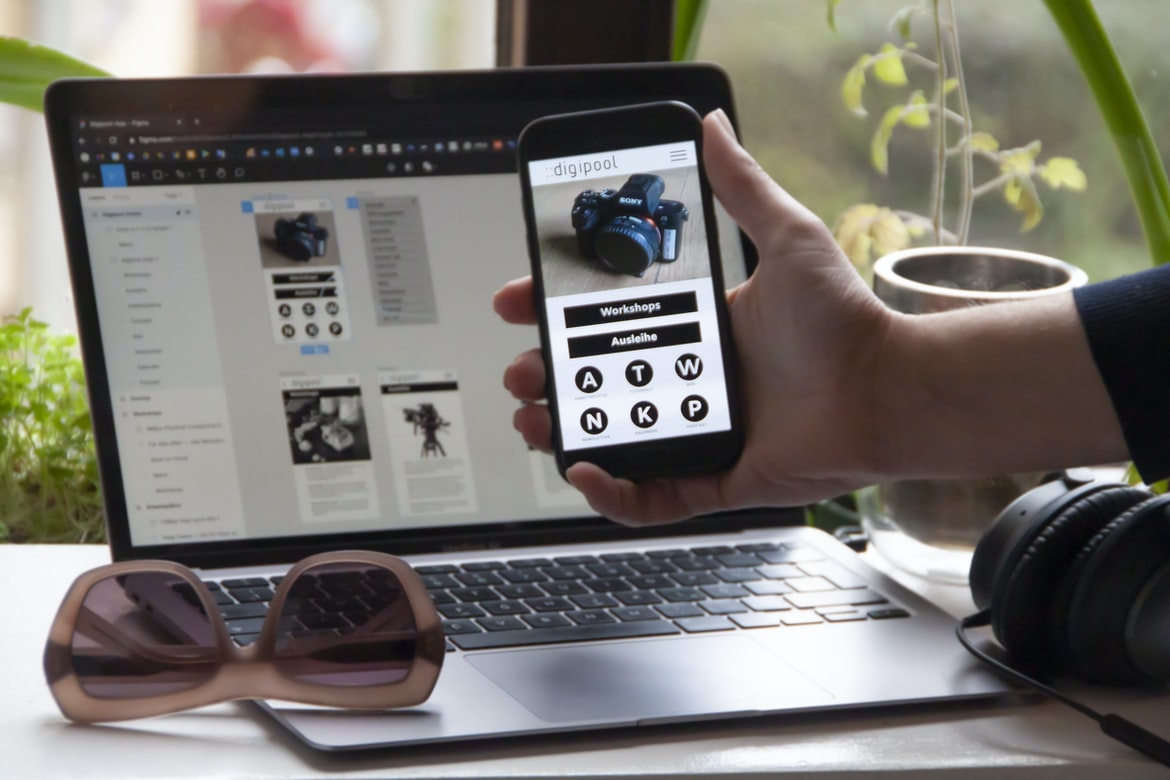
Creating a user interface (UI) for any website can be difficult, but it is an important part of the overall site. A good UI will make it easy for users to find what they are looking for, navigate through the site, and find the information they need. There are a number of different ways to design a UI, and each has its own advantages and disadvantages.
One popular way to design a UI is to use templates. These templates provide a starting point for designing the UI, but you still have the latitude to customize them as needed. Templates also make it easy to compare different UIs side-by-side. Another advantage of using templates is that they can be updated easily if new features or changes are made to the website.
Graphic Design
Web design UI UX has become an important part of creating a user-friendly website. The right design can make a website more engaging and easier to use. There are a number of different factors that go into creating web UI UX, including the layout, colour scheme, and font choice. It’s important to consider these details when designing your website so that users have an enjoyable experience using it.
Visual Communication
A web page’s design can make or break its usability. Poorly designed pages can be frustrating to use, while well-designed pages are often more aesthetically pleasing and easier to navigate. There are a number of different factors that go into designing a web page, but one of the most important is the user interface (UI) UX.
Designing a web page’s UI requires understanding the different types of users who will be using it. Different users will have different needs and preferences, so it’s important to design for as many potential users as possible. For example, someone who is new to a website may want simple controls and straightforward navigation; an experienced user may want more complex functionality and deeper navigation.
It’s also important to consider how people will interact with the website on a mobile device.
Visual Communication Vs Graphic Design
Visual communication is the process of using visual means to convey information. It can be done through graphic design, web design, or any other form of visual communication. Graphic designers use various design principles and techniques to create a visually appealing product or website. Web developers use code and markup to create a visually appealing web page. Visual communication can be effective in conveying different messages to different people.
Application of Graphic Design: Adobe Photoshop, Adobe Illustrator, Adobe InDesign
Graphic design is one of the most important aspects of web design. It’s the visual presentation of a website or application and can make a huge difference in how users perceive and interact with the content. The three most popular graphic design software programs are Adobe Photoshop, Adobe Illustrator, and Adobe InDesign. Here are tips for using each program to create effective user interfaces and UX.
1. Use layers to organize your work. With layers, you can keep everything separate so you can easily go back and change something if you make a mistake. This also makes it easy to export your work as a . PSD file or an. AI file so you can use them in other applications.
2. Use vector shapes to create clean lines and edges.
Figma, Adobe XD, WordPress, Elementor.
Looking to design a web page with a modern, user-friendly interface? Then you’ll want to check out Figma, Adobe XD, WordPress, and Elementor. These programs each have their own strengths and weaknesses, but they all offer powerful UIs that make designing web pages easy and fun. Here’s a look at each program in detail:
Figma is an open-source program that’s popular among designers because of its drag-and-drop interface and robust features. You can use it to create both static and dynamic wireframes, as well as prototypes.
Adobe XD is a versatile platform that supports both vector art and photos. It has a drag-and-drop interface that makes it easy to create prototypes or interactive designs.
What is UI UX? What does it involve?
User interface (UI) design is the process of designing the look and feel of a user’s interaction with a computer system or application. It encompasses all aspects of how users interact with a system, including how buttons are designed, what screen elements look like, and how menus are structured. UI design can also involve crafting the overall user experience, from discovering an application to using its full functionality.
There are several different areas that fall under UI design, including interface design, interaction design, graphic design, information architecture, and human-computer interaction. Interface design is concerned with the overall look and feel of a user’s interactions with an application or system. Interaction designers focus on how people will use the system and make sure that their inputs are correctly processed by the software. Graphic designers create the visual elements that make up an interface, such as logos and icons.
The web design process: How does UI UX play into it?
When designing a website, it is essential that the UI (user interface) and UX (user experience) are compatible. This is because a well-designed UI will ease the user’s navigation and help them find what they are looking for more quickly, while a poorly designed UX can make the site difficult to use. The following are some tips for ensuring compatibility between UI and UX during web design:
1. Make sure all buttons, text fields, and other elements have clearly defined borders and spacing. This will make them easier to see and input information correctly.
2. Use fonts that are easy to read at any size or on any device. Choose fonts with large lettering or serifs for headings and main text areas, and use softer fonts elsewhere on the page.
Common UI problems: How can UX help to solve them?
UX is important for web design because it can help to solve common UI problems. These problems can include making navigation easy, creating a well-organized interface, and ensuring that all content is easy to find. UX can also help to make sure that the design looks appealing to users.
Five examples of UIUX in action: A look at how the different techniques have been used in real-world projects.
1. In a recent project, the designers used a user interface that combined both traditional and modern design techniques.
2. A different project used a dashboard interface to help users manage their data.
3. Another project used an interface designed to look like an Instagram post.
4. One project used an overlay that changed based on what time of day it was.
5. Another project used animated icons to create a more engaging experience.
What is the difference between UI and UX apps?
There are a few key differences between UI and UX design. UI design is focused on the look and feel of the app, while UX design focuses on how the app works. Here are a few examples:
UI designers focus on creating a visually appealing interface, while UX designers are more concerned with how the user interacts with the app.
UI designers often use visual metaphors to help users understand how to use the app. For example, apps that let you control music playback might have a “volume slider” that looks like a rocker dial. UX designers may prefer to simply display information in an easy-to-understand format without using any visual metaphors.
UX designers also consider how users will interact with the app once they’ve installed it. For example, they might think about things like whether users will need to sign in or create an account first.
How do UI and UX apps benefit companies?
There are many benefits that companies can reap from investing in good web design UI/UX. Chief among these are increased brand awareness, more website visitors, and an improved customer experience. A well-designed interface and user experience can help to orient new and potential customers towards your company’s products or services, making it easier for them to find what they’re looking for. In addition, a well-executed UI/UX strategy can also result in a boost to employee productivity. By making it easy for employees to find the information they need and navigate between screens, companies can reduce the time spent on tasks that could be better handled by someone else. All told, a well-designed web interface and user experience can truly benefit any business – big or small.
What are the best practices for creating effective UI and UX apps?
There are a few things to keep in mind when designing user interfaces and user experiences for apps. One is that users will interact with the app in different ways depending on their location, device, and browsing history. Another is that app users are typically more engaged when they can do something right away, such as finding information or completing a task. Here are some tips for creating effective UIs and UXs:
1. Keep the layout simple. Users should be able to understand what’s going on quickly and easily without having to read lengthy instructions or scroll through dense screens. Use clean lines and easy-to-read fonts for headings, buttons, labels, and other important elements. Avoid using too many colours or graphics; users will have less time to focus on the content of your app if they have to look at a background screen full of distractions. 2. Make navigation easy. Users who are comfortable with their devices can use the swipe feature to move from page to page in a way that is intuitive and quick. 3. Use consistent navigation, labels, and icons.
What qualities should a successful UI and UX app have?
1. A successful UI and UX app must be easy to use and navigate.
2. The app must be visually appealing and pleasing to the eye.
3. The app must be user-friendly, making it easy for users to find what they are looking for.
4. The app must be able to accommodate a variety of user needs and preferences.
5. The app should be reliable and stable, always providing the desired functionality.
6. Finally, the app should be responsive to user feedback, continually improving upon its design as needed.
How do user feedback and analytics impact the design of UI and UX apps?
User feedback and analytics play an important role in the design of user interfaces (UI) and user experience (UX) apps. By understanding what users want and how they use your app, you can make better decisions about how to design it.
You can collect feedback through surveys, interviews, or focus groups. You can also measure user behaviour by tracking stats such as page views, downloads, or engagement rates. This information can help you improve your app’s usability and design.
User feedback is essential for two reasons: first, it helps you understand what users want from your app; second, it gives you the data you need to improve it. By using feedback to improve your UI and UX, you can make your app more effective and enjoyable for users.
What technologies are used to develop high-quality UI and UX apps?
In order to create high-quality user interfaces (UI) and user experience (UX) applications, developers rely on a variety of technologies. These include computer programming languages, graphics programs, web browsers, and application development frameworks. Here is an overview of some of the most common technologies used to develop UI and UX applications.
Programming languages: Developers use various programming languages to create their apps. The most common ones are HTML, CSS, JavaScript, and Python. HTML is used to build the structure of the app; CSS helps control the appearance of the app; JavaScript is used for interactivity; and Python is used for machine learning and data analytics.
Graphics programs: Graphics programs are often used to create visual elements for apps, such as icons, logos, and buttons. Some popular graphics programs include Adobe Photoshop and Sketch.
How do teams work together to create a successful UI and UX app?
Teamwork is essential in any successful project. When it comes to developing an interface or user experience for a web or mobile app, a team of people with different skills and backgrounds must come together to create something that is both functional and pleasing to the eye. There are many factors that can contribute to a successful UI and UX, but teamwork is at the core of everything.
Some tips for successfully working together as a team include establishing clear goals before starting work, clearly communicating ideas and tasks to everyone on the team, creating positive communication channels, and providing feedback and constructive criticism. By following these tips, teams can create high-quality interfaces that meet the needs of their users.
Are there any challenges associated with developing a good UI and UX app?
The challenge of developing a good UI and UX for an app is ensuring that the end product is user-friendly and effective. It’s important to consider the needs of your users when designing your app, as well as the functionality of your app. Additionally, it’s important to think about how people will use your app. If you can balance all of these factors, you’ll be on the right track to creating a successful UI and UX for your app.
What are the advantages of using a UI/UX app?
Designers, developers and entrepreneurs are always looking for new and innovative ways to save time and improve the user experience. There are many different types of app design software available on the market today, each with its own set of advantages and disadvantages.
Some of the key benefits of using a UI UX app include quicker creation and iteration times, enhanced communication between designers and developers, improved usability and accessibility, reduced development costs and increased flexibility. There are also a number of different UI UX apps available on the market today, each with its own unique set of features. It’s important to choose the right one for your project based on your specific needs.
How do UI/UX apps help increase customer engagement?
User interface (UI) design is an important part of any app, but it’s also crucial that the UI is easy to use. User experience (UX) apps help increase customer engagement by making it easier for people to find what they’re looking for and complete tasks quickly. Designs that are user-friendly and visually appealing can encourage users to stay with an app longer, which in turn leads to more sales.
There are a number of different ways that UX apps can help increase customer engagement. For example, one common approach is to make it easy for people to find the information they’re looking for. Often, this involves creating intuitive menus and labels that are easily visible and searchable. In addition, UX apps often feature helpful tips and tutorials that teach users how to use the app effectively.
What features do UI/UX apps provide to users?
User experience (UX) is the process of designing a product or service that makes it easy, enjoyable and efficient for people to use. User interface (UI) UX apps provide features that make using the app more comfortable and convenient. UI UX apps provide features that make users’ lives easier. They can be used to find information, make purchases, sign up for services, and more. Some of the most common features include easy navigation, intuitive design, and helpful tips.
What impact can a well-designed UI/UX have on customer satisfaction?
A well-designed user interface (UI) UX can have a significant impact on customer satisfaction. A study by User Interface Design magazine found that 91% of customers are more likely to remain satisfied with a product if its UI is well designed. In addition, customers are three times as likely to recommend a product with a well-designed UI than one without.
A poorly designed UI can lead to frustration for users and lost sales. Poorly designed UIs can be difficult to use, slow down the loading of pages, and appear cluttered or chaotic. They may also be difficult to understand or navigate, resulting in users feeling lost or confused.
Fortunately, there are many things you can do to improve your UI UX and increase customer satisfaction. First, make sure your pages load quickly and responsively. Second, make sure your navigation is easy to follow and understand.
How can businesses improve their user experience with UI/UX apps?
Designing user interfaces for apps can be a challenge, but it’s important to consider the user experience when designing these interfaces. User experience is key in making sure that users feel comfortable and able to use the app efficiently. There are a few tips that businesses can follow to improve their user experience with UI UX apps.
First, make sure that the design of the app is easy to understand. Users should be able to access all of the features of the app without having to learn new terminology or navigate complicated screens. Try to use default options wherever possible so that users don’t have to spend time configuring the app how they want it.
Second, make sure that all of the buttons and menus are placed where they will be easily accessible by users. It’s also important to design menus so that they are concise and organized so that users know which options are available to them.
What factors should be considered when choosing a UI/UX app?
When choosing a UI UX app, it’s important to consider the app’s intended audience, the app’s features, and the app’s design. Additionally, it is important to consider how the app will be used and what factors should be taken into account when designing it. When choosing a UI UX app, it’s important to consider the app’s purpose, audience, and design goals. The purpose is key when determining what features are necessary or desirable. The audience is also important when selecting a UI UX app; if the app is meant for designers, for example, certain features may be unnecessary. And finally, design goals should be considered in order to ensure that the app meets the specific needs of its users.
What is the difference between UI (User Interface) and UX (User Experience) design?
User interface and user experience design are two different yet essential parts of web design. UI design focuses on the look and feel of the interface, while UX design deals with how the user experiences the website. The two disciplines intersect in many ways, but there are several key differences between UI and UX that should be considered when designing a website.
UI designers typically focus on the visual aspects of websites, including layout, typography, and graphics. They also consider how users will interact with the website – what buttons to click, where to find information, and so on. UX designers worry about how users will feel when using a site, from their initial visit through subsequent interactions. They may study customer surveys or experiment with user interfaces to see what works best.
UI and UX designers often work together during the design process.
What are the key elements of a successful UI/UX design?
A good user interface (UI) design should take into account the needs of the end users. There are a few key elements that are essential to a successful UI UX design: usability, attention to detail, and usability testing. Usability testing is especially important in order to ensure that the design is easy to use and navigate. Attention to detail is also essential in order to create an engaging experience for the user. Finally, it’s important to consider the overall goals of the site or app in terms of user engagement. All of these factors work together, and it’s important to have a holistic understanding of them when designing an interface.
How do UI/UX design trends change over time?
As a web design and user interface (UI) design trends change, so do the principles and practices used in creating UIs. This article discusses how UI UX design has evolved over time, outlining four key changes that have taken place.
In the early days of the internet, websites were simple and organized around one main content area. The designs were typically monochrome with limited colour options, and menus were either drop-down or text-based.
Over time, web design and UI UX have evolved to include more sophisticated features and designs that are more in line with modern user interfaces found on mobile devices. With this shift comes a new set of principles that must be followed when designing UIs for the web.
One such principle is a visual hierarchy, which dictates the order in which elements should be displayed on a page.
What are the benefits of having a good UI/UX design for an app?
When creating an app, it is important to have a good UI UX design. A well-designed interface will make the app easier to use and help users get the most out of it. Here are some of the benefits:
1. Increased User Engagement
Having a good UI UX design can help increase user engagement. Users will be more likely to use the app and stay engaged since they will be able to navigate it more easily. This means that the app will have a longer lifespan and be more popular overall.
2. Improved Conversion Rates
A well-designed UI UX can also lead to improved conversion rates. When users are able to easily find what they are looking for, they are more likely to convert on a purchase or sign up for a subscription. There are many benefits to having a good UI UX design for an app. One benefit is that it can make the app more user-friendly. Another benefit is that it can make the app look more professional. Lastly, a good UI UX design can make the app easier to use. Having a well-designed user interface (UI) for an app can have a number of benefits. First, it can make the app easier to use. Second, it can make the app more attractive and visually appealing. Third, it can help the app stand out from the competition. Fourth, it can make the app more efficient and faster to use. Fifth, it can help users learn how to use the app more quickly. Sixth, it can improve customer retention rates for apps. Seventh, it can reduce development costs for apps. Eighth, and finally, it can make the app more marketable and profitable overall.
What technologies and tools are used in UI/UX design?
Web design UI UX is a growing field with many different technologies and tools. There are many different techniques that can be used to create a user interface, and each has its own set of pros and cons. Here is a look at some of the most common tools and technologies used in UI UX design:
1. Photoshop: Photoshop is a widely used tool for creating user interfaces. It has tons of features for design elements, such as layers, masks, and effects. It also has a wide range of filters that can be used to improve the look of your designs.
2. Illustrator: Illustrator is similar to Photoshop in terms of features and capabilities. It also has an extensive library of shapes and sounds that can be used to create user interfaces. Additionally, it includes features for exporting designs to various formats, such as HTML, CSS, and PDFs. UI (user interface) design is an important part of web design, and the technologies used can vary depending on the project. Common tools and technologies include Photoshop, Illustrator, Inkscape, and Dreamweaver. Many designers also use web development tools like Firebug and Chrome Developer Tools to debug their websites
Web developers use tools like Chrome Developer Tools to debug their websites. These tools allow developers to view the browser and web page source code, as well as inspect the DOM (Document Object Model) and CSS (Cascading Style Sheets) of a page. Debugging can help determine the cause of an issue and can also help developers optimize their websites.
Chrome Developer Tools are available in both desktop and web versions of Chrome. Desktop versions are installed as part of the Google Developers Toolbelt, while web versions are available through the Chrome Web Store.
The Chrome Developer Tools include a Source viewer, which displays the source code for a webpage or document. The inspector allows developers to see how elements on a page are styled, rendered, and interacted with by the browser.
Web design UI UX is all about making the user interface as interactive and engaging as possible. By doing this, users are more likely to stick around and explore your site. Here are some tips for maximizing web UI UX:
1. Use bold and italics to draw attention to important elements.
2. Use pictures, videos, or other visual aids to help explain your content.
3. Make sure all of your text is easy to read and compare different sections of your site side-by-side.
4. Use colour to create a sense of warmth or energy in your interface.
5. Keep everything simple and clutter-free so that users can focus on what’s important.
How can I improve my UI/UX skills?
Do you want to improve your web design UI UX skills? Check out these tips!
1. Use a neutral colour palette
2. Keep buttons big and easily visible
Web design buttons should be big and easily visible so that users can correctly identify what each button does. This will make it easier for them to navigate the site and find what they’re looking for. Additionally, buttons should be placed at the top or bottom of pages so that they’re easily accessible.
3. Use whitespace to your advantage
Whitespace can be a powerful tool in web design. By following some simple rules, you can create a more user-friendly interface that is easier to navigate.
1. Use whitespace to separate elements on your screen. This makes it easier for users to locate what they are looking for and helps keep your page layout organized.
2. Use whitespace between paragraphs and lines of text to help readers easily follow the content. This also allows you to break up long blocks of text without having to use excessive line spacing.
3. Place headings and subheadings at the start of each paragraph, so users know where they are reading on the page. Also, use a whitespace between these elements and the main text body to make them more visually appealing and legible.
4. Simplify your layout
Web design UI UX is one of the most important aspects of a great website. If the user interface is difficult to use, they will likely abandon your site before ever exploring it. In this article, we’ll discuss some tips on how to make your web design UI UX as easy and intuitive as possible.
One of the first things you should do is make sure all of your controls are located in one central location. This way, users will have no trouble finding what they’re looking for. Furthermore, keep everything simple and organized. Don’t clutter up the screen with too many buttons and menus; instead, try to focus on creating an effective and efficient user experience.
Another important aspect of a user’s experience is the layout of your pages. Make sure all content is easily accessible and that there are no confusing or complicated navigation bars.
5. Use typography for emphasis, not for decoration
There’s a big difference between using typography for emphasis and using typography for decoration. When you want to emphasize a point, use italics, underlines, or boldface type to make it stand out. For example, in this article header, the word “UX” is in boldface so that it’ll be the first thing readers see. You wouldn’t want to use these same formatting tags just because they look nice—you’d use them to emphasize a point.
On the other hand, if you’re looking to add some visual interest to your design, you can try different font weights and styles. A little bit of variation will help keep your design looking fresh and modern.
6. Create contrast where necessary
Web design UI UX is important to create a well-rounded user experience. It can be easy to overlook contrast in the design process, but it is crucial to consider how different elements of the interface will look and feel to the user. Consider using different colours, fonts, and sizes to create visual distinctions between different elements of your design. Additionally, use contrasting backgrounds and borders to add depth and interest to your interface. Finally, make sure all elements of the UI work together as a cohesive whole in order to ensure a successful user experience.
7. Use grids and spacing principles for consistency
When creating a website or application, it is important to use grids and spacing principles for consistency. This will help create a user interface that is easy to understand and navigate. Grids can be used to divide a page into equal columns and rows, which makes it easier for users to find what they are looking for. Spacing can also be used to visually organize elements on a page. For example, if you wanted to place the primary logo in the top left corner of every page, you would space it evenly across the entire width of your webpage.
8. Use contrast to guide the eye
Contrast is one of the most important elements to consider when designing a UI or user interface. If all your elements are the same colour, size, and shape, it can be difficult for users to know where to look. By using contrast in your design, you can guide users’ eyes to the areas of your UI that are most important. Here are a few tips on how to use contrast wisely:
1. Use contrasting colours to create focal points. If you need to emphasize an element in your UI, use a bright colour that stands out from the rest. This will help users quickly find what they’re looking for.
2. Use different sizes and shapes to break up the monotony and keep users engaged. Bold text, icons, and graphics should be used sparingly, so they don’t overpower the content on the page.
Are there any tips or best practices for designing effective user interfaces and experiences?
There are certain tips and best practices for designing effective user interfaces and experiences, but it’s important to remember that it’s ultimately up to the individual user to decide how they want to interact with a given interface. As a designer, your goal should be to create an interface that is easy to use and satisfying for the user, regardless of their level of experience or expertise. Additionally, it’s important to consider the different types of users who will be using your product or website—from first-time visitors who don’t know how things work yet, to experienced users who know exactly what they’re looking for. There are a few key tips you can follow when designing user interfaces and experiences:
1) Keep things simple. Don’t overcomplicate things—users will become frustrated if they can’t figure out what you’re trying to ask them to do. 2) Keep things consistent. Users hate it when they have to look around for something. Make sure you don’t make them search for it or ask them to click on a button when they already know where it is. 3) Put the most important information upfront.









