

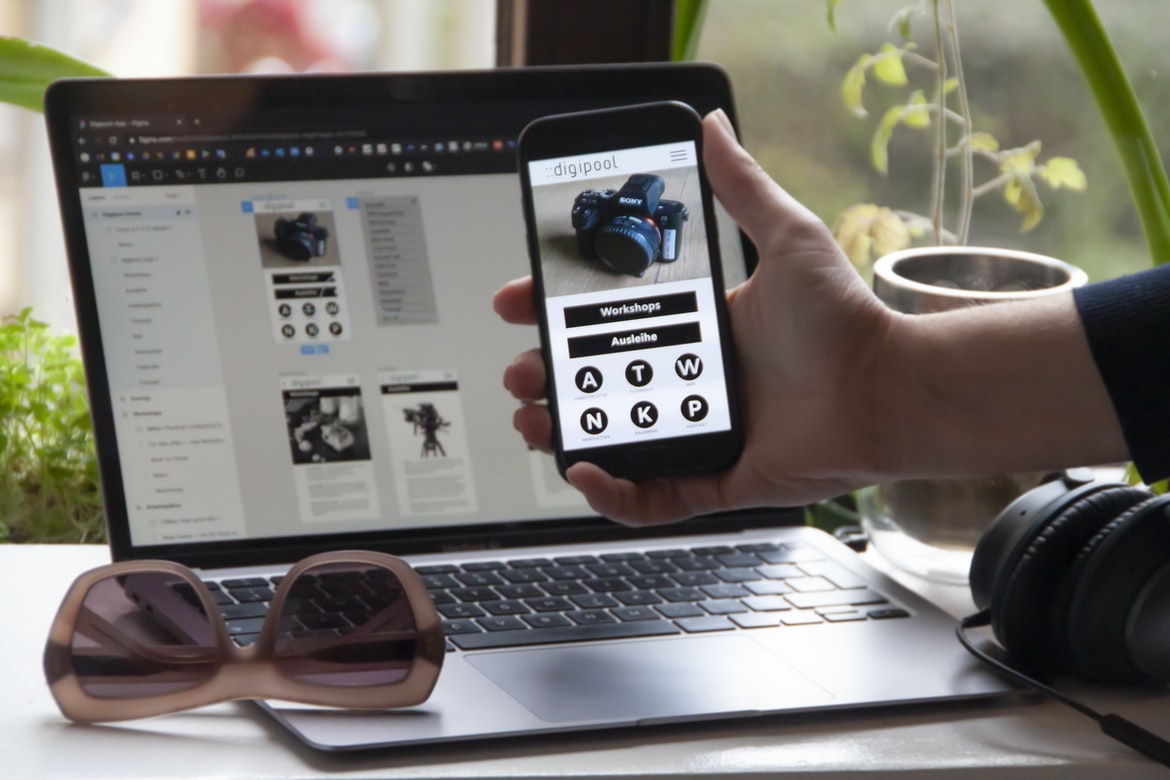
Creating a user interface (UI) for any website can be difficult, but it is an important part of the overall site. By spending time designing a user interface (UI), you can make your website more user-friendly and attractive. The following tips will help you design a user interface that is both effective and appealing.
1. think about the task at hand. When designing a UI, think about what the user is trying to do on your website. Is he looking for information? Making a purchase? Registering for an account? Once you know what the user is trying to do, start by creating a hierarchy of menus and menu items that reflect that goal.
2. use basic shapes, colours, and fonts throughout your UI. When creating a UI, don’t try to be too flashy or complex-users won’t appreciate it anyway! 1. A well-designed user interface (UI) is a key component of any successful web design project. Good UI design can make your users feel comfortable and confident using your site, whether they’re first-time visitors or long-time customers.
2. There are a number of different ways to achieve good UI design, but the most important thing is to get input from your users early in the design process.
What is UI/UX? What are the different aspects of web design?
UI UX is the User Interface design of a website or application. It encompasses the visual design, layout, and functionality of all the elements of a website or application.
Different aspects of UI UX can include: how easily a user can find and use the features on a site/application, how well all the features work together, how intuitive and visually appealing everything is, and whether users feel like they are in control of their experience.
Some common factors that affect UI UX are the layout and presentation of information, how easy it is to navigate through a site/application, how user input is handled (e.g. via buttons and menus), and whether users feel like they are able to complete tasks quickly and easily.
What is the difference between a good and bad UI/UX?
Web design UI UX is one of the most important aspects of a good web design. A well-designed user interface can increase productivity and satisfaction while using the website, making it easier for users to find what they’re looking for. Poor UI UX can severely impede user experience and lead to negative feedback. Here are some tips for improving your web design UI UX:
1) Carefully consider the layout of your menus and navigation bars. Make them easy to use and visually appealing.
2) Avoid excessive clutter on your pages. Remove extraneous elements, such as pop-ups, ads, or fonts that are too large or difficult to read.
3) Make sure all of your text is legible and easy to read. Use readable fonts, sizes, and colours; avoid hard-to-read typography or blending effects between text and graphics.
Principles of good UI/UX: simplicity, clarity, efficiency, and interactivity.
Most people are familiar with the basic principles of good UI design: simplicity, clarity, and efficiency. But what about interactivity? How important is it for a user interface to be interactive?
Interactivity can be incredibly helpful for users. It can help them learn how to use an application or website quickly and easily, and it can keep them engaged by providing opportunities for them to play around and explore the content.
There are a few things to keep in mind when designing an interactive user interface. First, make sure all the elements are clearly labelled and easy to find. Second, make sure the interactions are straightforward and easy to use. Third, make sure the animations are smooth and easy to follow. Fourth, make sure all the elements of the interface respond quickly and accurately when you interact with them. Fifth, provide plenty of feedback, so users know what’s happening onscreen.
Guidelines for designing a good UI/UX: research, focus on users and consider feedback.
When designing a good user interface (UI) for a website or app, it is important to follow certain guidelines. Research is key when designing a UI, as is considering feedback from users. By following these guidelines, designers can create an interface that is easy to use and meets the needs of its users.
1. First and foremost, always research user behaviour when designing a UI. Knowing what users are likely to do on your website or app will help you design features that are both functional and appealing.
2. In order to make sure that users can easily find the information they need, focus on making your menus and buttons clear and concise. Additionally, make sure all elements of the UI are legible at any size or orientation.
3. Take into account how people will interact with your UI.
The role of design in web development: how to improve user experience without compromising functionality.
User experience is one of the most important aspects of web design, and it’s essential to make sure that your users have an enjoyable experience while browsing your website. But how can you improve user experience without compromising functionality? By using effective design techniques, such as interface usability testing and user feedback, you can create a website that is easy to use and meets the needs of your users.
One way to improve user experience is by ensuring that all elements of your website are easy to find and use. By designing your menus correctly, for example, you can ensure that users know where to find what they’re looking for quickly. Similarly, an effective layout will help users navigate your site with ease.
It’s also important to consider the way in which users interact with your website.
Tips for creating an effective web design: use colours wisely, focus on typography, and keep images low-resolution.
1. It’s important to use colours wisely when creating a web design. Focusing on typography and keeping images low-resolution can help improve the user experience.
2. Use contrasting colours to create a visual hierarchy and increase the effectiveness of your designs.
3. Try to avoid using too many fonts, as this can lead to legibility issues.
4. Use whitespace wisely to improve readability and contrast.
5. Avoid cluttering up your designs with extraneous elements, as this will only hinder usability.
Graphic Design
There is no one right way to design a web page. However, there are a few key principles that should always be followed when designing a UI or UX for a website. First and foremost, the user should be able to easily navigate the site without having to guess at what button or menu item will take them where they want to go. Second, all elements on the page should be visually appealing and consistent with each other. Finally, make sure all content is easily searchable and indexable by Google.
Visual Communication
Visual communication is an important component of web design. Good user interface (UI) design can make a website easier to use and more attractive. User experience (UX) refers to the overall experience a person has using a product or service. It encompasses everything from how easy it is to find what you’re looking for to how pleasant the user interface looks and feels. Here are tips for improving your UI design:
1. Use colours wisely. Bright colours can be appealing and help users easily spot elements on the screen. However, they can also be overwhelming if used in excessive amounts. Try using softer colours instead, or use them sparingly to create a more sophisticated look.
2. Keep things simple. Complex designs can be difficult for users to understand and navigate, especially if they’re not familiar with the site’s layout or content.
Visual Communication Vs Graphic Design
A web design UI UX is important for both novice and experienced web designers. A novice designer may not be familiar with different graphic design software, so an intuitive and navigable interface can help them quickly create a design. Experienced designers, meanwhile, may want to showcase their creative work in a more visually appealing way. By using the right graphic design software and designing for the web UI UX, you can create a stunning website that will draw in customers and clients.
Application of Graphic Design: Adobe Photoshop, Adobe Illustrator, Adobe InDesign
Web design UI UX can be greatly improved by using graphic design software. Adobe Photoshop, Adobe Illustrator, and Adobe InDesign are all great tools for creating user interfaces and overall layouts. Each program has its own strengths and weaknesses, so it’s important to choose the right one for the job. Here are a few tips for choosing the right graphic design software:
1. Know your needs. Before deciding on a program, it’s important to understand what you need from it. Do you need basic layout capabilities? Advanced typography features? Can you work with vectors or raster graphics? All of these factors will affect the program you choose.
2. Try different programs out. Once you have a general idea of which software is best suited for your needs, try out a few different programs to see which one feels most comfortable and productive.
Figma, Adobe XD, WordPress, Elementor.
As web designers, we are constantly trying to find new and better ways to make our designs look good and user-friendly. We’ve all been there: clicking around a page for what seems like hours, only to find that we can’t seem to figure out how to do anything! This is where User Interface (UI) design comes in – it’s the process of creating interfaces that are easy for users to use and understand.
One of the most popular UI design tools on the market today is Figma. Figma is a cloud-based platform that lets you create high-quality vector illustrations and icons. You can use it to create everything from website designs to product mockups, to interface concepts.
Adobe XD is another great tool for web designers.
What are some key elements of good UX and UI design?
The following are some key elements of good UX and UI design:
1. Effective user interface design relies on the correct use of icons, buttons, and other user interface components.
2. A well-designed user interface should be intuitive and easy to use for both novice users and experienced ones.
3. Proper use of colour can improve the overall aesthetics of a user interface.
4. Care must be taken to ensure that all elements of a user interface work well together and support the overall goal of the website or application.
5. Proper usage of typography can help create a stylish, professional appearance for a user interface.
6. Always consider feedback from potential users when designing a user interface or website, as this will help to ensure that they are happy with the final product.
What are the differences between UX and UI design?
User experience (UX) design is the process of creating a user interface that is effective and efficient. The goal of UX design is to create an interface that is easy to use and understand. A good UX design will also make it easy for users to find what they are looking for and will be visually appealing.
UI design, on the other hand, focuses on creating a visually appealing and efficient user interface. UI designers often spend more time on the look and feel of their interfaces than on the functionality itself. They want to make sure that their interfaces are easy to use and visually appealing, even if they don’t require a lot of user input.
Are there any tools that can help improve my understanding of UX/UI design?
There are many tools that can help improve a user’s understanding of web design UI. For example, Adobe Photoshop and Illustrator have native tools for creating mockups or wireframes of user interfaces, which can help developers and designers better understand how their designs will look on different devices and browsers. Additionally, online resources like UXPin and Dribbble offer users the ability to create interactive prototypes using drag-and-drop interface builders. These tools not only allow developers and designers to test their concepts quickly but also give users a better sense of how a final product will look and feel.
Does UX/UI design affect user experience?
User experience (UX) design is the process of designing a product or system to ensure that end users are happy with the final result. It encompasses all aspects of the user experience, from how easy it is to find what you need on the website to whether buttons are big enough and labels are easy to read. In many cases, good UX design can also improve overall web traffic and conversion rates. There’s no doubt that good UX design affects user experience, but is there actually a link between UI design and UX?
There’s no hard evidence linking UI design and UX, but there are some commonalities. Good UI design makes it easy for users to find what they need on a website, understand what they’re looking at, and navigate through it without difficulty.
What are some common mistakes to avoid in UX/UI design?
Some common mistakes to avoid when designing user interfaces for websites include making the interface too cluttered, using overly complicated or outdated user interface elements, and not following user feedback. It is important to keep in mind that a well-designed UI will make users feel comfortable and confident using the site, so it is important to focus on creating an intuitive and easy-to-use design.
It is also important to take into account the overall layout of the website when designing the UI. Make sure that all content and features are easily accessible from throughout the site and that all elements work together harmoniously. Finally, it is important to test different versions of the UI before finalizing anything in order to ensure that users find everything they need on the site.
What are the key differences between user experience (UX) and user interface (UI)?
User experience (UX) and user interface (UI) are two different aspects of web design. UI is the look and feel of a website, while UX concerns the user’s overall experience with the site. There are key differences between these two concepts that should be considered when designing a website.
First, UX focuses on how users interact with the site. This includes everything from how they find information to how they navigate around it. UI, on the other hand, concerns the look and feel of a site. This includes everything from the colours used to the layout of pages.
Second, UX takes into account what users want and need from a website. This means creating features that will make users’ lives easier and more enjoyable. UI, on the other hand, only focuses on what looks good aesthetically.
How can UX/UI design impact a user’s experience?
User experience design (UXD) is the process of designing an interface or experience that will be appealing and helpful to users. It encompasses everything from the overall look and feel of a product to the specifics of how it works.
One of the most important factors in user experience is how well the design matches the user s expectations. Good UXD can help eliminate frustration and improve overall satisfaction with a product.
When designing a product, there are a few things to keep in mind: what the user wants, what’s possible, and what’s practical. The goal is always to create an interface that’s easy to use and doesn’t require too much effort on the part of the user.
What techniques can be used to create a great UX/UI design?
Creating a great UX UI design is all about understanding the user and making sure that the interface is easy to use. There are a number of techniques that can be used to achieve this, including research, usability testing, and good design principles.
One of the most important things to remember when designing a UX UI is to keep the user in mind at all times. Make sure that all elements of the interface are clear and concise and that they respond quickly and easily to input. Additionally, make sure that your designs look good on different devices and browsers so that everyone can access your content no matter what device they’re using.
By following these simple tips, you can create an intuitive and user-friendly interface that will get users interacting with your content in no time!
What are the best practices for developing an effective UX/UI design?
Quality User Interface (UI) design is critical for creating a successful web or mobile application. There are a few key practices that should be followed to ensure an effective UX UI design.
First and foremost, it is important to consider the user’s goals and needs when designing the user interface. It is also important to take into account the target audience and their preferences. It is also important to create a well-organized and visually appealing interface. Finally, it is essential to test the design before finalizing it. By following these best practices, users will be able to navigate your application with ease and satisfaction.
How does UX/UI design help to improve user engagement?
User experience (UX) design is an important part of any website or app, and it can help to improve user engagement. User interface (UI) design also plays a role in user engagement, and the two disciplines work together to create a cohesive experience for users.
A well-designed UI can make it easy for users to find what they’re looking for and navigate through the content. It should also be visually appealing, providing a pleasing appearance that encourages users to stay on the site or app longer.
UX designers focus on how people interact with a product, and UI designers focus on how products look. Together, they create a cohesive experience that helps users feel confident about using the product. User experience (UX) design is a growing field in the design world, and it has a lot to offer web users. A well-designed user interface (UI) can improve user engagement by making it easier for people to find what they need, navigate the site, and complete their tasks. In addition, aesthetically pleasing UIs can help users feel more positive about using the site or app.
How do you know if your UX/UI design is successful?
In order to ensure that your web design UI UX is successful, there are a few key things to keep in mind. Firstly, it’s important to make sure that the user interface (UI) is easy to use and navigate. Secondly, it’s important to make sure that the user experience (UX) is top-notch – making the process as smooth and enjoyable as possible. Finally, it’s essential to consider how the UI will look when implemented on different devices – such as desktop computers, tablets, and smartphones. By following these tips, you can ensure that your web design UI UX is perfect for your users!
What tools can be used to create a successful UX/UI design?
There are a variety of tools that can be used for UX and UI design, but some of the most common are Adobe Photoshop, Adobe Illustrator and Inkscape. These programs can be used to create mockups or wireframes, as well as prototype versions of websites or user interfaces. Other tools that can be useful include Google Sketchup and Axure RP.
Are there any common mistakes to avoid when designing a UX
UX is an acronym for “User Experience.” The goal of a well-designed UX is to create an experience that is both effective and easy to use. There are many common mistakes to avoid when designing a UX, and these tips will help you create a user interface that is both effective and intuitive.
1. Don’t underestimate the power of simplicity. A well-designed interface should be simple enough for anyone to understand, no matter their experience level. This means avoiding clutter and unnecessary features and focusing on the essential tasks that users need to achieve their goals.
2. Pay attention to the user’s context. Every user’s situation is different, which means your interface should reflect that diversity. For example, if you’re designing a website for a company with multiple locations, make sure each page reflects the unique layout and design of that location.
3. Think about the browser. Your site’s design should be compatible with any and all browsers, not just your own proprietary ones. 4. Think about the user.
What is the difference between UX and UI?
User experience (UX) is the design of a product or service to make it easy and enjoyable for the user. User interface (UI) is the look and feel of a product or service, including its buttons, menus, and screens. The two are sometimes confused, but there is a clear difference between them. UX focuses on the user’s experience, while UI focuses on how the user interacts with the product. For example, consider a website that features beautiful graphics and an intuitive interface. However, if the website is difficult to use or has outdated graphics, then it likely has poor UX. Conversely, a website that is poorly designed but easy to use may have good UI but poor UX.
What are the best practices for designing a user experience?
Designing a user experience for a web page or application can be challenging. There are a number of factors to take into account, including the user’s interaction with the page, the layout and design of the page, and how users will navigate through it. Here are some best practices for designing a user experience:
1. Make sure all elements on the page are easy to understand and use. Keep your layout simple and organized so that users know where they are and what they need to do next. Use clear labels and iconography to help guide users through your pages.
2. Be sure to consider how users will interact with your web pages. Make sure all buttons work as intended, that all forms submit correctly, and that all links open in new tabs or windows.
What are the key elements of a successful user interface?
The success of a user interface is largely dependent on its design. A well-crafted UI will help users interact with the system in an easy and intuitive way while also providing them with the necessary information they need to complete their tasks. Here are some key elements that should be included in any successful UI design:
1. Clear and concise navigation menus and screens.
Users should be able to easily find the information they need, whether it’s finding a specific file or setting up a new account. Navigation menus and screens should be organized in a logical way so that users can quickly access the items they need. Additionally, labels should be descriptive and helpful instead of cryptic or unnecessary.
2. Effective use of typography and colour.
Fonts, colours, and other graphic elements can play an important role in user interface design.
How can UX and UI work together to create better user experiences?
UX and UI are two key design disciplines that work together to create better user experiences. A good UX design will make sure the user interface is easy to use and looks great, while a good UI design can make using the site or app simple and intuitive. When both disciplines are used in tandem, users will have an easier time using your site or app and will be more likely to return.
How can user research help inform UX and UI design decisions?
User research is a key part of the UX and UI design process and can help inform decisions about the design of a website or app. User research can be done in person, online, or through surveys. In-person user research is often the most reliable, as users are more likely to be candid about their thoughts on a product. Online user research can be more convenient but can also be less accurate due to participants’ bias. Surveys allow for a wide range of responses and can provide data that is easy to analyze. However, surveys can also be time-consuming to prepare and administer, so they may not be ideal for all projects. Overall, user research is an important tool for designing effective websites and apps.
What types of testing should be done to ensure an optimal user experience?
Testing should be done to ensure an optimal user experience when designing a web UI. Testing can include usability testing, A/B testing, and content testing. Usability testing is used to determine how users interact with the web UI and how they feel about it. A/B testing is used to test different versions of a web UI to see which version is more effective. Content testing is used to see how the content on the web UI affects user behaviour.
How do visual design principles apply to UX and UI development?
Visual design principles can be applied to user interface (UI) and user experience (UX) development. These principles help create a consistent and coherent design across different platforms. They also help users understand how the interface works and make decisions about how to interact with it.
One of the most important principles is contrast. The use of different colours, fonts, and patterns should be judicious in order to create a sense of depth and visual hierarchy. This helps users determine what actions they should take next.
Layout considerations also play an important role in user interface design. Navigation menus should be concise yet informative, while content areas should be well laid out for ease of reading. Users need to feel in control when using an interface, which means providing clear instructions and visible indicators of progress.
Finally, consideration must be given to accessibility issues.
What are the key principles of UX and UI design?
User experience (UX) is the process of designing a product or service that meets the needs and wants of end users. The goal of UX is to create an interaction surface that feels comfortable, informative, and usable. In order to achieve this, it’s important to consider the principles of user interface (UI) design. UI design is focused on creating an easy-to-use environment that’s both visually appealing and functional. Here are four key principles of UI design:
1. Simplicity: Users should be able to understand how to use the interface quickly and easily. Everything should be easy to find and navigate.
2. Visibility: The interface should be visible at all times so users know what’s happening and can make decisions accordingly.
3. Interaction: The user should have control over their experience by interacting with the interface in a variety of ways. 4. Convenience: The interface should be easy to use and intuitive yet still provide the complex functionality users need.
User Interface Design Process
Web design is all about making the user interface as intuitive and easy to use as possible. There are a few steps that go into designing a user interface, and below we’ve outlined the main process.
1. Define the User Goals
At the beginning of any web design project, it’s important to clearly define the user’s goals. What do they want to achieve with your website? This will help you determine what features are necessary for them to be able to use it successfully.
2. Choose a Design Approach
Once you know what the user goals are, you need to decide on an appropriate design approach. There are many different options available, and it depends on the content and layout of your website.
How can I use UX and UI techniques to create an effective user experience?
User experience (UX) is the first step in creating an effective website. User interface (UI) design is the second step, and both should be considered when creating a website. A good user experience will make users feel happy, efficient, and confident while using your site. Here are some tips for creating a great user experience:
1. Be attentive to your site’s layout and design. Make sure all elements are well-organized and easy to find.
2. Use simple, easy-to-read fonts and colours that are friendly and inviting.
3. Include helpful images and videos that explain important features of your site.
4. Make sure your site is responsive to different devices, including mobiles and tablets.
5. Test your website on different devices to see how users react to different screen sizes and resolutions.
6. Test your site on different browsers to see which browsers are most popular. 7. Test your site with different devices, including smartphones, tablets, and desktop computers. 8. Test your site for accessibility for people with disabilities.
What kind of tools do I need to create a successful user interface?
Creating a user interface is an important part of web design, and there are many different tools that can help you create a successful interface. Here are some of the most important tools:
1. A user interfaces design program like Photoshop or Illustrator. These programs have many built-in features for creating user interfaces, as well as the ability to import graphics from other sources.
2. An online user interface template library. There are many libraries available with ready-made designs, or you can create your own using free software like Adobe Photoshop or Adobe Illustrator.
3. A website content management system (CMS). A CMS lets you easily add and manage content on your website, including your user interface designs.
4. A web hosting company with hosting space for your website and access to web development tools such as PHP, MySQL, and HTML5.
How can I ensure that my design meets the user’s needs?
Designing websites isn’t just about making pretty HTML and CSS; it’s also about making sure the user interface (UI) and user experience (UX) are top-notch. If you want your website to be successful, you need to take user feedback into account from the get-go. Here are three techniques for ensuring your design meets user needs.
User experience is the process of designing a system or product to meet the needs and wants of users. User experience can be broken down into four different areas: interaction, feedback, navigation, and hierarchy. It is important for web designers to take user experience into account when creating their interfaces, as the user’s experience can play a huge role in whether or not someone will return to your site or recommend it to others. By following these tips, web designers can create interfaces that are easy to use and provide the required information quickly and easily.
1. Use surveys
One way to get feedback on your website design is to use surveys. This allows users to rate their satisfaction with the UI and UX of the site, as well as provide additional data such as frequency of visits or the number of purchases made. In order to make a survey work effectively, however, you need to ensure that it’s easy for users to complete. You can do this by using clear instructions and pop-ups that don’t block page navigation.
2. Test different colour schemes. If you’re designing a website for a company, chances are that the primary colours will already be determined. But if you’re working with a more colourful brand, it’s worth considering what users might think of new colour combinations.
What steps should be taken to ensure optimal usability?
Web design usability is important for two primary reasons: first, users need to be able to access and use the website easily, and second, users need to be able to find what they are looking for quickly. There are a number of steps that should be taken in order to ensure optimal usability.
First and foremost, it is important that all elements of the web design UI are easy to find and use. Navigation buttons must be placed clearly where they can be easily seen, titles and subtitles for pages should be made as clear as possible, and all content on the page should be well-organized. Additionally, all items on the page should have corresponding tab stops so that users can easily switch between different sections of the site.
It is also important that all content on the website is easily searchable.
What are the best practices for designing an engaging user interface?
There are a few things to keep in mind when designing an engaging UI. One is to make sure that all of the elements work together to create a cohesive experience. Another is to be mindful of how users will interact with the interface and design for both single and multi-user scenarios. Finally, it’s important to consider how users will perceive the interface once it’s live. By following these best practices, you can create an interface that is both useful and appealing.
How can I measure user engagement with my design?
There are a few ways to measure user engagement with your design.
Observations can be gathered by watching people as they use the site or app, logging their interactions and recording what they do. This information can help you understand how people are using the site or app and where they might have difficulty.
Another way to measure user engagement is by analyzing website traffic data. This information can help you see which sections of your site are most popular and which features are attracting users.
Finally, user feedback surveys can help you gather feedback from users about their experience with the site or app. This information can help you improve the design based on real user feedback. User engagement is essential to the success of any design project. In order to measure user engagement, there are many different methods that can be employed. Some of the most common include surveys, interviews, and observational studies. It is important to choose a method that will accurately reflect the user’s experience with your design.
One way to measure user engagement is through surveys. A survey can be sent out to a specific group of users, or it can be open to everyone who visits your website or app. Surveys can be simple or complex, and they can take a few minutes or hours to complete.
Another way to measure user engagement is through interviews. An interviewee can be someone who has used your product or service in the past or someone who is interested in using it in the future. There are many ways to measure user engagement with your design. One way is to ask users how much they enjoy using the design. Another way is to ask users how likely they are to recommend the design to others. A last way is to track how often users click on specific elements of the design.
What are some of the most common mistakes to avoid when designing a user interface?
Most web designers make common user interface design mistakes. By following these tips, you can avoid creating an interface that is difficult to use, unpleasant to look at, or both.
Keep the focus on the task at hand.
When designing a user interface, it’s important to keep in mind what the person using the interface is trying to do. Make sure all elements of the interface are organized around tasks and goals rather than aesthetics or layout. This way, users will be able to quickly and easily accomplish their goals.
Utilize whitespace wisely
The use of whitespace is an important part of good user interface design. By spacing out your text and images, you can make your content more readable and visually appealing. Additionally, whitespace can help organize your content and accentuate key features on your page.
How can I make sure my UX designs are intuitive and user-friendly?
There are a few things you can do to make sure your user interface (UI) designs are intuitive and user-friendly. First, make sure all of the components of your UI are clearly labelled and easy to understand. Second, make sure the layout is intuitive and logical. Finally, test your designs with real users to ensure they’re easy to use.
If you can adhere to these guidelines, your users will be more likely to find your UI easy to use and navigate. 1. The first step to making sure your web design is user-friendly is to make sure your designs are intuitive. Your users should be able to instantly understand what you’re presenting to them, no matter how complex the interface may be. As a result, it’s important to use clear and concise icons, typography, and colour schemes.
2. Another key factor in creating an intuitive UX is ensuring that all of your content is easily accessible. If users can’t find the information they’re looking for right away, they may give up on your site altogether. Make sure all of your text and images are placed in logical locations so that users can access them without trouble.
3. Finally, it’s important to consider how users will interact with your site on a day-to-day basis.
A well-designed web interface will make it easy for users to navigate your site and find the information they are looking for. It is also important to think about how users will interact with your site on a day-to-day basis, for example, by using keyboard shortcuts or clicking links. By taking these factors into account, you can create a user experience that is both easy to use and attractive.
A good user experience (UX) can make a website both easy to use and attractive. There are many different ways to achieve this, but some key elements include designing menus and buttons in an intuitive way, using bright colours and graphics, and making sure all content is easily accessible.
One of the most important things to remember when creating a user experience is that everyone uses different devices and browsers. Make sure your designs are portable so that they will look good no matter what type of device someone is using. Additionally, keep in mind that users want websites to be fast and responsive, so don’t overload them with too much information. Finally, always make sure your website looks professional—no one wants to visit a site that looks like it was made by amateurs!









