

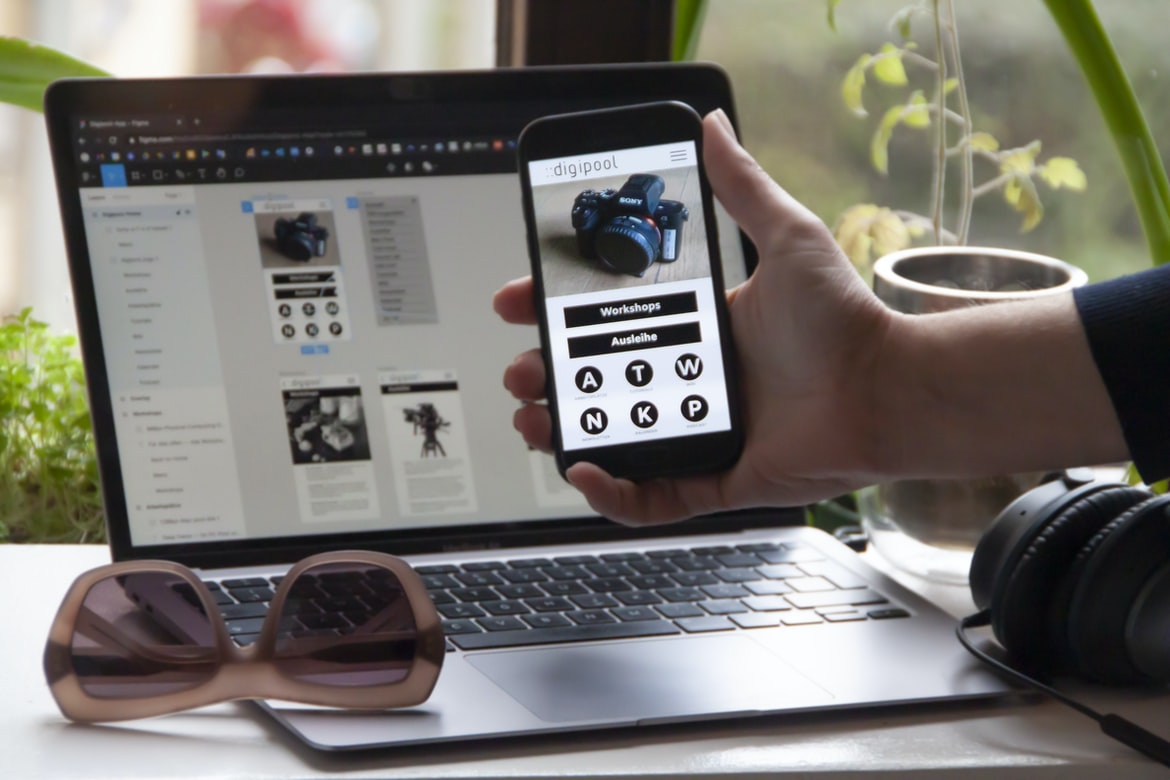
What is user experience, and how does it relate to web design?
User experience (UX) is the term given to the overall experience of using a product or service. In web design, it is important to consider how the user will interact with the design and what kind of experience they will have. The goal of UX is to ensure that users have an enjoyable and positive experience using your website or application. There are many different aspects of UX that need to be considered, including user input, layout, colour, typography, and animation. By incorporating these into your design, you can create a pleasing and functional user interface.
User interface (UI) design: What are the key considerations?
User interface (UI) design is critical for any website or application. The user’s experience with the system is critical to success, and a well-designed UI can make all the difference.
There are a number of key considerations for UI design, including:
-UX: How does the UI look and feel? Is it easy to use? Is it inviting?
-Layout: How does the UI organize information? Is it easy to find what you’re looking for?
-Functionality: How well does the UI work as intended? Are all features accessible and usable?
Principles of good UI design: How do they apply to web design?
Web design is all about creating a user interface that is easy to use and looks good. There are many principles of good UI design that can be applied to web design, and understanding them can help you create a well-designed website.
1. Choose a Clear Design Language.
Your web UI should have a consistent design language that is easy for users to understand and use. Use simple, clear icons, typography, and colour schemes to make your website look professional and modern.
2. Use Common Navigation Patterns.
Users will quickly become familiar with the navigation patterns on your website if you use common ones such as menu bars, dropdowns, search boxes, and tabs. Make sure each element is easily accessible from every page of your site using logical location labels and consistent spacing between elements.
3. Keep Your User Interface Clean and Simple.
The anatomy of a web page: What goes into making it look good?
Designing a web page is not as simple as simply placing text and images on a page. There are many different factors that go into making a web page look good, from the location of text and graphics to the layout of the page itself. In this article, we will discuss some of the main areas that go into designing a web page UI UX.
Principles of effective user feedback: How can designers make their pages more engaging?
Effective user feedback is essential to create a design that is both engaging and usable. Here are principles to follow when designing user feedback:
1. Make it easy to provide feedback. Don’t make users feel like they have to learn new techniques or take time to figure out how to provide feedback. Make it as simple as possible for them, and use clear and concise instructions.
2. Make sure feedback is timely and relevant. The feedback that is provided too late or isn’t relevant will be ignored or forgotten, which will ultimately hurt the user experience. If you can, try to give users timely feedback so they can react quickly in order to correct any issues.
3. Include multiple forms of feedback.
What are some tips for creating a user interface that’s both effective and appealing?
Effective web user interfaces (UIs) are attractive and easy to use. Here are some tips for creating a UI that is both effective and appealing:
1. Use simple, clean designs. Keep your user interface (UI) simple and uncluttered so it’s easy to understand and use. Use a variety of fonts, colours, and sizes to ensure that your user interface looks good on all devices.
2. Use intuitive icons and menus. Make sure all of the menus and icons are easy to understand and use. Place them in the right places, so they’re easily accessible while browsing your website or application.
3. Use meaningful content. Don’t just throw random text on your website or application pages; make sure the content is relevant and useful to your users.
How can UX/UI design improve user experience?
User experience (UX) is the overall feeling or impressions a person has when interacting with a product or service. A well-designed user interface (UI) can improve user experience by making it easier for people to find what they’re looking for, complete tasks quickly and easily, and feel in control of their interactions. Here are some ways that UX UI design can improve the user experience:
1. Improve layout and navigation: A well-organized layout will make it easy for users to find what they’re looking for, while effective navigation will help them navigate through the site quickly and easily. Both of these factors will help users complete tasks more quickly and easily, which in turn will improve their user experience.
2. Use clear labels and icons: Labels should be clear and concise, while icons should be easy to understand and use.
What are some of the best practices for UX/UI design?
Designing user interfaces (UI) for web applications can be difficult, but with a little bit of creativity and adherence to best practices, the end product can be successful. Here are tips to help you create better UI designs:
1. Use intuitive controls. Make sure all your user interface elements are easy to understand and use. Try to stick to standard design elements and avoid using too many advanced features that users may not understand or use. This will make the interface more user-friendly and improve overall usability.
2. Use high-quality visuals. Your UI should look professional and attractive, regardless of the platform or device used. Make sure all your images are of top quality and well-composed and try to use as few text blocks as possible to keep the layout clean and simple.
3. Keep things simple but effective.
How does UX/UI design help achieve business goals?
UX design helps businesses achieve their goals by creating a user interface that is both appealing and easy to understand. By designing a user interface that is easy to use, businesses can better connect with their customers and increase sales. Additionally, effective UX design can help businesses streamline operations and save time on tasks such as data entry. Ultimately, UX design helps businesses achieve their goals while benefiting the users who rely on them.
What are the key elements of a successful UX/UI design?
There are a few key elements that go into a successful web design UI UX. First, the user interface should be easy to use and intuitive. It should also be organized logically and visually appealing. Additionally, the design should be responsive so that it looks good on any device or screen size. Finally, the UI should be consistent across all platforms and devices.
What tools and technologies are used in UX/UI design?
UX design is all about making the user’s experience as enjoyable and satisfying as possible. In order to do this, UX designers use a variety of tools and technologies to create an intuitive and appealing user interface.
Some of the most common tools used in UX design are wireframing tools, prototyping software, colour palettes, and texture packs. Wireframing tools allow designers to create rough sketches of their user interface early in the development process, allowing for a more refined final product. Prototyping software allows for quicker and more accurate testing of designs, ensuring that the end product is as pleasing to the eye as it is functional. Colour palettes and textures can help to bring life to a user interface and make it more visually appealing.
How important is usability testing in UX/UI design?
Usability testing is an important part of user interface (UI) design. It helps ensure that the UI is easy to use and understand and that users can find what they’re looking for quickly. By testing the UI with real users, you can make sure that it’s easy to navigate and fun to use.
Usability testing also helps you identify any problems with the UI. If there are any issues with how the UI works, you can fix them before your website goes live. And finally, usability testing can help you improve your design skills overall. By learning how users interact with your designs, you’ll be able to create better interfaces in the future.
What challenges can arise during the development of a UX/UI design project?
When starting a UX UI design project, there are many potential challenges that can arise. Some common issues include managing different teams, determining the right level of detail, and ensuring that the final product is both user-friendly and effective. It’s important to consider these challenges early in the project so that they can be addressed as soon as possible.
UX Vs Graphic Design
The world of web design is constantly evolving, with new techniques and tools being developed all the time. One such tool is user interface (UI) design, which involves designing the look and feel of a website’s user interface. User interface design can be divided into two categories: graphic design and UX design. Graphic designers are responsible for creating the overall look and feel of a website, while UX designers are responsible for ensuring that the user experience is good. Both types of designers have their own strengths and weaknesses, so it’s important to know what you’re looking for when choosing one over the other.
UI UX Tips
As web designers, we know how important it is to make our interfaces look good and be easy to use. Here are a few tips to help with that:
-Make sure your buttons are big and easily seen.
-Use rounded corners on your forms and buttons to give them a nicer look.
-Use contrast well in your design so that users can see what they’re clicking on easily.
-Invest in a good typography toolkit and use it to create attractive titles and headings.
-Keep things simple by using a limited number of colours and patterns.
What Is Bad UX UI?
What is bad UX UI? User experience design (UX) is the process of designing an interface that makes it easy and enjoyable for users to complete tasks. Poor user experience can lead to frustration, which can ultimately result in the abandonment of a site or product. There are several common problems with user interface (UI) design that can detract from the overall user experience. Here are examples:
1. Ineffective Error Messages: Users should be able to easily find and understand the error messages associated with a site or product. If errors are hidden behind confusing or unintuitive menus or drop-down boxes, users will have a harder time finding and solving problems.
2. Confusing Navigation Patterns: Users should be able to navigate your site or product without having to search through numerous menus and sub-menus.
What Can I Add To My Website To Make It Better?
Web design UI UX is an important part of any website, but it can be hard to know where to start. Here are tips for improving your web design UI UX:
1. Use Clear and Consistent Navigation Patterns
Users should be able to navigate your website easily and quickly from one section to the next. Make sure all of your navigation links are easy to find and use and that they lead directly to the sections you want them to.
2. Keep Your Content Sections Well-Organized
Users should be able to find the information they need right away without having to search through a long list of pages. Make sure all of your content sections are well-organized, with clear headings and labels that help users identify which section contains which type of information.
Motion Graphic Design
Motion graphic design is a process that uses graphics to create an image or video that represents motion. It can be used in advertising and marketing, as well as for creating presentations, website designs, and more. Motion graphic design often requires the use of software such as Adobe Photoshop and After Effects, but there are other programs that can also be used.
Animation Design
Animation design is one of the most important aspects of web design. If done correctly, animation can help to engage and entertain users, increasing interaction and page views. In this article, we will discuss the different types of animation and how to use them in your web designs.
There are two main types of animation: traditional animation and motion graphics. Traditional animation uses traditional drawing techniques to create animated sequences. This can be done using vectors (a type of digital image) or hand-drawn artwork. Motion graphics, on the other hand, uses more computer-generated imagery (CGI) to create animations. This means that they are often more realistic and require more time to produce. However, they can be more versatile and allow for a wider range of effects and styles.
WordPress for Designers
WordPress is a popular content management system used by web designers to create a website. WordPress makes it easy for designers to create a website with a user-friendly interface and an intuitive UX. Some of the benefits of using WordPress for web design include the following:
— WordPress is easy to learn and use, which makes it a popular platform for beginner web designers.
— WordPress has an intuitive user interface that makes creating websites easy.
— WordPress is fast and efficient, making it ideal for high-volume sites.
— WordPress has a wide range of features that can help designers create beautiful and functional websites.
What Is Elementor Website WordPress Plugin?
Elementor Website WordPress Plugin is an essential web design tool that helps you to easily create beautiful and efficient websites. It provides a drag-and-drop interface that makes creating websites easy, and its intuitive design makes it perfect for novice users. Elementor Website WordPress Plugin also includes features to help you improve your website’s usability, including a responsive design tool and Google Analytics integration.
Figma
The Figma interface gives web designers a powerful way to create user interfaces (UI) and UIs for their apps. With Figma, you can quickly prototype new designs, share them with other team members, and get feedback on how they look and work.
The Figma interface is easy to use, with drag-and-drop tools for creating screens, controls, and interactions. You can also type in code or use the built-in programming features to create more complex UIs. You can even export your designs as HTML or CSS files so that you can use them in any web project.
If you’re a web designer looking for a powerful tool to create user interfaces (UI) and UIs for your apps, then Figma is worth considering.
Adobe XD
Adobe XD is a new web design platform that debuted at the 2017 Adobe Summit. It’s a powerful tool for creating user interfaces (UI) and visual designs. In this article, we’ll explore how to use Adobe XD to create user interfaces and visualize your designs.
If you’re familiar with Adobe Photoshop or Illustrator, you’ll be right at home using Adobe XD. The interface is similar but has all the features you need to create high-quality UI designs. You can use it to create mockups, prototype layouts, and final visuals.
Adobe XD has many features for designing user interfaces: you can build custom components, import existing content from websites and apps, and generate code using its built-in developer tools. You can also use it to create wireframes, visual simulations of your app or website, and more.
Design Mobile App
Designing a mobile app is no easy feat. Users expect apps to be intuitive and smooth while still looking professional. Here are tips to help make your app look great:
1. Use consistent design principles across all screens. This will help users understand the app more quickly and make it easier to navigate.
2. Use high-quality visuals and animations. They will help make the app feel snappy and alive while also reinforcing its professional appearance.
3. Keep the user interface simple yet informative. Make sure all buttons and menus are legible at a glance without overshadowing the content onscreen.
4. Use colour sparingly but judiciously. It’s important not to use too many different colours, as this could become confusing for users.
What is Visual Communication in graphic design?
Visual communication is important in graphic design because it helps users understand the information presented. It can be used to create a cohesive look for a website or product and to make it easy for users to understand what is happening on the page. Some common techniques used in visual communication include typography, layout, and colour.
Application of Graphic Design: Adobe Photoshop, Adobe Illustrator, Adobe InDesign
Graphic design has become an important part of the user interface (UI) for websites and applications. Adobe Photoshop, Adobe Illustrator, and Adobe InDesign are all popular graphic design software programs that can be used to create user interfaces for websites and applications. User interface (UI) design is the process of designing the look and feel of a user interface, including the icons, buttons, menus, and other elements on a screen.
The three main principles of UI design are simplicity, legibility, and feedback. Simplicity means that the UI should be easy to understand and use. Legibility means that the text onscreen should be clear and easy to read. Feedback means that users should be able to see whether or not they are successful in completing a task.
What Is A Prototype?
Prototypes are a powerful way to test ideas and concepts. With a prototype, you can quickly and easily create a visual representation of your idea that can be shared with others for feedback.
A prototype is not just a simple image or sketch; it should be interactive and allow users to explore the idea from different angles. By using prototypes, you can quickly test the feasibility of your concept and see if there are any potential problems that need to be addressed.
When creating a prototype, keep in mind the following tips:
1) Choose an easy-to-use design tool. A prototype should be simple enough for people to use but still provide enough information for feedback.
2) Create multiple versions of the prototype. This will help you test different angles and find which version works best for your audience.
3) Use realistic visuals.
How to Create a Great UX/UI Design That Delights Your Customers
It’s no secret that a great user experience (UX) design can make all the difference when it comes to customers’ satisfaction, loyalty and overall conversion rates. Here are seven tips to help you create an intuitive and engaging UX design:
1. Start with the end in mind. When designing your UI, always keep in mind how your customers will interact with it. What tasks do they need to complete to get what they want? How can you make those tasks as easy and painless as possible?
2. Make use of materials that are visually appealing and easy on the eyes. You don’t have to go overboard with expensive graphics or complicated layouts – simple, striking designs will do just as well. And remember: users won’t be drawn in if the interface is difficult to understand or navigate!
3. keep things simple but effective. Creating a great user experience (UX) design isn’t easy, but it’s essential if you want to make your customers happy. In this article, we’ll outline some tips on how to create a pleasing and user-friendly interface.
First and foremost, always keep the end user in mind when designing your UI. Make sure that all elements are simple to use and visually appealing. Additionally, consider making your design intuitive – people should be able to figure out how to use it without too much difficulty.
Another important factor to consider is feedback. Always ask your users what they think of the design and make changes accordingly. By following these tips, you’ll be sure to create a UX design that pleases both you and your customers!
Web design UX should strive to please both the user and the customer. User experience (UX) is important for both novice and experienced web users alike. A well-designed website will make it easy for users to find what they are looking for, navigate through the site, and complete their transactions. In order to create a satisfying user experience, it is essential to pay attention to every detail of a website’s design.
A good user experience starts with understanding your target audience. Do you know who your customers are? What do they want from a website? Once you have determined your target audience, you can begin designing the interface around their needs.









