

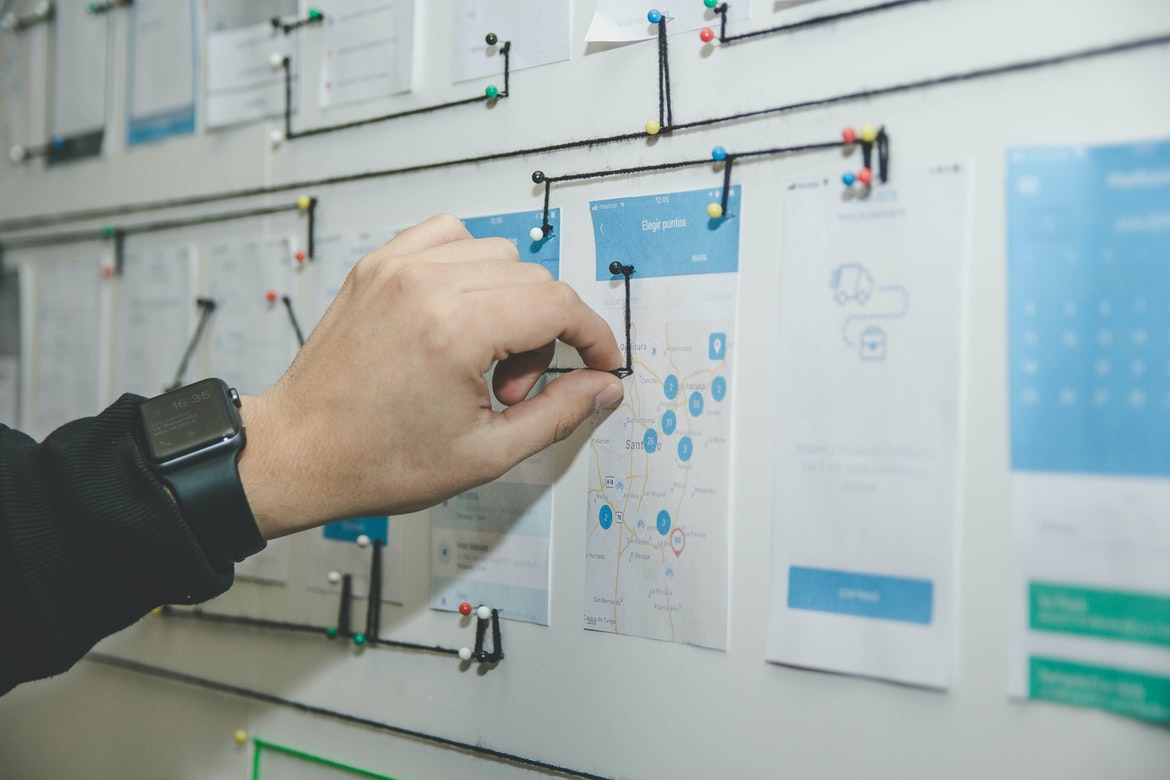
What is UI UX, and why is it important?
UI UX is the interface design of web applications. It is an important part of creating a user-friendly experience, and it can make a great difference in the success of a website. There are several factors that must be considered when designing UI UX, including the type of website, the target audience, and the platform. Additionally, effective UI UX can help improve engagement and conversion rates.
Different types of web UI design
Web design UI UX is an important aspect of effective web design. There are a variety of different types of web UI designs that can be used to achieve different goals.
Here are the types of web UI designs:
-Functional: These interfaces are designed for efficient use, often with a focus on quick access to information. They may use simple, uncluttered layouts and rely on organized navigation menus or buttons.
-Creative: CreativeUI designs aim to be visually attractive and appeal to the user’s senses. They may feature an interesting layout and colour combinations, as well as creative uses of typography and imagery.
-Conventional: ConventionalUI designs follow the norms established by other popular websites and applications. These interfaces typically consist of simple layouts with limited animation or graphics and emphasize readability over visual flair.
Principles of good web UI design
Web interface design principles have been around since the early days of the internet. They’ve evolved over time and continue to change as technology advances. However, there are a few basic principles that are essential for any good web UI design. These principles include simplicity, focus, feedback, usability, and legibility.
Simplicity is one of the most important principles of good web UI design. A user should be able to understand what you are presenting to them without having to spend too much time learning about it. Make sure all your elements are simple and organized logically.
Focus is another key principle of good web UI design. Your user should be able to find what they need quickly and easily. Keep everything organized, and within easy reach so users don’t have to scroll through a long list of content or click on multiple links just to get started.
User experience in web UI design
Web UI design is all about making your users feel as though they’re in control and working with the system comfortably. In order to achieve this, it’s essential to consider the user experience (UX) of your web UI design. Here are tips for improving UX in web UI design:
1. Use feedback loops to improve user feedback. When possible, use feedback loops to keep users continually informed of their progress and how their actions affect the system. This helps users feel in control and allows them to make adjustments as needed.
2. Make sure all elements are easy to find and use. Your users will be frustrated if they can’t find what they’re looking for or if the buttons are difficult to click. Keep all elements easy to access and use, including menu items, buttons, icons, and text labels.
How to improve user experience in web UI design?
Web user interface (UI) design can be improved by following a number of tips. One way to make a user’s experience more positive is to focus on creating an intuitive and easy-to-use interface. Here are ways to improve your web UI design:
1. Use Familiar Forms and Controls
Users will be more likely to understand and use your interface if it uses forms and controls that they are already familiar with. This means making use of common elements such as menus, toolbars, buttons, and checkboxes. In addition, try to include accessibility features such as focusable text fields, ARIA labels, and keyboard shortcuts.
2. Use Clear Navigation Patterns
Users should be able to easily find the items they want on your interface by following clear navigation patterns.
How can UX/UI design improve user experience?
When it comes to improving user experience, one of the most important tools at a designer’s disposal is UI design. A well-executed UI can make a huge difference in how users feel about using a product or service. Here are ways that UX UI design can help improve the user experience:
1. Create intuitive and easy-to-use interfaces. People have different levels of expertise when it comes to using products and services, which means that some elements of an interface may be more difficult for beginners to understand than others. Make sure all elements of the interface are easy to navigate and use, regardless of a user’s level of experience.
2. Use effective typography and layout techniques.
What are some of the best practices for UX/UI design?
There are many different practices that can be used when designing interfaces for web applications, but some of the most common are: using a consistent design language across all screens, using a layout editor to create a mockup of the interface before coding begins, and using usability testing to ensure that the interface is easy to use.
Other important considerations when designing web interfaces include balancing functionality with aesthetics, making sure that all content is accessible without having to scroll down or click on something, and ensuring that all buttons and controls work as expected. Finally, it’s important to keep in mind the target audience when creating an interface – making sure that it’s easy for people who don’t know how to use technology to find what they need.
How does UX/UI design help achieve business goals?
UX design is a process that helps businesses achieve their business goals by creating a user interface that is both visually appealing and easy to use. By designing a user interface that is easy to use, businesses can increase the number of customers who are likely to make purchases from their website or app. Additionally, by designing a user interface that is visually appealing, businesses can create a more favourable impression on potential customers. In addition to helping businesses achieve their business goals, UX design can also help increase efficiency within the organization.
What are the key elements of a successful UX/UI design?
There are a few key elements to a successful web design UI UX. These include creating an appealing and usable interface, taking into account user needs and preferences, and using intuitive design principles. Additionally, effective web design UI UX should be responsive and adaptive to different devices and screen sizes. Finally, it is essential to have a well-organized layout that is easy to navigate.
What tools and technologies are used in UX/UI design?
Web design UI UX encompasses the use of various tools and technologies to improve the look and feel of a website’s user interface. Common tools and technologies used in web UI UX design include:
-Browser Extensions
-CSS3
-JavaScript
-jQuery
-HTML5
-Images and icons
Many designers also use Adobe Photoshop or Illustrator to create mockups or prototypes before finalizing designs with HTML, CSS, and JavaScript.
How important is usability testing in UX/UI design?
Usability testing is an important part of web design UI UX. It can help ensure that the user interface is easy to use and understand, which in turn makes it more likely that people will be able to use the product successfully. Testing can also help identify any problems with the design and make necessary changes before launch.
What challenges can arise during the development of a UX/UI design project?
Project managers, developers and designers all have different expectations when it comes to the user interface (UI) design process. In order to ensure successful collaboration, it’s important to understand each party’s expectations and communicate effectively. Here are some common challenges that can arise during the development of a UX UI design project:
1. Different parties have different notions of what “good” looks like. Developers may be focused on functionality, while designers may be more concerned with aesthetics. This can lead to tension when trying to find a middle ground between the two goals.
2. Parties may not agree on how much user feedback should be taken into account during the design process. Developers may want to focus exclusively on developing features, while designers may insist that they need enough time to create a usable and appealing interface.
3. Developers may have different notions of what “good” looks like. For example, is it a useful feature that adds value to the product, or do you want to go beyond basic functionality? In the latter case, you might need to work with developers on defining your goals and objectives.
UX Vs Graphic Design
Web design and user interface (UI) are two very different disciplines with different goals. User experience (UX) is the overall goal of making a web or app interface so easy to use that users will not even realize they’re using it. Graphic design, on the other hand, is about creating beautiful and eye-catching designs that make the user feel good about themselves and their work. So which one should you choose for your next project?
UI UX Tips
Some tips for improving the usability of web designs are listed below. Keep these in mind when designing your next project!
-Limit the use of typography to only headings and labels, and avoid using it in content areas. This will help improve readability and make sure all information is easily accessible.
-Make sure all buttons, input fields, and other interactive elements are clearly labelled and placed where they will be most easily accessed. This will help users get what they need quickly and avoid unnecessary frustration.
-Design layouts that are flexible enough to be adapted to different screen sizes so that everyone can use your site comfortably. This includes taking into consideration devices such as smartphones and smaller desktops. Designing a user interface (UI) for a website or app can be challenging. Here are some tips to help make the process easier.
1. Follow your users’ expectations. Users should feel confident in what they are doing and understand how the UI works. Make sure all elements of the UI are clearly labelled and easy to use.
2. Use simple, intuitive designs. Keep your user interfaces simple and uncluttered, with a focus on the task at hand rather than ornate aesthetics. This will make using your site or app more straightforward for your users.
3. Use feedback loops to test and improve your designs. Constantly testing different versions of your UI with potential users can help you find and fix any problems early on before they become widespread.
4. Be mindful of accessibility issues.
What Is Bad UX UI?
Bad web design UIUX can often be seen as a frustrating experience for users. While there are many things that can go wrong with a website, poor user interface design is one of the most common and easily fixable issues. Poorly designed menus, unintuitive navigation, and unresponsive controls can all make it difficult for users to find what they’re looking for or complete tasks on your site. Additionally, poor usability can lead to frustrated customers who may eventually leave your site altogether. If you want to keep them around, it’s important to address these issues head-on.
What Can I Add To My Website To Make It Better?
Starting a website can be daunting, but with the right tools and some basic advice, you can make your site look great and run smoothly. Here are a few tips to help you get started:
First and foremost, use an effective web design tool. These programs allow you to easily add graphics and formatting, which will make your site look sleek and professional. Additionally, consider using user interface (UI) UX design principles in order to create a more user-friendly experience. This includes making sure all elements are easy to find and use, as well as creating intuitive layouts that are both visually appealing and easy to navigate. Finally, always keep your site updated and fresh by regularly incorporating new content or refreshing the layout. By following these simple guidelines, you’ll be on your way to creating a polished website that will draw in visitors from all over the world!
Motion Graphic Design
Motion Graphics Designers are the bridge between design and the creation of interactive visual content. They create stunning visuals that can be used on websites, social media posts, and commercials. Motion Graphic Designers use a variety of design techniques to create seamless animations, logos, and illustrations.
In order to be a successful Motion Graphic Designer, you’ll need to have strong graphic design skills as well as an understanding of animation and motion graphics principles. You should also be comfortable working in Photoshop and Illustrator since these are the most commonly used programs for creating motion graphics.
If you’re interested in becoming a Motion Graphic Designer, here are some essential skills you’ll need: excellent visualization skills; proficiency with Adobe Photoshop and Illustrator; experience animating photos or video; fluency in English-speaking countries.
Animation Design
Animation can convey a lot of information in a short amount of time. It can help people understand the relationship between different elements on a page or simply make something look more fun and engaging. Animations can also be used to emphasize important points or to create a sense of urgency.
There are many different types of animation available, from simple movement to more complex effects like spinning logos or leaves blowing in the wind. In order to create an effective animation, it’s important to understand the purpose it will serve and the audience it is intended for.
There are also many different software packages available for creating animations, from basic programs like Adobe After Effects and Microsoft PowerPoint to more specialized options like Fusion 360 and Maya. Whether you’re starting from scratch or using an existing template, there are plenty of resources available online to help you get started.
WordPress for Designers
WordPress for Designers: A Comprehensive Guide
If you’re a designer who wants to start using WordPress, this comprehensive guide is for you. WordPress is the most popular content management system (CMS) in the world, and it’s easy to learn. In this guide, we’ll teach you how to use WordPress to create a professional website or blog from scratch. We’ll also show you how to customize and extend WordPress so that it works perfectly for your needs. Whether you’re a newbie designer or an experienced one, this guide will help you get started with WordPress quickly and easily.
What Is Elementor Website WordPress Plugin?
Elementor Website WordPress Plugin is a great way to improve the look and feel of your WordPress website. It allows you to quickly and easily add custom animations, CSS styles, and more to your site without having to learn any code. You can also use Elementor to create powerful drag-and-drop layouts for your posts and pages.
Figma
Figma is a web design UI UX tool that has quickly become a favourite among designers. It’s simple to use and provides a great deal of flexibility, making it perfect for creating custom interfaces. Here are eight reasons why you should consider using Figma:
-It’s easy to learn. Just enter your design requirements, and Figma will take care of the rest.
-The interface is simple and intuitive. Anyone can use it without any prior experience in web design or UX design.
-It provides plenty of options for customization. You can adjust elements like colours, fonts, and layout to create the look and feel that best suits your project.
-Figma supports a wide range of file formats, so you can easily share your designs with others. Figma is a web design UI UX tool that allows users to create complex designs quickly and easily. It offers a drag-and-drop interface, as well as support for layers and objects. Users can also customize the appearance of their designs using powerful themes.
Adobe XD
Adobe XD is a web design UI UX tool that allows users to create and edit HTML, CSS, and JavaScript. It has a drag-and-drop interface and supports collaborative editing.
Design Mobile App
The way we interact with technology has shifted in recent years. We are no longer confined to sitting in one spot and using a desktop or laptop. We can now access information and tools from anywhere, thanks to our smartphones and tablets. This means that the design of our mobile apps must be tailored to match this new reality.
When designing a mobile app, it’s important to remember that users will be using their phones in different ways. Some people will use their hands to gesture and interact with the app, while others will use voice commands or touch input.
As a result, it’s important to design your app for both types of users. Make sure you consider things like screen sizes, pixel density, and motion sensitivity when creating your interface.
What is Visual Communication in graphic design?
Visual communication is one of the most important aspects of graphic design. It can help create a unified and consistent look for a website or product and can also help users understand what to do with the information presented.
Some key points to consider when designing visual communication in a graphic design project are layout, typography, image selection, and colour. The layout should be consistent throughout the project and use a clear hierarchy and themed sections. Typography should be legible in small sizes and match the overall style of the project. Images must be high-quality and properly licensed, as well as selected for their effect rather than for their size or resolution. Colours should be used sparingly but effectively to create an emotional response in people.
Application of Graphic Design: Adobe Photoshop, Adobe Illustrator, Adobe InDesign
Graphic design has been around for centuries and is one of the most popular application fields in the world. There are many different programs that can be used to create graphics, but three commonly used programs are Adobe Photoshop, Adobe Illustrator, and Adobe InDesign. The following subsections will discuss the differences between these programs and how they can be used in web design.
Adobe Photoshop is a photo editing program that can be used to create graphics for websites. It is widely used due to its versatility and ease of use. One of the most common tasks that Photoshop is used for is creating logos and icons. Adobe Illustrator is a vector drawing program that was designed specifically for graphic designers. It offers many features that allow designers to create high-quality illustrations. Its main advantage over Photoshop is its ability to create complex illustrations quickly.
What Is A Prototype?
Prototypes are important in web design because they allow designers to test their ideas and designs before they’re implemented into a website. A prototype is typically a low-fidelity version of a website that shows the basic structure, layout, and functionality. This allows designers to get feedback on their ideas and see whether or not they’re feasible.
One of the benefits of using prototypes is that it can help reduce the amount of time needed to create a website. By testing out different ideas early on, you can save yourself time and money. Also, by knowing what features your audience wants, you can create a website that’s more appealing and user-friendly.
Finally, prototypes can be used to improve communication between designers and developers. By working together early on in the process, everyone can make sure the final product is cohesive and meets customer expectations.
How to Create a Great UX/UI Design That Delights Your Customers
To create a great user interface for your web design, it’s important to remember that the key to pleasing customers is simplicity and elegance. Here are three tips for achieving this:
1. Keep your designs simple – Too many buttons, menus, and options can be confusing for users. Keep things as streamlined as possible to make navigation easy.
2. Use intuitive icons – People understand icons better than text, so use them whenever possible to convey meaning quickly. For example, if you’re designing a contact form, include an icon for “create new contact” and one for “edit contact.”
3. Make sure all elements are visually appealing – Your users will be spending a lot of time looking at your website, so make sure everything looks good!
Optimize Your UI/UX Design and Increase Conversions
There is no doubt that a well-designed user interface (UI) can improve the overall user experience on a website. However, many businesses don’t take UI design seriously enough, which can lead to low conversion rates and lower profits. Here are tips for optimizing your UI UX design and increasing conversions:
1. Keep your layout simple. A cluttered layout will confuse and frustrate users, who will consequently abandon your site in droves. Use clear and concise fonts, graphics, and colours to achieve an easy-to-read design.
2. Use typography to emphasise key elements of your page. Use typefaces that are large and easy to read, such as Arial or Helvetica Neue.









