

What is UI UX, and why is it so important?
UI UX is the interface design of web applications and websites. It includes the creation of an intuitive and beautiful user interface that meets the needs of users. A well-designed UI UX can help improve user engagement with a website or application, resulting in increased traffic and conversion rates. Poor UI UX can also lead to decreased user satisfaction and even abandonment of a site or app.
There are many factors that go into creating a successful UI UX, including but not limited to layout, colour scheme, typography, animation, and sound. It’s important to consider all of these elements in order to create an aesthetically pleasing experience for your users. Careful consideration of UIUX can make a big difference in how people interact with your website or application. UIUX is the interface design of a website or application. It is important because it affects how users perceive and interact with the site or application. Poor UIUX can lead to frustrated users, lost business, and worse. User experience (UX) is what makes a good user interface great. Good UX includes things like fluidity, ease of use, and a sense of visual continuity. It’s about making sure that the end user feels in control and can accomplish their goals as quickly as possible. Do Ux Designers Need To Code? NO.
The Design Process: How to create a web UI that is both effective and user-friendly.
The process of creating a web UI can be daunting for those who are unfamiliar with the design process. However, by following a few simple tips and principles, you can create an effective and user-friendly web interface.
First and foremost, it is important to understand your users. What do they need and want from your website? Once you have determined this, you can begin to create menus, buttons, and other navigational elements that will make using your site easier for your visitors.
Another key factor in designing a user-friendly web UI is ensuring that all content is easily accessible. Make sure all labels are legible and that all content is placed in an easily-findable spot. Furthermore, keep the text size small so that users won’t have to scroll through large blocks of text to find what they are looking for.
Guidelines for Creating Effective Web UIs: Tips on how to make your users feel at home while browsing your site.
While creating a web UI, it is important to consider the user experience (UX) in order to create an effective and inviting site. There are a few key things to keep in mind when designing a web UI for your users:
1. Keep Navigation Simple and Intuitive
Users should be able to easily navigate your site without having to resort to using search engines or trying out different pages. Try to keep your navigation as simple as possible by using clear labels and distinct buttons. Additionally, make sure all of the menus and sub-menus are clearly marked.
2. Use High-Quality Graphics and Animations
Graphics play an important role in web design, especially when it comes to user interfaces. Not only do they add beauty and sophistication to your site, but they can also help decrease user boredom.
User Interface Elements That Matter: Elements that impact the usability of a web UI.
1. Users want easy access to the features they need and don’t want to have to scroll through a long list of options.
2. Navigation should be simple and straightforward, with labels that are easily legible and organized in a logical order.
3. A well-organized user interface will also make it easy for users to find the information they’re looking for, no matter where it is on the page.
4. The use of clear and concise icons will help users understand what each button or element does without having to read any text.
5. Static elements like menus and toolbars should be kept to a minimum, as they can get in the way of user flow and impede comprehension of how the page works.
6. Users need to be able to navigate from one page to another with ease, and this can only be achieved if the pages are linked in a logical order.
7. The design of the individual components should be consistent throughout the site, with all elements having similar shapes, colours and font sizes.
A Case Study: An example of how to design a web UI that is both effective and user-friendly.
A web design UI should be effective and user-friendly. One way to achieve both goals is to follow a simple interface design principle called the twelve-factor methodology. The twelve-factor methodology was developed in the 1990s by consultant Bruce Tognazzini. It is based on the idea that a successful user interface should be based on the following principles which are:
1. Users should have immediate control over what they see and how it behaves.
2. Users should be able to learn quickly how to use the interface.
3. The interface should be usable with one or two clicks.
4. The interface should be easy to find and use, regardless of the user’s location or device type.
5. The interface should look consistent across devices and platforms.
6. The interface should be used when users are offline. 7. The interface should work well with a mouse and keyboard. 8. The interface should work well on touch screens, including small screens such as mobile phones and tablets.
What Is Bad UX?
Web design UI UX has become an important part of designing a website. Poor web design UI UX can make the user experience difficult and frustrating. Here are common mistakes that can lead to poor web design UI UX:
1. Lack of consistency across different sections of the website. Each section should have a consistent look and feel, using the same fonts, colours, and layout. This will make it easier for users to navigate and find what they’re looking for.
2. Confusing or poorly designed menus or drop-down menus. Menus should be easy to use and navigate, with labels that are clear and concise. They should also be located in an easily accessible place so users don’t need to scroll down the page to find them.
3. Poorly designed buttons and form fields.
What Is Bad UI?
One of the most common complaints about user interfaces is that they are “bad.” Whether it’s difficult to use a menu or an unnavigable page layout, people often find them frustrating.
What constitutes a “bad” user interface? There’s no easy answer, but there are some general features that tend to be included. Poor design may involve excessive use of text instead of images or buttons, confusing or contradictory instructions, or simply an overall feeling of chaos.
Bad UI can have a major impact on users’ experience and can even lead them to abandon a site altogether. To make sure your interface doesn’t end up on the list of “worst offenders,” focus on creating simple and easy-to-understand designs that don’t overwhelm users with information.
What Can I Add To My Website To Make It Better?
As website design becomes more complex, UX (user experience) has become increasingly important. In this post, we’ll take a look at five ways you can improve your website’s UX by adding simple yet effective user interface (UI) and user experience (UX) enhancements.
1. Use Bright Colors and Bold Fonts: A well-designed website should use bright colours and bold fonts to attract attention. This will help users quickly find what they’re looking for, making your site easier to navigate.
2. Use Clear Navigation: Users should be able to easily find the information they need on your website without having to search through multiple screens or pages. Make sure all of your pages are well-organized and easy to follow.
3. Use Simple and Consistent Navigation: Users should be able to easily find the information they need on your website without having to search through multiple screens or pages. Make sure all of your pages are well-organized and easy to follow.
How Do I Make My Website User-Friendly?
Making your website user-friendly means making it easy for people to find what they need and navigate around the site. Here are a few tips to make your website more user-friendly:
1. Choose a clear and concise layout. Make sure all content is easily accessible and organized in a logical manner. Use consistent colour schemes and fonts throughout the site, so users can easily see which elements are related.
2. Use clear labels and icons to identify different sections of the site. This will help users know where to find information, products, or services.
3. Provide helpful instructions wherever necessary. If you have complex features or pages, make sure you include clear instructions on how to use them. Include images or videos if necessary to clear step-by-step instructions.
4. Create comfortable navigational paths throughout the site.
Motion Graphic Design
Motion graphic design has been around for quite some time, but it has definitely come into its own in the last few years. There are so many great motion graphic designers out there, and their work is always top-notch. Whether you need a logo or a simple animation, these designers can help get the job done quickly and effectively. Some of the best motion graphic designers use Adobe Flash to create their work, but there are also many talented designers who use other software packages like After Effects or Photoshop. Whatever your needs may be, chances are good that a great motion graphic designer is capable of fulfilling them.
Animation Design
Animation design is an important part of web design and user experience. Animations can be used to create a more engaging and interactive website. They can also help to improve the speed and look of a website.
There are many different types of animations that can be used in web design. Some common types of animations include:
-Transitions: These are used to change the appearance or location of elements on a webpage.
-Motion graphics: These are used to create dynamic effects on a webpage.
-Artificial intelligence (AI): AI animations can be used to create realistic motion on websites.
WordPress for Designers
WordPress is a popular content management system (CMS) used to create websites. It provides an easy way for designers to create custom designs without having to learn code. WordPress also offers a wide variety of plugins and themes, which can be used to make the design process even easier. WordPress is perfect for designers who want to easily create custom designs and prototypes.
What Is Elementor Website WordPress Plugin?
If you are looking for a great website design WordPress plugin, then Elementor is definitely the perfect choice for you. Elementor offers an intuitive and user-friendly interface that makes creating a website easy and fun. Plus, it comes with tons of features to help you create the perfect website.
The best part is that Elementor is completely free to use! So go ahead and give it a try today!
Figma
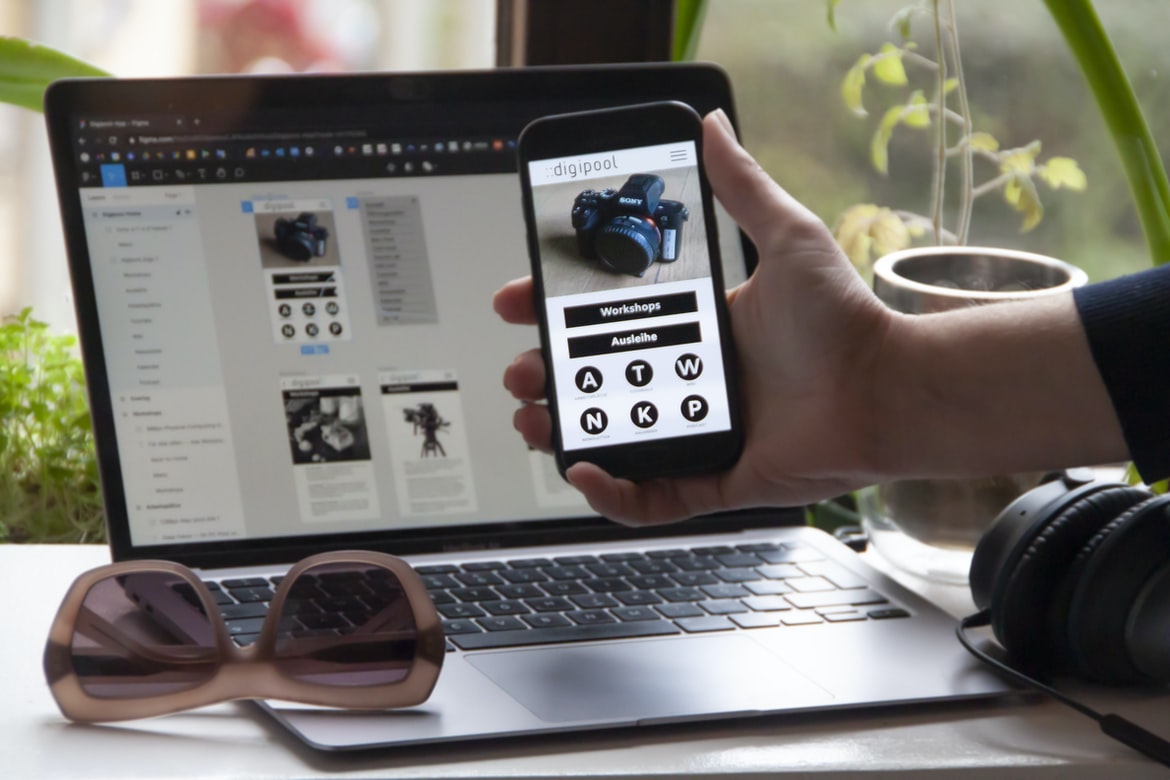
Figma is a web design UI UX tool that allows users to create high-quality user interfaces and mockups with ease. With Figma, users can quickly create interactive prototypes, and user flows, making it an essential tool for any web designer. Additionally, Figma’s drag-and-drop interface makes it easy to create designs that are both visually appealing and intuitive to use.
Adobe XD
Adobe XD is a powerful design tool that helps you create user interfaces for web and app projects. It has a wide range of features, including vector drawing, animation, and CSS styling. It’s also very user-friendly, making it great for beginners. Adobe XD is perfect for creating professional designs quickly and easily.
Design Mobile App
There’s a reason why most successful mobile apps are designed well, and it has a lot to do with the user interface (UI). The UI is what the user sees and interacts with on a daily basis. It’s essential that the UI be easy to use and aesthetically pleasing so users will stick around. Here are tips for designing a great UI:
1. Keep it simple. There’s no need to overcomplicate things when creating a mobile app UI. Simplicity is key, especially when dealing with screens that are small and crowded. Make sure all elements are clearly labelled and easy to understand.
2. Use visuals sparingly. Most users don’t have time to look at tons of fancy visuals while trying to navigate your app; keep things simple by using text or images as your main form of communication.
What is Visual communication in graphic design?
Visual communication is the use of visuals to convey meaning. It can be used in both graphic design and web design, but it’s particularly important in web design because users spend a great deal of time on screens. Visual communication can be used to create a positive or negative first impression, and it can also help users understand your website or app.
Some common techniques for visual communication in web design include:
-Layout: The layout of your website should be designed to be easy to read and navigate. Make sure all content is placed where users will see it most often, and use clear typography and grid layout to help organize everything.
-Images: Use images wisely—they should add value instead of being a distraction. Use strong graphics that represent your brand, and make sure all images are properly cropped and sized, so they look good on all devices.
Application of Graphic Design: Adobe Photoshop, Adobe Illustrator, Adobe InDesign
Looking to add some visual flare to your website design? You’ll want to consider using one of the most popular graphic design applications on the market: Adobe Photoshop, Adobe Illustrator, and Adobe InDesign. Here’s a look at how each application can help improve your web designs.
Adobe Photoshop is known for its ability to create high-quality images and graphics. With layer capabilities, you can create complex designs quickly and easily. Additionally, Photoshop offers a wide range of tools for editing images, including filters and effects.
Adobe Illustrator is designed for creating vector illustrations and graphics. With its easy-to-use drawing tools, you can create professional-looking designs with little experience. Illustrator also offers powerful features for exporting your designs as PDFs or EPS files.
Web Design
Web design has come a long way since the early days of the World Wide Web. With the advent of responsive design and user experience (UX) considerations, modern web designs are more than just simple HTML documents with a few CSS rules.
A well-designed website should be easy to use from any device and look good regardless of whether or not visitors have high-end computing equipment. In this article, we’ll take a look at some key principles of web design that help achieve these goals.
1. Keep Things Simple
One of the most important tenets of web design is simplicity. Your website should be easy to understand and navigate without excessive clutter or complicated features. This is especially important for mobile devices, where users are often limited in their browser window space and resources.
2. Keep Things Consistent It’s important to keep your website consistent across all platforms. If you want users to find your site easily, it’s vital that the design of the site be consistent from one platform to another.
Mobile Graphic Design
Mobile graphic design is an ever-growing field that demands a unique take on design. Rather than being limited by the size of a desktop screen, designers must think about how to best communicate messages and ideas on smaller devices with limited space.
There are a few key principles to keep in mind when designing for mobile devices: First and foremost, be concise. Resist the urge to include superfluous text or images, as these will only take up space and frustrate users who are attempting to read your content. Secondly, use typography effectively to create an engaging reading experience. Thirdly, focus on creating an intuitive user interface (UI) that is easy to navigate and use. Finally, make sure all elements of your design are responsive, so they look good no matter what device or screen size is being used.
Responsive Graphic Design
There’s no denying that responsive design is the wave of the future when it comes to web design. It makes for a more user-friendly experience by adapting to whichever device a person is browsing on, whether it be their phone, tablet, or desktop computer. In order for your website to look great on all devices, you need to have a responsive design strategy in place. Here are some tips on how to do just that:
1) Choose your content wisely. Make sure that the information you include is mobile-friendly and can be scaled down without losing too much information. This will help ensure that your site looks good no matter what device someone is using.
2) Use media queries to adjust the layout and fonts accordingly. By changing the style sheet and CSS files used, you can make your site look different on different devices without having to redesign everything from scratch.
Design websites
Design websites should be visually appealing to attract viewers. User interface (UI) design should be aesthetically pleasing so that the site is easy to navigate. All elements of the website, from the logo to the colour palette, should work together to create a cohesive look and feel.
The overall goal of UI design is to make the user experience as positive as possible. It’s important to take into account factors such as typography, layout, and imagery when creating a website. Poorly designed UI can often lead to frustration and lost visitors.
There are many different tools and techniques available for UI designers, including Sketch, Inkscape, Adobe Illustrator, and CSS3. Each has its own strengths and weaknesses; it’s important to find a tool that best suits your specific needs. Experienced UI designers often use combinations of different tools in order to achieve the desired results.
Graphic design is in demand.
Graphic design is in demand. A recent study by the website design company Smashing Magazine found that not only is graphic design in high demand, but it’s also one of the fastest-growing professions. Graphic designers are in high demand because they can create amazing visuals that can help businesses stand out from the competition. They can also create user interfaces and web designs that are both user-friendly and visually appealing.
Is There A Demand For UX Designers?
Are there enough people in the world who are good at designing websites and user interfaces? A recent study by CareerBuilder found that there is a demand for web design UI UX designers, but the number of candidates is not as high as the number of job openings. The report found that UI UX design skills are in high demand, with 68% of hiring managers citing this area as a priority in their search.
This is likely due to the increasing emphasis on user experience when it comes to website design. User experience is now seen as one of the most important factors when hiring a web developer or designer. In addition, many companies are now requiring users to test out their websites before they are made public to ensure that they are easy to navigate and look good.
Is There A Demand For UI Designers?
There is no question that there is a demand for web design UI designers. The market is constantly growing, and there are more opportunities than ever for those who have the skills to create beautiful user interfaces. However, before you can start getting hired, it’s important to understand what qualities make someone a good UI designer. Here are key things that will help you stand out from the crowd:
1. You Have A Passion For Designing User Interfaces
The first quality that will set you apart from the other candidates is your passion for designing user interfaces. If you love working on projects that involve designing beautiful user interfaces, then you will be able to excel in this field.
2. You Are Creative And Unique
Another key factor that makes a great UI designer is their creative and unique approach to design.
Web Design is in demand.
Web design is in high demand, with many businesses and individuals looking for a talented designer to help create a user interface that is intuitive and visually appealing. A good web design UI UX should be easy to use and look professional, whether it’s for a small business or an online store. In order to create the perfect web design UI UX, it’s important to have a clear understanding of what users want and need from your website. Here are some tips to help you create an effective web design UI UX:
1) Research your target audience. What do they want and need from a website? Take into account their age, gender, interests, etc. This will help you develop your web design UI UX accordingly.
2) Create easy-to-use menus and navigation bars. Make sure all of your menus are clearly labelled and easy to navigate.
Design Mobile App is in demand.
Web design UI UX is in demand, and many businesses are starting to see the importance of design when it comes to their mobile app. Not only do good designs look great on mobile devices, but they also make using the app more user-friendly and enjoyable.
Designing a mobile app isn’t as difficult as people might think, but there are a few things to keep in mind if you want your app to look its best. One of the most important aspects of any mobile design is usability, making sure that all features and functions can be accessed quickly and easily.
Another factor to consider when designing a mobile app is aesthetics. Good designs not only look good, but they can also make users feel more engaged with the product. By creating an attractive environment, you’re likely to draw in more users, who will then be more likely to convert leads into customers.
Wireframes
UX designers use wireframes to create a mockup of a website’s user interface. Wireframes are simple drawings or sketches that show the layout and look of a website’s pages, and they help UX designers better understand how users will interact with the site.
Since wireframes are so quick and easy to create, they’re an ideal tool for testing ideas before building a full prototype. By creating multiple versions of a wireframe, you can quickly see which design works best for your users.
Wireframes can also be helpful when you’re designing for a site that’ll be used by lots of different people. By including different types of users in your tests, you can ensure that your site is usable by everyone.
UX/UI Design Strategies
There are many different ways to design user interfaces for websites. Some common design strategies are to use a layout grid, create hierarchical menus, and use colour and typography to differentiate between different elements on the screen. Here are tips for designing user interfaces that look great and work well:
1. Use a layout grid. A layout grid is a system of grids that can be used to organize your content in a consistent way. It can help you create layouts that are easy to navigate and look professional.
2. Create hierarchical menus. Hierarchical menus make it easy for users to find the items they’re looking for by grouping related items together under one heading. This makes it easier for users to find what they need and saves them time on the web page.
3. Use colour and typography to differentiate between different elements on the screen.
UX/UI Design Principles
Web design UI UX has come a long way since the days of plain text and table-based designs. Today, there is a variety of user interface (UI) design principles that can be used to improve the look and feel of your website.
Some of the most important UI design principles to consider when creating a web page include the following:
1. Use Clear and Consistent Navigation Paths – Users should be able to easily navigate your website without having to guess where they are or search for specific information. Provide clear, concise navigation paths that are easy to follow. Use labels, icons, and other visual cues to help users keep track of their progress.
2. Keep Your Content Organized and Appropriate for Age – Make sure your content is appropriately organized and age-appropriate for your target audience.
UX/UI Design Techniques
UXUI design techniques can help improve the user experience on a website. By properly designing the user interface, users will be able to navigate the site more easily and find what they’re looking for. Here are some tips for UXUI design:
1. Choose a clear layout scheme. Users should be able to easily understand what each section of your site is about by looking at the layout. Make sure all elements are visually cohesive and organized.
2. Use intuitive icons and buttons. Your buttons and icons should be easy to understand and use. If users have to scroll down or zoom in to figure out how to do something, they’ll lose focus on the task at hand.
3. Keep navigation simple and straightforward. Make sure all paths between pages are clear and concise, without any unnecessary steps or twists and turns.”
4. And finally, design your site with a clean and professional look. This will help it stand out as a great place to shop for your users.
User Interface Development
Web design is inherently a two-sided process: the designer creates a visual masterpiece, while the user interacts with it to get their task done. However, it can be difficult to create an intuitive and engaging user interface (UI) that meets both needs. In this article, we will explore some tips for creating a UI that is not only visually pleasing but also easy to use.
1. Use a Clear and Consistent Navigation Structure
Users should be able to navigate your UI with ease, no matter where they are on the page. Make sure your navigation is consistent and clear across all elements of the UI. This includes buttons, menus, links, etc.
2. Use Visual Aids Where Necessary
If you need to show explanatory information or highlight specific sections of your UI, make use of visual aids such as infographics or icons. Avoid using so many visual aids that they become a distraction. 3. Use a Consistent Color Scheme. Keep your page colour scheme consistent throughout the UI. This will help users find their way around the page more easily and make it easier to read at a glance.
When designing a web page, it is important to consider the user’s experience. One way to improve the user experience is by making it easier to read at a glance. This can be done by using an effective UI design.
One example of an effective UI design is the use of icons. Icons are small images that represent different objects or actions. By using icons, users can quickly understand how to use the page and find what they’re looking for.
Another way to make it easier for users to read is by using typography. Typography refers to the design and layout of text on a web page. When used correctly, typography can help users quickly identify information on a web page.
By taking these two factors into account—UI design and typography—web pages can be made more easily digestible for users.









