

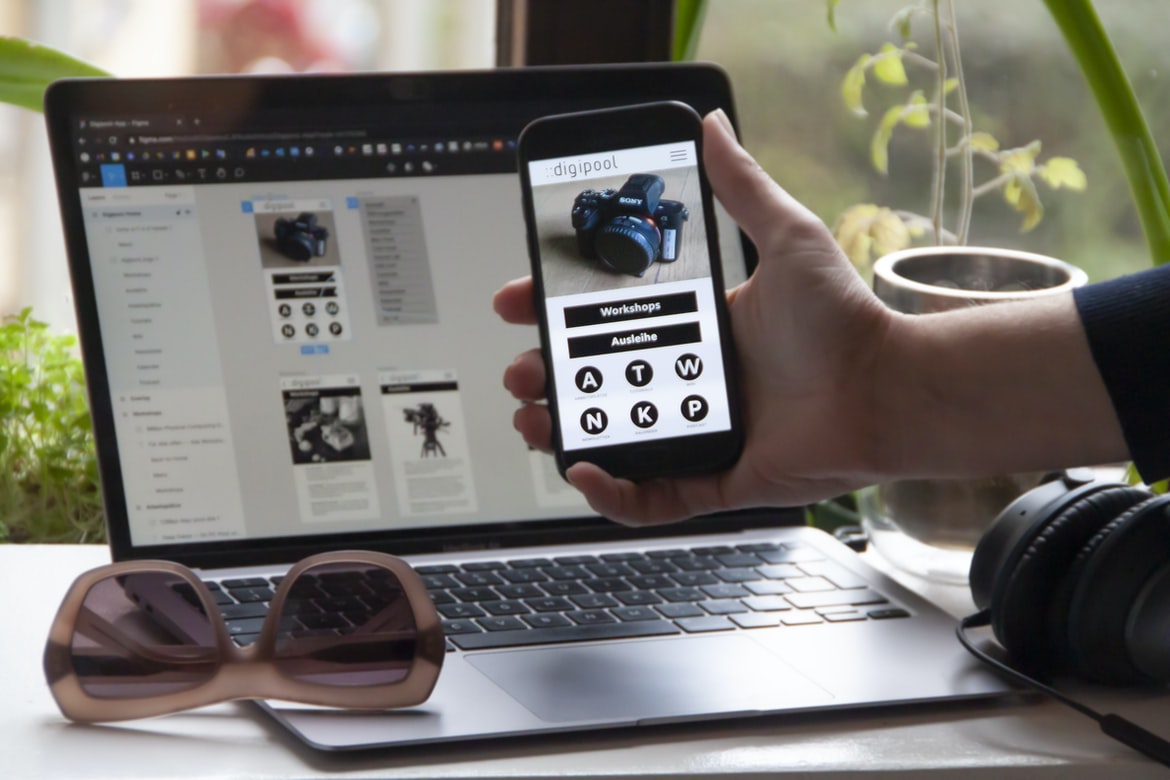
What is web design UI UX and why is it important?
Web design UI UX is the process of designing user interfaces for websites. It is important because it affects how a user interacts with the site, whether they are browsing or using an application. User interface design can be challenging, but it can also be fun and rewarding. There are many different factors to consider when designing a user interface, including ergonomics, usability, and aesthetics. The goal is to create an interface that is easy to use and looks great.
Tips & Tricks for Creating an Engaging and Responsive UI UX Interface
There is no one right way to build a user interface (UI) for a website or app, but there are some key principles that will help create an engaging and responsive experience. Keep the focus on the user, design for how people will interact with your content, and keep the layout simple. Here are some tips and tricks to help you get started:
1. Keep the focus on the user. Design for how people will interact with your content, not just what you think looks good. This means paying attention to things like typography, colour palette, and layout.
2. Use typography to create a strong contrast between different elements of your UI. For example, use bold text to indicate important information or use colourful fonts to draw attention to specific sections of your UI.
3. The right colour palette can be your friend when it comes to creating contrast. The wrong colours will just make your UI look bad, so use the right ones.
The different types of web design UIUX: Navigation, User Interfaces, Dashboards, and Prototyping.
Web design UIUX is a hot topic these days. As the design world evolves, so does the way users interact with websites. Gone are the days of static, one-size-fits-all web pages. Today’s users demand intuitive and engaging websites that cater to their specific needs. This means that web designers need to be equipped with the latest UIUX techniques if they want to stand out from the competition.
Navigation: Navigation menus can be extremely important when it comes to designing user interfaces. They provide a clear and concise overview of the site’s content and make it easy for users to find what they’re looking for. Good navigation should be based on user feedback – if people consistently struggle to find what they’re looking for, then it might be time to revise your menu layout.
Pros and Cons of different web design UIUX: Navigation vs User Interfaces vs Dashboards vs Prototyping.
Web design UIUX are becoming increasingly popular and can be used for a variety of purposes. Navigation vs User Interfaces vs Dashboards vs Prototyping is all different ways to interact with a website. Each has its own pros and cons.
Navigation: Navigation UIUX is the most common and simplest type of UIUX. They consist of a left sidebar with links to different sections of the website, similar to the way a browser arranges websites on a web page. This type of UIUX is easy to use, and users can quickly navigate through the website without having to learn how to use any specific features or menus.
However, navigation UIUX can be difficult for users with mobility disabilities or who have difficulty reading small text screens. Furthermore, they can be confusing for new users who don’t know which section of the website they are in.
What are the best practices for designing web design UIUX?
Web design UIUX can be a challenge, but with a few best practices in mind, the user experience can be streamlined and improved. Here are tips to follow:
1. Use Repeating Elements Wisely
One common mistake made when designing web UIUX is the overuse of buttons and text fields. Instead, use repeating elements such as menus and dropdowns sparingly to improve the user experience. Not only will users feel more organized and comfortable using your interface, but they’ll also be less likely to become lost or frustrated.
2. Keep Navigation Clear and Concise
Users should easily be able to navigate your interface without having to search for specific buttons or text fields. Make sure all navigation elements are clearly labelled and easy to locate, especially on larger screens where space is at a premium.
3. Keep Scrolling Short If users can’t find an element easily, they’ll likely scroll down or up to the top of the screen. On smaller screens like mobile devices, this can be a problem and make your interface feel crowded.
What is UI/UX?
There is no one right answer when it comes to what UI UX means. But, generally speaking, it refers to the way a user interacts with a web or mobile app’s interface. This includes things like how easy it is to find what you’re looking for, how well the design flows from one screen to the next, and whether any potential barriers stand in the way of users completing their tasks. Good UI UX can make an already great product even better.
The importance of good web design UI/UX
Web design UI UX is important for a few reasons. For starters, it can help users find what they’re looking for on your website more easily. This is because good web design UI UX includes features like intuitive navigation and easy-to-use controls. Secondly, good web design UI UX can make your site look more professional and engaging. This is because it takes into account the look and feel of different devices, including desktop browsers, tablets, and mobile devices. Finally, good web design UI UX can help you to attract more visitors to your website. This is because it makes your site look interesting and user-friendly, which in turn, makes people want to learn more about it.
The basics of web design UI/UX
Web design UI UX is all about making sure the user interface (UI) and user experience (UX) are top-notch. It’s important to create a sleek, well-organized website that looks good and feels intuitive to use. Here are a few tips for designing web UI UX:
1. Keep everything organized. Make sure all your content is front and centre, and keep navigation easy to find.
2. Use simple, colourful designs. A well-designed website should be visually appealing, so make sure you use bright colours and simple designs that are easy on the eye.
3. Keep your text legible. Make sure all your text is easy to read and formatted correctly—no one wants to struggle through a jumbled mess of text!
4. Use images sparingly.
The difference between web design and user interface design
Web design and user interface design are two different disciplines that focus on designing the look and feel of a website or application. The two fields have some key differences, which can be illustrated in the following example.
A web designer will typically focus on creating a functional and visually appealing website, while a user interface designer will focus on optimizing the usability of the website for users. For instance, web designers may create colourful and eye-catching graphics but may not concern themselves with how users interact with the site’s menus or content. In contrast, a user interface designer will focus on making sure that all of the elements within site are easy to use and understand.
Another key difference between web design and user interface design is their approach to problem-solving.
Principles of good UI/ UX design
Creating a user interface that is both effective and attractive is an important part of any website or application design. Here are the principles to follow when designing a user interface:
1. Make sure the layout is easy to understand. Keep all information clearly displayed so users can find what they need quickly.
2. Use intuitive icons and buttons to make navigation easy. Your users will thank you for it!
3. Use colour and contrast wisely to make your interface visible in any environment. Bright colours will attract attention, while dark tones will help users focus on what’s important.
4. Create simple designs that are easy to update and maintain. Users appreciate websites that are well-maintained and easy to navigate, no matter how often you make changes.
5. Use appropriate images to create interest and add impact to your website. Make sure that the images you use are relevant to your content. Use images that will attract attention and help users find the information they need quickly. 6. Use a consistent navigational scheme for different sections of your site.
How to improve your web design UI/UX
There are a few ways to improve your web design UI UX. One way is to make sure that all of your menus and buttons are easy to find and use. Another way is to make sure that all of your content is easy to read and navigate. Finally, you should focus on making sure that your user interface looks nice and sleek, regardless of the device or platform it’s being used on. All of these tips will help improve the overall usability and look of your web design UI.
What Is Bad UX?
Bad UX can be defined as a website or app that is poorly designed and user-friendly. Poor usability means that the site or app is difficult to use, confusing, and frustrating. Poor design can mean anything from uninspired graphics to poorly placed elements that interfere with user navigation. It can also refer to poor copywriting or an overall confusing and ineffective layout.
Poor UX can have a major impact on users’ satisfaction with a site or app, leading to decreased conversion rates and lost customers. It can also lead to unhappy employees who are less productive and frustration from customers who cannot find what they are looking for. In short, bad UX equals wasted time and money for both the company developing the site or app and its users.
The best way to avoid having poor UX in your products is by taking user feedback seriously and implementing it where necessary.
What Is Bad UI?
What is bad UI?
Bad UI can be defined as anything that makes using a product difficult or frustrating. From confusing menus to cluttered screens, poor design can cause users to abandon products and services altogether. Here are classic signs of bad UI:
1) Poorly Designed Menus: Menus should be easy to understand and navigate without tons of extra clutter. If menus are full of extraneous information, they will be hard to use and take up valuable screen space.
2) Confusing Navigation Patterns: Navigation patterns should be logical and easy to follow without taking too much time to learn. Users should be able to find what they’re looking for quickly and efficiently.
3) Ineffective Error Messages: Error messages should clearly state the problem and provide helpful instructions on how to fix it.
Motion Graphic Design
Motion Graphic Design – A Brief Overview
Motion graphics design is a type of graphic design that uses motion to create an effect or message on a screen. Motion graphics can be used in a variety of applications, from websites and advertising to video and animation. They are often used in conjunction with other types of graphic design, such as interaction design and typography.
There are many different techniques that can be used in motion graphics, such as animation, drawing, and CG rendering. Each technique has its own set of benefits and limitations, so it’s important to choose the right one for the project at hand.
Motion graphics can be extremely versatile tools, capable of creating a wide range of effects. They can be used to create static images or animations, or they can be used to create interactive content. They can also be used to communicate specific messages or ideas.
Animation Design
Animation is a critical part of web design, and it can make a huge difference in the user experience. Animations can add motion and life to your designs, making them more interactive and engaging. Here are tips for creating great animations in web design:
1. Think about the user’s goals. What do you want them to do? What emotions do you want them to make? Once you know your goal, you can start thinking about how to achieve it without losing focus on the user.
2. Use motion sparingly. Too much animation can be overwhelming and take away from the user’s experience. Pick the appropriate amount of motion for your design and use it sparingly to create a truly engaging experience.
3. Use timing as an important tool in animation creation.
WordPress for Designers
WordPress is a popular content management system (CMS) used for creating websites. It’s simple to use, allows for a great degree of flexibility, and can be customized to meet the specific needs of any web designer or developer. WordPress has a wide range of plugins that can be used to improve the user interface (UI) and UX of your website.
One plugin that can help improve the UI and UX of your website is Visual Composer. Visual Composer lets you easily create custom designs for your posts, pages, headers, footers, menus, sliders and more. This plugin also includes features such as drag-and-drop support and template inheritance so you can create complex designs quickly and easily.
Another plugin that can help improve the UI and UX of your website is Yoast SEO.
If you’re as passionate about your website’s traffic as you are about your blog’s SEO, then you’re probably wondering how to make the two work together. After all, optimizing a blog for search engines is one thing—but making sure your website looks good and is easy to use is another story altogether.
Fortunately, there are plenty of simple tips and tricks for improving both web design UI UX and SEO at the same time. Here are things you can do to improve your website’s usability and ranking potential:
1. Use Clear Navigation menus and labels.
This one may seem obvious, but it’s important to make sure all of your menus are clear and concise. Not only will this help users find what they’re looking for more quickly, but it’ll also minimize confusion when they go exploring on their own. 2. Use clear, concise titles for each page. If you’ve got more than just a few pages on your site, then it’s important to make sure that each of those pages has a clear and concise title. This is especially important because it’s what people will see when they click on the “more” link.
The title of your page should be more than just your product name. Instead, think about creating a short description that describes in detail who you are and why your product is so great.
What Is Elementor Website WordPress Plugin?
Elementor Website WordPress Plugin is an easy-to-use website builder plugin that allows users to create beautiful, interactive websites with ease. It comes with a wealth of features and options, making it the perfect plugin for anyone looking to build a website on their own. With Elementor, you can create beautiful, professional websites in no time at all!
Figma
As a web designer, you know that users interact with your site through a variety of inputs, like clicking on links or filling out forms. But what kind of user interface (UI) design do you need to consider when building your site? Figma is a versatile software that can help you create high-quality UIs for your web projects.
Figma’s intuitive interface lets you create complex UIs without becoming bogged down in details. You can also easily import and export your designs, so you can share them with team members or use them as templates for new projects. Best of all, Figma’s free trial lets you try it out before making any commitments. So whether you’re new to UI design or just looking for an easier way to get started, give Figma a try!
Adobe XD
Adobe XD is a vector graphic design software that has quickly become the go-to application for creating high-quality UI designs. The program’s intuitive interface and powerful features make it an ideal choice for designers who want to create user interfaces that look professional and are easy to use.
Adobe XD allows you to create UX designs from scratch or import existing UI designs created in other programs. The program’s drag-and-drop interface makes it easy to customize existing designs or create new ones from scratch. Adobe XD also includes features such as motion graphics, illustrations, and video editing, which enable you to create sophisticated user interfaces that incorporate multimedia content.
Overall, Adobe XD is a powerful tool that is perfect for creating professional UI designs.
Design Mobile App
With more and more people using mobile devices to access the web, it’s important for web designers to create user interfaces that look good and feel smooth on smaller screens. Here are tips for designing mobile app user interfaces that will make your users happy.
1. Make use of attractive typography and sleek fonts. Your users will appreciate a clean, modern design that uses attractive typography and fonts. Font sizes should be adjusted for legibility on small screens, and headlines should be large enough to be easily readable.
2. Use simple, easy-to-understand icons. The icons you use in your mobile app should be easy to understand and distinguishable from one another. Stick with common icons (like the menu button) rather than using obscure or specialized ones.
3. Keep navigation straightforward.
What is Visual communication in graphic design?
Visual communication is the process of sending a message to someone through the use of images, typography, and layout. It can be used in any design type, such as web design, print design, or advertising. Visual communication can help to simplify complex information for users and can help increase engagement with a website or product. There are many different ways to create visual communication in graphic design, and each has its own strengths and weaknesses.
One common way to create visual communication in graphic design is through graphical elements such as logos, icons, illustrations, and charts. These elements can quickly convey information to users without having to read text or scroll through long pages of content. However, graphical elements can also be difficult for users to understand if they are not properly designed. Poorly designed graphics can also lead to user frustration and decreased engagement with a website or product.
Application of Graphic Design: Adobe Photoshop, Adobe Illustrator, Adobe InDesign
Graphic design is a type of design that uses art to create a composition or graphical representation of information. Graphic designers use Adobe software to create graphics for websites, advertisements, and other types of graphics. Graphic design can be applied to any type of media, such as print or digital. Graphic designers must have good Photoshop and Illustrator skills, as well as InDesign experience, in order to be successful in the graphic design industry.
Web Design
Web design UI UX is an important part of the web design process. The user interface (UI) needs to be easy to use and look good while still providing the necessary features for the user. Some common considerations when designing a UI are how much information to display onscreen at once, how to organize buttons, menus, and other controls, and how to make the interface accessible for people with disabilities.
It’s important to consider both aesthetics and usability when designing a UI. Good aesthetics can help increase user satisfaction and loyalty, while usability ensures that users can easily find what they’re looking for and understand how to use the interface. It’s also important to keep in mind which features are most important for a given audience, as different users will have different needs.
One of the most important considerations when designing a UI is accessibility.
Mobile Graphic Design
A mobile-first approach is the future of web design, and it’s something that should be taken into account when creating a website. A study by Statista found that 66 per cent of all internet traffic now comes from mobile devices, so it’s no surprise that more and more businesses are adapting their websites to be mobile-friendly.
If you’re not thinking about how your website looks on a phone, then you’re doing it wrong. Websites need to be easy to use and load quickly so people can get what they came for as quickly as possible. Ensuring your website looks good on the phone is essential for retaining users who may be tempted away by another site that’s easier to use.
Responsive Graphic Design
Responsive graphic design has become increasingly popular in recent years as web designers strive to create designs that look good on a variety of devices. Responsive design means creating a layout that automatically adjusts to the size and shape of the device it is being viewed on, making it easier for users to navigate and find what they’re looking for.
There are many different responsive design methods, but the most common ones involve using media queries to alter the display of elements on a page depending on the width or height of the viewable device. This can range from changing the font size and colour to rearranging entire blocks of content.
Responsive design is not just for websites, though. It can also be used in print projects, logo designs, and even video games.
Design websites
Designing a website is an intricate process that requires both skill and attention to detail. However, it’s important to remember that not all web users are experts in design. That’s why it’s essential to make sure your website design is easy to understand and use for everyone.
Here are some tips for designing websites that are effective and user-friendly:
1. Use simple, intuitive designs. Your website should be easy to navigate regardless of whether or not the user is familiar with web design concepts. Make sure your menus and buttons are clearly labelled and avoid using overly complicated layout designs or graphics.
2. Use clear content descriptions. Include clear explanations of what each page contains so users will know what to expect when they visit your site. This will also help eliminate confusion and ensure users know where they should click next.
Graphic design is in demand.
Graphic design is in demand. Employers are seeking designers who can create high-quality visuals that represent their brand and help clients navigate their websites. However, not all graphic designers have the same skills. Some specialize in typography, layout, or imagery, while others may be better suited for software development or user interface design. Here are skills that every graphic designer should know:
1. Familiarity with Adobe Creative Suite: Many employers require Graphic Designers to be proficient in Adobe Creative Suite programs such as Photoshop and InDesign. These programs allow for a high level of creativity and flexibility when creating graphics.
2. Basic knowledge of typography: Every designer needs basic knowledge of typefaces and font sizing so they can create appealing visuals without relying on fonts from Adobe Creative Suite programs.
3. Familiarity with colour theory: Color theory is the science of how colours impact people’s emotions and perceptions. Knowing how to use colour effectively and create eye-catching designs will help Graphic Designers stand out from their competition. 4. Familiarity with font styles: Familiarity with the most common typefaces in use today will help Graphic Designers make better decisions when it comes to choosing a font. 5. Familiarity with colour theory: Color theory is the science of how colours impact people’s emotions and perceptions. It is important to have a basic understanding of colour theory in order to navigate the colour palette and make better decisions. 6. Familiarity with layout: Understanding how layouts are used, as well as how they can be improved, will help Graphic Designers create better designs. 7. Familiarity with Adobe Creative Suite: It is important to know how to use Illustrator, Photoshop and InDesign.
The job of a Graphic Designer will most likely include researching the market and producing solutions/products that meet client specifications.









