

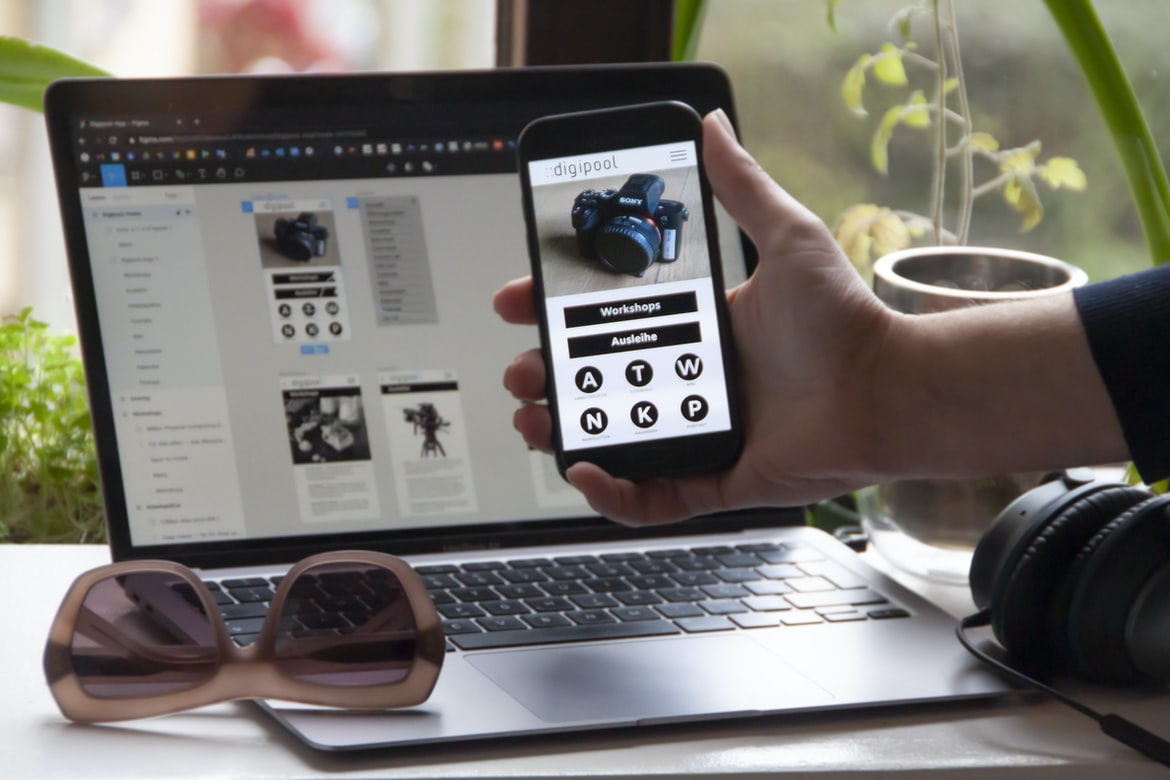
What is user experience, and what is the difference between user experience and user interface design?
User experience and user interface design are two different yet equally important aspects of designing a graphical user interface. User experience encompasses the entire process, from finding out what the user needs to do to how they feel while using the product. It includes everything from user research to creating a roadmap for the project.
User interface design is more specific, focusing on the look and feel of individual screens and menus. It includes things like selecting fonts, colours, and layout designs. Both disciplines are necessary for any successful graphical UI project, but each has its own strengths that should be taken into account when planning a project.
User experience vs user interface design:
1) User experience includes everything from finding out what the user needs to do to how they feel while using the product. 2) User interface design focuses on the look and feel of individual screens and menus. User interface design includes things like selecting fonts, colours, and layout designs. Both disciplines are necessary for any successful graphical UI project, but each has its own strengths that should be taken into account when planning a project.
Usability: What makes a user interface easy to use?
Usability is a key factor when it comes to creating an easy-to-use interface. A user’s experience with your product is based largely on how easy it is to use the features and functions of the software or website. There are several factors that contribute to usability, and some of them may be beyond your control. Here are a few of the most important ones:
Layout: The layout of your interface should be easy to understand and use. Your buttons and controls should be placed where they’re easily accessible, and your text should be legible without having to strain to read it. Images: Use clear, well-designed images that support your content rather than distract from it. Fonts: Choose fonts that are legible without being too small or too big and that look professional without being too expensive or too trendy.
Visual Appeal: How important is graphical design in user experience?
According to a study by Adobe, graphical design is more important than user interface design when it comes to overall user experience. User interface design focuses on the look and feel of the user interface, while graphical design focuses on the appearance of the elements within the user interface. Graphic designers are responsible for creating both the look and feel of a user interface, as well as its functionality.
Despite this fact, many people believe that user interface design is more important than graphical design. This is likely due to the fact that users are more familiar with how a user interface looks than how it functions. However, according to Adobe’s study, graphical design is actually more important when it comes to satisfying users’ needs. This is because users are more likely to be satisfied with an experience if it looks good and works flawlessly.
Functionality: How do graphical elements affect the functionality of a website or app?
Functionality is one of the most important factors when it comes to website or app design. Not only does it affect the user’s experience, but it can also have a significant impact on how users interact with the site or app. In this article, we will be looking at how graphical elements can affect the functionality and discuss some of the best practices for designing functional websites and apps.
One of the first things you need to consider when designing a website or app is its functionality. This includes everything from how users access to content to how they navigate around the site or app. One of the most important factors when it comes to functionality is user interface (UI) design. A good UI will make navigation easy and help users find what they’re looking for quickly. It should also be visually appealing so that users want to explore further.
Responsiveness: How important is responsiveness when it comes to user experience?
User experience is important to ensure that a user’s interaction with a product or service is positive. However, not all user interfaces are responsive—in fact, some may be more unresponsive than others. A responsive interface ensures that all inputs are recognized and processed in a timely manner, resulting in an overall better user experience. In order to create a responsive interface, it is important to understand how responsiveness affects the overall user experience.
Contextual Design: How do you create an environment that feels natural for the users?
User experience is all about making sure that the end user feels satisfied with how they interact with the product. This means taking into account their context, personality, and previous experiences. User interface design is all about creating an environment that feels natural for the users. By doing this, you can create a product that is easier to use and more intuitive. Contextual design is a way of incorporating user experience and user interface design into your product development process. By understanding your users’ context and how they interact with products, you can create products that are more intuitive and satisfying for them.
UI UX Guidelines
User experience (UX) is the process of designing a product or service that makes users’ experiences satisfying and positive. User interface (UI) design is the visual design of an application’s user interface. A good UI design should be user-friendly, intuitive, and task-oriented. Graphic designers can play a significant role in creating effective user interfaces by designing effective visuals that support the user experience. This article provides tips on how to create user interfaces that are appealing and easy to use.
There are several things you can do to improve your UI design:
-Keep your designs simple and easy to understand. Complex designs can be confusing for users, especially if they are new to your product or service. Keep your designs concise and focused on the task at hand.
-Make sure all elements of your UI are consistent with one another.
UX Vs Graphic Design
User experience (UX) and user interface (UI) design are two of the most important aspects of web design. They are both essential in creating a quality website, and it can be difficult to decide which is more important. A study was recently conducted to try and determine which is more important.
The study looked at ten different websites and asked people to rate them on a scale from 1 to 10. Sites with good UX scores averaged 8.2, while UI sites averaged 7.8. The difference wasn’t significant, but it did suggest that UX is more important than UI when it comes to website ratings.
One reason for this might be that people are more likely to leave a poor UX site than a poor UI site.
UI Vs Graphic Design
UI design is all about the user interface – how it looks and feels. Graphic design, on the other hand, is all about creating beautiful and functional designs for websites, apps, logos, and other visuals. But which one is more important? And which one should you focus on when designing a product?
UI design is essential for products that are used by people every day. It needs to be easy to use and look good while doing so. Graphic design can add elegance and sophistication to a product, but it’s not as essential. For example, Apple’s sleek designs are mostly done with UI design, while Microsoft’s Windows logo relies heavily on graphic design.
There are pros and cons to each approach. UI design can be easier and faster to execute, but it may not look as professional or polished as graphic design.
What Is A Ui Style Guide?
The user interface (UI) style guide is a document that provides guidance on how to design and layout user interfaces. It helps designers create an equitable and consistent experience for users, regardless of device or browser. UI style guides can be found on websites and in software development kits (SDKs).
Usability User Experience
Users of electronic devices must contend with an ever-growing menu of options and features. The usability of these devices has been called into question, with some arguing that user experience (UX) should take precedence over graphical design (GD). Is UX really the key to a successful device? Or is graphical design more important?
A study by Google found that people are more likely to return to a site if the interface is visually appealing. However, another study by Nielsen found that people are more likely to purchase a product if the GD is good. The debate between UX and GD will continue, but it’s clear that both factors play an important role in creating a successful device.
Usability User Interface
The usability of an interface is a key factor when it comes to user satisfaction. Poor usability can lead to frustrated users, which can ultimately lead to negative customer experiences. As businesses continue to strive for online customer engagement, they must make sure their user interfaces are as usable as possible in order to keep customers coming back. By implementing effective usability measures into the design process, businesses can create interfaces that are both visually appealing and easy to use.
There are a few different ways businesses can improve the usability of their interfaces. One way is by ensuring all elements of the interface are easily identifiable and accessible. This includes making sure labels are legible and organized correctly, as well as adding icons and other visual cues where necessary. Additionally, it’s important to provide feedback throughout the interaction, so users know what actions they’re taking and how their input is being processed.
Motion Graphic Design
Motion graphic design is a type of graphic design that uses motion to create an effect or visual communication. Motion graphic designs can be used in various situations, such as advertising, web graphics, and video graphics. They can also be used for instructional materials, such as educational videos or slideshows. Motion graphic designers often use computer software to create their designs.
Animation Design
Animation design is a process that helps create an image or video that appears to be moving on its own. This can be done through the use of 3D animation, 2D animation, or motion graphics. Animation can be used to create a realistic appearance for a product or service, as well as for entertainment purposes. The goal of animation design is to create an environment that is both entertaining and informative.
WordPress for Designers
WordPress is a popular content management system used by designers and developers to build websites and applications. This open-source software is free to use, making it an attractive option for those looking to create a website or application without shelling out serious cash. WordPress also boasts a large and active community of users who are more than happy to offer tips and tricks. Some of the most common questions asked by WordPress users relate to design issues, such as how to customize themes or create custom headers and footers. Whether you’re a seasoned designer looking for an easy way to incorporate WordPress into your workflow or you’re just getting started with web design, these tips will help you get the most out of this popular CMS.
Use WordPress as your main content management system (CMS). WordPress is the most popular content management system (CMS) used on the web. It has a strong community of users, which creates opportunities for designers to get involved with WordPress designs and create custom headers and footers with ease. The WordPress header and footer development community is highly active, with new themes being released every day. A lot of experienced designers who have created header and footer designs for other sites have also started creating WordPress headers and footers.
WordPress Elementor
WordPress Elementor is a design tool that allows users to create custom WordPress themes. The tool is available as a plugin and as a separate application. In this study, user experience was compared with user interface graphic design using five different themes. The results showed that user experience was better for the themes with an easy-to-use interface, while user interface graphic design was better for the themes with cool graphics.
Elementor UI UX
There is a growing trend in the design world of using the user interface (UI) UX over traditional graphic design. While there are many valid arguments for why UI UX should be given more attention, one of the most persuasive is that users react better to visuals that are easy to understand and navigate. Elementor UIUX, a web-based toolkit designed to help designers create user interfaces with a focus on usability, offers an interesting perspective on the matter.
Elementor UIUX was created by Jakub Kucera, who has extensively studied human behaviour and how it affects user interface design. The goal of ElementorUIUX is not only to make user interfaces more usable but also to improve their overall visual appeal. By focusing on these two factors, the designer can create interfaces that are both easier to use and more visually appealing.
Figma
Figma is a popular user interface design software that was released in 2015. It has a wide range of features that can be used to create graphical designs. Many designers are using Figma to create their user interface designs. This article will compare the two and find out which one is better for creating user interfaces.
Adobe XD
Adobe XD is a powerful design tool that can help you create user interfaces and user experiences that are both visually appealing and easy to use. The software has a number of features that make it a good choice for graphic designers, such as the ability to create vector illustrations, export assets to other platforms, and work with teams of collaborators.
One of the most important factors when designing a user interface or user experience is how easy it is for users to navigate. Adobe XD excels at this task by providing an intuitive interface that makes it easy to move around your design, add and delete elements, and change the look and feel of your project. Additionally, Adobe XD offers features like import/export support so you can easily share your designs with others.
Design Mobile App
Designing a mobile app can be a daunting task, but with the right approach, it can be easy and fun. There are a few things you need to consider when designing your app:
-User experience: Ensuring that your users have an enjoyable experience is key. Make sure that the menus are easy to use, the buttons are large and clear, and the overall design is appealing.
-User interface: The user interface is what people see and interact with most while using your app. It should be simple to navigate, look modern and sleek, and respond quickly to user input.
-Functionality: Make sure that your app does what you want it to do properly. Test different features and make sure everything works as intended before finalizing your design.
-Graphics: Use high-quality graphics when designing your app so that it looks professional and attractive.
Visual Communication
A study has found that the way a user experiences a product is more important than the design of the product’s user interface. The study, conducted by researchers at Northeastern University and the University of Utah, found that users are more likely to be happy with a product if they feel like they are in control of it. In addition, users are more likely to remember what happened on a product’s screen than what was said aloud or shown on a screen.
What is Visual communication in graphic design?
Visual communication is the process of conveying information through graphic design. This includes both the creation of visuals that help users understand and interact with a product or service, as well as the overall architecture and organization of graphics within a design. Visuals can be simple or complex, but their purpose is always to improve user experience.
Application of Graphic Design: Adobe Photoshop, Adobe Illustrator, Adobe InDesign
Adobe Photoshop, Adobe Illustrator, and Adobe InDesign are among the most popular graphic design software programs on the market. Each program has its own unique set of features, which can be used to create professional-grade graphics.
When it comes to user experience vs user interface, Adobe Photoshop is typically considered the most powerful program out there. It has a wide range of tools available, as well as a large number of preset filters and effects that can be applied to images. However, Adobe Illustrator is considered more user-friendly and versatile than Photoshop. It provides users with more control over how their graphics look, and its vectorial design capabilities make it a better choice for creating logos and illustrations.
Overall, Adobe Photoshop is the most powerful program out there when it comes to graphic design.
Web Design
Web design has come a long way since the days of simple text and images. Today, web designers must contend with an ever-growing range of user interfaces, from desktops to mobile devices. In order to create a user experience that is both visually appealing and efficient, web designers must focus on graphic design as well as user interface design.
User interface design focuses on the look and feel of a website’s interface. This includes everything from the layout and typography to the colour scheme and graphics. Graphic design, meanwhile, focuses on the overall appearance of a website’s content. This includes everything from the layout to the images used throughout the site.
Both types of design are important for creating a successful website. User interface design helps ensure that users can easily navigate through your site. Graphic design helps make your site look stylish and professional.
Mobile Graphic Design
With the ever-growing popularity of smartphones, users are increasingly demanding better and easier interfaces. This has created a booming market for mobile graphic design as designers strive to create user experiences that are both visually appealing and easy to use.
One key factor in creating a user interface that is easy to use is simplifying language and making it accessible to all users. By doing this, you can ensure that everyone can understand the instructions and navigate your app or website easily. Additionally, using icons and other visual cues can help users understand how to interact with your app or site without having to read every line of text.
When designing mobile graphics, it is important to take into account the screen size and resolution of different devices. For example, graphics designed for tablets may look different on an iPhone because of the different device resolutions.
Responsive Graphic Design
Responsive Graphic design is the practice of designing graphical interfaces that adapt to different devices and screen sizes. Devices today include smartphones, tablets, laptops, desktops, and gaming consoles. Responsive Graphic design allows for a consistent design across all devices while ensuring optimal user experience.
There are three main types of responsive design: content-based, width based and aspect ratio based. Content-based responsive design adjusts the layout and content of a page based on the device size. Width-based responsive design adjusts the width of elements on a page to match the device’s width. Aspect ratio-based responsive design adjusts the aspect ratio of elements on a page to match the device’s aspect ratio. All three types of responsive design have advantages and disadvantages, which will be discussed in more detail below.
Design websites
Designing a website can be a daunting task. It is important to strike a balance between user experience and user interface (UI) graphic design. This article will explore the difference between these two concepts and provide tips for balancing them.
User experience is all about making the user feel comfortable and in control. Good user experience includes making sure that the site is easy to navigate, that all of the required information is easily accessible, and that the site looks pleasing to the eye.
User interface graphic design is all about creating an appealing look for the site’s pages. UI graphic designers should focus on creating attractive visuals that are consistent with the overall theme of the site. They should also take into account factors such as legibility, font choice, spacing, and overall layout.
Graphic design is in demand.
Graphic design is in demand. According to the Bureau of Labor Statistics, graphic designers are projected to earn a median annual wage of £69,610 by 2022. In addition, graphic design is considered a field with high potential for growth. As the world becomes more and more technologically advanced, there is an increased need for people who can create effective user experiences and user interfaces. This means that graphic designers will have an even greater opportunity to earn a good income in the future.
Wireframes
Wireframes are user interface design tools that help designers visualize the user experience and how users will interact with a website or application. They typically consist of simple sketches that show how different elements of the interface are organized and connected.
Wireframes can be helpful in the early stages of development when you don’t have a full concept yet for what your site or app looks like. They can also be used to communicate with clients and stakeholders to keep them updated on your progress.
There are several types of wireframes, including static wireframes, interactive wireframes, prototype wireframes, and storyboards. Each has its own advantages and disadvantages. Static wireframes are good for showing the overall structure of an interface; they’re useful for communicating ideas to clients or stakeholders.
Design Techniques
Design techniques are used in order to improve the user experience and create a Graphical Design that is both visually appealing and easy to use. There are a number of different design techniques that can be used in order to achieve these goals, including user interface design, interaction design, visual layout and typography.
Some of the most common user interface design techniques include using clear and concise icons, designing menus and toolbars that are easy to use, and avoiding clutter on the screen. In order to improve the interactivity of a website or application, designers may employ techniques such as using hover effects or animation when users interact with elements on the screen. Visual layout often depends on the type of content being presented, with news sites tending to feature larger headlines with smaller textboxes below them, while online retail websites often favour long horizontal scrolling lists.
Design techniques are important in creating a user-friendly interface. Graphic designers use different techniques to make an interface more appealing and user-friendly. Some of these techniques include using colours, layout, typography, and images.
When designing an interface, it is important to consider the user’s experience. This means taking into account how the user will use the product and what they are likely to want to do first. For example, if a product has multiple features, it is helpful to organize them in a way that makes sense for the users. Another technique that can be used when designing an interface is making use of graphics. Images can be used to create a more appealing look and feel for an application or website.









