

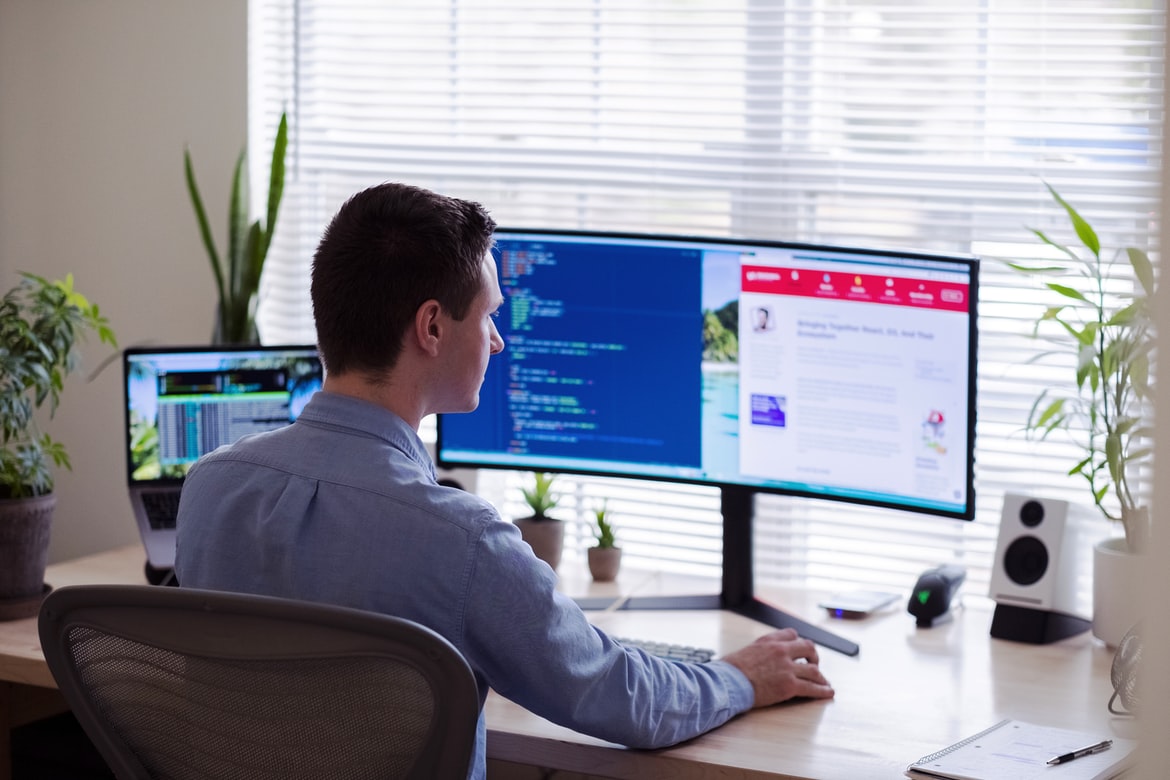
What is user experience, and why is it important?
User experience is important for a number of reasons. First, it helps ensure that the interface is easy to use and understand. Second, it ensures that the user has a positive experience using the product. Third, it can help increase customer loyalty and engagement. Finally, user experience can lead to more sales and revenue.
What is design language?
The design language is a term used in graphic design to describe the visual language and design principles that are used in a piece of work. It can be thought of as the blueprint for how a piece should look or the style guide for how it should be created.
Some common design languages include:
-Aesthetic: This style focuses on creating an appealing, well-designed product that looks good and feels comfortable to use. Aesthetic styles often use clean lines, flat colours, and contemporary fonts.
-Functional: This approach focuses on creating solutions that work well and can be easily understood by users. Functional designs often use icons, labels, and simple layouts to make information easy to find.
-Responsive: This approach focuses on creating layouts that adapt to different screen sizes and resolutions.
What is the difference between a design language and a software interface?
A design language is a set of specific guidelines used by designers to create user interfaces. Interface graphics can be created using any design language, but they will usually look more polished and professional when designed using a specific design language.
Design languages vary in terms of their level of specificity, but all aim to help designers create well-organized and aesthetically pleasing user interfaces. Specificity helps ensure that the interface looks like it was specifically designed for that application or website rather than looking like it was borrowed from another application or website.
Another benefit of using a design language is that it can help reduce the amount of time and effort required to create an interface. By definition, a design language is a set of guidelines, so once you know how to use it, creating an interface based on that language is relatively easy.
What are some of the major design languages in the market?
Design languages are important for two reasons: they can help designers communicate their ideas to other designers and developers, and they can influence how users interact with a product. Some of the most popular design languages are CSS, HTML, JavaScript, and React.
CSS is used to style web pages and applications. HTML is the foundation for all websites and is used to structure content. JavaScript is used for scripting interactions in websites and applications. React is a UI library for building user interfaces in web applications and mobile apps.
How does a design language work?
Design languages work by communicating design goals and strategies to those who will use the product. They can be used in a wide variety of products and contexts, from websites and apps to product manuals and marketing collateral. There are many different types of design languages, but they all share a few common features.
First, design languages typically include terminology that reflects the user experience (UX) or user interface (UI) considerations of the product. This makes it easy for designers and developers to understand the language’s intent without having to read long blocks of text or spend hours looking up specific definitions.
Second, design languages are often modularized so that different parts of the product can be treated in separate ways. This helps designers create components that feel cohesive and functional while also allowing them to experiment with new solutions without compromising existing functionality.
User interface vs user experience: A graphic designer’s perspective
User interface (UI) and user experience (UX) are two important design concepts that graphic designers should be familiar with. UI is the look and feel of a product or system, while UX focuses on how users interact with the product. The two concepts are often used interchangeably, but there is a difference between them. UI is about the appearance of a product, while UX focuses on how users interact with it.
There are several factors to consider when designing a user interface. First, the designer must decide what kind of interface they want to create: desktop, mobile, web, etc. Second, they need to decide on the layout and design of the screens. Third, they need to think about how users will access information and make decisions in the system. Fourth, they need to consider how users will interact with the system.
The importance of good design: A look at studies
The design has always been important to humans, whether it be for creating aesthetically pleasing objects or for aiding in communication. A recent study conducted by SRI International and the University of California, Berkeley, has shown that good design can have a significant impact on user experience and even user retention rates.
The study surveyed nearly 700 participants about their experiences with different types of interfaces and found that those with well-designed interfaces were more likely to remain engaged with a product over time. In fact, they were two times as likely to continue using a product after three months than those who used the least-well-designed interfaces.
This confirms what many people have known anecdotally: good design can make a huge difference in the overall usability of a product. It’s also worth noting that user experience is not just about looks; good design can be functional as well.
Guidelines for creating a great user experience
Creating a great user experience is essential for any business. This can be difficult, as different businesses have different needs and goals. However, there are some general guidelines that can be followed to create a good user experience.
First and foremost, the user should feel in control of their experience. The interface should be easy to use and navigate, while the information presented should be accurate and up-to-date. In addition, the user interface should not require too much effort or time on the part of the user to complete tasks.
Another important factor is making sure that the design is visually appealing. This means using colours that are attractive and pleasing to the eye, as well as taking into account other elements such as typography and layout.
User Interface Guidelines
When designing a user interface, it is important to consider the different types of users who will be using the system. Different user experiences can be achieved by adjusting the design of the user interface, or by modifying the graphics used in the system. Graphics that are easy to understand and follow are better for new users, while more intricate designs may be more appealing to experienced users. In order to create an effective user interface, it is important to understand both these groups of users and their needs.
UX Vs Graphic Design
UX and graphic design are two different aspects of the design field. UX is focused on how a user interacts with a product, while graphic design is focused on how a product looks and feels. There are many similarities between the two fields, but there are also some key differences.
One important difference between UX and graphic design is that graphic designers are typically more concerned with the visual look and feel of a product than the users who will be using it. This can lead to designs that are more complex or ornate than necessary or that require too much user input for simple tasks. Conversely, UX professionals focus on creating an easy-to-use interface that meets the needs of users.
Another key difference between UX and graphic design is that graphic designers typically work with preexisting designs or templates, while UX professionals often work with completely blank slate designs.
UI Vs Graphic Design
User interface (UI) and graphic design are two different disciplines that share some common goals but focus on how users interact with a product or system. UI designers focus on the interactions between users and the system, while graphic designers focus on the look and feel of the product.
Usability And User Experience Design
Usability is about making sure the users can complete their tasks without difficulty. User experience (UX) design is about creating an enjoyable and convenient experience for the user. In order to create a successful UX, usability must be considered from the beginning.
There are several different types of user experiences, including visual, verbal, tactile, spatial, and cognitive. Each type of user experience has its own set of design considerations. For example, when designing a website or app with a visual interface, it’s important to take into account how users will look at the site or app on different devices and browsers.
It’s also important to consider how users will interact with the site or app. For example, if a website wants users to sign in using their Facebook credentials, it would be necessary to create an interface that looks like Facebook’s login screen.
Motion Graphic Design
Motion graphics are a popular design medium for conveying information visually. They can be used in a variety of contexts, from marketing and advertising to product packaging and website design. The key to effective motion graphics is understanding how to communicate the intended message through visual storytelling.
There are a number of different principles that can be used to create effective motion graphics. Some common techniques include using animation, typography, and sound effects to create an immersive experience. It’s also important to consider the context in which the motion graphics will be used, as some techniques may be more suitable for certain types of content than others.
Motion graphics can be a powerful tool for communicating information visually. Careful consideration of the context in which they’ll be used is essential for creating effective visuals.
User Interface Animation Design
User interface animation design can be used to create an immersive user experience for the user. Animations help to make the user feel like they are part of the interface and can keep them engaged with the interface. Animation can also help to improve navigation and help users learn how to use the interface. In addition, animations can help to reinforce or communicate information to the user. Animations can be used in both desktop and mobile interfaces but should be designed for specific platforms based on their capabilities.
Motion Graphics UI UX
User experience (UX) is the overall feeling or perception a person has when interacting with a product or service. In contrast, user interface (UI) design is the process of creating an attractive and user-friendly design for a computer system, mobile app, website, game, or another digital device. Even though UX and UI are related, they are not identical and should not be treated as such. A good UI will improve user experience, but a poor UX will degrade it.
There are many factors to consider when designing a UI. Some of these include: how easy is it to use? Is everything where it should be? Do all the buttons work? Does anything on the screen look out of place or outdated? How does the colour scheme make users feel? All of these factors play into making an effective and pleasing user experience.
WordPress for Designers
WordPress is a popular content management system (CMS) that can be used by designers to create custom websites and applications. WordPress is free, open-source software released under the GPL v2 license. It has a user-friendly interface and supports a wide range of themes and plugins. WordPress is often used to create websites or apps that require minimal design or no design at all.
Some of the main benefits of using WordPress for design are its ease of use, ability to customize nearly every aspect of the site, and large community support. Additionally, WordPress’s popularity makes it an ideal platform for designing sites in multiple languages without having to hire separate developers for each language.
WordPress Elementor for Designers
WordPress Elementor is a powerful WordPress plugin that allows designers to create custom designs for their themes and plugins. It includes features such as drag-and-drop, crop and zoom capabilities and a wide range of colour options. Recent updates have made Elementor even more versatile, allowing users to import designs from other programs, like Adobe Photoshop and Inkscape.
Figma
Figma is a user experience and user interface design tool that allows designers to create high-quality wireframes, mockups, and prototypes. The tool is easy to use and has a variety of features for creating graphics, videos, and illustrations.
Adobe XD
Adobe XD is a user interface design software that allows users to create graphical designs. Adobe XD has many features that are similar to other user interface design software, but it also has some unique features. One of the unique features of Adobe XD is its ability to create motion graphics. Another feature that makes Adobe XD stand out from other user interface design software is its ability to generate prototypes quickly.
Visual Communication
Designing user interfaces with graphics has come a long way since the days of basic icons and text boxes. Today’s interfaces are sleek, colourful, and interactive, thanks to the use of visuals. However, not all users appreciate graphical design. In fact, many people believe that user experiences are more important than user interfaces.
This article will explore the different aspects of user experience vs user interface graphic design and which one is more important to focus on when creating a website or application. Finally, it will provide some tips for creating effective graphics that support users’ needs.
What is Visual communication in graphic design?
Visual communication is the process of creating a message that can be perceived by the human eye. The goal of visual communication is to create a positive first impression, increase understanding and support effective decision-making, and promote your brand.
There are many types of visual communication, which can be divided into two main categories: user experience (UX) and user interface (UI). UX focuses on how the user interacts with your product or service, while UI focuses on how the user sees your product or service.
UI design typically includes things like font choice, colour scheme, layout, and graphics. Graphics can help convey information in an easy-to-understand way and can also add appeal to your product or service. For example, beautiful graphics can make a website look more professional or attractive.
Graphics also play an important role in user experience.
Application of Graphic Design: Adobe Photoshop, Adobe Illustrator, Adobe InDesign
People use graphic design tools to create layouts, logos, posters, and other types of visuals for their businesses or personal projects. Adobe Photoshop, Adobe Illustrator, and Adobe InDesign are all popular graphic design programs.
Adobe Photoshop is the most popular program used for creating photos and graphics for web pages and other visual documents. It can be used to edit images, add effects, and create realistic drawings and designs. It is also used to create logos, menus, buttons, and other graphical elements.
Adobe Illustrator is a more complex program than Photoshop that is used to create vector illustrations. It can be used to create sophisticated illustrations that can be edited easily using standard photo editing tools. Illustrator also has features that allow it to be used to create logos and icons.
Web Design
There are numerous types of web design, but the most basic form is content management system (CMS) design. A CMS is a website platform that allows users to manage and publish their own websites. Popular CMSs include WordPress, Medium, and Drupal. In order to create a good user experience, it’s important to consider both user interface (UI) and user experience (UX). UI focuses on the look and feel of the interface, while UX considers how easy it is for users to interact with the interface. One way to improve UX is by using graphic design techniques such as typography, layout, colour, and image usage. By taking these into account during web design, we can create an intuitive and elegant user experience for our website visitors.
Mobile Graphic Design
There is no doubt that mobile graphic design has come a long way in the past few years. With so many devices out there that are capable of running applications, it is important for developers to make sure their applications look good on all of them. In order to create a user interface that looks good on all devices, it is necessary to have a clear understanding of the user experience vs user interface (UX) debate.
UX is all about creating a User Interface that makes the user feel comfortable and in control. This means taking into consideration factors such as how users interact with the application, how they perceive the information presented in the UI, and what features are most important to them. UX design can be divided into two main categories: primary and secondary focus.
Responsive Graphic Design
Responsive design is a technique that allows web pages to be viewed in any orientation, regardless of the device being used. By creating small alterations to the layout and file structure of a website, a responsive design makes it possible for webpages to be viewed on phones, laptops, and even desktop monitors. Responsive design has become increasingly important as more people use mobile devices to access the internet. By making websites adapt to different screen sizes, responsive design ensures that all users have an optimized experience.
Design websites
There is no single answer when it comes to the best design for websites. User experience and user interface (UI) are both important factors to consider when designing a site.
UI is the look and feel of a site, including how easy it is to use. Factors that can influence UI to include how well organized the site is, how clear the navigation is, and the layout of pages.
User experience refers to how well a site meets users’ needs. This includes ensuring that the content is easy to find and navigate, as well as making sure that the site looks and feels like what users are used to on their personal devices.
There are many different techniques that can be used to achieve user interface or UX design, including research into current trends and user behaviour. It’s important to choose a technique that works best for your website and audience.
User Interface Development
User interface (UI) design is a process of creating a graphical representation of the interactions and flows between users and the systems they use. The goal of UI design is to make interactions easy to understand so that users can complete tasks quickly and with minimal frustration. UI design can be divided into two categories: user experience (UX) and user interface graphic design (Graphic). UX focuses on how users interact with the system, while Graphics focuses on the look and feel of the interface.
What is a WordPress Website Builder?
WordPress Website Builder is a platform that allows website owners to create custom websites without any coding skills. WordPress Website Builder comes with a drag-and-drop interface, making it easy for anyone to create a website. Additionally, WordPress Website Builder has an extensive library of pre-made templates that can be used to start your website. Finally, WordPress Website Builder offers user experience (UX) and user interface (UI) ratings so you can find the perfect platform for your project.
What are the benefits of using a WordPress Website Builder?
Using a WordPress Website Builder can offer a number of benefits, including:
-The ability to quickly create a website from scratch;
-The flexibility of using pre-made templates or creating your own;
-The ability to easily manage and update your website content;
-The ability to share your website with others via social media platforms; and
-The security of using a platform that is well-known and supported.
Do all WordPress Website Builders offer the same features?
WordPress website builders offer different features, and some may even have a more user-friendly interface than others. A study was conducted to see which website builder offered the best user experience. Results showed that User Interface (UI) design is more important than user experience when choosing a WordPress website builder.









