

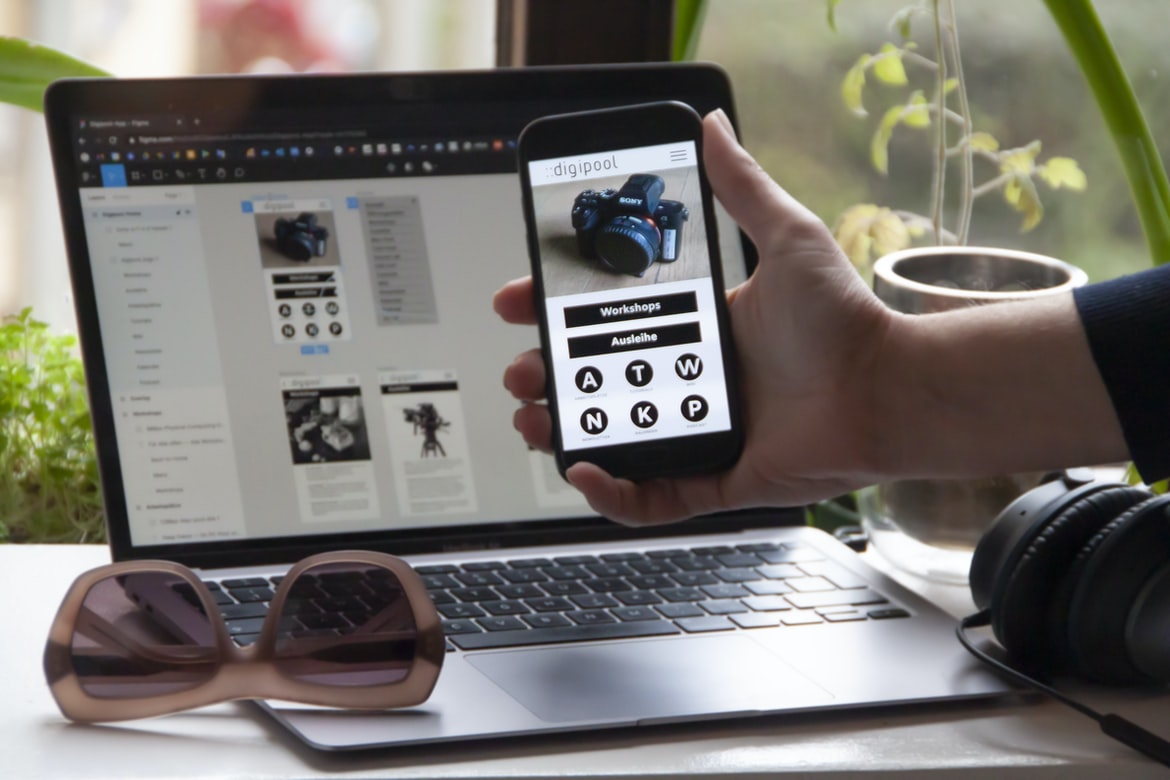
What is user experience, and why is it important?
User experience is an important consideration in the design of digital products and services. It encompasses the entire process of interacting with a product or service, from initial exploration to final use. A well-designed user experience can make a difference not only for individual users but also for businesses that rely on customer feedback to improve their products and services. User experience involves more than just designing a pretty interface; it requires understanding how people interact with technology and working to create a positive experience that encourages users to return and recommend your product or service.
There are several factors that influence user experience, including the design of the product itself, the user’s environment (including hardware and software), and the user’s interaction with both. It’s important to consider all these factors when creating a product or service so that users have an enjoyable experience from beginning to end.
Types of user experiences: Physical, cognitive, emotional, informational.
User experience is a term used to describe the various ways in which people interact with digital products. Physical user experiences involve how the user interacts with the product in its physical form. Cognitive user experiences focus on how the user understands and uses the product. Emotional user experiences take into account how users feel about using the product. Informational user experiences focus on providing information to users in an easy-to-understand format. Much of what goes into creating a good user experience is balancing these different factors, as each type of experience has its own strengths and weaknesses. There are three main types of user experiences: physical, cognitive, and emotional. Physical user experiences involve the actual use of a product or service. Cognitive user experiences involve understanding how to use a product or service. Emotional user experiences involve feeling something while using a product or service. Information user experiences involve getting information from a product or service.
Relationship between the user interface and user experience: It’s all about communication.
User interface and user experience are two critical components of any digital product. But what is the relationship between the two? And how can designers ensure that their users have an enjoyable experience with their products?
There is a correlation between the user interface and user experience, but it’s not always clear-cut. A good user interface helps users find what they are looking for more easily, but it doesn’t necessarily mean that the user will have a positive experience using the product. Poorly designed menus or confusing navigation can be frustrating for users, leading to negative reviews or even abandonment of the product.
One way to improve usability is to communicate with your users through effective design. The goal is to create a unifying aesthetic across all aspects of the product, from the layout of pages to the visual style of buttons and icons.
Effects of bad user interface design on users: Anger, frustration, decreased productivity.
Bad user interface design can have a negative effect on users, angering them and leading to decreased productivity. A study by software development firm ThoughtWorks found that bad user interface design led to an increase in anger levels and frustration among users. The study also found that these effects were particularly pronounced among novice users. In addition, the study found that bad user interface design was associated with decreased satisfaction with the product. This is likely because novice users are not used to dealing with poorly designed interfaces and find themselves frustrated more often than not. Poor user interface design can be frustrating for everyone, but it is especially frustrating for novices who are just starting out with a new product or application.
How to create a good user interface and user experience: Start with the end in mind. Follow the five Ws: Who, What, Where, When, and Why.
User experience is all about creating a good experience for the end user. User interface design is all about designing the look, feel, and functionality of a user interface. They go hand in hand and should be designed together to create a good user experience. Here are tips for creating great user interfaces and user experiences:
1. Start with the end in mind. When designing a user interface, think about what the end goal is. What do you want the user to be able to do? What information do you want them to see? Once you know this, figure out how you can help them reach that goal as quickly and easily as possible.
2. Follow the five Ws: Who, What, Where, When, and Why. These are often referred to as “The Five Ws.
User Interface Guidelines
Designing user interfaces is a critical part of any application. However, it can be difficult to balance the need for a good user experience with the need for an attractive and visually appealing interface. In this article, we will discuss the benefits of using graphical design over traditional user interface design in order to create a better user experience.
User interfaces can be designed in a variety of ways, but one popular approach is to use graphic design principles instead of traditional user interface layout techniques. Graphic designers are skilled at creating attractive and visually appealing layouts, which can result in a better overall user experience.
Graphics also allow users to interact with an application in ways that are not possible with text-based interfaces. For example, graphics can be used to display information vertically or horizontally across the screen, which makes it easier for users to understand and navigate the application. Designing user interfaces can be a daunting task. However, with a little bit of thought and guidance, the process can be made much easier. This article provides some tips for creating effective user interfaces.
When designing user interfaces, it is important to consider the overall layout and flow of the interface. It is also important to consider how users will interact with the interface. This includes things such as button placement and colour choice. Additionally, it is important to create an intuitive design that is easy for users to navigate. By following these guidelines, users will have an easier time using your interface and will be more satisfied with the results.
UX Vs Graphic Design
User experience (UX) is the process of designing a product or service that makes its users happy. User interface (UI) design is the art and craft of creating a visual display that helps people interact with digital products. Graphic design involves creating the look and feel of a product, including its logo, fonts, and colours. Both UX and UI designers must consider both user needs and aesthetics when designing products. However, graphic designers are more likely to focus on the aesthetics of their designs while also considering how they’ll look on screen.
UI Vs Graphic Design
User interface (UI) and graphic design are two different disciplines that focus on the creation of a user experience. Graphic designers generally focus on the layout, design, and formatting of documents, while UI designers concern themselves with the overall look and feel of a user interface. The interface between users and software applications is one of the most important aspects of user experience, as it can determine how users interact with your product.
A good UI will be intuitive and easy to use, while a poor UI can be frustrating and difficult to navigate. In terms of aesthetics, both disciplines aim for a pleasing appearance that is both functional and aesthetically appealing. The two disciplines have a lot in common, but they also have some important differences that should be considered when designing an application.
Overall, user interface design and graphic design are essential elements in any successful product.
Usability And User Experience Design
User experience and user interface design are two important aspects of web design. User experience is about making sure that the user has a positive experience using the site, while user interface design is about making the site easy to use. There are many different factors that go into creating a good user experience, but some key factors are:
1. The layout of the site should be easy to understand and navigate.
2. The site should be designed with a focus on users first and aesthetics second.
3. The site should be well-organized and have clear titles and subtitles for each section.
4. The website should have smooth animation and fluidity on its pages.
5. All content on the website must be legible under various lighting conditions.
Motion Graphic Design
What is motion graphic design? Motion graphic design is a type of visual design that uses animation and graphics to create a message or image. It can be used in advertising, marketing, packaging, website design, and even medical illustrations.
There are many different types of motion graphic designs. The most common type is an animated logo or symbol. These designs use simple animations to create a more dynamic look. They are often used in advertisements or on websites to show the speed or power of the product.
Another type of motion graphic design is an infographic. Infographics use graphics and animations to illustrate data or information in a visually appealing way. They are often used on websites to show how different variables affect a certain outcome.
Finally, there is typography-based motion graphic design.
User Interface Animation Design
User Interface Animation Design is an important aspect of any interface. It can make a user feel more engaged with the product and can help to improve the overall usability of the product. There are a number of different types of animation that can be used in user interface design, and each has its own benefits and drawbacks. Here are some tips on how to choose the right type of animation for your project:
1. Start by considering what you want the animation to achieve. Some common goals include making users feel more engaged, improving accessibility, or creating a more pleasing aesthetic.
2. then, decide which type of animation will best achieve your goal. There are three main types of animation: static, dynamic, and interactive.
Motion Graphics UI UX
Motion graphics UI Ux design is critical to creating an engaging and user-friendly experience for users. By taking into account the different types of motion graphics, as well as the user’s experience with them, designers can create a more intuitive and intuitive interface.
When designing motion graphics UI Ux, it is important to keep in mind the different types of motion graphics. Animated GIFs are usually easy for users to understand and navigate, but they may not be suitable for all applications. Videos may be more complex to navigate, but they can also be more engaging for users.
In order to create an effective motion graphics UI Ux design, it is important to consider the user’s experience with them. For example, if a user is unfamiliar with animated GIFs, then they may encounter difficulty navigating the interface.
WordPress for Designers
WordPress is one of the most popular content management systems (CMS) in the world. It’s used by designers, developers, and bloggers to create a website or blog from scratch or to improve an existing one. WordPress is free and easy to use, making it an ideal platform for new and inexperienced users.
There are several popular plugins available that allow you to customize your WordPress site’s look and feel. These plugins range from those that add basic design features, such as typography and colours, to more complex ones that let you create custom menus, widgets, and templates. In addition to plugins, there are a number of premade themes available that give your WordPress site a specific look and feel.
Overall, WordPress is an easy platform to use and can be customized to give your sites a unique look and feel.
WordPress Elementor for Designers
WordPress Elementor is a popular tool used by designers to create custom designs for WordPress websites. The tool provides a user interface that allows designers to drag and drop elements onto a design canvas, making it easy to create custom designs.
However, one of the main limitations of the Elementor tool is its lack of user experience. Compared to other design tools, such as Adobe Photoshop or Sketch, Elementor does not provide a user interface that feels intuitive or smooth. This can make it difficult for designers who are new to using design software to get started with Elementor. Additionally, users may find it difficult to navigate around the Elementor interface due to its cluttered layout.
These limitations may be problematic for some designers who need access to Elementalor for quick and easy webpage creation.
Figma
Figma is a versatile design tool that has quickly become the go-to platform for crafting high-quality user interface graphics. In this article, we will explore the differences between user experience and user interface graphic design using Figma as a case study. We will show how to create an interactive prototype with ease and illustrate some of the benefits of using Figma over other popular UI design tools.
Adobe XD
Adobe XD is a user interface design tool that is used to create graphic designs. Adobe XD has a number of features that make it an effective tool for creating user interfaces. These include the ability to create custom panels, styles, and templates; the ability to use annotations and comments to help communicate with users; and the ability to use layers, masks, and vector paths to create complex designs.
Adobe XD is well-suited for creating complex user interfaces. Its annotation and commenting features allow designers to communicate with users easily, while its layers, masks, and vector paths allow for detailed designs.
Visual Communication
The world of visual communication is constantly evolving as new methods and tools are developed to help us communicate our ideas. In this article, we will be looking at the two most popular forms of graphic design: user experience and user interface design.
User experience is all about creating an effective and pleasant experience for the user. This means taking into account everything from how the design looks to the way it feels to use. User interface design, on the other hand, is all about designing the look and feel of a specific part of a system or website. It can involve everything from developing custom fonts to designing buttons and menus.
Both types of design have their own strengths and weaknesses. User experience is better at creating a sense of unity and coherence across elements, while user interface design can be more efficient in terms of how much space it takes up on the screen.
What is Visual communication in graphic design?
Visual communication is one of the most important aspects of graphic design. It can help improve user experience and make a design more appealing to the eye. Visual communication can be achieved in many ways, from using typography to create emphasis to creating graphical elements that work together to tell a story.
Application of Graphic Design: Adobe Photoshop, Adobe Illustrator, Adobe InDesign
Many people think of graphic design as a process that only uses Adobe Photoshop, Adobe Illustrator, and Adobe InDesign. However, there are many other programs out there that can be used to create graphics. One of these programs is Microsoft Office PowerPoint. PowerPoint has been around for years and is one of the most popular tools for creating presentations.
There are pros and cons to using each program, but in the end, it comes down to personal preference. Some people may find that they prefer using Adobe Photoshop because of its flexibility and capabilities. Others may prefer using PowerPoint because it’s more user-friendly and easy to learn. Ultimately, it’s up to the individual designer to decide which program is best suited for them.
Adobe Photoshop
Adobe Photoshop is a powerful tool used by graphic designers and artists to create images and graphics. It has a user interface that can be difficult to understand for beginners, which can lead to frustration. In this study, the user experience vs the user interface of Adobe Photoshop was compared. The results showed that the user experience was more important than the user interface when it came to users’ satisfaction with the program.
Adobe Illustrator
Adobe Illustrator is a widely used software for creating graphics. It has several features that make it popular, such as its user interface and its ability to create vector images. In this article, we will discuss the different aspects of user experience, and user interface in graphic design using Adobe Illustrator.
One of the most important factors when designing with Adobe Illustrator is the user interface or how easy it is to use the program. The user interface should be simple to understand and use, with buttons and menus organized logically. Additionally, all of the tools should be easily accessible. Another important factor to consider when designing with Adobe Illustrator is usability. User interfaces should be visually appealing and easy to use without cluttering up the screen or taking up too much space.
Another important aspect of a good design is how well it communicates what the user needs or wants.
Adobe InDesign
Adobe InDesign is a popular graphic design software that allows users to create and edit graphics. The software has a number of features that make it a powerful tool, but it also has some drawbacks. One common complaint about InDesign is its user interface (UI), which some people find difficult to use. A recent study compared user experience vs UI in InDesign and found that the UI was more important than the experience.
Web Design
Web design is more than just creating a pretty website. It involves understanding the user experience and crafting a visual interface that meets their needs. A good user interface will be intuitive and easy to use, while a user experience will make sure the site is easy to navigate and fun to use. In this article, we’ll look at the differences between these two important aspects of web design.
Mobile Graphic Design
Designers are always looking for new and innovative ways to communicate with their users. Graphic design can help create a more user-friendly experience by improving the look and feel of a website or application. In order to create graphics that are both visually appealing and functional, designers must understand how user experience (UX) affects user interface (UI) graphic design.
There are two main factors that affect how users interact with a site or application: UX and UI. UX refers to the entire experience a user has while using a site or application, including the layout, colour scheme, navigation, and overall feel. UI refers to the elements on a screen that allows users to interact with the site or application, such as buttons, menus, and forms.
UI graphic design is often affected by three factors: aesthetics, function, and usability.
User interface graphic design is often affected by three factors: aesthetics, function, and usability. Aesthetics are typically concerned with the look and feel of a user interface, while function focuses on how the user can interact with it. Usability consideration is often put into how easily a user can understand and use the interface.
Responsive Graphic Design
Responsive Graphic design is a growing trend that is being adopted by more and more businesses. The main reason for this is that responsive design makes the website look good on all devices, including tablets and phones. It also allows users to access the site with ease, regardless of their device’s capabilities.
There are a few things you need to consider when creating a responsive design. First, you need to make sure your images are resized automatically. Second, you need to use percentages instead of fixed pixels when specifying the size of text and elements. Finally, you should use flexible grid systems to ensure everything looks consistent across devices.
If you want your website to look great on all devices, then responsive design is the way to go.
Design websites
Designing a website is an important task that should be done with care. A well-designed website will provide a good user experience, while an ugly or poorly designed website will only frustrate users.
To create a good user experience, it is important to focus on the design of the website’s interface as well as its content. In this article, we will explore the importance of user interface graphic design and discuss some tips for creating appealing and usable designs.
User interface graphic design can play an important role in creating a good user experience. By properly designing the look and feel of your website’s interfaces, you can make it easier for users to find what they are looking for and navigate your site content.
There are several key factors to consider when designing an interface’s graphical elements: layout, typography, colour, and imagery.
Theory
A study of user experience vs user interface graphic design has shown that the two have different goals and should be designed to complement each other. User experience is focused on the end user, their needs, and how the interface can help them achieve those goals. User interface graphic design, on the other hand, is focused on making the interface look good and appealing to users. The two disciplines should work together in order to create a successful product.
Graphic design is in demand.
Graphic design is in high demand these days. Employers want designers who can create appealing and user-friendly designs. However, there are some key differences between user experience (UX) and user interface (UI) graphic design. While both disciplines involve designing graphical elements that communicate a message to users, UX focuses on the psychological aspects of users interacting with a product or service, while UI focuses on the visual elements that make it easy for users to interact with a product or service.
Wireframes
The graphic design industry has been in constant flux for the past few years as companies have begun to focus on user experience over user interface (UI) graphical design. This shift has had a significant impact on the industry and is causing more and more businesses to look for alternative ways to improve their websites. One of these methods is using wireframes, which are simplified versions of a website’s final design that help designers see how the different elements of the site will work together.
Wireframes can be helpful in a number of ways: they can help designers understand how users will interact with a website, they can help developers prototype new features, and they can speed up the process of creating a final design. While there are many different types of wireframes, all share some common features. Wireframes are a visual representation of the user interface or experience that a particular application will have. They can be created in any format, but they are typically sketched out on paper and then refined into more detailed drawings as development progresses. They help designers understand how users will interact with the application, and they can also serve as a baseline for testing user prototypes.
UX/UI Design Strategies
With the advent of technology, it has become even more important for organizations to have effective user experiences (UX) and user interface (UI) designs. However, many businesses are unsure of how to go about creating effective UX and UI designs. In this article, we will outline some strategies for UX and UI design that can be applied by businesses of all sizes.
First and foremost, it is important for businesses to understand their users and their needs. This can be done by conducting user research or by studying market trends. Once a business understands its users, it can begin to develop specific UX and UI design goals. For example, one goal may be to create a streamlined user experience that is easy to use. Another goal may be to make the interface look modern and stylish. Once a business has identified its goals, it can begin to develop specific strategies for achieving them.
UX/UI Design Principles
User experience design is all about creating a positive user experience through the optimal design of the interface. User interface (UI) graphic design, on the other hand, is all about creating an appealing and visually pleasing environment for users to interact with. While both disciplines have their own principles and techniques, there are several commonalities that can be used interchangeably in order to create an effective and favourable user experience.
Here are principles of user interface graphic design that can help create a more engaging experience for users:
1. Use Contrasts to Create a Visual Structure. By using contrasting colours, shapes, and patterns, you can create a visual structure that helps users orient themselves within the environment. This also helps to break up long stretches of text or images so that they are easier to read and navigate.
2. Use Contrasts to Create Visual Structure. By using contrasting colours, shapes, and patterns, you can create a visual structure that helps users orient themselves within the environment. This also helps to break up long stretches of text or images so that they are easier to read and navigate. 3.
UX/UI Design Techniques
User experience (UX) and user interface (UI) design are two important aspects of web and mobile application development. Understanding the difference between these two disciplines can help you deliver a better user experience and improve the usability of your applications. Here are eight UX UI design techniques to help you achieve this:
-Create meaningful labels for controls: When designing a user interface, be sure to label all controls so that users know what they do. This will make it easier for them to find the right tool or button and minimize the chances that they’ll accidentally perform an action unintended by the designer.
-Choose effective layout strategies: Layout is an important aspect of user interface design, as it affects how easy it is for users to navigate your app or website. Use efficient layouts that take into an account screen size, device type, and other factors.
User Interface Development
User experience is more than just a pretty face on your computer screen. User interface (UI) design is an essential part of creating an enjoyable user experience. There are many factors to consider when designing a UI, from the layout of buttons and menus to the colour scheme and typography. But which one is more important: user experience or UI graphic design?
Studies have consistently shown that user interface graphic design has a greater impact on overall satisfaction with a product than user experience. This is likely because good UI graphics communicate information quickly and effectively. They can also create a sense of cohesion between elements of the UI and help users find their way around. Poorly designed graphics can make it difficult for users to understand what’s happening onscreen, turn pages in a book, or find their way around your website. User interface development is an important part of any software project. It can make or break a product, and it’s important to ensure that the user interface design is effective and user-friendly. User interface design can be divided into two categories: graphical and interactive. Graphic user interface design focuses on the look of a product, while interactive user interface design focuses on how it works. There are many different techniques for achieving both goals, but the most important thing is to understand the users’ needs and wants.
Designing user interfaces that are both effective and appealing to users can be a difficult task. Understanding the needs and wants of your target audience is essential in designing an interface that meets these goals. This article will explore the different aspects of user experience and how they relate to graphical design.
User experience refers to the entire process of interacting with a product or service. From beginning to end, it encompasses everything from understanding the problem being solved to finding the right solution. User interface (UI) design is one aspect of user experience, and it plays a key role in overall satisfaction with a product. Effective UI design not only looks good, but it also makes sense and conforms to users’ expectations.
A well-designed UI takes into account users’ physical and cognitive limitations as well as their preferences.









