

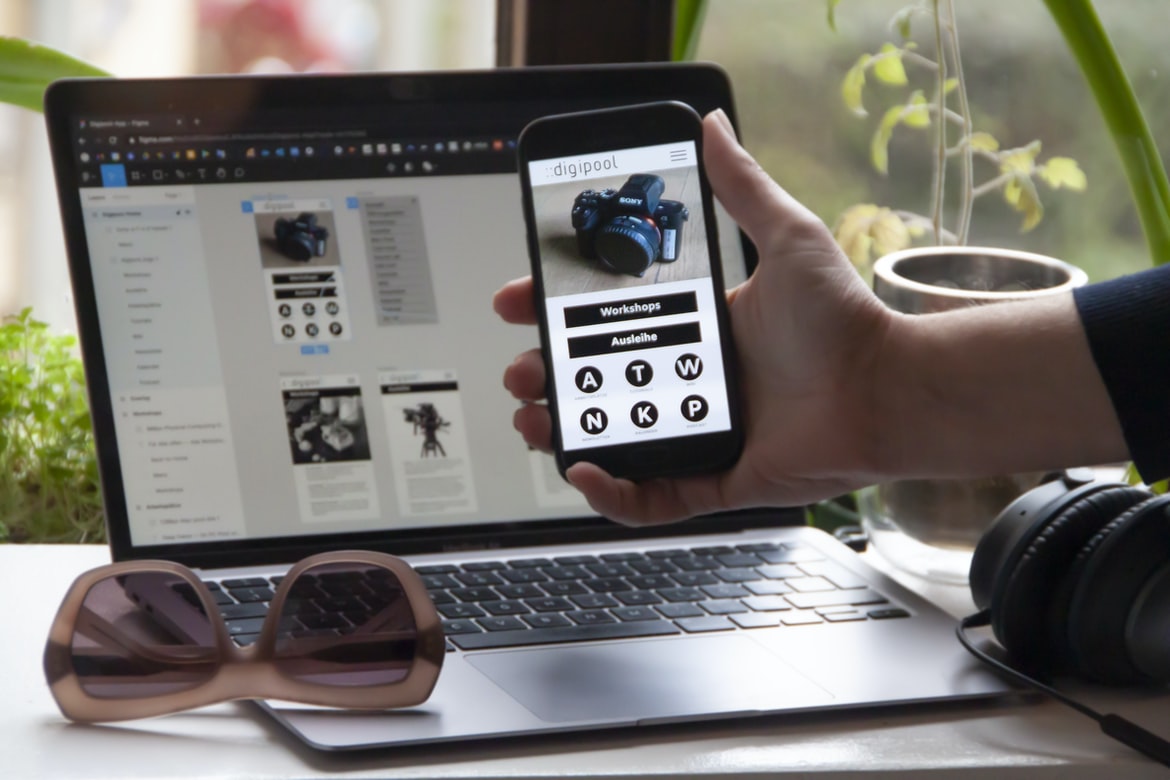
What is user experience?
User experience (UX) is the process of designing a product or service that meets the needs and wants of users. It encompasses both the design of the user interface (UI) and the overall experience users have with a product or service. User experience is different from user interface design; UX designers focus on creating an effective and enjoyable user experience, while UI designers are focused on creating an appealing and functional UI.
One of the primary goals of UX design is to make sure that users can complete tasks with ease. This can be accomplished by ensuring that all elements of the product are easy to navigate, that all content is accessible and concise, and that error messages are clear. In addition, UX designers must take into account cultural differences when designing products for international audiences.
UX design has become an increasingly important component in product development as technology becomes more complex.
The importance of user experience in graphic design
User experience (UX) is one of the most important aspects of graphic design. User interface (UI) design is about creating an interface that is easy to use and looks good. However, without UX, it’s difficult for users to find what they are looking for and complete the task at hand. Poor user experience can lead to frustrated customers, decreased revenue, and even lost jobs.
There are a number of factors that go into creating a successful user experience. The first step is understanding who your users are. Next, you need to create an environment that is welcoming and easy to navigate. Finally, make sure your content is easy to read and understand. All of these factors work together to create a positive user experience.
Good UX can help increase customer loyalty and satisfaction while reducing customer churn rates. Designers and developers must consider user experience when creating websites or applications. User experience is the overall feel of a product, including how easy it is to use, understand, and enjoy. Poor user experience can lead to decreased conversion rates and lost customers.
How to design a great user interface?
Creating a great user interface can be a daunting task. However, with the right planning and design, it can be easy to create an interface that is both easy to use and aesthetically pleasing. Here are some tips for designing a user interface that is both effective and appealing:
1. Think about the user’s goals. What do they want to achieve with your application? What are their main tasks? Once you know this information, you can start designing the interface around specific areas that will help users achieve their goals more quickly and easily.
2. Make sure your buttons are big enough and clear enough to be easily pressed. Badly designed buttons can be incredibly frustrating for users, so it’s important to pay attention to detail when creating them. Additionally, make sure all text is legible at a distance.
What are the different types of user interface designs?
Different types of user interface designs include:
-Text-based or command-line interfaces
-Graphical user interfaces (GUI)
-Input devices such as keyboards, mice, touch screens, and trackballs
-Visual display terminals (VDTs) such as computer monitors and televisions
What are the different techniques used to create a great user interface?
There are many techniques used to create a great user interface, but they all have one common goal- creating an intuitive and easy-to-use experience for the end user. Here are different techniques:
1) Functional Design: This technique focuses on creating a functional and efficient user interface. It is based on the idea that the user should be able to accomplish their goals as quickly as possible without having to waste time navigating through irrelevant or extraneous content.
2) Responsive Design: This approach focuses on creating an interface that adapts to the size and resolution of the device being used. This allows users to have an optimal viewing experience regardless of their device type or configuration.
3) Human-Centered Design: This approach is focused on creating an interface that is designed with the welfare of the user in mind.
What are some examples of design languages?
Design languages are a way to communicate design concepts and intentions to developers. There are wide different varieties of design languages, but some of the most common ones include BEM, SMACSS, and SCSS.
BEM is a style of user interface design that uses modules and classes. Each module corresponds to a specific task or action on the screen, and each class represents an element on the screen. This makes it easy for developers to understand the structure of the code, and it eliminates the need for separate stylesheets for different parts of the interface.
SMACSS is another style of user interface design that emphasizes modularity and clarity.
How can design languages be used in the field of design?
Design languages can be used to improve the user experience and interface design. They allow for more concise and efficient communication between designers and developers, as well as with end users. They also allow for more creative solutions, as designers are not bound by the limitations of traditional programming languages. There are many design languages available, but some of the most popular include LeanUX, GOF, and BEM.
What are some examples of the design language in use today?
Design language refers to the specific vocabulary, style, and conventions employed in graphic design. There are many different design languages, but some of the most common include hipster, minimal, vintage, and modern.
Hipster design is characterized by its playful and ironic tone. Minimal designs are simple and uncluttered, emphasizing the content over the layout. Vintage designs feature a classic look with a vintage feel. Modern designs are contemporary and feature sleek lines and simplified designs.
There is no one right way to design using a particular language, but knowing what to look for can help you find the style that works best for your project. For example, vintage designs might be perfect for projects that focus on nostalgia or history. Hipster or modern styles might be more appropriate for projects that focus on attitude or contemporary culture.
User Interface Guidelines
User interface guidelines are important for creating a positive user experience. They help designers to create interfaces that are easy to use and understand. There are many different types of user interface guidelines, but some of the most common are usability guidelines and design principles. Usability guidelines focus on making the interface easy to use and understand. Design principles, on the other hand, help designers create interfaces that look good and conform to specific design rules.
In order to create an effective user interface, it is important to follow some basic guidelines. First and foremost, make sure that the interface is easy to use. Make sure all buttons are labelled and arranged in a logical way and provide feedback when users click on buttons or enter text into fields. Second, make sure the interface is visually appealing. Use bright colours and attractive designs to draw users in, and make sure all elements fit together harmoniously.
UX Vs Graphic Design
User experience (UX) and user interface (UI) design are two different disciplines in graphic design. UX is focused on the end-user experience, which means how a user interacts with a product or service. UI focuses on the look and feel of the interface, including how it looks and feels to use.
While both disciplines have their own strengths and weaknesses, practitioners generally agree that UX is better at creating intuitive products, while UI is better at creating aesthetically pleasing interfaces.
One of the main differences between UX and UI design is that UI designers are typically more concerned with aesthetics than UX designers are. This means that they focus more on things like colour schemes, typography, layout, and overall visual appeal.
UI designers also tend to be more hands-on with their designs, whereas UX designers typically work with teams of developers who will implement their designs into actual products.
UI Vs Graphic Design
User interface (UI) design is all about creating a pleasant and easy-to-use experience for the user. Graphic design, on the other hand, is all about creating attractive and appealing visuals that help communicate the message or product. Which type of design is better? That’s a difficult question to answer definitively, as each approach has its own strengths and weaknesses. However, there are some general considerations that can help make a decision. For example, UI design tends to be more focused on the user experience at scale, while the graphic design may be better suited for specific contexts or scenarios. Additionally, UI design often relies heavily on visual hierarchy and typography, while the graphic design may emphasize motion and contrast. Ultimately, it’s important to consider the specific needs of the project when making a decision about which type of design to use.
Usability And User Experience Design
User experience design (UXD) focuses on creating a positive user experience by improving the usability and accessibility of digital products. In order to achieve this, UXD professionals use a variety of methods, including research, observation, and user feedback.
One of the most important aspects of designing a usable product is making sure that it is easy for users to find what they are looking for. By using effective navigation menus and labels, designers can help users find the information they need quickly and easily. Additionally, helpful visuals can make complex tasks easier to understand.
In order to create an enjoyable user experience, designers must also take into account the physical environment in which users will be using their products. By creating ergonomic designs that are comfortable to use, companies can improve worker productivity while reducing injury rates.
Motion Graphic Design
Motion Graphic Design can involve creating visuals that communicate information or ideas. It is a versatile art form that can be used to tell stories, promote products, or simply make an image more appealing. There are many different types of motion graphic design, and the most common tools used are computers and video cameras.
There are many different ways to create motion graphics. One popular way is to use animation software to create sequences of images that appear to move on their own. Another approach is to use still images or video footage and create simple animations using effects like blurs or transparency. Motion graphics can also be created entirely in Adobe Photoshop or Illustrator, using basic shapes and colours.
The most important part of creating a good motion graphic is ensuring that the message it’s trying to communicate is clear and easy to understand.
User Interface Animation Design
User interface animation design is a process of creating an illusion of movement on a user interface. This can be done by animating graphical elements such as buttons, menus, and tooltips. Animations can help create an immersive experience for the user and make them feel like they are controlling the interface. They can also help to improve the user’s understanding of the interface and how it works.
There are several factors that should be considered when designing user interface animations. These include the overall design of the interface, the functionality of the animations, and the target audience. Additionally, animations should be consistent with the rest of the UI design and look good both on high-resolution displays and on mobile devices.
User interface animation can be a useful tool for improving a user’s experience on software or website.
Motion Graphics UI UX
Motion graphics and user interface (UI) design have been intertwined for years, but there is still a lot of misunderstanding about how the two disciplines work. In this article, we’re going to take a look at the difference between user experience and user interface graphics, explore some of the key similarities, and highlight some ways that UI graphics can improve your user experience.
User experience is all about making sure that users feel comfortable and in control while using your product. This means understanding their needs and solving any problems that arise along the way. User interface graphics play an important role in achieving this goal by enhancing the appearance and functionality of your product.
Some of the key similarities between user experience and user interface graphics include the following:
-Both disciplines are concerned with creating a positive customer experience.
-Both disciplines rely on research to develop effective solutions.
WordPress for Designers
WordPress is a popular content management system (CMS) that is used by web designers to create websites. WordPress has been designed with ease of use and accessibility in mind, which makes it an ideal platform for graphic designers. Graphic designers can use WordPress to create websites that are user-friendly and visually appealing.
One of the most popular features of WordPress is its flexibility. WordPress allows users to customize the look and feel of their website without having to learn to code. This makes it easy for graphic designers to create websites that look unique and fit the personality of their clients or customers. Additionally, many plugins are available that allow users to add additional features or functionality to their websites.
WordPress is also well-suited for creating e-commerce websites. Many online retailers use WordPress as their main e-commerce platform because it is easy to set up and manage.
WordPress Elementor for Designers
WordPress Elementor is a free and open-source WordPress design platform that allows users to create custom designs for their websites. Recently, Elementor released a new feature called “Designers Mode.” In this mode, Elementor replaces the default WordPress editor with a new interface specifically designed for designing website graphics.
The new Designers Mode interface provides several benefits over the default editor. First, it eliminates the need to scroll up and down to view different parts of the document. Second, it provides much more space for drawing and editing graphics. Third, it offers easier access to advanced design features such as filters and borders.
While designers may love the new Designers Mode interface, some users may find it difficult to adjust to its different layout. For these users, Elementor recommends using the default editor instead.
Figma
Figma is a user interface design tool that has gained a following among designers. It merges the best of both worlds: the flexibility and customizability of a vector graphic editor like Adobe Illustrator with the ease of use and responsiveness of an interactive user interface like Microsoft PowerPoint. This makes it an ideal tool for creating graphical designs that are both visually appealing and user-friendly.
Some of the features that make Figma stand out from other design tools include its ability to create complex illustrations quickly and easily, its support for multiple layers and vectors, as well as its ability to export files in a variety of formats. These features combine to make it an excellent choice for users who need to create high-quality graphics quickly and without too much hassle.
Adobe XD
Adobe XD is a user interface design software that has been designed to be helpful for graphic designers. It has been created with the goal of making it easy for users to create professional-looking graphics. Adobe XD has several features that make it different from other graphic design software, including its ability to sync with multiple devices and its ability to export files in various formats.
Visual Communication
With the ever-growing popularity of mobile devices, visual communication has become an increasingly important part of user experience (UX). However, much debate still surrounds the relative importance of graphical design and user experience. In this study, users were asked to rate their experience on a 1-10 scale based on how well they felt their interface communicated the task at hand. Results showed that user interface graphics had a significantly larger impact than user experience on overall satisfaction with a product. This suggests that graphical design is more important than UX when it comes to creating successful mobile applications.
What is Visual communication in graphic design?
A graphic design project can be defined as the creation of visual communication for an intended audience. Visual communication is the process of creating and delivering messages that are perceived visually. In order to create effective visual communication, designers must have a strong understanding of user experience and user interface design. User experience is all about how users interact with a product or service, while user interface design concerns the physical and psychological aspects of how users interact with digital products. A good graphic designer should be able to understand both concepts in order to create effective visuals that will meet the needs of their audience.
Application of Graphic Design: Adobe Photoshop, Adobe Illustrator, Adobe InDesign
Every day, graphic designers use Adobe Photoshop, Adobe Illustrator and Adobe InDesign to create beautiful pieces of art. These programs allow users to manipulate images and text to create artistic masterpieces. However, these programs have different user experiences and user interfaces that can make them difficult to use for some people. To help graphic designers match the right program to the task at hand, it is important to understand how each one functions.
Adobe Photoshop is known for its ability to edit graphics and photos. It has a simplistic user interface that is easy for beginners to learn. However, advanced users may find the interface limiting due to its lack of features. Adobe Illustrator is known for its vector-based graphics capabilities. This means that users can create detailed illustrations that can be scaled up or down without losing quality.
Adobe Photoshop
Adobe Photoshop is a popular photo editing software that has been used by many people for years. It offers great features for users to customize their photos, but some people have complained about the user interface being difficult to use. In this study, the user experience and user interface of Adobe Photoshop were compared. The results found that user experience was more important than user interface when it came to graphic design.
Adobe Illustrator
Adobe Illustrator is a powerful tool for graphic design and has been around since 1993. Its user interface can be complex for new users, but its powerful features make it a popular choice for designers. In this study, we looked at user experience vs user interface in Adobe Illustrator. We found that the user interface was more complex and required more time to learn than the user experience. The user experience was easier to navigate and allowed for faster design processes. Overall, the user interface was more complex and required more time to learn, but its powerful features make it a popular choice for graphic designers.
Adobe InDesign
Adobe InDesign is one of the most popular and versatile graphic design software programs on the market. It has a large user base, and many people are familiar with it. However, there are some differences in how people use it, and this can affect how happy they are with the program.
One way that user experience differs between people is in their use of interface graphics. Some people prefer to see a lot of interface graphics, while others find them distracting. This can lead to different satisfaction levels with the program. Additionally, some people may prefer to design using tools that are more traditional, such as rulers and grids, while others may find those tools too limiting or difficult to use.
There are also differences in how people approach design tasks. Some people work best when they have a plan before starting work, while others like to get started without knowing what will happen next.
Web Design
Many people think that only Graphic Designers are able to create amazing-looking websites. However, anyone can create a website that is user-friendly and looks great! In this article, we will compare User experience vs User interface Graphic Design. We will also look at some great examples of how both disciplines have helped to shape the modern web.
Mobile Graphic Design
Visual communication on mobile devices is becoming increasingly important as users increasingly access and engage with information and applications through their phones and tablets. In this paper, we investigate how graphic design affects user experience on mobile devices. We compared the two using a survey of 100 participants. Results showed that user interface graphics significantly improved user experience on mobile devices, while user experience did not differ significantly between layouts using different types of visual communication tools. Our findings suggest that incorporating graphical design into mobile user interfaces can improve the overall usability of an application or website.
Responsive Graphic Design
Responsive graphic design is a movement that advocates for designing graphics that adjust to the device they are being viewed on, whether it be a desktop computer, a laptop, or a smartphone. Responsive design means taking into account the size of the device and how users are likely to interact with the content. This type of design allows users to have an optimal viewing experience regardless of their device size or usage environment.
There are many benefits to responsive graphic design. First, it allows for more fluid and cohesive designs across different devices. This helps create an overall more user-friendly experience for all users. Second, responsive designs allow for easier porting and adaptation of content from one platform to another. This can be especially beneficial in cases where new devices are released with updated software or operating systems which require changes to existing content.
Design websites
Designing Websites: What’s the Difference?
There are many different ways to design a website, and it can be hard to decide which approach is best for your project. Here’s a look at the two most common approaches: user experience (UX) and user interface (UI).
UX focuses on the interactions users have with a website, while UI focuses on the look and feel of the website. Both of these factors play a role in how users perceive and interact with a site. However, there are some key differences between UX and UI design.
UI design is more focused on visual elements like colours, fonts, and graphics. This style can be more flashy or attention-grabbing, but it may not always be user-friendly or effective.
Theory
Design theories are essential to understanding how graphic designers approach their work. They can help you see the big picture and improve your own skills. In this article, we will explore popular design theories and how they can help you with your work.
1. Visual Hierarchy Theory
According to the visual hierarchy theory, humans are most comfortable with objects that are organized in a linear fashion. This means that designs should be presented in an order that is easiest for the viewer to understand. Visual elements should be placed closer to the viewer on the page, and more complex elements should be placed further away from the viewer.
2. Gestalt Theory
The gestalt theory states that humans perceive patterns when looking at objects and pictures. This means that graphic designs should use shapes, colours, and other elements in a way that creates a cohesive image.
Graphic design is in demand.
Graphic design is in demand. With the rise of mobile devices and the need for a user interface that is easy to use, graphic designers are in high demand. There are many different types of graphic design, from website design to print design to advertising. Graphic designers must be knowledgeable in a variety of different areas, have strong skills in Adobe Photoshop and InDesign, and have excellent communication skills. They also need to be able to work quickly and efficiently.
Wireframes
A wireframe is a low-fidelity design representation of a web or mobile application. It is used to communicate the structure, organization and look and feel of the user interface to the development team. A wireframe should be simple, exaggerated and easy to understand. Wireframes are a powerful tool for creating user interfaces, but they can also be misleading. A good way to ensure that your wireframes are effective is to use user experience research as a guide.
UX/UI Design Strategies
User experience (UX) is the totality of a person’s perception and interaction with a system, product, or service. User interface (UI) design is the process of creating the look, feel, and functionality of a user interface. Together, they form the user experience design strategy.
There are many different ways to approach UI design. One popular strategy is to focus on the users’ goals and needs first. This means understanding your audience and their needs before you start designing. Another approach is to use feedback from early users to improve your designs. Finally, you can experiment with different designs until you find something that works well for your users.
No matter which strategy you choose, it’s important to keep feedback in mind throughout the design process. You should also make sure that your designs are easy to use and understand for all types of users.









