

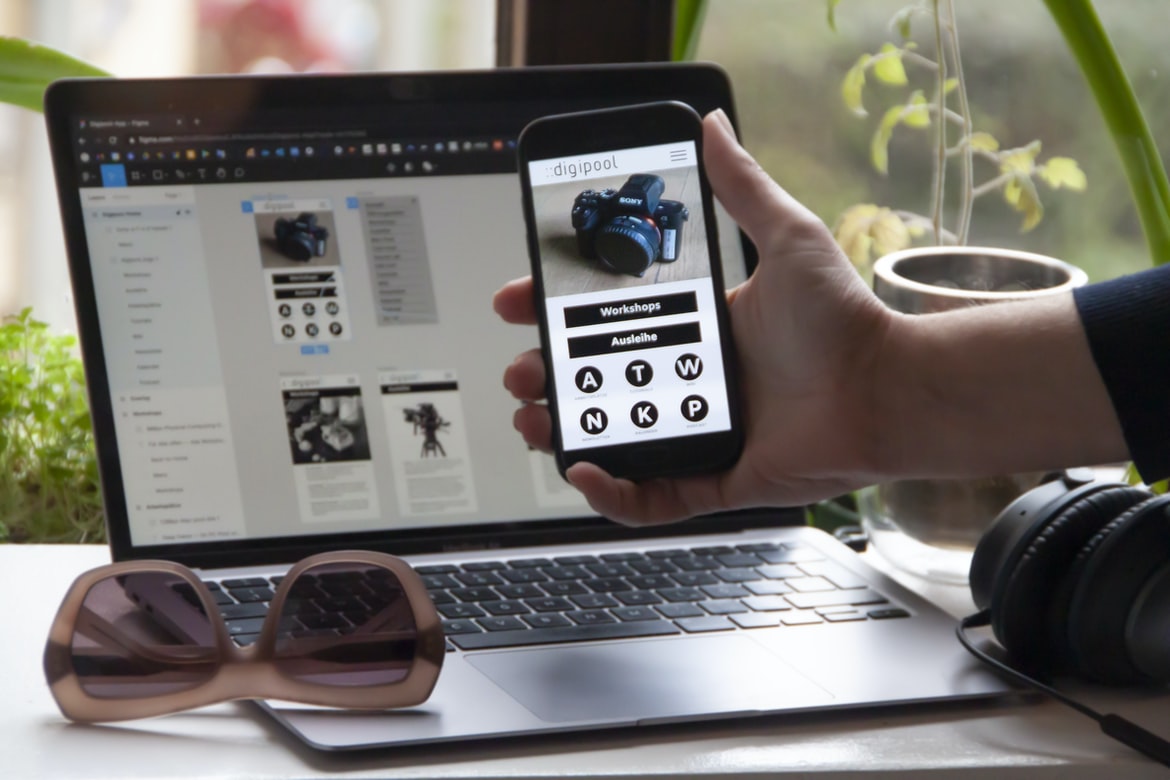
What is user experience, and why is it important?
User experience (UX) is the overall experience a person has while using a product or service. It encompasses the design, function, and overall feel of the product. It’s important to consider user experience when designing anything because it can make or break a product. Good UX can help users find what they’re looking for more quickly, make decisions easily, and feel confident in using the product. Poor UX can frustrate users and cause them to abandon products or services altogether. By understanding how to create good UX, businesses can create products that are easy to use and attractive enough to keep customers coming back.
Defining user interface and user experience
User interface and user experience are two essential concepts in graphic design. They’re the ways in which users interact with the digital world and the interfaces that designers create to make that interaction as smooth and efficient as possible. The user interface can be broken down into three categories: visual, functional, and emotional. Visual elements include the look and feel of an app or website’s user interface, while functional elements include how easy it is to use an interface’s features. Emotional elements focus on how a user feels when using a product or website, such as whether they’re happy or frustrated. While there isn’t one right way to design user interfaces, following these general principles will help create an intuitive experience for users.
Make sure your visuals are easy on the eyes. People who have visual impairments can t read fonts smaller than 10 points, so ensure that the text on your app is large enough for them to read. If you’re designing a website or app, make sure the font looks good in any size.
The difference between the user interface and user experience
User experience is all about creating a positive interaction between the user and the product. The user interface, on the other hand, is focused on how users interact with the product. A good user experience can make a bad user interface look good, while a bad user interface can ruin a great user experience.
User interfaces can be divided into three main categories: graphical, verbal, and gestural. Graphic user interfaces use images and graphics to communicate information to the user. Verbal user interfaces use text to communicate information to the user. Gestural user interfaces rely on body movements to communicate information to the users.
A good graphic design must consider how different types of users will interact with the product. For example, a text-based interface may be more comfortable for those who are visually impaired.
User interface design principles
User interface design principles can be broken down into three main categories: Functionality, aesthetics, and accessibility. Each of these categories has its own set of principles that should be followed when designing a user interface.
Functionality principle #1: Make sure all user interactions are easy to identify and perform.
Whenever possible, make it easy for users to find the specific action they need to take. For example, if a user needs to input a number into a calculator, make the button for doing so immediately visible on the screen. If there are several possible inputs (such as text fields), label them clearly so that users know which one corresponds to what they are typing.
Functionality principle #2: Keep the user interface simple and straightforward.
Designing an interface that is too complex will be difficult for users to understand and navigate.
The importance of usability
People often forget the importance of usability when designing interfaces. User experience, or how a user interacts with an interface, is more important than graphic design. When users are able to complete tasks easily, and without frustration, they are more likely to stick around and recommend the product to others. Poor usability can lead to frustrating experiences and abandoned products, which can be costly for businesses. By taking into account user experience when designing interfaces, businesses can create a more rewarding experience for their customers.
User Interface Guidelines
User interface guidelines are important for any type of user interface, but they are especially important for graphical user interfaces (GUIs). GUIs are typically used by people who interact with computers, so it is important that the GUI is easy to use. There are a number of different ways to make a GUI easy to use. One way is to make the buttons big enough so that people can see them easily. Another way is to make the menus understandable. And another way is to make the GUI look good.
UX Vs Graphic Design Design
UX and graphic design are two of the most popular design disciplines in the world. They both have their own strengths and weaknesses, but together they can create a cohesive design system that meets the needs of the user. In this article, we will explore how UX and graphic design work together, and some of the benefits each have to offer.
UI Vs Graphic Design Design
Designers of user interfaces and graphic designs are two different types of professionals who work in the field of design. UI designers are responsible for creating a cohesive, intuitive experience for users, while graphic designers focus on creating visually appealing designs.
UI vs Graphic Design:
-User interface designers create a cohesive, intuitive experience for users, while graphic designers focus on creating visually appealing designs.
-User interface designers need to be knowledgeable about user behaviour and needs, while graphic designers need to know little about the user.
-UI design is typically more data-driven, while graphic design focuses more on form and composition.
-UI design is often times more interactive than graphical design, making it one of the most important areas of design.
Usability And User Experience Design
User experience (UX) and user interface (UI) design are two different yet equally important aspects of web design. UX designers focus on creating an enjoyable and easy-to-use experience for users, while UI designers focus on the look and feel of the user interface. However, there is a growing trend of blending these two disciplines together to create truly usable websites.
One example is the website for the London-based startup ZocDoc. The site was designed by a team that included both UX and UI designers. The goal was to make it easy for users to find what they were looking for without having to navigate through confusing menus or long lists of options. In addition to making the site easy to use, ZocDoc also tries to keep its design simple and uncluttered so that users can concentrate on what’s important: finding their doctor or clinic.
Motion Graphic Design
A motion graphic designer creates graphics that tell a story or convey a message. Their work can be seen in commercials, video games, and other forms of media. Motion graphics are often used to animate the onscreen action or to create an immersive experience for users.
To be a successful motion graphic designer, you need to have skills in both design and animation. You need to be able to come up with ideas and concepts, as well as execute them using software such as After Effects or Photoshop. You also need to have strong composition skills, as motion graphics are typically composed of multiple images that are layered together.
Motion graphics are often used for marketing materials, such as videos and website designs. They can help create a more engaging experience for users by helping them understand what’s going on in the content and by adding a sense of excitement or suspense.
User Interface Animation Design
User interface animation design has become a popular way to improve the user experience on websites and mobile apps. Animations can help users understand how to use the interface and can also help provide a more engaging experience. There are several different types of animations that can be used in user interface design, and each has its own advantages and disadvantages.
The following are eight examples of user interface animations that have been used in various contexts:
-A loading animation is used when a website or app is starting up or when it is retrieving data from a server. This type of animation usually shows spinning circles or lines or an image that gradually becomes visible.
-Slide menus are common on websites and mobile apps. When someone clicks on a menu item, the menu slides down from the top of the screen.
Motion Graphics UI UX
Motion graphics user interface (UI) design has come a long way in recent years. With more and more businesses opting to use motion graphics in their marketing materials, it is important for UI designers to have a strong understanding of how motion graphics work and how they can be used to improve user experience. In this article, we will discuss the difference between user experience and UI graphic design, as well as share five tips for improving both.
User experience refers to the entire process of interacting with a product or service. This includes factors such as how easy it is to find what you are looking for, how clear the visuals are, and whether or not the product feels like it was designed with users in mind. UI graphic design, on the other hand, is focused on the look and feel of a website or application’s graphical elements.
WordPress for Designers
WordPress is an open-source content management system that can be used by designers to create a website or blog. WordPress was designed with ease of use in mind, which makes it a great platform for creating user experiences and user interface graphics.
Some of the features that make WordPress great for design include its simple editing interface, its wide range of plugins and themes, and its ability to easily create customizations. For example, you can easily add custom CSS styles to your pages or create custom themes to give your site a unique look.
Overall, WordPress is a versatile platform that can be used by designers to create high-quality user experiences and user interface graphics.
WordPress Elementor for Designers
WordPress Elementor is a powerful tool for WordPress users who want to take their design skills to the next level. It’s packed with features that allow you to create beautiful layouts and user interfaces quickly and easily.
One of the most important things you need when designing a website or application is good user experience (UX). User interface (UI) design is a big part of creating a great UX, but it’s not the only thing that matters. Good UX also includes making sure your designs are easy to use and look good on various devices.
That’s where WordPress Elementor comes in handy. It allows you to create beautiful layouts and user interfaces quickly and easily without having to learn complicated code or use complex tools like Photoshop or Illustrator. Plus, Elementor is free to use!
Figma
Figma is a design software that has quickly become a favourite for designers of all levels. It offers many features that are unique, such as its ability to create wireframes and prototypes. This article compares the user experience of Figma with user interface (UI) graphics design. The results indicate that there is considerable overlap in the ways that these two types of design are used, but there are some distinct advantages to using Figma when creating a UI.
Adobe XD
Adobe XD is a powerful yet user-friendly graphic design software. It has both a user experience and user interface that are on par with the best of the best. In addition, it offers an impressive range of features for both professionals and beginners.
Visual Communication
Visual communication has come to play an important role in user experience (UX) and interface graphic design. In fact, effective visual communication can make or break a design. With so much on the line, it’s essential to get visual communication right. Here are tips for ensuring your visuals stand out:
1. Use Contrast for Impact
Contrast is one of the most powerful tools at your disposal when it comes to visual communication. When used correctly, contrast can be incredibly effective in grabbing attention and driving home your message. Too much contrast, however, can also be overwhelming and difficult to decipher. Find the right level of contrast for each situation – it’s important not to overdo it!
2. Use Rhythm for Impact
Rhythm is another key element of effective visual communication.
What is Visual communication in graphic design?
Visual communication in graphic design is the technique of using visuals to inform and engage users. It can involve everything from creating user interface designs that are easy to navigate to crafting engaging content that tells a story. Visual communication can be used in a variety of different contexts, from product packaging and web pages to advertising and marketing materials.
There are a number of different techniques that can be used in visual communication, including typography, layout, colour, and imagery. Different elements can be combined together to create effective visuals, and it’s important to take into account the context in which they’re being used. For example, images might be used on web pages to provide visual feedback about the contents of a page (for example, highlighting important information), or they might be used in advertising campaigns to attract attention.
Application of Graphic Design: Adobe Photoshop, Adobe Illustrator, Adobe InDesign
Adobe Photoshop, Adobe Illustrator, and Adobe InDesign are used by graphic designers to create graphics for various purposes. Graphic designers use these programs to create logos, illustrations, and website designs. Each program has its own strengths and weaknesses, so it is important to know how to use them properly.
One of the biggest benefits of using these programs is their versatility. They can be used to create simple or complex graphics. Additionally, they are both easy and intuitive to use, so even beginners can get started quickly. However, each program has its own set of features that can be helpful or hindering. For example, Illustrator is better at creating vector images, while Photoshop is better at creating more realistic images.
Overall, these programs are extremely versatile and have a wide range of uses for graphic designers.
Adobe Photoshop
Adobe Photoshop is a widely used image editing software that has become an essential tool for graphic designers and photographers. However, the user experience vs user interface (UX) debate continues to rage on. Recently, Adobe released a new update to Photoshop that makes some changes to the user interface, which has raised some eyebrows among users who feel that the company is not prioritizing usability over aesthetics. Is Adobe sacrificing usability in order to maintain its position as a top-tier graphic design software? Or are people simply nitpicky because they don’t like change?
The debate over user experience vs user interface in Adobe Photoshop is an age-old one. On one side of the fence are those who argue that aesthetics should come first and usability second.
Adobe Illustrator
Adobe Illustrator is a powerful and versatile illustration program that has been used by designers for many years. It offers a wide range of features, including tools for creating graphics, logos, and illustrations.
There are many different ways to use Illustrator, which can make it difficult for newcomers to understand how the program works. This article will discuss the user experience vs user interface of Illustrator and provide tips for getting started with the program.
User experience refers to how easy it is to use a product. The user interface, on the other hand, deals with how users interact with a product. In some cases, the two may be identical; in other cases, they may be different. For example, Apple products tend to have beautiful user interfaces that are easy to use, but their user experience could be considered poor because there is little support for third-party applications.
Adobe InDesign
Adobe InDesign is one of the most popular graphic design programs on the market. It has a wide range of features that make it an excellent tool for creating professional-grade graphics. However, not all users are impressed with its user interface (UI). A recent study found that user experience (UX) is more important than UI when it comes to graphic design programs.
This finding is likely due to the fact that graphic designers need to be able to work quickly and efficiently with these programs. UI can often get in the way of this goal. UX factors such as clarity of instructions and ease of use are essential for users who want to create high-quality graphics without having to spend hours learning how to use a program.
Web Design
Web design is an important aspect of any website. It can make or break a site, and it’s important to choose the right web design strategy for your business. User experience (UX) is more important than user interface (UI) graphic design when it comes to website success. The following are tips for designing a successful web presence:
1. keep things simple. The fewer buttons and icons on a page, the better. A well-designed website should be easy to use from the first time you visit. Don’t overload users with too many choices or features, or they’ll get lost and abandon your site.
2. focus on content first. Your users aren’t there to look at your pretty graphics; they want information about your product or service. There are pros and cons to both user interface and user experience graphic design, but which is more important? A study was conducted to find out.
Mobile Graphic Design
There is no doubt that mobile apps are becoming increasingly popular, with users spending an estimated 55 minutes per day on their smartphones and tablets. This demand has led to an increase in the use of graphical design for mobile app interfaces. But what makes a good mobile interface?
First and foremost, good mobile interface design should be user-friendly. Users need to be able to easily find what they’re looking for and navigate the app easily. Interface elements should also be easy to read and understand. Finally, graphics should be designed in a way that looks good and feels smooth on a screen small enough to fit in your hand.
Responsive Graphic Design
Responsive graphic design is a trend in web design where a website’s layout changes to match the device being used to view it, be it a desktop computer, laptop, tablet or phone. Responsive web design makes websites adaptable to all devices, making them look good and function well no matter what size screen they are on. The responsive graphic design incorporates general principles of interface design with an understanding of how different devices work. The goal is to create a single interface that looks good and works well on all types of screens.
When designing for responsive web design, it’s important to keep in mind the various viewing platforms (desktop browsers, laptops, tablets and phones) as well as the different ways people use those devices.
Design websites
Every website is designed for a specific purpose. Whether it’s to attract potential customers, provide information or just look pretty, the design will reflect this. There are many different factors to take into account when designing a website, including user experience and user interface graphics.
User experience refers to how users feel while using the site. Factors that affect this include the layout, colours, fonts and content. Poor user experience can result in frustrated users who churn out negative reviews or abandon your site altogether.
User interface graphics are the images and icons that appear on a website. They play an important role in providing clarity and organization for users, as well as helping them navigate around the site. Poor user interface graphics can confuse or frustrate users, leading to lost conversions or even abandonment of the site altogether.
Typography
Typography is an important aspect of graphic design. It can influence the user experience and help to create a cohesive design. There are many different types of typography, each with its own advantages and disadvantages. Here are some tips for choosing the right typeface for your project:
-Choose a typeface that is legible in small sizes. This will help ensure that users can easily read your text onscreen.
-Select a typeface that is appropriate for the theme or genre of your project. A serif typeface, for example, is often used in corporate or formal contexts.
-Consider the user’s culture and language when selecting a typeface. Some languages use different letter shapes than others, so it’s important to choose a typeface that works well in all languages.
Theory
A study was conducted to compare user experience, and user interface graphic design. The study found that user experience is more important than user interface graphic design when it comes to creating a successful website. In order to create a positive user experience, designers must focus on creating an easy-to-use interface and providing clear instructions for users.
Colour Theory
The purpose of this paper is to explore the relationship between user experience (UX) and graphic design. We will look at how each discipline affects the other and discuss some general principles that can be applied when designing both user interfaces and products. First, we will explore what UX is and how it differs from traditional graphic design. Then, we will discuss how UX affects graphic design by looking at four different areas: typography, layout, colour theory, and visual hierarchy. Finally, we will offer some general principles that can be applied to both disciplines.
Graphic design is in demand.
Graphic design is in high demand, but what does that mean for those of us who love to design? According to the 2016 report from the Bureau of Labor Statistics, graphic designers are expected to see a 10% increase in job opportunities between now and 2026. This means that if you want to be a graphic designer, you need to have a good portfolio and know how to market yourself. Here are some tips on how to do just that:
1. Start with a strong portfolio. Make sure that your designs are consistent and well-made. You don’t want users to get lost in your work or feel confused about what they’re looking at.
2. Don’t be afraid to experiment with different styles and techniques.
Wireframes
Wireframes are a great way to visualize user interface (UI) designs before they are implemented. They can help you determine which features and interactions will be most important and how users will interact with the design. However, user experience (UX) designers often prefer to use graphic design software such as Adobe Photoshop or Illustrator to create final user interfaces. So why use wireframes at all?
There are a few benefits to using wireframes over complete user interfaces: First, wireframes can be created quickly and easily in a computer program. Second, they provide a high-level view of the design that is easy to revise. Third, they can be used as a reference when designing the final UI. Fourth, they can help identify usability problems before they become widespread. Finally, wireframes can be used as part of an early research process to understand potential customer needs.
UX/UI Design Strategies
User experience and user interface design are two essential yet often overlooked aspects of graphic design. User experience encompasses the entire interaction between a user and a product or service, while user interface design is the specific process of creating graphical elements that make that interaction easier or more pleasant. In this article, we will explore some UX UI design strategies that can help improve your work.
1. Be aware of your users’ needs from the start. The first step in improving your UX UI design is understanding your users’ needs and wants. This can be done by conducting interviews, surveying customers, or simply reading through feedback you’ve received from past users. Once you know what they need, it’s important to filter that information and focus on the most important aspects of your product or service.
2. Use effective visual communication techniques.
Effective visual communication techniques can help create a more user-friendly interface. Visuals can be used to convey information in a more engaging way and can also help to simplify complex tasks. By using effective visual communication techniques, you can create a more cohesive and visually appealing design. Here are some tips for creating effective visuals:
-Use colours that are easy on the eyes. Make sure all colours are complimentary and work well together. Avoid using too many dark colours or shades, as they can be difficult to see against other backgrounds.
-Make use of typography to improve legibility. Use fonts that are easy to read at a distance, and make sure text is properly spaced out, so it doesn’t look crowded or jumbled together.
-Choose images that illustrate your points effectively.
UX/UI Design Principles
User interface (UI) design is the process of designing the user experience for a computer program, website, or application. It involves understanding how users interact with a system and creating an interface that is easy to use and looks appealing. There are several principles that should be followed when designing a UI. These include user feedback, simplicity, legibility, and consistency. User feedback refers to keeping in mind how users will use the system and making changes accordingly. Simplicity means making the interface as uncluttered as possible so that it is easy to understand. Legibility means making sure all text is easily readable at a glance. Consistency means ensuring that the elements within an interface look similar no matter which part of the screen they are on.
UX/UI Design Techniques
User experience (UX) design is all about creating a positive customer experience. This can be done through effective user interface (UI) design. UI design focuses on the visual aspects of a product or service, such as graphics, colours, and layout. It’s important to consider these factors when designing an interface because they impact how users interact with your product or service. Here are some UX UI design techniques to keep in mind:
1. Choose Colors Wisely
One of the first things you need to do when designing an interface is to choose the right colours. Too many colours can be overwhelming and confusing for users, so it’s important to use a limited number that is easy on the eyes. Additionally, choosing the right colours will help users identify elements of your interface quickly and easily.
2. Create Visual Hierarchy When designing an interface, it s important to keep in mind the order in which users will interact with it.
User Interface Development
In today’s world, it is important for user interfaces (UI) to be visually appealing. However, many developers believe that graphical design is more important than user experience when designing a UI. This article will compare and contrast the two concepts and explain why user experience is key to creating a successful UI.
First, it is important to understand what user experience is. User experience refers to the entire interaction a person has with a product or service. It includes everything from how easy it is to find what you are looking for on a website to how smooth the interactions are between the user and the product or service.
User interface design, on the other hand, focuses on the look and feel of an individual component of a UI. This could be anything from the buttons on a web page to the icons on an app’s home screen.
In recent years, the popularity of mobile apps has exploded. This can be attributed to a few reasons: first, there are more and more devices that are capable of running them (smartphones and tablets), second, people are more engaged with their devices than ever before (thanks in part to apps like Snapchat and Facebook), and finally, app developers have gotten better at creating engaging experiences. One way that app developers can make their experiences even more engaging is by using icons on the home screen.
There are a couple of factors to consider when designing icons for the home screen: first, they need to be easily recognizable; second, they need to be visually appealing. Too often, app icons look too bland or generic, which can deter users from using them or even downloading the app in the first place.









