

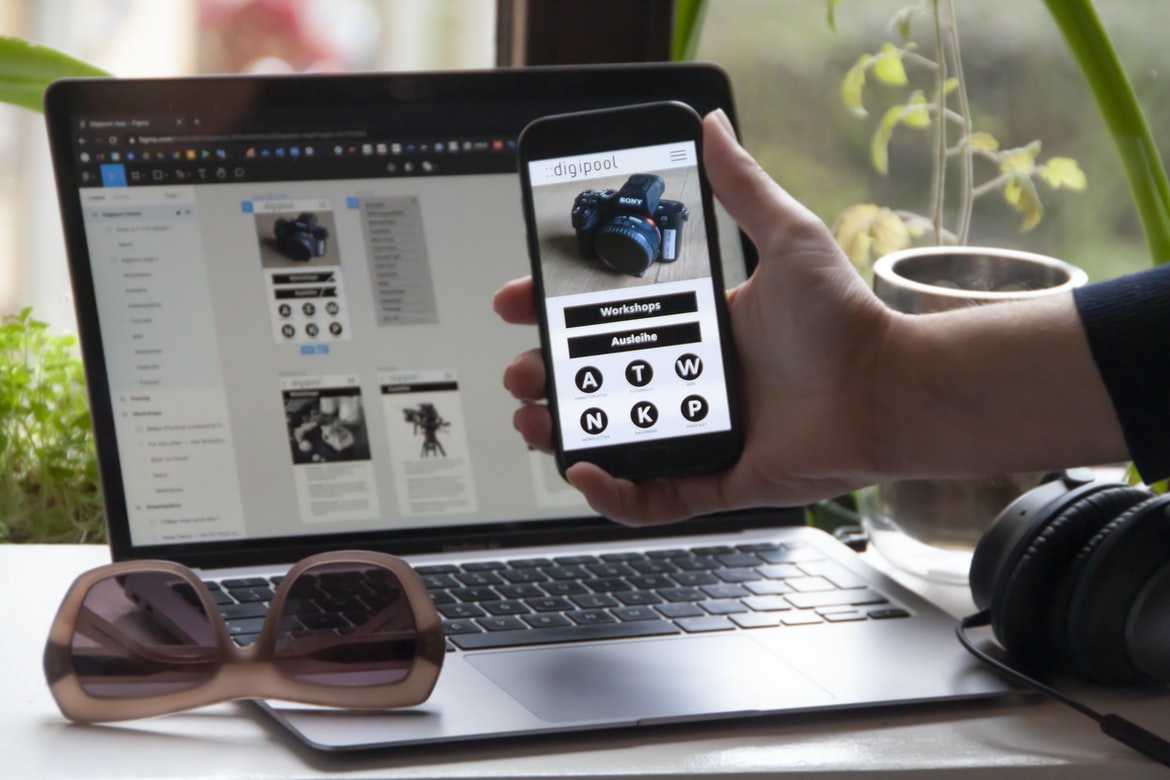
What is user experience, and how does it differ from user interface design?
User experience is a term used to describe the overall experience that a person has when using a product or service. This can be determined by how the user interacts with the product or service, as well as how the product or service appears to the user. User interface design, on the other hand, is the creation of designs that help people interact with products and services. By focusing on creating an effective user experience, businesses can achieve increased engagement and profits.
Components of a good user experience: People, environment, technology, and process
User experience (UX) is the overall interaction between a user and an application or system. It includes factors such as the environment in which the user encounters the application, the technology used to create the interface, and how users interact with the interface. A good UX design should combine these ingredients to create a successful experience for users.
The importance of creating a user experience that is attractive, efficient, and pleasurable
User experience (UX) is the overall experience of a user, be it when interacting with a software application or using a website. User interfaces (UIs) are the graphical elements that help users interact with an application or website. The way a UI is designed can affect how successful an application is and how pleasing it will be to users. While there are many factors to consider when creating a UX, some of the most important include making the user interface design look attractive, easy to use, and efficient.
How to create a user experience that is satisfying for users
User experience (UX) is the experience a user has with a product or service. The user interface (UI) is the design element that helps make up the UX. A well-designed UX will result in a satisfying user experience. However, it can be difficult to create an effective UX without knowing how users interact with your product or service.
In this article, we will discuss the different types of UX and how to create one that is satisfying for users. We will also cover some tips on how to improve the user experience when developing your own products or services.
User experience design is important to create a great user experience.
User experience design (UX) is important for any organisation, big or small. A great user experience ensures that people want to use your product and that you maintain positive customer relationships. Some of the most common problems caused by bad UX are feedback loops, Poor navigation, Confusion and delay in customer service, and poor search engine ranking. Poor UX can lead to a decline in user confidence, lost customers, and even worse customer relationships. User experience design is important for any organisation in order to create a great user experience. Whether it’s creating an online presence, developing customer service policies, or designing the entire user interface, good UX can make or break a company. In this article, we’ll take a look at some of the best practices for UX design and give you some tips on how to create a great user experience for your next project.
What is user experience, and what does it mean for a graphic design project?
User experience is the overall impression that a user has when using a product or service. It includes how the user feels when interacting with the product or service and can be measured in different ways, including surveys, interviews, and focus groups. The user interface is the design of a product or service’s appearance, and interaction flows within it. It can be measured in terms of ease of use, clarity, and symmetry.
Design vs User Interface: How do different types of designs affect the overall user experience?
Design vs User Interface: How do different types of designs affect the overall user experience?
User interfaces can be described as a way to control how an organisation’s users experience its products or services. They can also be used to provide a graphical representation of how people interact with a product or service.
There are two main types of user interfaces: those that use buttons and those that use icons. The first type of user interface is usually more complex and requires more skill to use than the second type. This type of interface is found on devices such as smartphones and computer screens.
However, there are also many designs which use buttons and icons, but they are simpler and easier to understand. For example, many websites use icons instead of buttons to represent the different steps an individual user needs to take in order to complete a task.
The anatomy of a good user interface: What elements should be included in a user interface design?
User interface design, or how a user interacts with a device, is an important aspect of any product. It affects how users feel while using the product and can improve the overall user experience. However, when designing a user interface, there are certain elements that should be included in order to create an effective and pleasurable experience for users.
Some of the most important elements of a good user interface include the following:
Layout: The layout of a user interface should be easy to understand and navigate. It should be simple and organised so that users can find what they need quickly and easily.
Button functions: Button functions should be used sparingly and only when necessary. They should not take up too much space or require extra steps to use.
Inputs: Inputs should be easy to find and use.
The impact of colour on the user experience: How can colours impact the overall feel of a design project?
As a designer, you’re likely familiar with the importance of colour in user experience. In fact, it can even be said that colour is one of the most important aspects of an effective user interface.
However, what about when it comes to design projects? What factors do colours have on the overall feel of a project? And how can they impact the success or failure of a project?
In this article, we’ll take a look at how colour can affect the overall user experience and explore some potential ways it can be beneficial or harmful. We’ll also explore different ways to use colour in design projects so that everyone involved has the best possible experience.
So before you start designing your next project, be sure to think about what colours will impact users and how they could help or hinder your goals.
What are the most important aspects to consider when designing a user interface?
User interfaces are one of the most important aspects to consider when designing a website or application. They can help users interact with your product or service in a way that is comfortable and efficient. However, there are also a number of factors that must be considered when designing an interface. Here are some of the most important ones:
Layout: The layout of an interface should be intuitive and easy to understand. This means that the buttons and menus should be easily discoverable, and the icons and text should be clear and concise.
The layout of an interface should be intuitive and easy to understand. This means that the buttons and menus should be easily discoverable, and the icons and text should be clear and concise. Navigation: Users need a way to find what they need quickly without having to search through pages full of text or images.
WordPress for Designers
Designers need WordPress to create beautiful, responsive websites that look great on all devices. But what are the pros and cons of using a platform like WordPress?
The Pros:
-User experience is important to designers. A good user experience will make users feel comfortable and have an easy time interacting with your site.
-With WordPress, designers can easily create beautiful, responsive websites that look great on all devices.
-There are many customizability options available for WordPress, which means you can tailor your site to fit your specific needs.
-Widgets and plugins can be installed to add even more functionality to your site.
-And because WordPress is open source, you can use it for yourself or contribute back to the community if you want!
WordPress Elementor for Designers
Designers need not be WordPress Experts to create beautiful and user-friendly websites. Elementor, a popular WordPress plugin, can help. Elementor is a drag-and-drop interface builder that makes it easy to create beautiful, intuitive designs for your website visitors.
Figma
Figma is a design tool that helps developers create graphical user interfaces (GUIs) for their applications. Figma is popular among developers because it’s easy to use and has a variety of features that make it a valuable tool for creating complex GUI designs. However, some users have found the design tool to be unusable and frustrating.
Adobe XD
Adobe XD is a new graphics design and animation software program designed for creating professional-grade graphics and videos. While it can be used for simple designs or basic animations, Adobe XD offers a wide range of features and tools that make it an attractive option for design professionals. Some of the stand-out features include the ability to create complex 3D models and animations, the ability to texture and animate characters with realistic detail, and support for multiple file formats, including AIWA, AAF, DXF, SVG, and MOV.
Visual Communication
Visual communication is the way people communicate with each other. It can be done in a number of ways, including graphic design. A good way to see how different visual communicates work is to watch a movie or television show. In general, good visual communication will make people feel engaged and interested in what is happening on the screen.
What is Visual communication in graphic design?
Visual communication refers to the way in which a design communicates its ideas and messages. Encyclopedic design theory has many different theories for how communication should be done, but one of the most important ways to communicate is through graphics. A user’s experience with a design is often determined by how easily they can interact with it. Graphics can help communicate these ideas to users in an easily understandable way.
Application of Graphic Design: Adobe Photoshop, Adobe Illustrator, Adobe InDesign
Adobe Photoshop and Illustrator are two of the most popular graphic design applications on the market today. They are used to create graphics and illustrations, as well as creating website designs. InDesign is a similar application, but it is more popular for crafting book covers and other types of graphic design. So, which one should you use if you want to create high-quality user interfaces?
Adobe Photoshop
Adobe Photoshop is a leading graphic design program that allows users to create beautiful and stylish graphics. It has a user interface that is easy to use and provides an efficient way for users to create images and designs.
Adobe Illustrator
Adobe Illustrator is a popular graphic design program used by artists, designers, and professionals all over the world. There are many different ways to use Illustrator, and each user has their own preferences and methods of working with the program. Adobe offers a variety of tools, templates, features, and profiles that can be customised to fit the needs of any artist.
Adobe InDesign
Adobe InDesign is a user interface design program used by graphic designers. It offers an easy-to-use interface that helps you create high-quality graphics. The program has a variety of features, such as cross-platform support and vector editing, that make it an ideal choice for creating designs for web, print, and mobile applications.
Web Design
In a rapidly changing world, web design is an important part of any company’s user experience. However, which style to use can be difficult to decide. Do you want a simple, clean look that can be used in any situation or something more complex and luxurious that will make your website stand out?
There are many different types of web design, but the most popular ones are the “grid” or “club” designs. They are easy to understand and follow, and they can be used for anything from small businesses to large companies. If you want a website that looks great on all devices – whether you’re using it on your computer or a phone – then using a grid design is the way to go.
Design websites
In recent years, the focus on design has become more important than ever in website design. It is now more important to ensure that the user experience (UX) of a website is good and that the design is intuitive and appealing. Some of the factors that are important in UX include:
1. Navigation: The user should be able to easily find what they need when looking at a website. This can be done by creating a clear hierarchy of content, making sure all pages are related, and providing easy access to menu items and tools.
2. UX from beginning to end: All aspects of the website must be designed with users in mind before anything else can be considered. This includes making sure all menus and toolbars are accessible, ensuring images are quality-controlled and using appropriate fonts and colour combinations.
3. Visuals: The visual appearance of a website should be appealing to users. This can be done by providing clear, concise imagery, making sure images are appropriately sized, and using appropriate colour schemes. Interaction: The user interface (UI) is the tool used to interact with a website.
Typography
Typography is an important part of user interface design. It can make a website more appealing to users and help them easier to navigate. However, there are different types of typography that can be used in different ways. A study found that user experience (UX) was more important when it came to choosing typography for a website.
Theory
User experience (UX) is a critical factor in the success of any product or application. However, it can be difficult to determine which design features should be included in a UX design project. This article provides tips on how to choose the most effective UX features for your product.
Colour Theory
Colour theory is the branch of psychology that examines how different colours interact with different objects and people. This article will focus on the user experience of a colour-based graphic design system.
Graphic design is in demand.
When it comes to designing user interfaces, graphic design is in high demand. This is because it offers a unique perspective on how users interact with technology and can accordingly create a more meaningful and intuitive experience for users. In fact, according to recent studies, graphic design is the most important skill for any web designer, regardless of their level of experience or experience with user interfaces.
Wireframes
User experience (UX) is a critical aspect of any website or application. When designing a UX, it is important to take into account the user’s needs and preferences. A wireframe can help you visualise how your design will look and feel to users. User experience (UX) is the user interface design that helps the user interact with a system. User interfaces can be broken down into two categories: graphical and textual. Textual user interfaces are more commonly used in traditional computer applications, such as word processing and spreadsheet applications. In contrast, graphical user interfaces (GUIs) are used more in mobile applications, such as iOS and Android apps.
Wireframes are a graphical representation of a UX design. They can be used to visualise an idea for a product or application before it is created in CAD or 3D modelling software. When used correctly, wireframes can help the UX designer create a realistic model of the user experience. This will allow them to understand how the users will feel when they use the product or application and which features need to be emphasised while designing it. A study was done on how user experience (UX) can be improved on a website. The study found that while users enjoy using a website’s user interface (UI), they also appreciate the design and organisation of the site. Wireframes are a tool that can help improve UX on websites.
UX/UI Design Strategies
UX design is all about creating an intuitive and appealing user interface. However, the way UI is designed can have a significant impact on how people interact with your product or service. Here are some tips on how to create an effective user interface that will please your customers.
UX/UI Design Principles
UX design principles are important to keep in mind when designing user interfaces. By following these rules, you can create intuitive and visually appealing interfaces that will help users feel comfortable and successful with your product.
UX/UI Design Techniques
User experience (UX) design is an important part of any website or app. It’s the focus on creating a comfortable and pleasing user interface for users to use. There are many different UX design techniques you can use to make your user experience better. Here are three popular ones:
1. Use delightful designs
Dreadfully designed user interfaces make users feel good about using your website or app. They’re. Additionally, they often result in a higher conversion rate, as people are more likely to stick around if they feel good about the design and how it functions.
2. Create intuitive controls
Intuitive controls make it easy for users to do what they need to do with your website or app. They also tend to result in a lower conversion rate, as people are less likely to try something they don’t understand at first.
3. Use good colour schemes. The use of different colours and styles in your website or app can make users feel good about using it. They also tend to result in a higher conversion rate, as people are more likely to stick around if they feel positive about the design and how it functions. There are a few UX design techniques that can help improve the user experience of your website or app. By following these tips, you can create designs that are more intuitive and easy to use.
Most people already know how to use a computer, but they may not be familiar with the user experience when it comes to designing designs. A user experience is a way a user interacts with a product or service. In order to create designs that are more intuitive and easy to use, it can help to break them down into smaller parts. Here are tips for creating user interfaces that will be more efficient and understandable:
1) Use whitespace wisely. It is important to use whitespace properly in order to make your design easier to understand. For example, use parentheses around your functions and variables, break up long lines into shorter ones and use only one word per line when creating text output.
2) Make everything explicit. When creating screens or other elements that will need interaction, make sure everything is labelled clearly so users can understand what they are doing.
User experience (UX) is the way users interact with a product or service. User interface (UI) is how the user sees and interacts with the product or service.
Some people believe that UX should always be more visually appealing, while others say that UI can be more intuitive and user-friendly. However, both UX and UI can be improved through design. By understanding how users interact with a product or service, designers can create designs that are more immersive, intuitive, and visually appealing.
Designers must also consider what needs to be done to make sure that the user’s experience is positive and satisfying. This includes taking into account different devices, different sizes of users, multiple input methods, and different types of feedback.









