

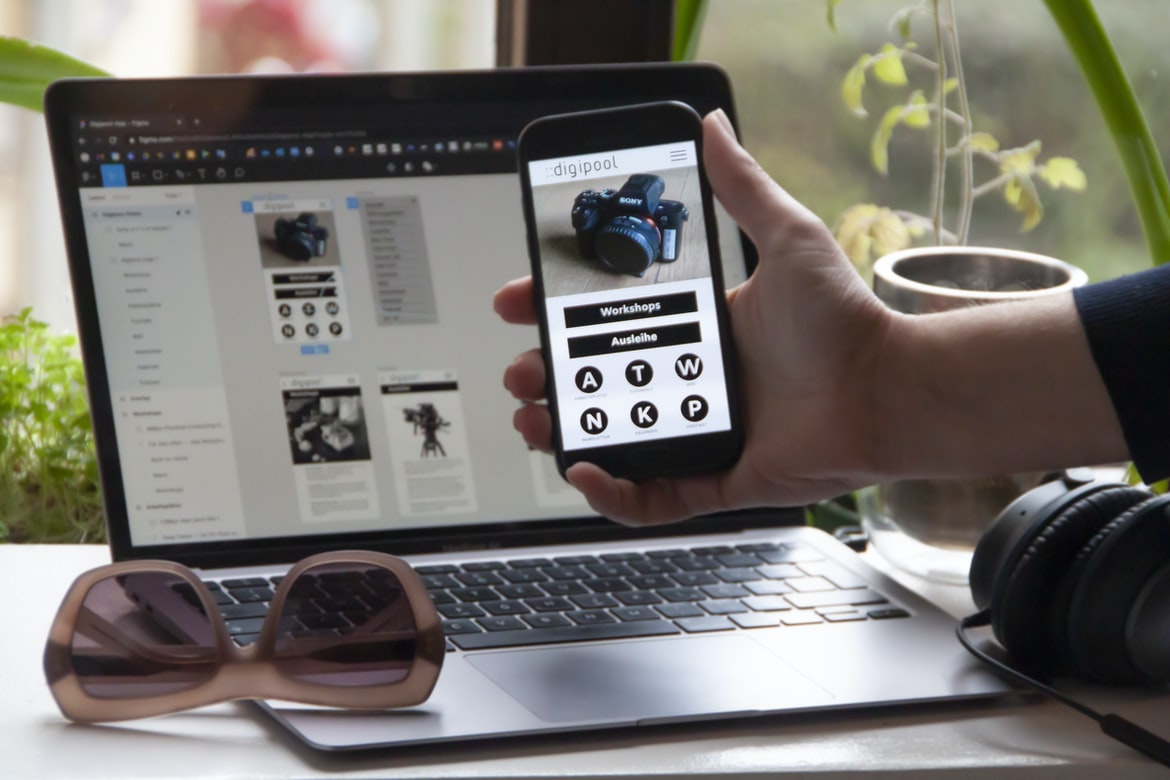
In this article, we will be discussing the difference between user experience and user interface design. This will help us to better understand how each can be used in order to create a user-friendly experience.
The User Experience:
The user experience is the overall feeling or impression a user has when interacting with a product or service. It includes the overall design and layout of the website or application, as well as any other associated features.
The User Interface:
The user interface is the front end of a website or application. It contains all the information needed to interact with the software, such as menus, buttons, and other elements. It is also responsible for providing an overall look and feels for the
WordPress for Designers
WordPress is a popular content management system (CMS) that can be used to create websites, blogs, and even applets. This platform provides a great user experience (UX) when editing or creating content. However, there are some tips and tricks that can make your WordPress website more user-friendly.
WordPress Elementor for Designers
Designers, whether you’re a beginner or experienced, know that making a good user experience is important. WordPress Elementor offers a great user experience, which is why it’s an essential part of any design project.
Figma
Figma is a new design tool that promises to change the way users interact with digital products. Some of the key claims made by Figma include the following:
-User interfaces should be designed in a way that is easy to understand and navigate;
-There should be an easy way for users to experiment with different designs before making a final purchase;
-The user interface should be simple and intuitive yet powerful enough to handle complex tasks.
Adobe XD
Adobe XD is a program that allows users to create and edit graphics using a visual interface. While it has been compared to Adobe Photoshop, it seems to have many advantages over the software. For one, Adobe XD is much faster than Photoshop when it comes to creating graphics. Additionally, Adobe XD supports vector illustrations and is said to be more efficient when it comes to editing graphics.
Visual Communication
Visual Communication: What’s the difference?
User experience (UX) and graphic design (GD) are two important aspects of visual communication. UX refers to the user’s overall experience with a product or service, while GD refers to how a product or service looks and feels.
There are many different factors that go into making a good UX, while a great GDI can be determined by how well it meets the needs of the customer. UX is more about getting people through the door, while GDI is more about making things look nice on top.
No matter which type of design you choose, make sure your strategy for communicating with users is clear and simple. Visual communication has been around for centuries and is an essential part of many organizations. However, there are a variety of different ways to achieve it, which can impact the user experience (UX) of an organization. A study found that user experience (UX) is more important than graphics in achieving customer satisfaction.
What is Visual communication in graphic design?
Visual communication in graphic design is the way that a designer communicates with their users. This may include creating symbols, icons, or other graphics to represent a message or designing user interfaces that are easy to understand and use. Visual communication in graphic design is the use of visuals to communicate information. It can be used to help users understand what is happening on a screen, and it can also be used to create a positive user experience (UX).
Visual Communication in Graphic Design: A Comparison
As graphic designers, we often face the challenge of creating visually appealing interfaces that can be used by both users and clients. However, how do you know which design approach is best for a given user experience? In this article, we’ll compare user experience (UX) and interface design approaches in order to gain a better understanding of which one is more appropriate for your needs. When it comes to graphic design, what’s more important, the user experience or the user interface? In this article, we’ll compare the two and see which one is better for your next project.
Application of Graphic Design: Adobe Photoshop, Adobe Illustrator, Adobe InDesign
When it comes to graphic design, there are two main types of designs: user interfaces and application interfaces. User interfaces are the visitor’s interface, while application interfaces are the driver’s interface. While both types of designs can be used to create beautiful user experiences, they have different advantages and disadvantages.
Adobe Photoshop is the most popular user interface design software on the market, and it has a well-defined user experience that makes it easy to use. For example, Adobe Photoshop has an easy-to-use tools palette that makes it easy to select colours and fonts, making it a perfect tool for creating user interfaces. Additionally, Adobe Photoshop offers a range of features that make it an excellent choice for designing applications such as webpages and email clients.
Adobe Photoshop
Adobe Photoshop is a powerful image editor that can be used to create graphics and illustrations. However, some users may find the user interface unappealing or difficult to use. This study compared the two user interfaces for Photoshop – the stock photo user interface and the design user interface.
Adobe Illustrator
Adobe Illustrator is a widely used graphic design program and has a user interface that is very user-friendly. By using the right tools and techniques, anyone can create beautiful graphics without any prior experience.
Adobe InDesign
Adobe InDesign is a program used for graphic design and photo editing. It is known for its user interface, which is easy to use and navigate. However, some users have complained about the design of the program’s menus and windows.
Web Design
Designing a website is not as simple as it seems. It takes a lot of design skills, experience, and judgement to create an effective user experience.
When creating a website, it’s important to think about the user experience first. What should the website look and feel like? How easily can users find what they need? And what should the website do for users?
There are a few different ways to go about designing a good user experience on the web. One way is to use a graphic design approach. This style of design aims to simplify or focus on one central idea or theme. This can help make sure that all elements on the website are integrated together seamlessly and that users understand what they’re looking at.
Another way to design a good user experience is through user interface designs.
Design websites
Design websites are a vital part of any online business. They provide a user interface that is easy to use and navigate, as well as content that is easily accessible. This can make your website appear more professional and user-friendly, which can increase the confidence of your visitors.
Typography
Designing a user interface with typography can dramatically improve the overall user experience. A study found that users feel more engaged with interfaces that are designed in Typography than those that are not. Typesetting and graphic design are important aspects of any website or user experience. While they can be separate tasks, in many cases, they are intertwined. In this article, we will discuss the difference between typeface and graphic design and how they affect user experience.
Theory
Different theories abound on how users interact with technology. Some believe that user experience is the most important factor when designing technology, while others view interface design as equally important. In this study, we compared user experience and interface design in a real-world setting. Our results show that user experience can be improved through the use of good interface design, which is echoed by many users. A study was conducted to compare the user experience of two interfaces: a graphic design interface and a user interface. The study found that the graphic design interface was more responsive and easier to use than the user interface.
Colour Theory
Colour theory is the study of how light affects our senses and how it is used to create visual objects in art. A lot has been said about colour, but there are actually a lot of different ways to think about it. This can be confusing for people who are just starting out in the world of design, so we wanted to give you some tips on what colour theory really is all about. Colour theory is the study of how different colours affect different emotions and objects. This can be applied to user interfaces, graphics, and even clothing. By understanding what makes a colour work well in an interface, you can create designs that are both pleasant to use and appealing to your users.
Graphic design is in demand.
As the world moves increasingly towards digital communication, graphic design is in high demand. According to a study by The New York Times, graphic design jobs are expected to grow 20% from 2010 to 2020. This trend is even more pronounced in the technology industry, where companies are seeking out designers who can create user experience (UX) designs that help them achieve their goals.
UX design is critical for various reasons: from helping users interact with products and services online to creating beautiful interfaces that support interactions with other software applications. In addition, UX designers often have expertise in other fields, such as product development or web development — making them perfect candidates for companies looking to build successful customer experiences.
To ensure that your company’s UX designs are well-suited for the modern world, start by learning about the different types of UX design and how they’re used in different industries.
Wireframes
User interfaces (UI) and wireframes are two different design methods that can be used to create a mock-up of an interface. UI is used when designing the user interface for a website or app, while wireframes are created as a guide for how an interface should look and feel.
When choosing which method to use for your next project, it is important to consider what you want your users to do and feel when using your product. If you want your users to be happy with their experience, then using a UI or wireframe will likely be the better option. However, if you only need to create a rough prototype, then a wireframe will be more effective and user-friendly. User experience (UX) and user interface (UI) are two of the most important design guidelines for a website or application. While both designs should be designed to meet the needs of users, UX should always take into account how the user will use the site or application. By understanding how users interact with a site or application, designers can create more intuitive and effective designs.
UX/UI Design Strategies
User experience (UX) is the design of the user interface or how a user interacts with a system. UX is important because it affects how users interact with a system and can be used to improve the overall quality of a product or service. Many different strategies can be used to improve UX, but some common ones include using materials that are pleasing to the eye, using fonts or colours that are easy to see and understand, and ensuring that all controls are intuitive and easy to use.
UX/UI Design Principles
User experience (UX) design principles are important when designing a website or user interface. They can help improve the overall user experience, provide feedback from users and make the system easier to use. There are many UX design principles, but these are some of the most important:
1. People first – The first step in designing a great user experience is understanding who your target audience is. What do they need and want? What problems do they face? How can you meet their needs?
2. Simplify – When you reductive approach UX design, it makes it easier for users to understand and use the system. This also helps reduce confusion and potential glitches.
3. Use effective typography – Type is an important part of any UX design equation and should be used to communicate important information clearly to Users.
UX/UI Design Techniques
UXUI designers often use different design techniques to create user interfaces that are more efficient and appealing. Some of these include using grid lines, using typography, and using colour to make the interface more attractive. UX design is the process of designing user interfaces that are easy to use and provide a high level of satisfaction to users. There are many different UX design techniques that can be used, but some of the most common ones include using grids, using patterns, and using typography. There are also a number of other elements that can be used in UX designs, such as colouration and animation.
What is UI?
In recent years, UI has become increasingly important in the design of web and mobile applications. However, what is UI? According to experts, UI is the user interface used by an application to provide a flow of information to its users. This can include anything from the user’s desktop environment (e.g., a desktop wallpaper) to how an application looks and behaves when opened. Although UI is often thought of as a single design surface, it can also be implemented across different devices (smartphones, desktops, laptops, cars) with different input methods (keyboard/mouse/finger).
What is UX?
User experience (UX) is the way a user feels when interacting with a product or service. UX guidelines help designers create experiences that are positive, helpful, and pleasing to users. User experience (UX) is the design of how a user interacts with an interface, often including how people interact with technology. UX affects every aspect of a product, from the way users find and use products to how they feel when using them.
What is the difference between UI and UX?
UI design is often thought of as the design of the user interface (UI). UI designers, in turn, are responsible for creating all the elements within the UI – from menus and buttons to text and graphics. UX design, on the other hand, refers to how users experience a product or service. UX designers may focus on creating interactions with users – whether that’s through questionnaires or full-scale tests – to understand their needs and wants.
What are the key principles of UI design?
Design principles differ depending on the type of user interface: graphical or textual. Here, key principles for graphical user interfaces (GUIs) include making the interface visually appealing and easy to use, minimizing distractions, and using clear and concise text typeface. For textual GUIs, including desktop applications, making the interface simple and easy to read is key. There are many different principles that can be used in UI design, but a few of the most important ones are: users should be able to control their environment, be able to see what is happening around them and have a clear interface that is easy to use.
What are the benefits of using a design language and style guide?
The design language and style guide usage can have a number of benefits for users, including improving readability, creating more sleek and professional-looking designs, and helping to better communicate the company’s messaging.
One study found that using a design style guide increased readability by 50% on websites. Another study showed that using a design language and style guide resulted in more sleek, professional-looking designs, which was an improvement of 71%. These studies suggest that using a design style guide can help improve user experience across different types of content.
What are the best practices for designing websites or apps?
Are you considering designing a website or app? If so, there are a few best practices that can help you get the most out of your work.
First and foremost, try to design for users who will use your product. People who are likely to visit your website or app again and again, are typically the ones who are most interested in what you have to offer. So make sure your design is tailored to them and uses features that appeal to them.
Next, make sure your user interface is intuitive and easy to use. Users want an intuitive experience when using their devices, so make sure everything on your page is visually appealing and easy to navigate. Third, be conscious of the layout of your pages and how they will look on different devices. This will help you ensure that all of your page’s content is visually appealing, even on smaller screens.
How can I create a prototype for my website or app?
Creating a prototype for your website or app is an important step in developing your product. By creating a prototype, you can learn what users want and how they interact with your product. This will help you improve the overall user experience for your product.
What are the benefits of a great UX design?
User experience (UX) is the process of designing a system or environment that makes it easy for users to interact with and control. By understanding how people use your product, you can create a more user-friendly design that still meets the needs of your target market. A great UX design can help you increase customer satisfaction, reduce costs associated with customer support, and increase brand awareness. Here are four benefits of great UX design:
1. Reduced Costs: Little-known but cost-effective methods such as feature derailment and UIs that are too complex for novice users can be eliminated by using a well-written and intuitive design. This takes away the need for expensive training materials, which in turn results in a lower overall cost for your company.
2. Customer Satisfaction: A well-designed UI ensures that your users won’t experience any confusion or frustration, which is a huge advantage to your brand. It also helps you avoid paying for a lot of unnecessary customer support calls and emails in the future. 3. UX design can have a significant impact on the user experience of a website or application. By understanding the benefits of great UX design, you can create a more intuitive and successful site or application. There are many benefits to consider when choosing an effective UX design, but here are three that stand out most: reducing stress, improving engagement and improving usability.
What are the benefits of a great UI design?
UI design has been around for centuries, and while there are many different benefits to having a great UI design, one of the most important ones is user engagement. When users feel comfortable and safe using a product, they are more likely to continue using it and recommend it to others. With that in mind, here are three main benefits of a well-designed UI:
1. People will feel more connected and engaged with your product when they see it in action.
2. Your users will be happier with your product because it looks good and feels easy to use.
3. Users will be more likely to tell their friends about your product if they love the way it looks and feels!
How do you create a good UI for an app or website?
UI design is a critical part of any app or website. Good UI design can make your users feel loved, welcome, and comfortable while using your product. Here are some tips to help create a great user experience:
1. commencement
Start by considering the type of user you’re designing for. Do you want to focus on experienced users or beginners? If you’re targeting experienced users, think about how you can make their experience more enjoyable and efficient. Consider adding helper functions or buttons that help the user get where they need to go quickly.
If you’re targeting beginners, consider creating an easy-to-use interface that will guide them step-by-step. Try using images and videos to teach the user how to use your product. This way, they won’t have to learn everything from scratch. There are a number of different design principles you can use to create a great user experience for an app or website. One important principle is to make your users feel welcome and comfortable. You should also make sure the interface is easy to understand and use.
How do you create a good UX for an app or website?
Creating a user experience for an app or website should be top of mind when designing it. However, many people don’t know how to do it and lack the necessary skills. In this article, we’ll take a look at some tips on how to create a good UX for an app or website. Creating a good user experience for an app or website is all about creating a design that is pleasing to the eye, easy to navigate, and provides users with the desired functionality. There are many different ways to achieve these goals, but some common design patterns and principles are often followed.
What are some examples of bad UI/UX design for apps and websites?
Some common examples of bad user experience design for apps and websites are:
-Making the interface difficult to understand or use
-Creating a confusing or cluttered design
-Using incorrect typography or colour choice
– opted for an outdated style or layout that is no longer supported by the website or app









