

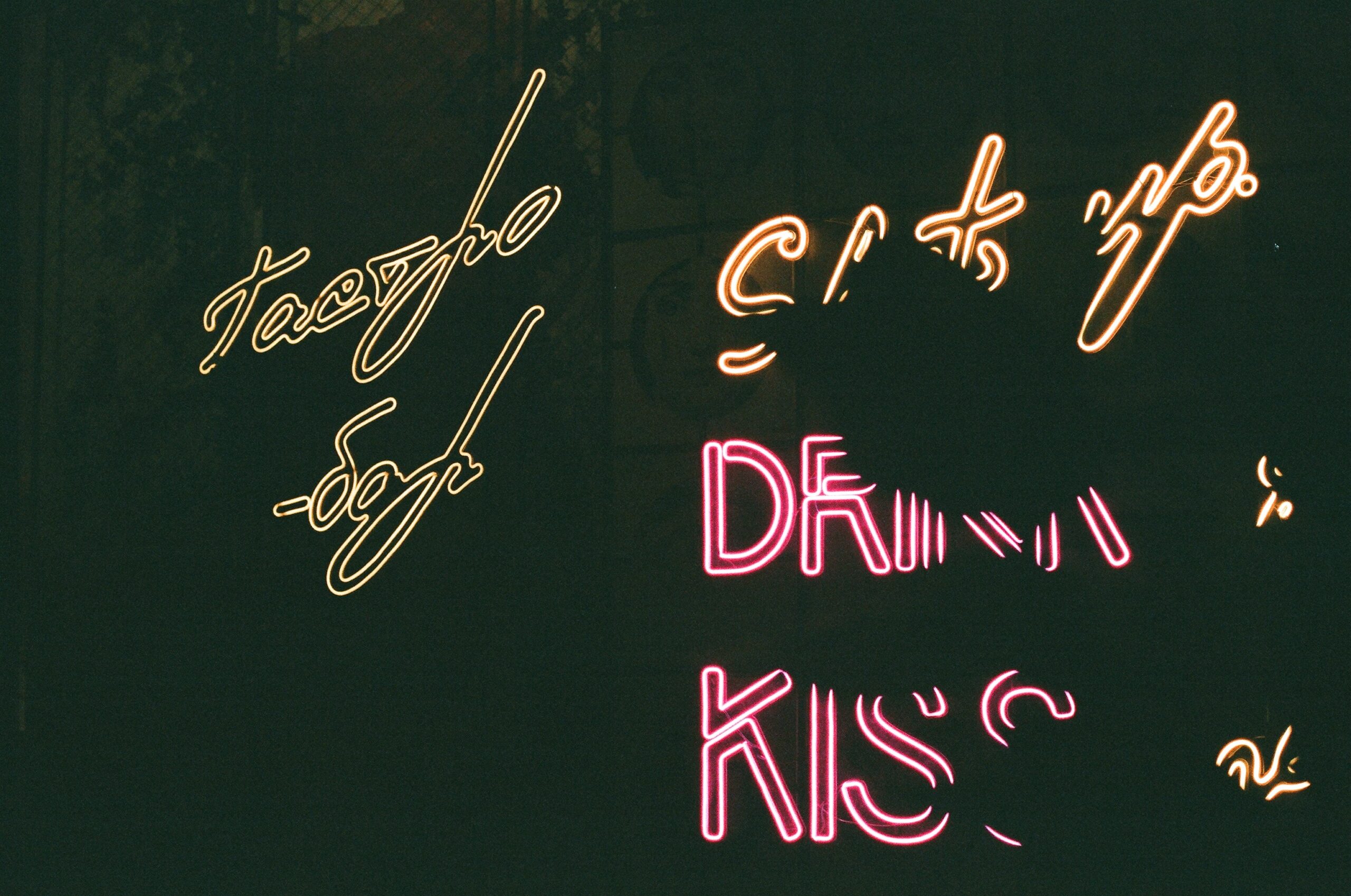
Sliced Text Effect Tutorial with Adobe Photoshop
Welcome to our tutorial on creating a sliced text effect with Adobe Photoshop! Whether you’re a beginner or an experienced designer, this tutorial will show you how to create an eye-catching design that stands out. We’ll be utilising the power of Adobe Photoshop to explore various techniques and tools so you can get creative with your text effects. By the end of this tutorial, you’ll have all the skills necessary to turn ordinary texts into unique works of art. With just a few clicks, you’ll be able to make amazing designs that showcase your creativity and enhance any project.
Introduction: What is a sliced text effect?
A sliced text effect can add an interesting and eye-catching touch to the digital artwork. The effect involves taking a piece of text and slicing it into multiple sections, each with its own colour, texture, or style. By using Adobe Photoshop’s powerful tools, anyone can easily create these effects in just a few steps.
In this tutorial, we’ll show you how to use Adobe Photoshop to create a stunning sliced text effect that you can use for any design project. We’ll walk you through the process step-by-step so that even those who are new to Photoshop will be able to produce excellent results. Once complete, you’ll have the knowledge needed to make your own unique designs with ease!
Steps:
Step 1: Set up the document
The first step in creating a Sliced Text Effect using Adobe Photoshop is setting up the document. To do this, open up Adobe Photoshop and select “File” then click on “New”. A window will appear prompting you to enter the desired Width and Height of your canvas. This should be adjusted to the size that you want your final product to be. If you are unsure of what size to use, it’s always better to start bigger as it is easier to scale down than enlarge later on. After selecting the size, make sure that colour Mode is set to RGB and Background Contents is set at Transparent before hitting “OK”. You will now have an empty canvas ready for adding text!
Step 2: Create the slice lines
The next step in creating a sliced text effect with Adobe Photoshop is to create the slice lines. To do this, first select the Pen Tool from the toolbar options. Once selected, drag your mouse across your canvas to create a line that outlines where you want the slices to be placed. Each time you’d like to add an additional slice line, click on your starting point and begin drawing another line. You can also use pre-existing shapes like rectangles or circles as guides for where you’d like each cut-out portion of the text to be located.
If needed, adjust the shape of your slice lines by using control points available while using the Pen Tool. These points allow you to move and reshape existing paths without having to start over from scratch every time.
Step 3: Apply colour and effects
The third step in creating a sliced text effect with Adobe Photoshop is to apply colour and effects. Start by selecting the layers containing the text slices you created, then right click on them and select ‘Rasterize Layer’. Next, use the Brush Tool to paint each slice a different colour. To add further effects, use the Blending Options from the Layer Style menu. Here you can adjust settings such as Inner Shadow, Bevel & Emboss, Stroke or Colour Overlay. Experiment with these options for best results. You can also layer multiple gradients or patterns on top of one another for an eye-catching effect.
Finally, adjust your shadowing and lighting to create a 3D look by using Drop Shadows or Outer Glow options within Blending Options. Now you have finished your sliced text effect masterpiece!
Step 4: Add shadows and highlights
Adding shadows and highlights is the final step in creating a sliced text effect with Adobe Photoshop. First, create separate layers for each element of your sliced text design. Then, select each layer and press Command-J to duplicate it. This will create two copies of the same elements that can be used to add shadows and highlights.
Next, click on the top copy layer and set its blend mode to Multiply. This will darken that layer as if you were putting a shadow over it. Then, adjust the opacity until you get the desired level of darkness for your shadow effect. For highlights, simply repeat this process with the bottom copy layer but set its blend mode to Screen instead of Multiply; this will make the layer brighter for an added highlight effect.
Tips to master Adobe Photoshop
If you’re looking to master Adobe Photoshop and create stunning visual effects, there are a few tips that can help you along the way. To become an expert in Photoshop, it’s important to understand the basics of editing images, working with layers, and using various tools.
Start by familiarising yourself with the interface and all its features. Once you get comfortable navigating through menus and panels, learn how to use important tools like the selection tool, brush tool, lasso tool, eraser tool, eyedropper tool and more. You should also explore the different filters available in Photoshop for creating unique effects on your images.
Additionally, getting comfortable with layers is an essential part of mastering this software – understanding how to add them and apply blending modes will give you greater control over your creations.
Practice makes perfect when it comes to mastering Adobe Photoshop!
Creative effects in Photoshop
Creative effects are among the most popular features of Adobe Photoshop, and for good reason. With just a few clicks, users can transform a simple image into something magical and unique. One example of this is the sliced text effect, which creates an eye-catching visual style with minimal effort. The great thing about this effect is that it’s very easy to customise and create your own variations.
To use the sliced text effect in Photoshop, start by creating a new canvas with the desired dimensions. Then select your type tool and enter the phrase or word you want to slice up into individual pieces. Once you are happy with the look of your font choice and size, create multiple copies of your text layer using Control-J on Windows or Command-J on MacOS. Experiment with placing these copies in different positions over one another until you achieve an interesting composition.
Pros of Photoshop vs other programmes
Adobe Photoshop is widely considered to be one of the best and most powerful photo-editing programmes available. It offers an extensive range of features, making it perfect for creating stunning graphics and images with ease. When compared to other photo-editing programmes, there are a number of distinct advantages that Photoshop has over its rivals.
One benefit of using Photoshop is that it allows users to create precise layers and masks quickly and easily, giving them full control over how their image looks. This feature also allows users to adjust the opacity or transparency each layer independently, allowing for more creative freedom in their designs. Additionally, Photoshop’s tools for colour correction are very versatile and can help achieve a desired look with relative ease.
Photoshop tips for beginners
For those just starting out with Adobe Photoshop, learning the basics of how to use this powerful photo editing software can be a daunting task. Although the Sliced Text Effect Tutorial is easy enough for even beginner Photoshop users to try their hand at, there are several basic tips and tricks that all beginners should keep in mind when using this programme.
First, it’s important to know your tools. familiarise yourself with the different brush types, shapes, and sizes available in Photoshop so you can select the most appropriate tool for any given task. Additionally, don’t forget about the selection tools; they’re key for making sure only specific portions of an image are altered when working on a project.
Second, take advantage of layers!
3 Creative uses for Adobe Photoshop
Adobe Photoshop is one of the most powerful design tools available today. It can easily be used to create stunning visuals, manipulate photos and videos, and even create special effects. But did you know that it can also do many other creative projects? Here are three of the most creative uses for Adobe Photoshop:
- Logo Design: If you’re a budding graphic designer, Adobe Photoshop is an excellent tool for creating logos. The vector tools make it easy to draw detailed lines and shapes which can then be filled with colour or textured patterns. Plus, if you need to tweak your logo after it’s been created, you can quickly make adjustments without having to start from scratch again.
- Animations: With Adobe Photoshop’s animation tools, anyone can create fun animations just like a professional animator! Use this tool to create a simple animation, such as a logo bouncing up and down, or use it to create something more elaborate, like a cartoon.
- Photo Editing: Adobe Photoshop is the ultimate tool for editing photos. Whether you want to crop a photo, or make facial changes to someone s face, this tool makes it easy. You can even change the colour of your hair and skin!
Mastering colour changes in Photoshop
Photoshop offers a great way to create amazing visual effects, including the popular sliced text effect. To make this look extra special, mastering colour changes in Photoshop is a must. With its powerful tools for manipulating colours, you can quickly and easily create stunning results.
One of the best ways to start playing with colour is by using the Hue/Saturation tool. This allows you to adjust the hue and saturation of your image until it looks just right. You can also use Colour Balance to change the red, green and blue levels or go further with Photo Filter which lets you choose from preset filters such as warming or cooling ones for a professional finish. If that wasn’t enough, there are also built-in adjustment layers like brightness/contrast that come in handy when creating special effects with different coloured layers.
Colour theory and creative visuals
Colour theory is a critical aspect of creating creative visuals in Adobe Photoshop. A basic understanding of the fundamentals of colour theory will allow designers to create visually appealing graphics. Colour theory is based on how colours interact with each other and how they can be used to communicate emotion, mood, or message. For example, complementary colours such as orange and blue can be used together to create a vibrant and energetic look. Additionally, analogous colours such as green, yellow and blue are often used together for a calming effect.
By applying these principles in the Sliced Text Effect Tutorial with Adobe Photoshop tutorial, designers will have the ability to create unique visuals that invoke emotion from viewers. The tutorial demonstrates how different types of fonts can be sliced into sections which then blend into each other using layer styles and blend modes for an interesting 3D effect.
Finding graphic design inspiration
Graphic design inspiration is essential for any successful project. Without a clear vision of the end product, it’s easy to get stuck in a creative rut. While plenty of inspiration can be found online, there are many other methods to find ideas that will help you create stunning graphic designs.
One great way to get inspired is by looking at artwork from other artists. Museums, art galleries, and even books are all excellent resources for finding unique artwork or styles that you may want to incorporate into your own work. Taking the time to appreciate the work of others helps you better understand why certain elements work together and what makes an effective composition.
Another way to find design inspiration is through nature and everyday objects.
Creative branding strategies
Creative branding strategies are essential for businesses to stand out from their competitors. By utilising unique tactics, companies can differentiate themselves in the market and attract more customers. One creative branding strategy is to use text effects in marketing materials such as flyers and posters. Text effects can add life to a design, giving it a modern twist that will stand out from traditional designs. For example, using Photoshop’s Sliced Text Effect tutorial illustrated in this article is one way of creating an eye-catching design that will draw people’s attention to your brand and message.
Another creative branding strategy is using visuals instead of plain text in newsletters, brochures and other materials. Visuals such as animations or videos can be used instead of long blocks of text which often turn away readers because they lack engagement.
Graphic design tips for beginners
Graphic design is an important skill to have and can be used in many different fields. For beginners, there are a few tips to keep in mind when starting out with graphic design that will help make the learning process smoother.
First, it is important to familiarise yourself with the different tools available in your chosen software. Understanding how they work and what they do will help you create better designs more quickly. Additionally, it’s helpful to look at other designers’ work for inspiration but avoid trying to copy them exactly; instead, use their designs as a jumping off point for creating something unique.
Finally, practice makes perfect: the more you practice using the various tools and techniques, the faster you’ll get comfortable working with them and creating great designs of your own.
Colour psychology in graphic design
Colour plays an important role in graphic design, as it can be used to evoke certain emotions and feelings. The concept of colour psychology focuses on the way various hues and shades can influence how a viewer perceives a piece of artwork. By understanding the meaning behind different colours, designers are able to create powerful graphics that effectively communicate their intended message.
The main principle behind colour psychology is that each hue has its own unique meaning or connotation. For example, red is often associated with energy and passion, while blue typically conveys calmness and trustworthiness. When combined with other elements such as typography and imagery, specific colours can help emphasise ideas or bring out certain themes within a design. As such, it’s important for designers to carefully consider which colours they choose when crafting their graphics so that they’re able to accurately convey what they want to communicate.
Defining Adobe Photoshop
Adobe Photoshop is a powerful photo-editing software used by professionals and hobbyists alike. It allows users to manipulate images, creating everything from subtle colour corrections to complex artwork with many layers.
The programme consists of three main elements – the workspace, tools and panels. The workspace is the canvas on which you can create your image; it’s made up of a grid system with each pixel representing a single unit of colour. Tools are used to modify pixels, like move, crop, draw or paint them. Panels allow for the adjustment of different parameters such as contrast or brightness.
With its vast array of features and tools, Adobe Photoshop is an invaluable tool for producing high-quality digital images and graphics.
How do I use Adobe Photoshop?
Adobe Photoshop is a powerful and versatile photo editing software used by photographers, graphic designers, and digital artists around the world. While it may have a steep learning curve for beginners, once you gain an understanding of the basics, you’ll be able to use Adobe Photoshop to create amazing works of art.
To begin using Adobe Photoshop, start by opening the programme on your computer. Once open, you will be able to access all of the different tools available in the application. To create a sliced text effect with Adobe Photoshop, you’ll need to use several different features such as layers, layer masks, selections tools and more. Begin by creating two separate text layers with varying font sizes and colours. Next adjust any additional settings like kerning and leading if desired.
What are the benefits of using Adobe Photoshop?
Adobe Photoshop is one of the most powerful and versatile image editing programmes available today. It offers a wide range of features that allow users to create stunning visuals with just a few clicks. From its user-friendly interface to its ability to produce high-quality images, Adobe Photoshop has many advantages for both professional photographers and hobbyists alike.
One of the benefits of using Adobe Photoshop is its extensive library of tools and effects. With these tools, users can easily edit photos with precision, add special effects like drop shadows or texturise images, and even combine multiple elements into stunning compositions. Additionally, Adobe Photoshop allows you to save your work in various formats so you can continue working on it later or share it with others online.
What are the steps involved in using Adobe Photoshop?
Using Adobe Photoshop to create a sliced text effect is a great way to add some visual interest to a design. But before you can get started, it’s important to understand the basic steps involved in using this powerful programme.
When working with Adobe Photoshop, the first step is always opening and setting up your document. When creating a sliced text effect, it’s helpful to set up your document as an 8 x 10 inch canvas with 300 DPI resolution for best results. Once your document is ready, you can start adding elements such as text, shapes and graphics.
Next comes the fun part: manipulating the elements! With Adobe Photoshop tools like Move Tool, Free Transform Tool and Warp Tools you can easily stretch or twist text or other objects into interesting shapes.
What is a graphic designer?
A graphic designer is a creative professional who works to bring visual concepts to life. They use computer software, such as Adobe Photoshop, to create logos, layouts for websites and publications, and other visuals for marketing materials. Graphic designers have the ability to take complex ideas and turn them into eye-catching visuals that often communicate a message or story in an engaging way.
Graphic designers are essential in the world of media and advertising because they are able to deliver creative solutions that help brands stand out from their competitors. Beyond creating visually appealing designs for marketing purposes, graphic designers also work on projects such as creating book covers and designing illustrations for magazines or websites.
Graphic design can be used in almost any industry or profession requiring visuals elements including medical fields, engineering, education, technology industries and more.
What are the responsibilities of a graphic designer?
Graphic designers are responsible for creating visual content to communicate a message. They typically work with organisations in order to create logos, advertisements, websites, packaging and more. As a graphic designer, it is important to be able to develop unique designs that can effectively convey the desired message while also keeping the brand’s design guidelines in mind.
The responsibility of a graphic designer goes beyond just creating visuals; it involves researching what works best for a product or brand as well as understanding how design impacts its viewers. Graphic designers must stay up-to-date on trends in order to create visually appealing and effective content while staying true to their client’s needs. Additionally, they need to be able to collaborate with other stakeholders such as marketers, web developers and advertisers in order ensure that their designs meet all requirements.
What are the benefits of graphic design?
Graphic design is a powerful tool that can help you achieve visually stunning results for any project. It combines the principles of art and technology to create eye-catching visuals that are both aesthetically pleasing and effective in communicating ideas. Here are some of the major benefits of graphic design:
First, graphic design helps create visual interest. By using different colours, shapes, fonts, and images, graphic designers can draw attention to important information by creating an aesthetic experience for viewers. This makes it easier for viewers to comprehend the content being presented.
Second, graphic design helps engage audiences more effectively than with just text alone. With careful consideration of how elements are placed together on a page or screen, designers can create dynamic visuals that stand out from other content and capture viewers’ attention quickly — making them more likely to remember what they’ve seen.
Get in touch with Blue Sky Graphics online design school to better understand graphic design!
Blue Sky Graphics online design school is the perfect place to gain a better understanding of graphic design school. Not only are their classes comprehensive and convenient, but they also have a wide range of courses that offer students insight into the different aspects of graphic design. Whether you’re looking to learn more about Adobe Photoshop, InDesign, or Adobe Illustrator, Blue Sky Graphics has something for everyone.
In addition to courses specifically related to graphic design, Blue Sky Graphics offers additional classes that can help boost your skill set and knowledge base. These include classes on digital marketing and user experience design so you can become well-rounded in all areas of web development. With expert instructors and engaging course material, Blue Sky Graphics is sure to give you an invaluable education in the field of graphic design.









