

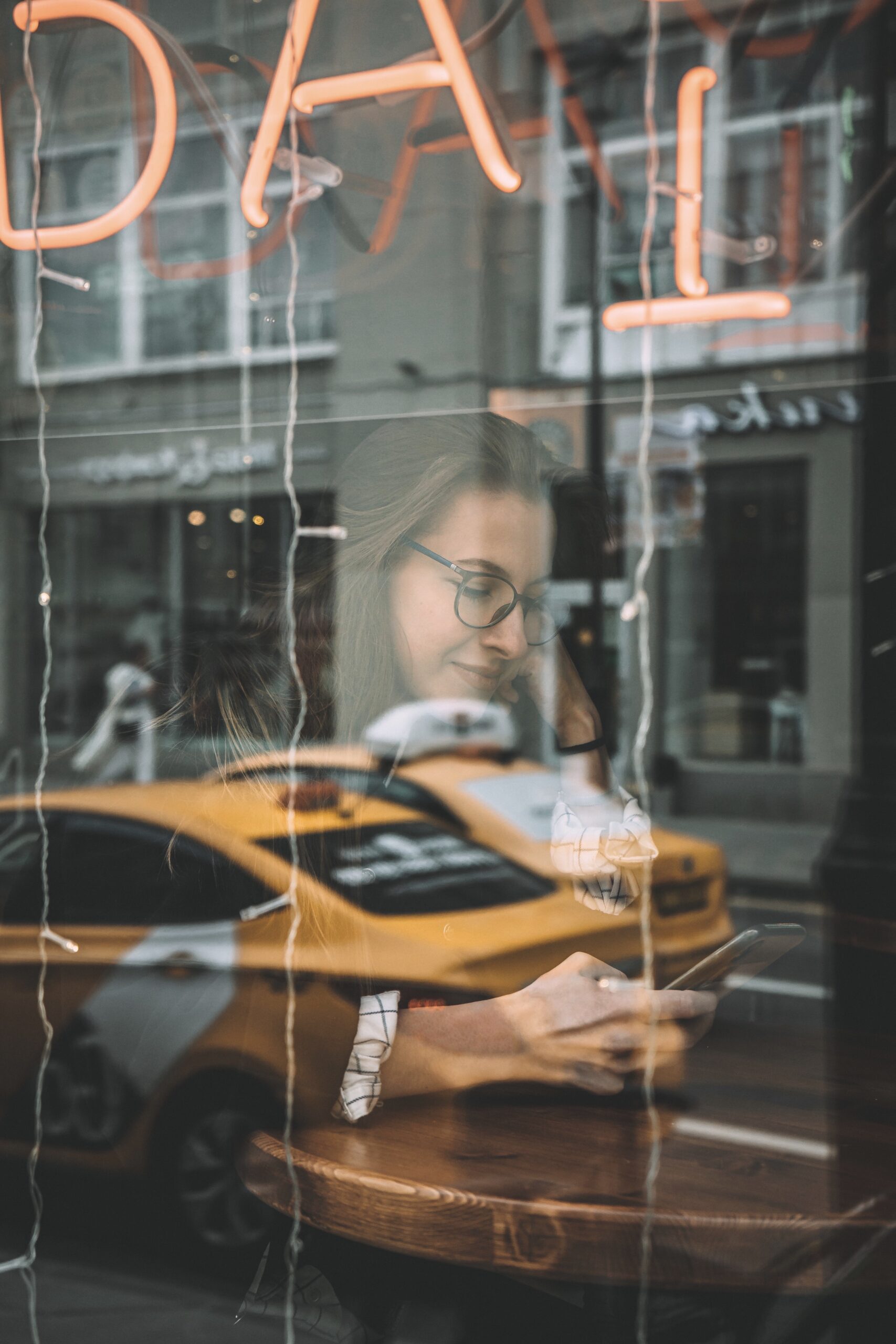
Glass Reflection Effect with Adobe Photoshop
Adobe Photoshop is a powerful and versatile programme used by digital designers, photographers, and illustrators alike. It contains an impressive arsenal of tools that allow users to create amazing works of art. One such tool is the Glass Reflection Effect, which can be used to create stunning reflections on glass surfaces. This article will provide a step-by-step guide on how to use the effect within Adobe Photoshop in order to achieve professional results quickly and easily. With this tutorial, you’ll be able to add realistic reflections to your photos with minimal effort!
Introduction: Glass reflection effect
Glass reflection effects are an incredibly popular and visually appealing way to add a unique twist to any image. Adobe Photoshop has become the industry standard for creating these special effects, making it easy for anyone to create stunning images with just a few clicks. The glass reflection effect can be used to enhance photographs, change backgrounds, or even create artwork from scratch. With simple techniques and tools available in Photoshop, you can turn any ordinary photo into something extraordinary.
The glass reflection effect is created by adding one or more layers of distortion over the original image. This can be done using distortions such as haze, blur, and ripple. You can also use clipping masks to blend different shapes together or adjust lighting levels with gradients and curves. Finally, brush strokes and manual blending provide an extra level of detail that will make your final image truly pop!
Preparing for the effect
When it comes to creating the glass reflection effect in Adobe Photoshop, preparation is key. To begin, take some time to decide on your desired outcome and gather the materials you need. If you are starting with a digital image, ensure that it is high resolution, as this will ensure that details aren’t lost when editing. Additionally, create backup copies of your image at each stage of the process so that if you make mistakes or want to start over, you can easily do so.
If possible, find an outdoor space for shooting a photograph for use in the effect. You should look for an area where there are few obstructions between yourself and your subject so that reflections are clearly visible and not blocked by trees or buildings. The ideal angle would be directly across from the subject with direct sunlight lighting up both objects simultaneously.
Creating a reflection layer
Creating a reflection layer in Adobe Photoshop is an easy process that can help to add realism to your designs. Reflection layers create a mirror-like effect to any image, making it look more three-dimensional and eye-catching. To create a reflection layer, first duplicate the original layer and flip it upside down by going to Image > Rotate > Flip Vertical. Then move the duplicated layer below the original one by dragging it down with your mouse cursor.
Next, reduce the opacity of this flipped image slightly so that the layered images create soft blending effects when placed together. You can also use photo filters or other tools like Gaussian Blur to further customise your reflection layer according to your needs. Finally, use the Move Tool (V) to reposition both layers until you are satisfied with how they look together.
Adding a colour overlay
Adding a colour overlay to your digital image can make all the difference when creating a Glass Reflection Effect with Adobe Photoshop. It’s an easy way to add mood, drama and surrealism to any photograph. To create this effect, select the Layer option from the toolbar and choose ‘New Adjustment Layer’ then select ‘colour overlay’.
From here you can adjust the blend mode and opacity of the colour overlay to desired levels. You can also change the colour by using either a preset swatch or entering in specific hex (RGB) values for more precise control over your design. For example, try using blues or purples to enhance a glass reflection in night time shots or greens and oranges if you are trying to recreate a sun-soaked scene. Experimenting with different shades will bring out unique effects each time, so have fun with it!
Blending modes and opacity adjustment
When you are creating a glass reflection effect in Adobe Photoshop, adjusting the blending mode and opacity can have a big impact. Blending modes determine how the layers of an image interact with each other to produce an overall effect. When creating a glass reflection effect, blending modes like Overlay and Soft Light can create a realistic and subtle look.
The opacity of the layer can also be adjusted to control how much of the underlying imagery is visible. This is important when working with reflections as too much opacity will cause them to appear overly strong compared to natural looking reflections. By playing around with different combinations of blending modes and opacity levels, you can achieve stunning results with your glass reflection effects in Adobe Photoshop.
Finishing touches to perfect the look
When it comes to adding the finishing touches to any project, one of the most effective ways to make an image pop is by using a glass reflection effect. This technique can be used in Adobe Photoshop to create a seamless, illuminated glass look that brings depth and dimension to your work.
The first step in achieving the perfect glass reflection effect is selecting the right brush tool. The Brush Tool has a variety of settings which will help you create different levels of transparency, opacity and texture for your image. It’s important to experiment with different settings until you find one that best suits your needs. Once you’re happy with your choice, simply add subtle highlights onto areas of your selection where light would naturally reflect on glass surfaces such as edges and corners. You can also use soft edged brushes if you want more diffused reflections or hard edged brushes for bolder reflections.
Defining Adobe Photoshop
Adobe Photoshop is a powerful photo and image editing software used by photographers, designers, graphic artists, and other professionals. Its convenient user interface allows users to easily create amazing visuals with the help of a wide range of tools. By using various layers and masks, users can adjust colour, saturation, brightness and contrast levels in their photos or drawings.
Additionally, Adobe Photoshop offers many features such as liquify effects that can be used to give photos or images an interesting twist.
The programme also provides a robust set of selection tools that allow for precise editing of specific parts of an image. With these tools users can quickly define selections based on colours or shapes within the original image. This means no matter what type of project you are working on; Adobe Photoshop has you covered with its comprehensive tool-set that can bring any concept to life.
What are the different types of graphic design?
Graphic design is a creative field that uses visuals to communicate messages. There are several types of graphic design, each with its own purpose and style.
One type of graphic design is logo design, which involves creating an iconic symbol or mark for companies and organisations. Logo designers use shape, colour, typography, and other elements to create a distinct visual identity for the brand.
Another type of graphic design is web design. Web designers create websites by using HTML, CSS and JavaScript to craft visually appealing user interfaces that attract visitors and encourage them to interact with content on the page. They also ensure sites are optimized for different screen sizes and browsers so they look great across devices.
Finally, there is print design which includes designing brochures, business cards, posters, magazines and other printed materials with eye-catching layouts and typography.
What are the latest trends in graphic design?
Graphic design is a constantly evolving field and staying on top of the latest trends is critical for anyone looking to stay ahead of the curve. In recent years, there has been an increase in graphic designers utilising abstract designs, vibrant colours and organic shapes to create eye-catching visuals. Many designers are also experimenting with typography, playing with font size and colour to make text stand out more. Additionally, more designers are finding ways to incorporate animation into their work to give it a modern look.
Another popular trend in graphic design is the use of glass reflections to add dimension and texture to images. By combining Adobe Photoshop tools like selective colour adjustment layers, masking and filters, graphic designers can create realistic-looking glass reflection effects that really draw the eye.
How Adobe Photoshop changed graphic design
Adobe Photoshop is one of the most popular image editing software programmes used by professional graphic designers today. Since its release in 1990, it has become an essential tool for creating sophisticated designs and effects, revolutionising the field of graphic design.
Photoshop offers a wide range of features that enable designers to create original artwork quickly and efficiently. With tools like layers, masks, brushes, filters, and blending modes, designers can manipulate images in almost limitless ways to achieve their desired results. In addition to allowing users to modify existing photographs or graphics, Photoshop also enables users to produce entirely new vector-graphics from scratch.
Furthermore, with its powerful colour correction features such as curves and levels adjustments and masking tools such as layer styles and adjustment layers, Photoshop allows for more precise control over artwork than ever before.
Must-know tips for mastering Adobe Photoshop for graphic design
Adobe Photoshop is a popular tool for graphic designers because of its array of features and capabilities. If you’re looking to master Adobe Photoshop for your work in graphic design, there are some tips that can help you on your journey.
First, familiarise yourself with the software’s tools and options. Take some time to explore the functions available to you, so that you know where everything can be found when it comes time to use them. This will also allow you to experiment with different techniques and find out what works best for your projects.
Second, practice makes perfect! The more often you use Photoshop, the easier it will become as muscle memory takes over. Start by tackling simple tasks like cutting out an image or adding text before moving onto more complex designs. With enough practice, navigating through Adobe Photoshop will soon become second nature!
Creative ways to use Adobe Photoshop for professional graphic design
Adobe Photoshop is a powerful tool for professional graphic designers to create stunning visuals. With its range of features and tools, Photoshop offers endless possibilities for creating unique designs. Here are some creative ways that graphic designers can use Adobe Photoshop to create eye-catching work:
Layer Effects: By combining different layers of images, text, and shapes with various layer effects such as drop shadows, glows and textures, designers can create an array of visual effects. Layer effects enable you to quickly add depth and texture to your works without having to manually draw each element.
Create Textured Backgrounds: Designers can easily add texture to their backgrounds using a variety of methods in Adobe Photoshop. For example, they could use brushes or textures combined with blending modes like Overlay or Soft Light to achieve the desired effect.
Adobe Photoshop: Basics of graphic design
Adobe Photoshop is a powerful image editing and graphics software programme that allows users to create stunning graphic designs. It has been the go-to choice of professionals for years, and it remains popular today. Knowing the basics of utilising Photoshop for graphic design can help take projects from amateur to professional in no time.
When designing with Adobe Photoshop, understanding layers is essential. Layers are like sheets of trapped transparency that can be used to add elements or effects onto an image. Understanding how layers work allows for more creative control over the look and feel of a design project. Additionally, using layer masks makes it possible to hide or reveal parts of an image without permanently deleting them, which helps when creating intricate graphic designs on a single canvas.
With its array of tools and features, Adobe Photoshop provides endless possibilities when it comes to creating beautiful graphics and artwork.
Popular tools in Photoshop
Photoshop is an incredibly powerful tool for image editing and manipulation. It comes with a wide variety of tools that can be used to create stunning visual effects. One of the most popular tools in Photoshop is the Glass Reflection Effect, which allows users to add realistic-looking reflections to any type of surface in their images.
The Glass Reflection effect takes advantage of several features built into Photoshop, including the Brush Tool, Blur Tool, and Layer Styles. Using these tools together, it’s easy to create a realistic reflection on any kind of glass or other reflective surfaces. To start creating your own reflections with the Glass Reflection effect, begin by selecting the brush tool and painting on top of your image layer in areas where you want to add reflections. Then use layer styles such as Inner Shadow or Gradient Overlay to give your reflection more depth and realism.
Creative uses of Photoshop
Creative uses of Adobe Photoshop are virtually endless. By combining basic design principles with some of the more advanced features, users can create truly unique and stunning effects. For example, many photographers use Photoshop to achieve a glass reflection effect. This dreamy look is created by layering images to blend a reflection from a glass surface into the photo.
To achieve this effect, you will need two images: one for the background and one for the reflection. It’s best to use an image with a lot of colour and contrast in order to capture light rays that are scattered in different directions as they pass through glass surfaces. Then you will need to layer these two images using an overlay blending mode like “screen” or “lighten” for maximum impact.
Adobe Creative Cloud integration
Adobe Creative Cloud offers unparalleled integration for users of its various software programmes, including Adobe Photoshop. With the Creative Cloud, users can save their Photoshop projects to the cloud, enabling them to access and edit their work from any device with an internet connection. Additionally, they can access a vast library of assets such as photos and fonts across multiple applications in the Creative Cloud.
The Creative Cloud also allows seamless collaboration between multiple users at once, allowing teams to develop projects together from anywhere in the world. In addition to real-time editing capabilities, users can share project files and even provide comments on projects directly within the application. This helps streamline workflow for complex creative tasks like creating a glass reflection effect in Photoshop.
Overall, Adobe Creative Cloud is an invaluable tool for artists who require collaboration and mobility when creating their works of art.
Utilising Photoshop
Photoshop is a powerful image editing tool that can be used to create a wide range of effects. One example of this is the glass reflection effect, which can be achieved using several techniques.
Using the Gaussian Blur filter and the Gradient Tool are two of the most efficient ways to produce this effect. The Gaussian Blur filter can be applied to a layer that holds an object you want to reflect in the glass and then dragged onto an empty layer below it. With gradient tool, you can create a linear or radial gradient by dragging across your canvas before setting its blend mode to multiply. This will darken or lighten your image depending on what kind of reflection you’re aiming for.
Additionally, with some tweaking of layer masks and opacity settings, various shades and intensity levels can be achieved in order to better replicate a realistic glass reflection effect.
Creative graphic design hacks
Creative graphic design hacks can help designers create stunning visuals with minimal effort. Adobe Photoshop is a powerful and versatile tool for creating amazing graphic designs, and there are plenty of clever tricks that can add extra flair to your work.
One of the easiest effects to master with Adobe Photoshop is the glass reflection effect. This simple hack allows you to take any image and make it appear as if it were being viewed through a pane of glass, giving it an added layer of realism and dimensionality.
To achieve this effect, simply duplicate the background layer, place it above the original one, then drag its opacity down until you have reached your desired level of transparency. You may also want to add a subtle blur or tinting effect for further depth. Experimenting with different textures such as noise or gradients may also help enhance the look of the reflection.
Unlock creative freedom with Adobe Photoshop
Adobe Photoshop is a powerful digital tool that allows photographers and other creatives to unlock their creative potential. With Adobe Photoshop, users can manipulate images to create unique compositions and special effects. The software offers a wide range of features, allowing photographers to experiment with colour and lighting, as well as make adjustments to perspective and depth-of-field.
The Glass Reflection Effect is an example of how creative freedom can be expanded in Adobe Photoshop. By applying the effect, users are able to combine two different images into one composite image. This combination creates a more dynamic composition by reflecting one part of the photo onto another part. For example, a reflection of a person’s face could be merged with the background of an urban skyline for an eye-catching image.
Join Blue Sky Graphics online graphic design school today to better understand graphic design!
If you want to learn the basics of graphic design and become a creative powerhouse, join Blue Sky Graphics online graphic design school today! This comprehensive course covers all aspects of graphic design from digital illustration to logo creation. With easy-to-follow tutorials, expert advice, and a wealth of resources, this school will equip students with the tools they need to get up to speed on the art of designing.
From typography principles to colour theory and image manipulation, Blue Sky Graphics offers an extensive library of lessons and activities that are designed for those who are just starting out as well as experienced professionals looking to brush up their skills. In addition, they have courses tailored specifically for Adobe Photoshop users so you can make sure your designs have that polished look every time!









