

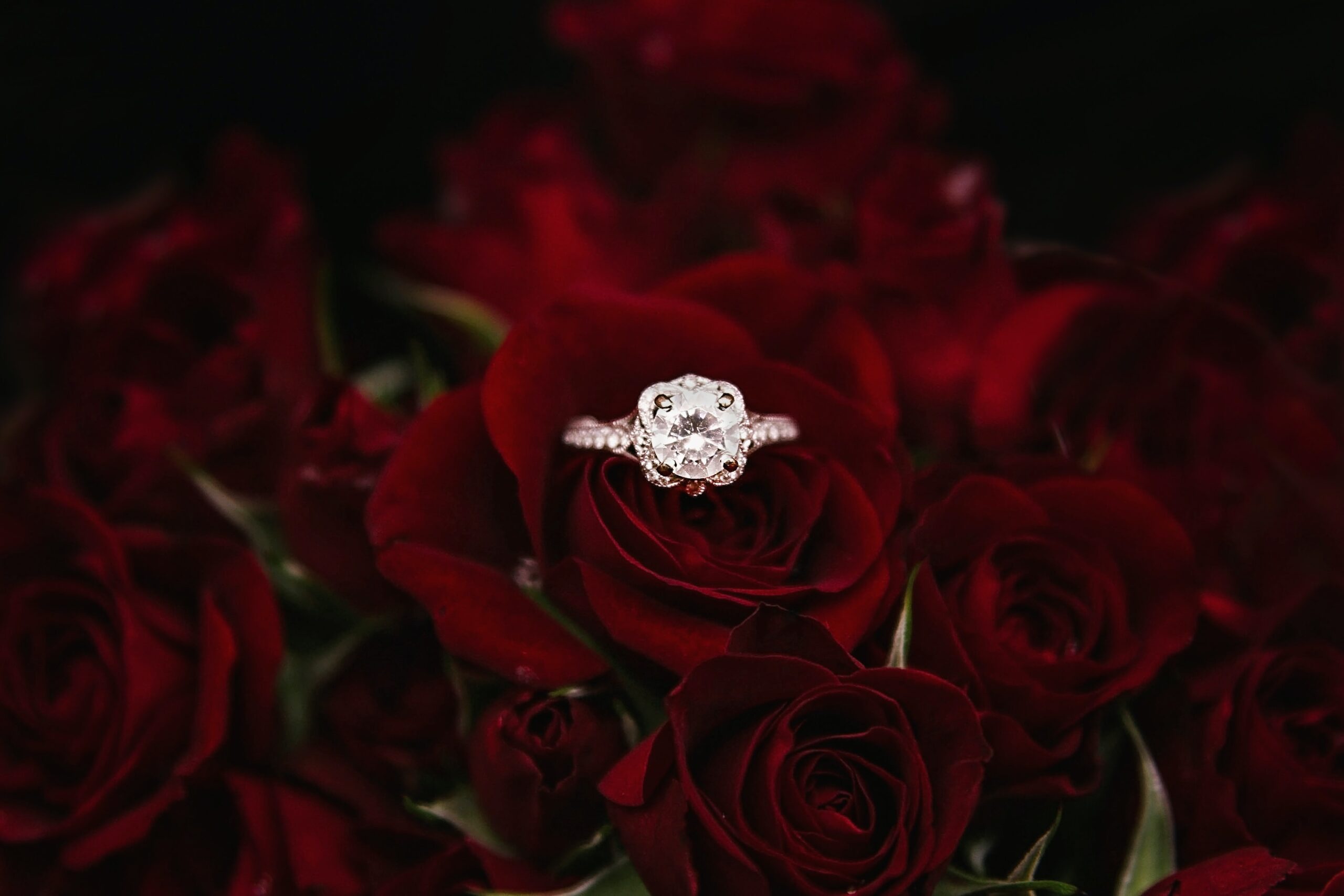
Make Jewellery Shine Tutorial- Adobe Photoshop
This tutorial will show you how to make your jewellery shine using Adobe Photoshop. You will learn how to use the brightness/contrast tool, as well as the levels and curves tools, to make your jewellery look its best. You will also learn how to use the dodge and burn tool to add highlights and shadows. By the end of this tutorial, you will know how to make your jewellery shine in Photoshop.
Introduction: How to make jewellery shine on Adobe Photoshop
When it comes to making jewellery shine in Adobe Photoshop, there are a few key steps you need to follow. First, create a new layer on top of your image. Next, grab the Brush tool and set your foreground colour to white. Once you have done that, simply brush over the areas of the jewellery that you want to make shine. You can adjust the opacity of the layer if you need to. Finally, add a Gaussian Blur to the layer and set it to around 5 pixels. This will help give your jewellery some extra sparkle and make it really stand out!
5 Adobe Photoshop tips every Graphic Designer needs to know
- Use the High Pass Filter to make jewellery shine
- Add a Layer Mask to an adjustment layer to control where the effect is applied
- Use a Curves Adjustment layer to add drama and contrast
- Dodge and Burn to add Highlights and shadows
- Use the Liquify Filter to clean up skin in portraits
7 Types of graphics design tools and when to use them
There are many different types of graphics design tools available to help you create beautiful jewellery designs. Here are 7 of the most popular tools and when to use them:
- Adobe Photoshop – Photoshop is a versatile programmethat can be used for everything from small retouching jobs to creating complex digital artworks. If you need to do any kind of image editing, Photoshop is the tool for you.
- SketchUp – SketchUp is a 3D modelling programme that is great for creating detailed models of jewellery pieces. If you need to create a three-dimensional representation of your design, SketchUp is the tool for you.
- Illustrator – Illustrator is a vector drawing programme that is perfect for creating detailed illustrations and line art. If you need to create any kind of graphic or illustration, Illustrator is the tool for you.
- Adobe InDesign – InDesign is a page layout programme that allows you to create beautiful and professional looking designs. If you need to create a project with multiple pages, InDesign is the tool for you.
- Adobe XD – Adobe XD is a wireframing programme that allows you to create prototypes of web and mobile interfaces. It is great for creating proof-of-concepts and testing designs with users.
- WordPress – WordPress is a tool that allows you to create beautiful websites. WordPress is the best tool for creating and maintaining a personal website or blog.
- Elementor – Elementor is a page builder for WordPress. It allows you to create beautiful and professional looking designs with ease.
5 Tips for breaking into a graphic design career
Graphic design is a field with many different pathways to success. There is no one “right” way to become a Graphic Designer, but there are some tried and true tips that can help you on your way. Here are five of the best tips for breaking into a graphic design career:
- Get a certificate in graphic design or a related field. While it is not strictly necessary to have a formal education to become a Graphic Designer, it will give you a strong foundation in the skills and knowledge you need to be successful. Additionally, many employers prefer to hire candidates with at least some formal training in the field.
- Start freelancing as soon as possible. One of the best ways to get your foot in the door of the graphic design world is to start freelancing as soon as you can.
- Start your own business. In the graphic design world, it is not uncommon for people to start their own businesses. And while you might not have a formal education in the field, you are still very likely to be able to take on freelance work as a Graphic Designer or Illustrator.
- Start a blog. A lot of the opportunities that Graphic Designers and other creative professionals have today is because of the internet. One of the best ways to start your career as a Graphic Designer is to build up a portfolio on your own website or blog.
- Try to get a job. If you have been freelancing or working on your own business, this step is probably your best bet. It can be difficult to get a job as a Graphic Designer without any experience, but it is possible.
How to use the different types of Photoshop tools
When it comes to Photoshop, there are a lot of different tools that can be used in order to make your photos look their best. In this tutorial, we will be focusing on how to use some of the different types of Photoshop tools in order to make jewellery shine.
First, let’s take a look at the Clone Stamp tool. This tool can be found under the Tools palette, and it allows you to clone parts of an image. To use this tool, simply select the area that you want to clone, and then click and drag over the area that you want to copy it to.
Next, we have the Healing Brush tool. This tool is also found under the Tools palette, and it allows you to remove imperfections from an image.
Graphic design tips and tricks
Graphic design is all about creating visual interest. In this tutorial, we will share some tips and tricks to make your jewellery shine in Adobe Photoshop.
First, let’s talk about levels. When you adjust the levels of an image, you are essentially playing with the contrast. A high contrast image will have bright whites and dark blacks, while a low contrast image will appear more muted. You can adjust the levels by going to Image > Adjustments > Levels.
Next, we’ll move on to curves. Curves are similar to levels, but they give you a bit more control over the highlights and shadows. To adjust the curves, go to Image > Adjustments > Curves.
Finally, let’s talk about colour balance. This is a great way to make sure your colours are consistent throughout your design.
The history of Adobe Photoshop
Adobe Photoshop is a raster graphics editor developed and published by Adobe Inc. for macOS and Windows. It was originally created in 1988 by Thomas and John Knoll. Since then, it has become the de facto industry standard in raster graphics editing, to the point that it has also become an adjective in its own right (e.g., “Photoshop image”).
Adobe Photoshop is widely considered the industry standard for digital image processing and editing, used by professional Photographers, Graphic Designers, Web Developers, and even casual users. The software’s popularity has led to the creation of a large community of users who share tips, tutorials, and support online.
The evolution of Adobe Photoshop and its impact on graphic design today
Adobe Photoshop has come a long way since its inception in 1988. What started as a simple image editing programme has now evolved into a powerful tool used by graphic designers all over the world. Photoshop has had a major impact on the evolution of graphic design, and it shows no signs of slowing down.
Today, Photoshop is used for much more than just retouching photos. Graphic Designers use it to create stunning visual effects, digital illustrations, and even entire website designs. With so many possibilities, it’s no wonder that Photoshop has become the industry standard for graphic design.
As Adobe Photoshop continues to evolve, so does the field of graphic design. With new features and capabilities being added all the time, there’s no telling what we’ll be able to create with this amazing software in the future.
The future of Adobe Photoshop
Adobe Photoshop is a widely used programme for crafting digital images. The software has been used by professional Photographers and Graphic Designers for years, but its user base has expanded in recent years to include people of all skill levels. As the programme continues to evolve, users can expect new features and improvements that will make crafting stunning images even easier.
One of the most exciting aspects of Photoshop is its ability to integrate with other Adobe programmes. For example, users can now import their lightroom photos into Photoshop for further editing. This tighter integration between programmes makes for a smoother workflow and allows users to take advantage of the best features of each programme.
Going forward, Adobe Photoshop will continue to be a powerful and popular tool for digital image creation.
Defining Adobe Photoshop
Adobe Photoshop is a raster graphics editor developed and published by Adobe Inc. for Windows and macOS. It was originally created in 1988 by Thomas and John Knoll. Since then, it has become the de facto industry standard in raster graphics editing, to the point that it has also become an adjective in its own right (e.g., “photoshop”).
Photoshop offers users a vast array of features and options for creating and manipulating images, making it an incredibly powerful tool. However, its complexity can also be daunting for newcomers. In this section, we’ll provide a brief overview of some of the most important features of Photoshop, as well as some tips on how to get started using them.
What are the different types of graphic design?
Graphic design is the process of visual communication, and problem-solving through the use of typography, photography, and illustration. The field is considered a subset of visual communication and communication design, but sometimes the term “graphic design” is used interchangeably with these due to overlapping skills involved.
Graphic Designers create and combine symbols, images and text to form visual representations of ideas and messages. They use typography, colour, illustration, photography, animation and various printmaking techniques to create unique designs that usually convey a specific message or vision.
There are four main types of graphic design: corporate identity, editorial design, advertising design, and package design.
Corporate identity graphic design
Corporate identity graphic design is the application of graphic design to create a distinguishable visual appearance for a company or organisation. This appearance can be through the use of logos, colours, typefaces, and other design elements. A strong corporate identity can help a company stand out from its competitors and build brand recognition.
An effective corporate identity graphic design must be well thought-out and consistent across all platforms, from website to print materials. It should be reflective of the company’s values and give insight into its culture. A good corporate identity will leave a lasting impression on customers and help create loyalty.
Editorial design graphic design
Editorial design is a form of communication that combines text, images and layout to convey a message. It is often used in magazines, newspapers and books. Graphic Designers use their skills to create editorial designs that are both aesthetically pleasing and informative.
Editorial design relies heavily on typography, which is the art and technique of arranging type to make it readable, understandable and visually appealing. Good editorial design should be able to communicate the message clearly and effectively. In addition to typography, Editorial Designers also use colour, imagery and whitespace to create a balanced and eye-catching layout.
Graphic Designers who specialise in editorial design have a deep understanding of how to use these elements to create engaging designs. They are also experts in grid systems, which are used to organise content in a way that is easy for readers to follow.
Advertising design graphic design
Advertising and graphic design go hand-in-hand. Graphic Designers create the visuals that advertisers use to sell their products or services. They often work together to come up with creative ways to get attention and persuade people to buy what they’re selling.
Advertising design is all about creating eye-catching and memorable visuals that will grab people’s attention and make them want to learn more about the product or service. A good advertising design should be simple, yet effective, and it should communicate the key message of the campaign in a clear and concise way.
Graphic Designers have a wide range of skills and techniques that they can use to create stunning advertising designs. They often start with a concept or an idea that they then bring to life through their creativity and technical expertise.
Package design graphic design
Package design is a vital part of any product’s success. A well-designed package can make a product more appealing to customers and help it sell better. Here are some tips on how to create an eye-catching package design:
- Use bright colours and bold fonts to make your package stand out.
- Use interesting shapes and patterns to add visual interest.
- Be sure to include all the necessary information, such as the product name, price, and contact information.
- Make sure your design is easy to read and understand.
- Test your design on different types of packaging materials before you print it out. This will help ensure that your design looks good on the actual product.
4 Types of Adobe Photoshop graphics you didn’t know you could create
Adobe Photoshop is a widely used programme for crafting digital graphics, but did you know that it can also be used to create beautiful jewellery? Here are four types of Adobe Photoshop graphics you didn’t know you could create:
- Pendants: Using a simple pendant shape, you can add your own personal touch to any necklace.
- Bracelets: By changing the size and shape of a bracelet, you can create a unique piece of jewellery that is perfect for any outfit.
- Earrings: There are endless possibilities when it comes to creating earrings in Adobe Photoshop. You can change the size, shape, and colourof earrings to create a one-of-a-kind look.
- Rings: You can use Adobe Photoshop to design the perfect ring for any occasion.
From beginner to expert: Adobe Photoshop
Adobe Photoshop is one of the most widely used photo editing programmes in the world. Whether you’re a beginner or an expert, there’s a lot you can do with this programme. In this article, we’ll show you how to make your jewellery photos shine.
If you’re new to Photoshop, don’t worry – we’ll walk you through each step so that you can follow along. We’ll start by opening up our image in Photoshop and creating a new layer. Next, we’ll use the brush tool to paint over the areas of the jewellery that we want to highlight. Once we’re happy with our highlights, we’ll add a new layer and use a different brush to add shadows.
We’ll then use an adjustment layer and a gradient map to add some contrast and a vignette. Finally, we ll sharpen the image in Photoshop to make it stand out even more.
Adobe Photoshop: Careers opportunities
Adobe Photoshop is a widely used programme for crafting digital artwork, and many career opportunities exist for those with the skill to use it. Graphic Designers, Web Developers, and Photographers all use Adobe Photoshop to create stunning visual effects.
With Adobe Photoshop, the sky is the limit in terms of creativity. If you have a passion for art and design, then a career in Adobe Photoshop may be the perfect fit for you. There are many online tutorials available to help you get started with Adobe Photoshop, and once you master the basics, the possibilities are endless.
Adobe Photoshop: The latest trends 2023
Adobe Photoshop has been the industry standard for image editing for years. The latest version, Photoshop CC (Creative Cloud), was released in October 2018 and includes new features such as artificial intelligence-powered object selection and content-aware fill.
In recent years, Adobe has also added some innovative new features to Photoshop, such as the ability to edit 360-degree photos and create VR experiences. These cutting-edge features are sure to become more popular in the coming years, as more people adopt VR technology.
As we move into 2020 and beyond, Adobe will continue to add new features and capabilities to Photoshop, making it even more powerful and essential for Photographers and Graphic Designers. So if you’re not already using Photoshop, now is the time to start!
Adobe Photoshop: A Graphic Designers best friend
Adobe Photoshop is a Graphic Designer’s best friend. It is a versatile programme that can be used to create stunning jewellery designs. In this tutorial, we will learn how to use Photoshop to make jewellery shine.
First, we will open Photoshop and create a new document. We will then add an image of jewellery to the document. Next, we will select the “Brightness/Contrast” tool from the “Adjustments” panel. We will increase the brightness and contrast until the jewellery looks shiny and bright. Finally, we will save our work and admire our beautiful creation!
5 Tips to help you become a better Graphic Designer
As a Graphic Designer, it is important to have strong skills in Photoshop. Here are five tips to help you become a better Graphic Designer:
- Get to know the software inside and out. Explore all of the features and tools that Photoshop has to offer. The more you know about the software, the better equipped you will be to create stunning designs.
- Practice, practice, practice. The only way to get better at anything is to practice regularly. Set aside some time each day to work on your Photoshop skills.
- Experiment with different techniques and styles. Don’t be afraid to try new things or go outside of your comfort zone. By experimenting, you will learn what works and what doesn’t work for you – and this knowledge will only make you a better designer.
- Network. There are many great people in this industry just waiting to help you out. If a designer has been in business for a while, they have likely encountered every possible problem that can befall a web designer. Ask them questions and take advantage of their experience.
- Make sure you are using the latest version of Photoshop. New versions of Photoshop usually bring with them bug fixes and improvements to the tools.
Check out Blue Sky Graphics online design school to learn more about what it takes to become a successful Graphic Designer!









