

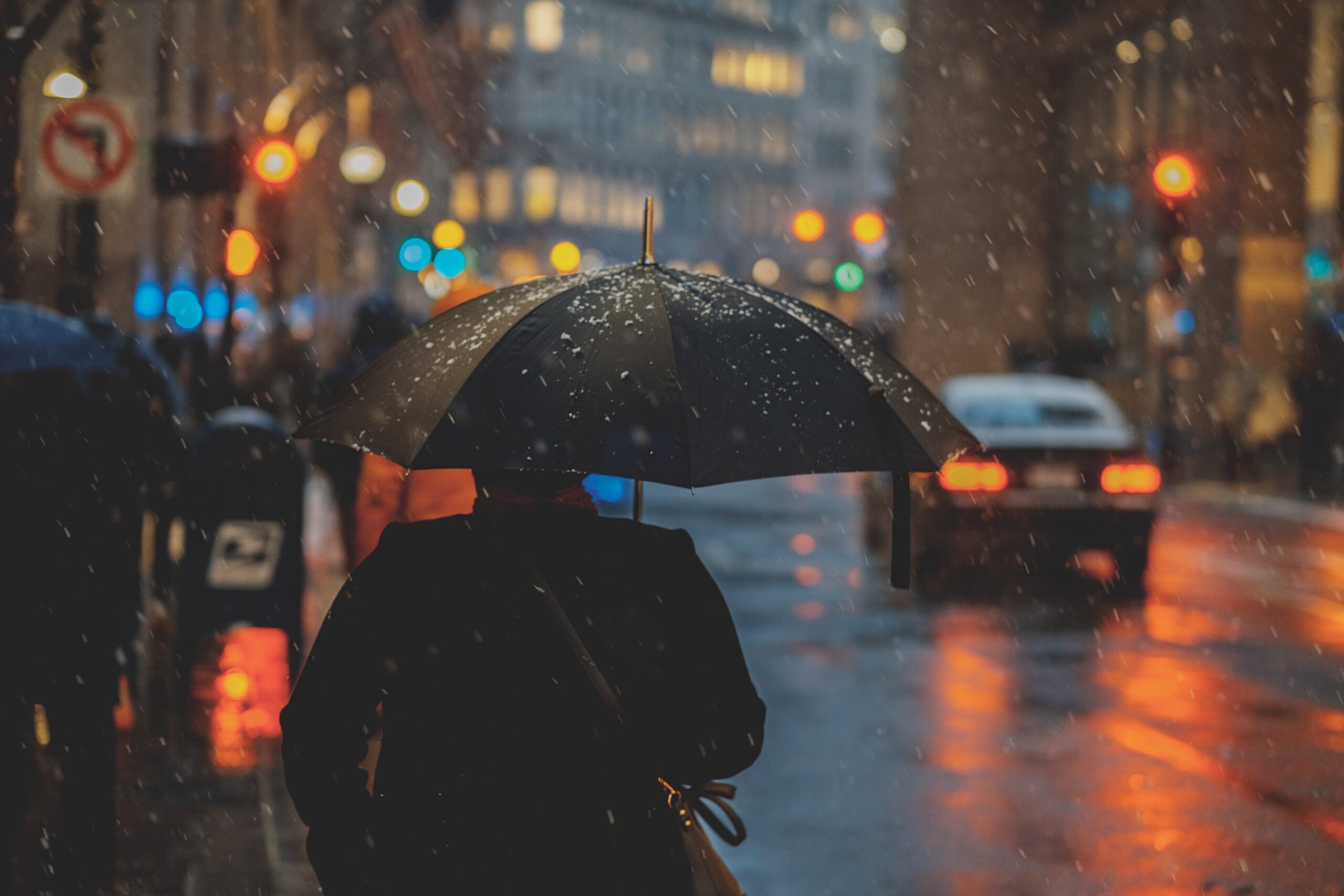
Rain Water Effect Tutorial – Adobe Photoshop
In this tutorial, we’ll learn how to use Adobe Photoshop to create a rainwater effect. This is a great way to add realism to your photos, and it’s easy to do! We’ll start by creating a new layer, then we’ll add some raindrops. Next, we’ll use a layer mask to blend the raindrops into the photo. Finally, we’ll adjust the opacity of the layer to get the perfect look.
Introduction: What is a rainwater effect?
A rainwater effect is when rainwater creates streaks or lines on a photograph. This can be caused by the raindrops hitting the lens of the camera, or by the water droplets on the ground reflecting light. To create a rainwater effect in Adobe Photoshop, follow these steps:
1.Open an image in Photoshop.
2.To create streaks of rain, select the Brush tool and choose a small, hard-edged brush from the Brushes palette. Set the foreground colour to black, and click and drag on the image to paint streaks of rain.
3.To add water droplets to the ground, select the Elliptical Marquee tool and draw an oval shape around an area of ground.
4.Paint black on the oval to make it look like a puddle.
Creating a rain water effect: Step by step tutorial
In this tutorial, we’ll show you how to create a rain water effect in Adobe Photoshop. It’s a simple process that only requires a few steps.First, open your image in Photoshop and create a new layer. Next, use a black brush to paint over the area where you want the rain to fall. Make sure the brush is set to a large size so that the effect is visible.
Now go to Filter > Noise > Add Noise. Set the amount of noise to around 50% and click OK. This will add some graininess to the black area which will help create the illusion of raindrops falling.
Finally, go to Filter > Blur > Motion Blur. Set the angle to 0 and the distance to around 10 pixels. This will blur the noise slightly and give it a more natural look. Click OK and you’re done!
Adding movement to the rain water effect
The rain water effect is a great way to add some movement to your photos. By using the rain water effect, you can create the illusion of movement in your photo. Here are a few tips on how to add movement to the rain water effect:
- Use a slow shutter speed. This will help create the illusion of movement in your photo.
- Use a tripod. This will help keep your camera steady and prevent any blurriness in your photo.
- Use a remote shutter release. This will allow you to take the photo without having to touch the camera, which can cause shake and blurriness.
- Experiment with different shutter speeds and aperture settings to find the perfect combination for your photo.
Changing the colour of the rain water effect
If you want to change the colour of the rain water effect, there are a few things you need to do. First, you need to create a new layer on top of the background layer. Next, use the paint bucket tool to fill this layer with black. Then, go to Filter > Render > Clouds. This will create a cloud effect on your layer.
Now, go to your Layer Styles panel and select colour Overlay. Choose the colour you want your rain water effect to be and click OK. Finally, go to Filter > Blur > Motion Blur. Set the Angle to 0 and the Distance to around 500 pixels. This will blur your clouds and give them a sense of movement.
Graphic design: Adobe Photoshop effects
Graphic design is the art of creating visual content to communicate messages. Adobe Photoshop is one of the most widely used software programmes for graphic designers, due to its wide range of capabilities and easy-to-use tools. In this rain water effect tutorial, we will show you how to create a realistic rain effect in Photoshop.
To create a realistic rain effect, start by creating a new layer. Then, use a brush tool to paint over the area where you want the raindrops to fall. Next, set the foreground colour to black and the background colour to white. Then, go to Filter > Noise > Add Noise. Set the amount to 100% and select Gaussian Distribution. Click OK.
Now go to Filter > Blur > Motion Blur. Set the angle to -90 degrees and the distance to 5 pixels. Click OK.
Graphic design: The possibilities of Adobe software
Graphic design is the process of creating visual content to communicate messages. Adobe software is used by graphic designers to create vector graphics, illustrations, logos, and photos.
Graphic design is the process of visual communication through the use of typography, photography, iconography and other visual elements. Adobe software is widely used by graphic designers to create layouts for print or web design. In this Rain Water Effect Tutorial, we will show you how to use Adobe Photoshop to create a realistic rain water effect.
Adobe Photoshop is a powerful image editing software that allows graphic designers to manipulate images in many ways. In this tutorial, we will show you how to use Adobe Photoshop to create a realistic rain water effect. First, we will need to find an image of a street or cityscape with buildings. Next, we will add a layer of raindrops falling from the top of the image. To do this, we will use the Brush tool and set the foreground colour to blue. Then, we will create raindrops that fall from the top of the image. Finally, we will add a transparent layer on top of everything and use the smudge tool to create streaks of water in different directions.
Photoshop is one of the most popular graphics applications used by graphic designers.
Career: The top 5 graphic design trends for 2023
With the ever-changing landscape of the design industry, it can be difficult to keep up with the latest trends. However, being aware of the upcoming trends can help you stay ahead of the curve and be prepared for what’s to come. Here are 5 graphic design trends that are predicted to be big in 2023:
- Bold and Bright colours: Vibrant colours are expected to be everywhere in 2023. Designers will be experiment with different colour combinations to create unique and eye-catching designs.
- Retro Designs: There is a growing trend of nostalgic design, with many designers looking to the past for inspiration. Expect to see a lot of vintage-inspired designs in the next few years.
- Minimalism: Minimalist design is still going strong and is predicted to continue to be popular in 2023. A minimalist design is clean, simplistic and bold.
- Hand-Drawn Design: Hand-drawn designs are a great way to add personality and uniqueness to your project. They can be used for logos, social media graphics, advertisements or anything else you can think of!
- 3D Design: 3D designs are becoming more and more popular, as technology advances. They are a great way to add excitement to a design and give it that extra edge.
Graphic design: Tips and advice from the pros
As a graphic designer, you likely already have an eye for detail. But when it comes to creating designs that are truly impactful, it takes more than just an artistic flair. Luckily, we’ve compiled a list of tips from some of the best in the business to help you take your designs to the next level.
When it comes to graphics, one of the most important things to keep in mind is composition. How you arrange the different elements of your design can make all the difference in how effective it is. Pay attention to things like balance and hierarchy when putting together your composition—this will help create a design that is both visually appealing and easy to understand.
Another important consideration for any graphic design is typography. The way you use typefaces can help set the tone for your entire design and communicate specific messages to your viewers.
Get the most out of Adobe Photoshop with these essential tips
Adobe Photoshop is a powerful tool that can be used to create amazing images and graphics. However, it can be difficult to know how to use all of the features and options available. Here are some essential tips for getting the most out of Adobe Photoshop:
- Get familiar with the different tools and options available. Each tool has a specific purpose and can be used to create different effects. Spend some time experimenting with each one to see what they can do.
- Pay attention to detail. Small details can make a big difference in the overall look of an image. Zooming in and working on small areas can help you create more realistic and detailed images.
- Use layers wisely. Layers allow you to work on different parts of an image independently from each other. This can be very helpful when creating complex graphics or making changes to an existing image.
Create amazing effects with these top graphic design tools
If you’re looking to create some amazing effects in your graphic design projects, then you need to check out these top tools. Adobe Photoshop is a powerhouse when it comes to creating stunning visuals, and with the right plugin, you can create rain water effects that will take your work to the next level. If you’re not a Photoshop user, no worries! There are plenty of other great graphic design tools out there that can help you create amazing effects. Check out our list of the top 10 graphic design tools below.
- Adobe Photoshop CC: Adobe has been the leader in graphic design software for years, and it’s easy to see why. The software is packed with powerful tools that will help you create amazing effects.
- Paintshop Pro X9: This is a great alternative to Adobe Photoshop. Paintshop Pro X9 includes powerful photo editing tools and retouching features, along with the ability to create amazing graphics.
- Adobe Illustrator is another one of Adobe’s powerful graphic design tools. It includes a wide variety of vector tools that can help you create stunning graphics.
- Sketch: This is an awesome alternative to Illustrator and Photoshop.
- Vectr: Vectr is a powerful vector graphics editor. It’s easy to use and offers plenty of features to edit your vectors.
- Adobe InDesign is a powerful layout tool that allows you to easily create beautiful layouts for your documents.
- Affinity Designer is a powerful vector editor from Serif, the same company that brings us Affinity Photo.
- Adobe After Effects is a powerful motion graphics tool that allows you to create amazing animated sequences.
- GIMP:GIMP is a free and open source graphic design tool that is a great alternative to Photoshop.
- Inkscape is a free vector graphic editor similar to Illustrator and CorelDRAW, but as an open source project it’s completely free!
What is the best way to learn Adobe Photoshop?
Adobe Photoshop is one of the most popular photo editing software programmes available, and for good reason. It’s a versatile programme that can be used for everything from simple touch-ups to complex image manipulation.
If you’re new to Photoshop, the best way to learn is by following tutorials. There are plenty of great tutorials available online, like this one from Adobe. Start with something basic, like the Rain Water Effect tutorial linked above. Once you’ve completed a few tutorials, you’ll start to get a feel for how the programme works.
If you get stuck or have questions, there are also plenty of Photoshop forums where users are happy to help out beginners. Once you’ve got the hang of things, you can start experimenting on your own and coming up with your own creative projects.
What are the benefits of using Adobe Photoshop?
Adobe Photoshop is a widely used photo-editing programme that enables users to manipulate digital images in a variety of ways. Among its many features, Photoshop can be used to create special effects, such as the rain water effect demonstrated in this tutorial.
Photoshop offers a number of benefits for users who want to edit their photos. For one, it is relatively easy to use, even for those who are new to photo editing. Additionally, Photoshop provides a wide range of tools and features that can be used to create unique effects, like the rain water effect shown in this tutorial. Finally, Photoshop is compatible with a variety of file formats, making it easy to share edited photos with others.
What are some of the tools and techniques that are commonly used in Adobe Photoshop?
Adobe Photoshop is a widely used programme for crafting digital images. Many professional photographers and graphic designers use Photoshop to manipulate photos and create graphics. There are an endless array of tools and techniques that can be used in Photoshop, but some of the most common are using layers, adjustment layers, masking, and filters.
Layers are one of the most fundamental aspects of Photoshop – they allow you to make changes to part of an image without affecting the rest. Adjustment layers let you apply changes like brightness or colour balance to your image without permanently altering the pixels. Masking is a way to isolate parts of an image so you can make changes just to those areas. And filters are a fun way to experiment with different effects on your image – from blurring to adding textures.
There are many different tools and techniques that can be used in Adobe Photoshop to create a rain water effect. One common tool is the brush tool, which can be used to create raindrops of various sizes. Another common technique is to use a layer mask to only show the raindrops on certain parts of an image.
Graphic design: Endless possibilities
Graphic design is a field with endless possibilities. Designers can create stunning visuals using a variety of tools and techniques. In this rain water effect tutorial, we’ll learn how to use Adobe Photoshop to create a realistic rain effect.
This tutorial is perfect for beginners, but even experienced designers will find something new. We’ll start by creating a background layer with some clouds and then add a layer of raindrops. We’ll use a variety of different brushes to create the raindrops, and then we’ll add some motion blur to give them a realistic look.
Once we’ve added the raindrops, we’ll add a layer of mist behind them. This will help sell the illusion that the rain is falling through the air. Finally, we’ll add some light streaks to give the scene an ethereal look.
Graphic Design: Creativity and career opportunities
Graphic design is a creative field with many career opportunities. Graphic designers use their creativity to communicate ideas through visual media. They often work with clients to develop concepts and create designs that meet the client’s needs.
Most graphic designers have a certification in graphic design or a related field. Many designers also have experience in other areas such as web design, illustration, and photography. Some designers specialise in specific types of graphic design, such as corporate identity or package design.
Graphic designers typically work in studios, where they have access to drafting tables, computers, and other tools of the trade. They may also work freelance, which gives them more flexibility in terms of hours and working conditions.
Graphic design: Adobe Photoshop effects
Graphic design is the process of communicating visually using text, images, and graphics. It can be used to create both digital and print designs. Adobe Photoshop is a widely used programme for creating graphics, with a wide range of capabilities. In this rain water effect tutorial, we’ll use Photoshop’s filters and adjustment layers to create a realistic-looking raindrops on a window effect.
First, we’ll create a new layer and add some noise to it. Then, we’ll apply a Gaussian Blur filter to the noise layer to soften it. Next, we’ll change the blending mode of the noise layer to Screen. This will make the white areas of the noise layer more transparent and the black areas more opaque.
Now we’ll add an Adjustment Layer for Levels. We’ll apply a Levels adjustment layer to the noise layer and set the white point for that layer to 50. This will make areas of the noise layer brighter.
Graphic design: Trends and possibilities
Graphic design is always evolving and there are always new trends to explore. In this Rain Water Effect Tutorial, we’ll show you how to create a realistic rain effect in Adobe Photoshop. This is a great way to add an extra element of realism to your graphic design work.
To create the rain effect, we’ll be using a combination of Photoshop’s layer styles, brushes, and filters. By combining these various tools, we can create a realistic rain effect that can be used in a variety of different projects.
Layer styles are a great way to add depth and realism to your graphics. In this tutorial, we’ll be using layer styles to create the appearance of water droplets on our layer. By experimenting with different layer styles, you can create all sorts of different effects.
Brushes are another great tool for creating realistic effects in Photoshop.
Adobe Photoshop: A guide to the software and its effects and tools
Adobe Photoshop is a widely used raster graphics editor developed and published by Adobe Inc. It is available for both Windows and macOS. The software has a wide variety of features and tools that can be used to create or edit images, graphics, and photos.
One of the most popular features in Adobe Photoshop is the ability to create layer masks. Layer masks are used to mask out areas of an image that you don’t want to be visible. They are very useful for making selective edits to an image.
Another popular feature in Adobe Photoshop is the Clone Stamp tool. The Clone Stamp tool allows you to clone (copy) pixels from one area of an image and paste them into another area. This can be very useful for repairing damaged or corrupt images.
There are literally hundreds of different effects that can be applied to images in Adobe Photoshop.
Graphic design: The career benefits
Graphic design is a field with many career benefits. For starters, graphic designers are in high demand. Companies are always looking for creative individuals to help them with branding and marketing initiatives. In addition to a high demand, graphic designers also enjoy a high salary. According to a recent study, the median annual salary for graphic designers was £38,590 in 2019.
In addition to a high salary, many graphic designers also have the opportunity to work freelance. This allows them to have a great deal of control over their work schedule and choose projects that interest them. For many people, this is the biggest benefit of being a graphic designer.
If you’re considering a career in graphic design, know that it’s a field with many perks.
Becoming a Graphic Designer: 10 things you should know
Graphic design is a notoriously difficult field to break into. With so many talented artists out there, how can you make your work stand out? Here are ten things you should know if you’re aspiring to become a graphic designer:
- Have a strong portfolio. This is perhaps the most important thing you can do to make yourself stand out as a graphic designer. Your portfolio should be full of your best work, and it should show off your range as an artist.
- Stay up to date on trends. The world of graphic design is always changing, and you need to be able to keep up with the latest trends if you want to be successful. Follow design blogs and magazines, and pay attention to what’s popular in the industry right now.
- Be versatile. It’s always nice to have a niche in graphic design, but you need to be versatile as well. You never know what the next job will be, so it’s important that you can work on whatever comes your way.
- Understand colour theory. There are lots of different colour theories out there, but the most important thing for graphic designers is to understand how colours work together. The more you know about colour, the better your designs will be.
- Learn from great designers. You don’t have to be a designer to learn from great designers. Just keep your eyes open for inspiration and then try to imitate it in your own work.
- Be creative and imaginative. Don’t let outside influences hold you back from being creative and imaginative with your designs.
- Work in multiple mediums. You don’t have to be a print designer or web designer. Learn how to work in different mediums so that you can bring your talents to many different jobs instead of being confined to just one type of design.
- Don’t let the client influence your design. Your designs should be a reflection of you, not your client.
- Be professional and polite at all times. If you don’t have a personality that is conducive to this, learn how to develop one or find another profession.
- Read. Read everything you can get your hands on, from design to history to science journals. Reading will help you gain additional knowledge and inspire new ideas.
Adobe Photoshop: The basics
Adobe Photoshop is a widely used photo-editing programme. It offers a wide variety of features and tools that can be used to edit photos and create graphics. The basics of Photoshop are relatively easy to learn, and with some practice, anyone can become proficient in using the software.
The first thing to do when opening Photoshop is to choose the appropriate file format for the project at hand. JPEG is a good format for most photos, while PNG or TIFF may be better for others. Once the file format is selected, the next step is to select an image size. This will determine the final resolution of the image. Smaller images are better for web use, while larger images are better for print projects.
After choosing the file format and image size, the next step is to begin working with the layers. Layers are the backbone of Photoshop. They allow you to work with groups of pixels, instead of with one layer at a time. By using layers, you can easily add and remove objects from an image or change the way they look.
Different types of graphic design
Graphic design is a field with many different specialities and sub-disciplines. Here are four of the most common types of graphic design:
- Branding and identity design: This type of graphic design involves creating a visual identity for a company or product, including logos, colour schemes, typography, etc. A strong branding can make a big impact and help a company or product stand out from the competition.
- Web design: Many businesses need a website these days, and that’s where web designers come in. Web designers create the look, feel, and layout of a website. They also often handle user experience (UX) design, which focuses on making sure the website is easy to use and navigate.
- Packaging design: Packaging Designers create the look of the packaging for a product, often deciding what information and images are included.
- Illustration: Illustrators create illustrations such as drawings and caricatures. These illustrations can be used in advertisements, books, magazines, posters and more.
- Graphic design: Graphic Designers create the logos, brochures, advertisements, websites and other materials that require visual elements.
Tips and tricks for Graphic Designers
As a graphic designer, you always want your work to stand out from the rest. One way to do this is by incorporating unique effects into your designs. A rain water effect is one such effect that can really make your work pop. Here are some tips and tricks to help you create this effect in Adobe Photoshop:
- To create a realistic rain water effect, start by creating a gradient. You can do this by going to the ‘Layer’ menu and selecting ‘New Fill Layer.’ Then, select ‘Gradient.’
- Next, choose a blue colour for your foreground colourand a light blue for your background colour. Then, click on the ‘Rainbow’ option under the ‘Type’ drop-down menu.
- Adjust the angle of your gradient so that it is pointing downwards. This will help create the illusion of rain falling down.
Tools every Graphic Designer needs
As a graphic designer, you need to have a few core tools in your arsenal to be able to create amazing visuals. Here are some of the must-have tools for any graphic designer:
Adobe Photoshop: This software is a staple for many designers, as it offers a wide range of features and capabilities. With Photoshop, you can create stunning graphics, manipulate photos, and even create animations.
Illustrator: Illustrator is another Adobe tool that is great for creating vector graphics. With this software, you can create detailed illustrations, logos, and other graphics with ease.
InDesign: InDesign is another Adobe tool that is essential for any designer who wants to create professional-looking layouts for print or digital media. With InDesign, you can easily add text, images, and other elements to create stunning designs.
Graphic design: The many benefits of learning graphic design
Graphic design is a critical skill for anyone wanting to break into the creative field. But it’s also an incredibly useful tool for anyone looking to communicate more effectively, whether it’s for work or personal projects.
Learning graphic design can help you:
– Develop a strong sense of visual hierarchy and composition
– Learn how to use typography effectively
– Create stunning visual effects
– Understand colour theory and how it can be used to create moods and feelings
– Design amazing layouts for print or web projects
Whether you’re looking to improve your resume, learn new skills, or simply make your next project look incredible, studying graphic design is a great investment of your time.
A career in graphic design: Insights
A career in graphic design is a creative and rewarding choice. With the right training and skills, you can turn your passion for art and design into a successful career.
There are many different types of graphic design, from web design and branding to advertising and packaging. Graphic designers use their creativity and technical skills to communicate ideas and messages visually. They work closely with clients and other members of a creative team to understand the needs of the project, and then use their artistic talent to create designs that meet those needs.
Graphic designers need to be able to think creatively, solve problems, and pay attention to detail. They must also be proficient in industry-standard software programmes like Adobe Photoshop, InDesign, and Illustrator. Good communication skills are essential, as designers often work closely with clients or other members of a creative team.
5 Graphic design trends to look out for in 2023
The world of graphic design is always changing and evolving. Here are 5 trends to keep an eye out for in 2023:
- More focus on sustainability and eco-friendly design.
- A move away from traditional rectangular layouts and a focus on more organic shapes.
- An increase in the use of bold primary colours.
- A return to hand-drawn and handwritten elements.
- More creative use of space to add more interest and impact.
Tips for getting the most out of Adobe Photoshop
Adobe Photoshop is a powerful image editing software with a wide range of features. Here are some tips for getting the most out of this programme:
- Get to know the interface. Spend some time exploring the various tools and options available. This will help you understand how to use the software more effectively.
- Experiment with different techniques. Don’t be afraid to try new things and see what works best for you. There are plenty of online tutorials available if you need some inspiration.
- Use layers. This is one of the most powerful features in Photoshop and can really help you create complex images. By using layers, you can make changes to individual elements without affecting the rest of your image.
- Adjust your settings. Take advantage of the many customisation options available in Photoshop to suit your personal preferences.
The amazing ways you can use graphic design to boost your career
Graphic design is a powerful tool that can be used to boost your career. There are many amazing ways you can use graphic design to improve your resume, create a strong personal brand, and stand out from the competition.
Here are just a few of the ways you can use graphic design to boost your career:
- Create an eye-catching resume: Your resume is often the first impression you make on potential employers, so it’s important to make it count. A well-designed resume will capture attention and help you stand out from the competition.
- Build a strong personal brand: Personal branding is essential in today’s job market. A strong personal brand will make you more memorable and marketable to employers. Graphic design can be used to create a unique and memorable personal brand.
- Make a great first impression: A well-designed business card, brochure or website will make a great first impression on potential employers.
- Stand out from the crowd: Good graphic design can help you stand out from the crowd of applicants.
What is the best way to learn Adobe Photoshop?
Adobe Photoshop is a widely used programme for crafting digital images. Those new to the programme may feel overwhelmed by its vast array of features and options. However, there are many ways to learn Adobe Photoshop and become proficient in its use.
One way to learn Adobe Photoshop is to take an online course or tutorial. There are many reputable websites that offer comprehensive Adobe Photoshop courses that can be taken at one’s own pace. These courses typically provide step-by-step instructions on how to use various features in Adobe Photoshop and include video tutorials that show the techniques being used.
Another way to learn Adobe Photoshop is to find books or other printed materials that provide instructions on how to use the programme. While not as interactive as online courses, these materials can still be very helpful in learning the basics of Adobe Photoshop.
Get ahead in your career with these graphic design hacks
Graphic design is a critical skill for anyone looking to get ahead in their career. Here are a few graphic design hacks that will help you get ahead:
- Use contrast to make your designs pop. Contrasting colours and shapes can help your designs stand out and be more eye-catching.
- Don’t be afraid to use white space. Using white space effectively can make your designs look cleaner and more organised.
- Use grids to help with composition. Grids can help you align elements in your design and create a more balanced look.
Following these simple hacks can help you create better, more impactful designs that will help you get ahead in your career.
6 Photoshop effects every Graphic Designer should know
As a graphic designer, it is important to be well-versed in the various Adobe Photoshop effects. Here are six key effects that every graphic designer should know:
- The Rain Water Effect: To create this effect, start by creating a new layer. Then, use a brush to paint on the raindrops. Next, set the layer’s blending mode to “Screen” and reduce the opacity if necessary. Finally, add a Gaussian Blur to create the illusion of movement.
- The Glowing Effect: This effect is perfect for giving text or other elements a magical or otherworldly look. To create it, start by duplicating the layer you want to affect. Next, go to Filter > Blur > Gaussian Blur and apply a moderate amount of blur. Finally, set the layer’s blending mode to “Screen” and reduce its opacity.
- The Vignette Effect: This effect is great for drawing attention to subjects in your photos. It also works well with text, as it helps draw the eye toward the text.
- The Cloth Text Effect: This is a great effect for drawing attention to text, especially if you want to give it an old-world feel. It’s also ideal for creating a uniform look across multiple images.
- The Highlight Effect: This is a great effect for bringing attention to specific objects in your photos. It can also be used with text, but it will make the text look like it’s glowing.
- The Faded Effect: This effect is great for photographs that you want to look like they’ve been taken decades ago. It works especially well with old snapshots and photos of you as a kid.
Join Blue Sky Graphics online design school to better understand how to create beautiful graphics!









